What is Acrolinx?
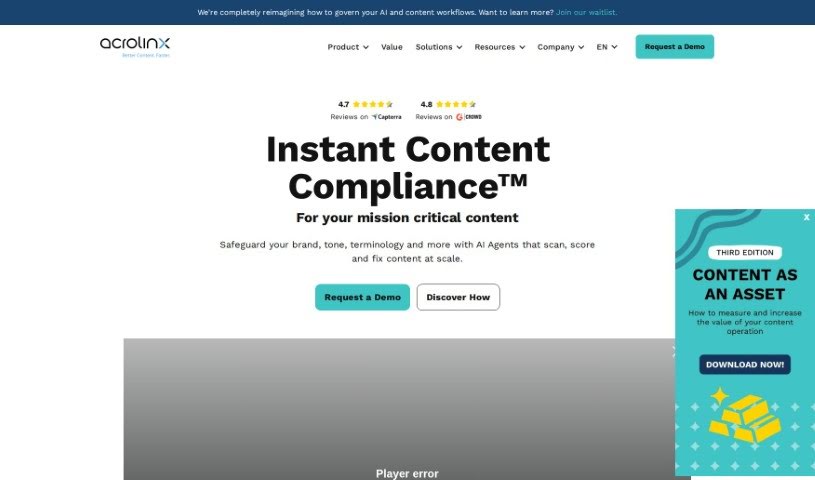
Acrolinx is a smart system for managing all your company’s writing. It uses generative AI to help you create content that follows all your rules and keeps your company safe from risks. It’s designed to help with every step of your content’s life, from the very first idea to how it’s analyzed later on. This means it can help with creating content, editing it, making sure it’s governed properly, and even looking at how well it’s performing.
Acrolinx gives you real-time help as you write, making suggestions right there on the page. It also works automatically to keep your content in line with company rules, no matter where that content lives. Plus, it gives you detailed reports on how good your content is and how it’s doing.
When you’re creating content, Acrolinx offers guidance that you can tailor to your company’s specific needs. It uses AI to give you smart suggestions for corrections, and you can even set up complicated style guides for different groups of people you’re trying to reach. This way, you can be sure your content always meets your guidelines.
Acrolinx helps manage your content by automatically checking it across all your different storage places. This makes sure everything you publish sticks to your established style and compliance rules. It scores your content against these company style guides, which helps improve your editing coverage and keeps your content quality consistent.
What’s more, Acrolinx plays nicely with lots of other writing tools you might already use. It makes editing much faster, gives you deep insights into your content’s quality and how it’s performing, and makes your writing clearer. It also keeps your content secure by running on Azure AI infrastructure. The generative AI part of Acrolinx means it can easily grow with your needs, adapt to future changes, and help you build those complex enterprise style guides for all sorts of different audiences.
Who created Acrolinx?
Andrew Bredenkamp is the person behind Acrolinx. He launched it on March 27, 2022. It’s essentially a system for managing editorial work at a company level. Acrolinx uses generative AI to help businesses produce content that follows rules and to manage the risks that come with it. It supports the whole process of content creation, editing, governance, and analysis. It offers live help for editors, automates checks across many content storage locations, and provides detailed analytics on content quality and performance.
What is Acrolinx used for?
Acrolinx is used for a bunch of things to make your content process smoother:
- Automating Governance: It handles checks across different places where you store content.
- Content Analytics: You get detailed reports on your content’s quality and how it’s performing.
- Scalability: It’s built to grow with your needs.
- Writing Guidance: You can get writing advice that’s customized for your company.
- Smart Corrections: It offers intelligent suggestions to fix your writing.
- Style Guides: It helps you set up enterprise-level style guides.
- Quality Visualization: You can see how good your content is.
- Compliance: It helps you improve how well your content follows rules.
- Audience Focus: It helps you cater to different target audiences.
- Efficiency Boost: It makes your editorial work much faster.
- Performance Tracking: You can measure how your content is doing.
- Customizable Guidance: It provides comprehensive and adaptable writing advice.
- Compatibility: It works with content from various sources.
- Tool Integration: It connects with other writing tools you use.
- Quality Curation: It helps you gather high-quality content.
- Clarity: It makes your content easier to understand.
- Live Assistance: You get help as you write.
- Future-Proofing: It’s designed to adapt to future needs.
- Security: It keeps your content safe.
Who is Acrolinx for?
Acrolinx is a helpful tool for a wide range of professionals involved in content:
- Writers
- Editors
- Content creators
- Content analysts
- Content curators
- Financial services professionals
- Healthcare professionals
- Marketing professionals
- Compliance professionals
- Enterprise Content Managers
- Writers and Editors in Various Industries
- Security professionals
- Content managers
- Content writers
- Compliance Managers
- Technical Writers
Essentially, if you’re involved in creating, managing, or ensuring the quality and compliance of content, Acrolinx could be a valuable asset.
How to use Acrolinx?
Here’s a straightforward way to get started with Acrolinx:
- Understand Acrolinx’s Role: First off, know that Acrolinx is a system for managing editorial work at a company level. It uses generative AI to help you create content that follows rules and manage risks throughout the entire content process.
- Get Help with Content Creation: Acrolinx offers writing guidance that you can customize. It also provides smart suggestions for corrections and helps you set up enterprise style guides, all to make your content clearer and more compliant.
- See How Generative AI Helps: The generative AI within Acrolinx makes it scalable and adaptable for the future. It gives you those intelligent suggestions for corrections and provides analytics so you can see how good your content is and how it’s performing.
- Manage Content Governance: Acrolinx automatically oversees your content across different places where it’s stored. This ensures everything aligns with your established guidelines and scores your content against your company’s style guides.
- Connect with Other Tools: Acrolinx integrates smoothly with various writing tools you might already use. This helps make your editing process more efficient and ensures you can meet specific requirements for your environment.
- Use Analytics and Visualizations: You’ll get detailed analytics about your content’s quality and performance, often presented with visualizations. This really helps when you’re curating collections of high-quality content.
- Make Content Clearer and Compliant: The tool is designed to improve your content’s clarity and compliance. It does this through those intelligent corrective suggestions, making sure you stick to the rules and guidelines.
- Ensure Content Security: Acrolinx keeps your content secure because its generative AI runs on Azure AI infrastructure. This guarantees confidentiality and makes sure it fits with approved systems.
- Customize Your Writing Guidance: You can tailor the enterprise writing guidance to fit your specific style and compliance needs. This is super helpful for both creating and reviewing content.
- Stay Adaptable for the Future: Acrolinx’s generative AI is built to adapt as your content needs change and new trends emerge. It offers scalability and flexibility for managing your content.
- Set Up Enterprise Style Guides: Acrolinx lets you create complex style guides for different target audiences. You can do this using configurable rules and private learning models.
- Boost Editorial Efficiency: Acrolinx speeds up your editing work. It offers live assistance, automates governance, and provides intelligent suggestions, all of which improve your workflow and how quickly you produce content.
By following these steps, you can really make the most of Acrolinx for better content creation, governance, and quality assurance.