AI Tools for Product Design

Discover the best Product Design AI tools to enhance your productivity and creativity.

Page 1 of 6 • 63 total tools

Designing products today can feel both exciting and a bit daunting. With trends changing so fast and users expecting more than ever, designers have a lot on their plate. Luckily, a new wave of AI tools is changing the game for product design, offering smart solutions that can speed up your work and spark creativity.

These tools aren’t just fancy extras; they really help with tasks like coming up with ideas, building prototypes, and even analyzing user feedback. Some apps use AI to spot design trends, while others handle boring, repetitive jobs. This lets designers focus on what really matters—their creative vision.

I’ve spent a good amount of time trying out different AI-driven design tools, and I’ve found a few that really stand out for what they can do. Whether you’re a seasoned pro or just starting out, these tools can make your workflow better and help you create amazing products.

Let’s explore the best AI tools for product design. Each one offers something unique to help you innovate and create more effectively. Ready to dive in?

The Best AI Product Design Tools

  1. Meshy: Great for quickly creating 3D product models.
  2. Kittl: Makes logo creation a breeze, often in just minutes.
  3. Tripo AI: Ideal for developing prototypes fast.
  4. Maze: Helps you test prototypes and gather feedback efficiently.
  5. Uizard IO: Perfect for rapidly prototyping app interfaces.
  6. Sprig: A tool to help you improve your product design process.
  7. Supademo: Lets you create interactive prototypes for user testing.
  8. Magic Patterns: Quickly prototype product ideas using AI.
  9. Color Magic: Get inspiration for colors based on keywords.
  10. Creatie: Easily design high-fidelity prototypes.
  11. Clarifai: Offers automated visual style analysis.
  12. Fireworks.ai: Provides AI-driven enhancements for prototyping.
  13. Brilliant Labs: Supports collaborative prototyping and feedback.
  14. Patterned AI: Elevate your product designs with unique patterns.
  15. Leo.ai: Speeds up CAD modeling from your sketches.

How Do AI Product Design Tools Work?

AI product design tools use smart algorithms and artificial intelligence to help designers create and prototype products. Basically, these tools look at tons of data from different design projects, user comments, and market trends. They do this to find patterns that can lead to better design choices.

Many of these tools use machine learning models to automate tasks that designers do over and over, like creating different versions of a design or suggesting layouts. By studying how users act and what they like, these tools can offer insights into how a design might perform in the real world.

A big part of AI in product design is simulating user testing. Tools can actually predict how people will use a product based on certain settings. This lets designers spot potential issues and improve usability even before the product is made.

Plus, AI design tools make teamwork smoother. They allow for feedback in real-time and help designers, engineers, and others involved communicate easily. This keeps everyone on the same page throughout the development process.

Finally, some AI tools include generative design. This means the software suggests many different design options based on what the user asks for. This approach lets designers explore more possibilities, leading to a more innovative and user-friendly final product.

All in all, these technologies are changing how product design is done. They allow for quicker changes, encourage creativity, and ultimately make design teams more effective. As AI keeps getting better, we can expect even more cool features to show up in product design.

Our Top AI Product Design Tools at a Glance

RankNameBest ForPlans and PricingRating
1MeshyRapid prototyping of 3D product modelsPaid plans start at $1.60/100 credits (billed yearly).4.58 (12 reviews)
2KittlEffortless logo creation in minutes.Paid plans start at $120/annually.4.80 (10 reviews)
3Tripo AIRapid prototype developmentN/A4.42 (12 reviews)
4MazeEfficient prototype testing and feedbackPaid plans start at $99/month.4.81 (27 reviews)
5Uizard IORapid prototyping for app interfaces.N/A4.74 (31 reviews)
6SprigOptimize product design processN/A4.82 (11 reviews)
7SupademoInteractive prototypes for user testingN/A4.75 (12 reviews)
8Magic PatternsPrototype product ideas quickly with AIN/A4.83 (12 reviews)
9ColorMagicInspiration from keywordsN/A4.20 (10 reviews)
10CreatieDesigning high-fidelity prototypes easily.N/A4.83 (12 reviews)
11ClarifaiAutomated visual style analysis.N/A4.73 (11 reviews)
12Fireworks.aiAI-driven prototyping enhancementsN/A4.83 (23 reviews)
13Brilliant LabsCollaborative prototyping and feedback.N/A3.91 (11 reviews)
14Patterned AIElevate product designs with unique patterns.N/A4.09 (11 reviews)
15Leo.aiSpeedy CAD modeling from sketchesN/A4.79 (24 reviews)
Screenshot of Autoname

Autoname

Freemium

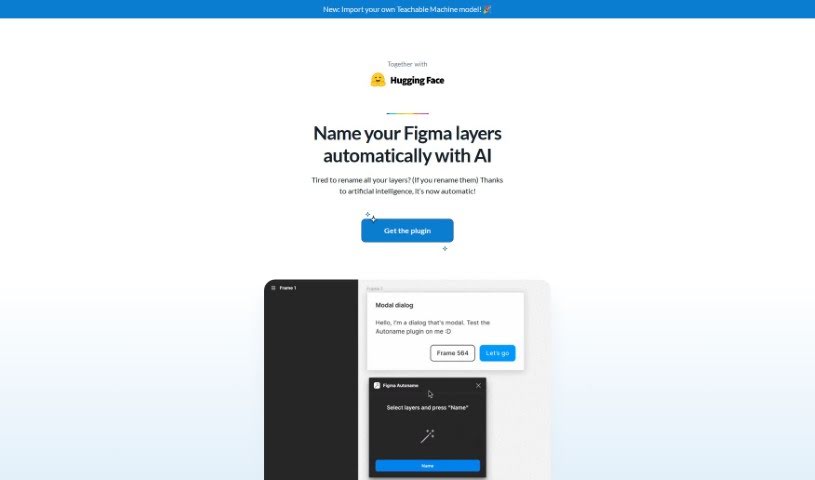
Autoname is a handy plugin built for Figma designers, aiming to make your workflow much smoother. It is a tool that automatically renames all your Figma frames with just one click. This means you no longer have to manually name every single layer, which can be a real time-saver. It uses artificial intelligence to speed up the design process, helping you get more done. Plus, it's really smart about keeping your components and instances intact thanks to its clever name detection. It's no wonder so many designers, over 30,000 of them, have found it so useful and easy to use. Autoname is also part of a community effort, meaning it's free and open-source under the MIT License, and they're always happy to have people contribute. It even works smoothly with other tools and can import Teachable Machine models, showing they're really committed to staying innovative.

Screenshot of Avataar

Avataar

Freemium

Avataar is a company that's really changing the game in spatial storytelling and creating visual experiences powered by generative AI. They've developed what's described as the world's first AI-led Computer Vision platform. This platform makes it possible for all sorts of businesses, brands, and individuals to create interactive experiences. Avataar holds over 10 patents and actively helps shape industry standards by working with big players like Khronos, Nvidia, Meta, Google, and AWS. Their commitment to pushing innovation is also backed by investments from major companies such as Sequoia Capital and Tiger Global.

Screenshot of Botroast

Botroast

Freemium

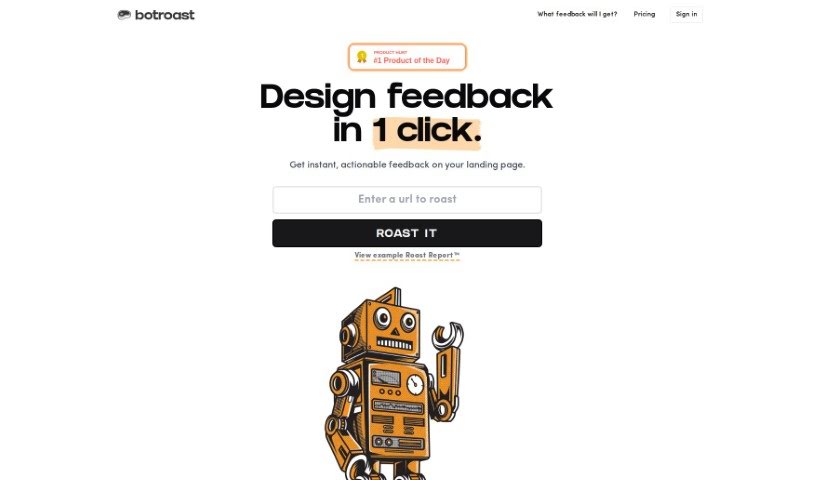
Botroast is a platform built to give users feedback on their designs. It offers a detailed critique through something called the 'Roast Report.' This report dives into many design elements, like the basics of design, how visual elements are arranged, the overall layout, the fonts used, color choices, how depth is created, the design assets themselves, and even the finer details. If you want to focus on specific parts of your design, you can buy 'roast credits' to get a review of those areas. The goal of the Roast Report is to give you practical advice so you can improve your designs on your own, right away. Botroast has different credit packages that fit various project sizes, whether you're working on something small or reviewing your whole portfolio. Prices range from $2.90 to $9 per review.

Screenshot of Bricksee

Bricksee

Freemium

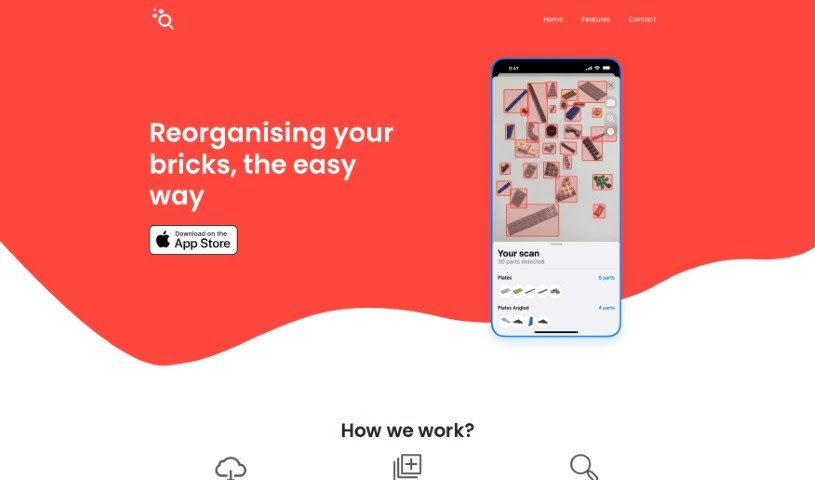
Bricksee is a really neat app made for everyone who loves building with bricks. It's super user-friendly and helps you put together brick sets piece by piece, making the whole process smooth whether you're just starting out or you've been building for years. With Bricksee, you get clear, step-by-step instructions that really simplify things. Plus, the app keeps great track of your progress, so you can see exactly where you are in your building journey, keeping everything organized and enjoyable. It even uses smart search tools to help you find the exact bricks and sets you need for your projects, making it a must-have for anyone serious about their brick-building hobby.

Screenshot of Brilliant Labs

Brilliant Labs

Freemium

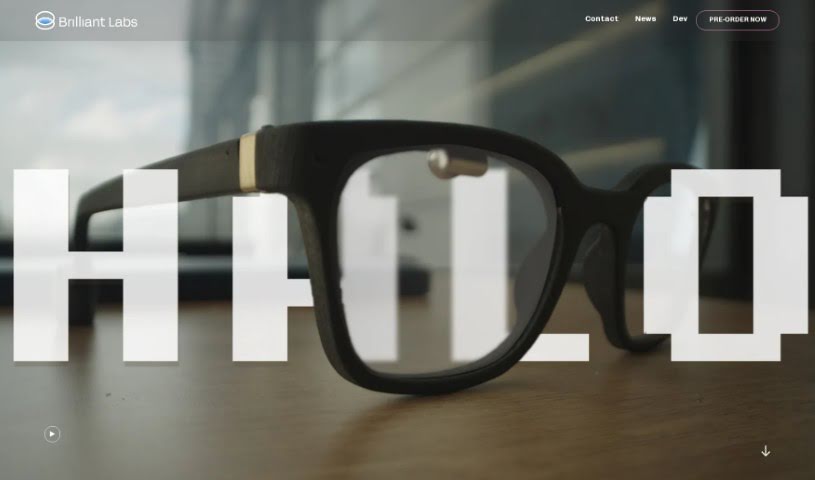
Brilliant Labs is a company that's really shaking things up with its Frame AI Glasses. They are eyewear that gives you 'AI superpowers.' What's cool is that it's all part of an open-source system. This means you can actually see and analyze what's around you in real-time, using technologies like OpenAI and Whisper. The glasses let you smoothly mix digital information with the physical world, even showing you live web searches right in your line of sight. Plus, they're designed so you can tweak and improve them yourself, making them truly yours. Brilliant Labs' big goal is to boost your knowledge, creativity, and empathy with their tech, and they're doing it through an open-source approach that really encourages the community to build and innovate together.

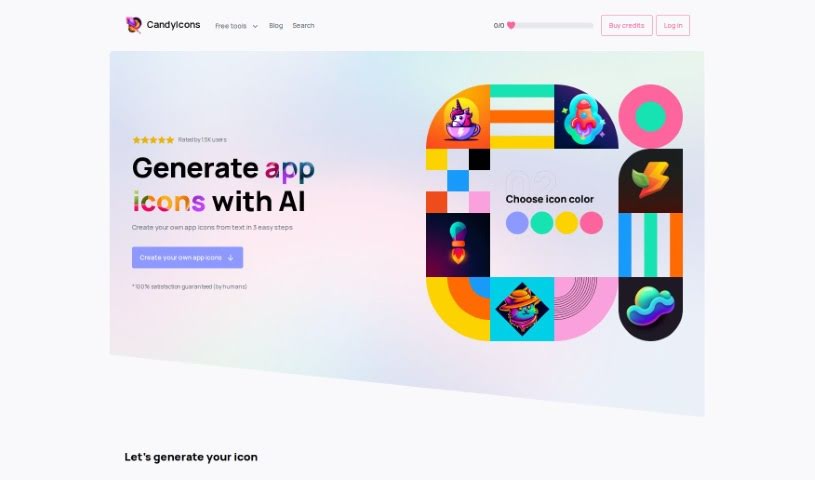
Screenshot of CandyIcons

CandyIcons

Freemium

CandyIcons is a really neat AI design tool that makes it super easy for anyone to create high-quality app icons. You can get a great icon in just three simple steps. Plus, it offers a huge library of pre-made icons, and you can even generate custom favicons and app icons that meet all those tricky app store requirements. It is your go-to for design assets, with handy tools like an AI App Icon Generator, Favicon Generator, and an iOS/macOS Asset Generator all conveniently located in the Design section. It's a paid service, but people seem to really like it!

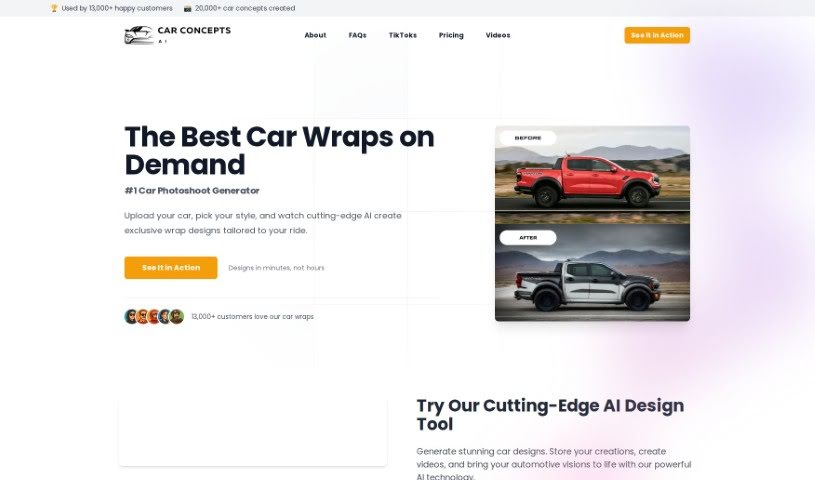
Screenshot of Car Concepts AI

Car Concepts AI

Freemium

CarConceptsAI is a neat tool that uses artificial intelligence to help you dream up some really cool car wrap designs. Basically, you upload a picture of your car, tell it what kind of style you're going for, and the AI whips up some unique ideas just for you. It's pretty flexible, too – it accepts different image types, lets you add extra details to really nail your vision, and uses smart algorithms to create wraps that look great and are totally personalized. While they don't give specifics on how spot-on the designs are, the goal is definitely to match what you're looking for. You can even include special touches in your designs, and the whole process is made super easy with a user-friendly interface. Just a heads-up, though: you don't get unlimited free images, and sometimes the designs might not be exactly what you hoped for. It's also worth being aware of potential security considerations when uploading images.

Screenshot of Clarifai

Clarifai

Freemium

Clarifai, which started back in 2013 with Matthew Zeiler, Ph.D., is a really big name in the AI world. They're changing how companies bring enterprise AI into their operations on a large scale. You might know them from winning image classification contests – that's where they really got their start and built their reputation. Now, they're a leader in the field. Clarifai offers a complete platform designed for building AI-powered solutions. It covers everything you need, from getting your datasets ready to training your models and then putting them to work. Plus, they've earned some serious praise, like being called a leader in computer vision platforms by both Forrester and IDC MarketScape. That really cements their spot as a top-tier AI provider.

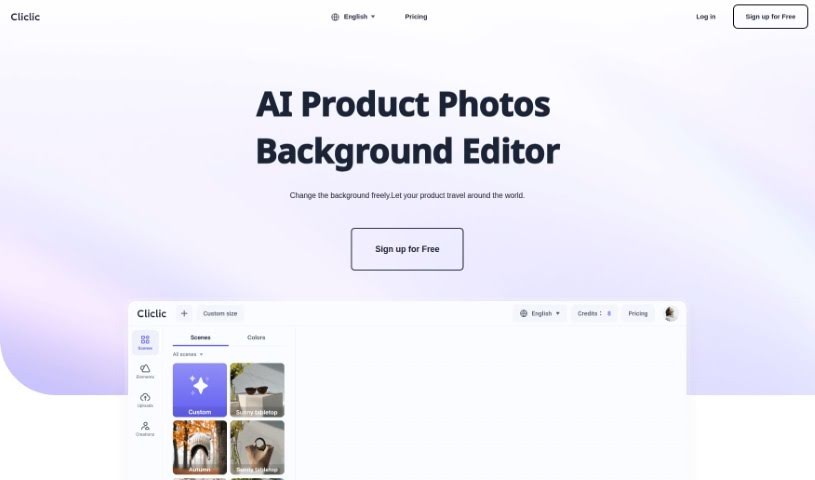
Screenshot of Cliclic AI

Cliclic AI

Freemium

Cliclic AI is a really handy tool designed to help you quickly create attractive backgrounds for your product photos. It is an AI Product Image Background Editor. It lets you easily put your own branded products into different scenes. You can pick from ready-made scenes or even create custom ones that match your product perfectly. This tool is pretty flexible, letting you set custom canvas sizes, choose from lots of pre-designed scenes, and it works for all sorts of product types.

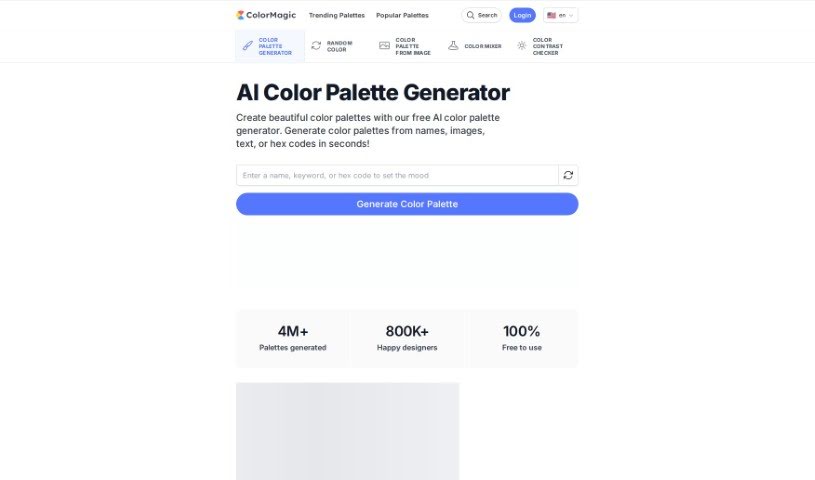
Screenshot of ColorMagic

ColorMagic

Freemium

ColorMagic is a really neat AI tool that helps you create gorgeous color palettes without any fuss. If you're an artist, a designer, or just want to make your projects pop with colors that just work together, ColorMagic is a fantastic choice. You can type in a keyword or even upload a picture that has the colors you're dreaming of, and the tool will whip up a palette that matches your vision. It's super easy to use, letting you create and tweak palettes quickly, which makes it a go-to resource for anyone needing color inspiration. Plus, they've got clear terms of use and a privacy policy available in several languages, including English and 日本語.

Screenshot of Creatie

Creatie

Freemium

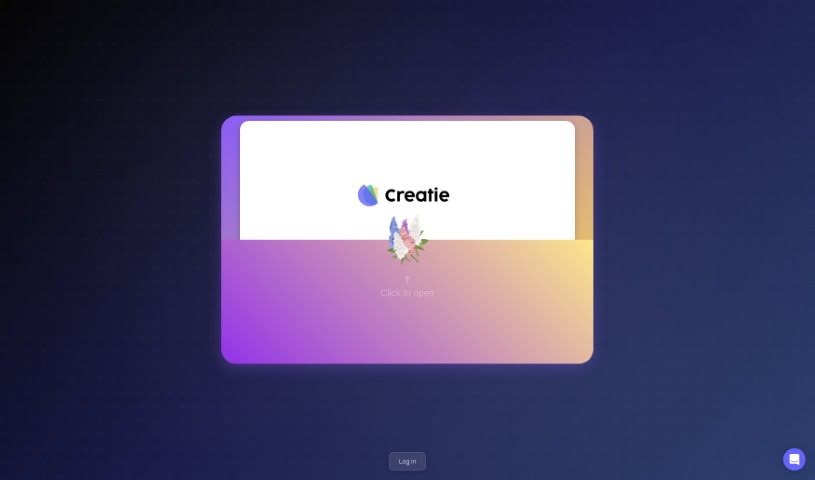
Creatie is a product design software that really leans into AI to help with all sorts of design tasks. Think wireframing, interface design, creating AI art, building prototypes, and collaborating with your team. The goal is to make design work more fun and efficient, using AI's magic to help you come up with ideas, design, work together, prototype, and hand off projects smoothly.

Screenshot of Design Sparks

Design Sparks

Freemium

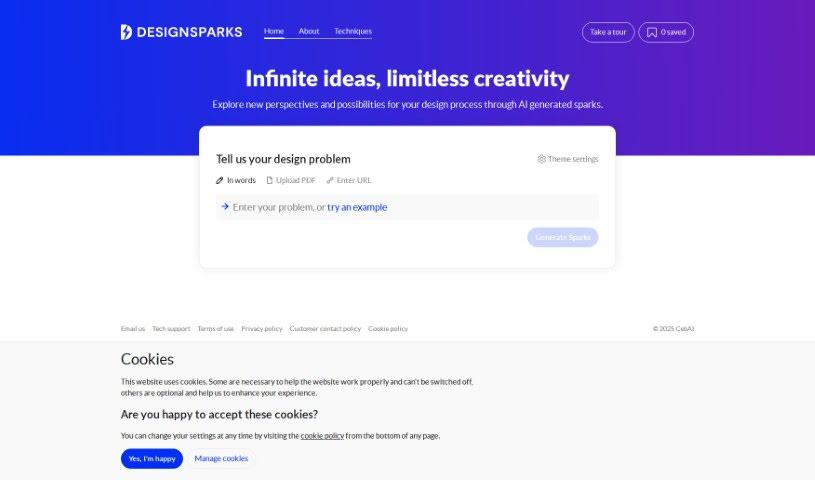
Design Sparks is a web application that uses AI to help you come up with and explore design ideas. It combines creative problem-solving methods with artificial intelligence, aiming to boost your creativity and improve your productivity, competitiveness, and critical thinking skills. You can give it your design problems or ideas by typing them out, pasting a link, or even uploading a PDF. This tool is really designed to help designers during the ideation phase, and it also lets you save ideas for later and tweak how it explores different themes.

Previous 1 of 6 Next

Stay Updated with AI Tools

Get weekly updates on the latest AI tools, trends, and insights delivered to your inbox

Join 25,000+ AI enthusiasts. No spam, unsubscribe anytime.