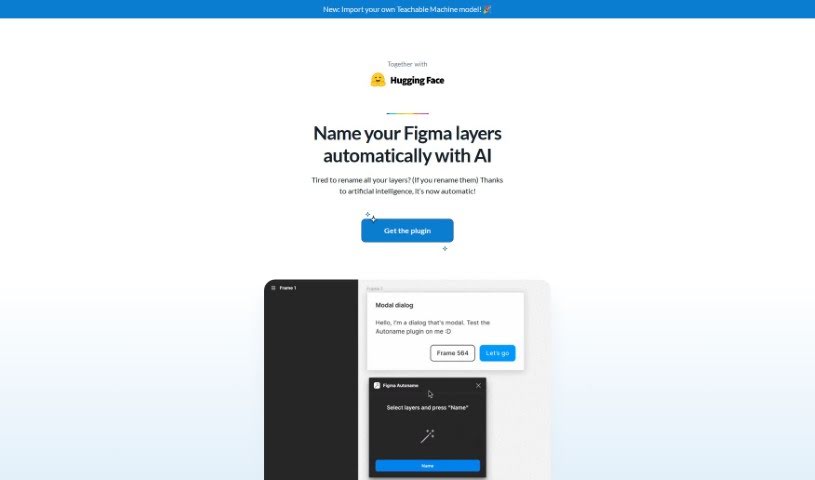
Discover what Autoname is and how to use it to boost your Figma workflow in 2025. We'll cover its features, compare it to other design generators, and show you how it saves time.

Autoname is a handy plugin built for Figma designers, aiming to make your workflow much smoother. It is a tool that automatically renames all your Figma frames with just one click. This means you no longer have to manually name every single layer, which can be a real time-saver. It uses artificial intelligence to speed up the design process, helping you get more done. Plus, it’s really smart about keeping your components and instances intact thanks to its clever name detection. It’s no wonder so many designers, over 30,000 of them, have found it so useful and easy to use. Autoname is also part of a community effort, meaning it’s free and open-source under the MIT License, and they’re always happy to have people contribute. It even works smoothly with other tools and can import Teachable Machine models, showing they’re really committed to staying innovative.
Hugo Duprez is the creator behind Figma Autoname. He developed this plugin specifically to help designers working in Figma by automating the often tedious task of renaming design layers. By using artificial intelligence, it makes the whole process much faster and more efficient. Designers have really taken to it because it’s so effective and simple to use, with more than 30,000 happy users already. Figma Autoname is part of a community-driven initiative, which means it’s free and open-source under the MIT License, and they actively encourage contributions from users.
Here’s a breakdown of what Autoname helps you do:
Essentially, Autoname streamlines the entire design process for Figma users. It automatically renames all Figma frames with just one click, speeding things up considerably by using AI for efficient naming. It also makes sure your components and instances stay correctly named through smart detection. Being part of a community-driven, free, and open-source initiative means it’s always evolving, and user contributions are welcome. This helps prevent accidental renaming of components and instances, and you can even import your own Teachable Machine model. It’s all about boosting productivity and automating design tasks.
Figma Autoname is a really useful plugin for anyone designing in Figma, offering a great way to improve your workflow. Here’s how you can get the most out of it:
By adding Figma Autoname to your design tools, you can really boost your productivity and make your design process much smoother. Give it a try today and start saving time while working smarter!
Discover more tools in similar categories that might interest you
Get weekly updates on the latest AI tools, trends, and insights delivered to your inbox
Join 25,000+ AI enthusiasts. No spam, unsubscribe anytime.