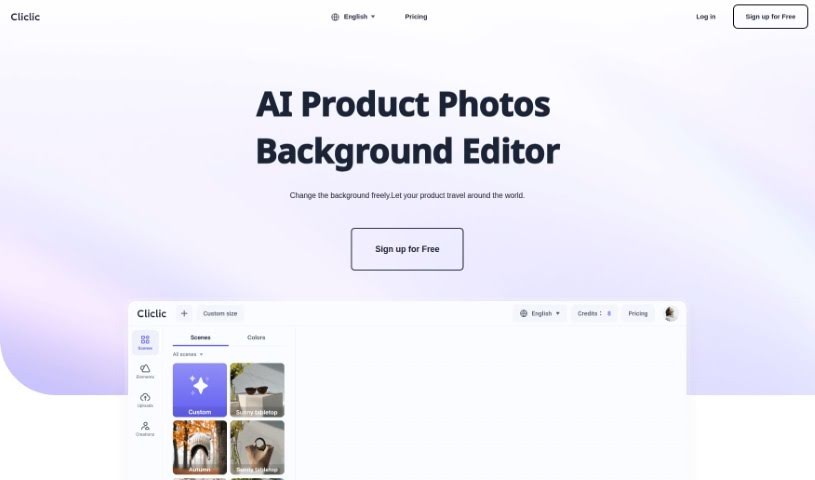
Screenshot of Cliclic AI

Cliclic AI

Discover Cliclic AI in 2025! Learn what this AI product image background editor does, how to use its features, and how it stacks up against other photo editors.

Screenshot

What is Cliclic AI?

Cliclic AI is a really handy tool designed to help you quickly create attractive backgrounds for your product photos. It is an AI Product Image Background Editor. It lets you easily put your own branded products into different scenes. You can pick from ready-made scenes or even create custom ones that match your product perfectly. This tool is pretty flexible, letting you set custom canvas sizes, choose from lots of pre-designed scenes, and it works for all sorts of product types.

Who created Cliclic AI?

Cliclic AI was developed by a team dedicated to making product photography easier. They created the Cliclic AI Product Image Background Editor specifically to help users generate appealing product image backgrounds without a fuss. You can use their preset scenes or create custom ones that perfectly complement your products. It’s designed to make creating professional-looking product photos for your brand simple and efficient.

What is Cliclic AI used for?

  • Create Engaging Content: Make your products stand out with eye-catching scenes.
  • Generate Product Photos: Easily create images using preset scenes or by matching custom scene elements to your products.
  • Branded Product Images: Effortlessly produce photos that align with your brand’s look and feel.
  • Custom Canvas Sizes: Adapt your images for different marketing channels by setting custom dimensions.
  • Wide Scene Selection: Access a broad range of pre-designed scenes, all tailored for various product categories.
  • Commercial Photography Tool: It’s compatible with all types of products and industries.
  • Independent Scene Elements: You can set different scene elements separately for more control.
  • Generous Custom Sizes: Create images up to 2048px by 2048px.
  • Save and Generate: Store your creations and decide how many images you want to generate at once.
  • Priority Support: Pro subscription users get priority customer support.

How to use Cliclic AI?

Want to create some really engaging product images with cool backgrounds using Cliclic AI? Here’s a simple breakdown of how to do it:

  1. Get Started: Just head over to the Cliclic AI Product Image Background Editor tool.
  2. Pick Your Scene: Browse through the many preset scenes, or get creative and use custom scene elements that perfectly match your product and brand.
  3. Size It Up: You can customize the canvas size, which is super helpful for making sure your images fit perfectly on different marketing platforms.
  4. Choose Your Plan: Decide which subscription plan works best for you. There’s a Free plan, a Basic plan for $5.5 a month, and a Pro plan for $9.9 a month. Each offers different features, like how many images you can generate and custom size options.
  5. Create Your Images: Once you’ve set up your scene and adjusted the settings to your liking, just hit generate!
  6. Check the FAQs: If you have questions about how Cliclic AI works, who owns the photos you create, subscription details, billing, or free trials, the FAQ section has you covered.
  7. Enjoy Using It: Dive in and use Cliclic AI’s smart features to quickly give your product photos awesome, attractive backgrounds for all your marketing needs.

With its easy-to-use design and a great variety of scene options, Cliclic AI really makes it simple for anyone to improve their product images for marketing.

Related AI Tools

Discover more tools in similar categories that might interest you

123RF AI Image Generator

Creative Image Generation
Learn More

Stay Updated with AI Tools

Get weekly updates on the latest AI tools, trends, and insights delivered to your inbox

Join 25,000+ AI enthusiasts. No spam, unsubscribe anytime.