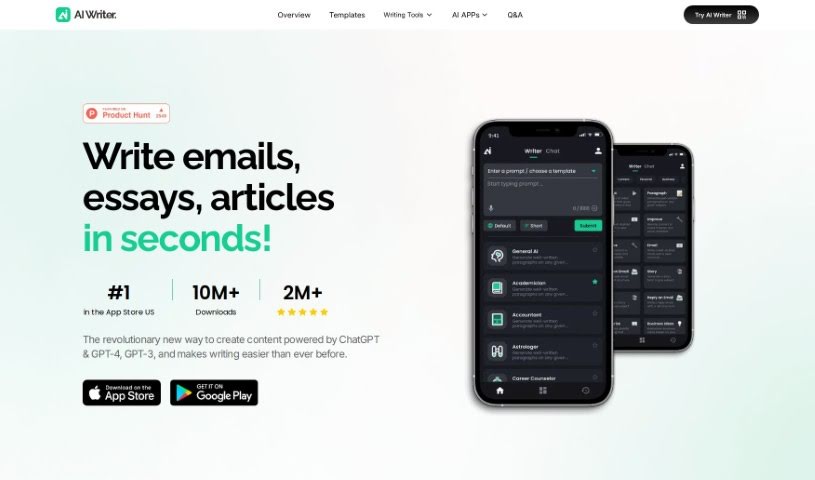
Screenshot of AI Writer: Essay Email Writing(App)

AI Writer: Essay Email Writing(App)

Discover what the AI Writer: Essay Email Writing app is all about and how you can use it effectively in 2025. We'll explore its features and see how it stacks up against other writing tools.

Screenshot

What is AI Writer: Essay Email Writing(App)?

AI Writer: Essay Email Writing is a handy mobile app that can whip up high-quality content just for you, in mere seconds. Need to write a persuasive essay or a polished email? AI Writer is here to help you create exactly what you need, efficiently. The app’s designed to tackle all sorts of writing tasks, aiming to help you really tap into your full writing potential. Thanks to AI technology, you get quick, effective writing help for pretty much anything, making the whole writing process feel much smoother and faster. Basically, AI Writer: Essay Email Writing is a great tool for anyone wanting to boost their writing skills and get more done, even when they’re on the move.

Who created AI Writer: Essay Email Writing(App)?

Sandy Kong is the creator behind the AI Writer: Essay Email Writing app. This application is built to generate great content that’s perfectly suited to what the user needs, whether that’s a compelling essay or a professional email. Sandy Kong founded the company that developed AI Writer, and their mission is to give users a tool that really helps them improve their writing abilities through efficient content creation.

What is AI Writer: Essay Email Writing(App) used for?

Here’s a look at what AI Writer: Essay Email Writing can help you with:

  • It helps people who’ve experienced PTSD write powerful speeches and letters.
  • It assists businesses in crafting effective promotional emails.
  • It supports new writers who are stuck with writer’s block, helping them generate ideas.
  • It can help write stories and prompts, even those with NSFW content.
  • It saves you time by producing quality content with just a little input.
  • It makes writing easier for anyone who struggles to find the right words.
  • It provides an efficient way to write essays and professional emails.
  • It generates excellent copy that you can then tweak for different uses.
  • It acts as a helpful writing assistant for anyone looking to sharpen their writing skills.
  • It helps users quickly create content for all sorts of writing needs.
  • You can instantly generate top-notch content for essays or professional emails.
  • Beat writer’s block with templates that are ready to go.
  • Find inspiration for all kinds of writing situations.
  • You can adjust the writing style, tone, and voice to fit exactly what you need.
  • It works smoothly across your smartphones, tablets, and computers.
  • Break down language barriers with its ability to handle multiple languages.
  • Get your questions answered with smart Q&A features.
  • Unleash your creativity and get innovative ideas in seconds.
  • Generate high-quality content for essays.
  • Generate high-quality content for professional emails.
  • Customize writing style, tone, and voice.
  • It works seamlessly on phones, tablets, and computers.
  • Multilingual capabilities to break language barriers.
  • Get answers with smart Q&A feature.

Who is AI Writer: Essay Email Writing(App) for?

This app is a great fit for:

  • Students
  • Teachers
  • Business professionals
  • Marketers
  • Freelance writers
  • Journalists
  • Researchers
  • Content creators
  • Administrative Assistants
  • Social media managers

How to use AI Writer: Essay Email Writing(App)?

Using the AI Writer: Essay Email Writing app is pretty straightforward. Just follow these steps:

  1. Get Started with AI Writer: Head over to the AI Writer platform or download the mobile app using the link provided.
  2. Create Your Content: Pick the kind of content you want to make, like a persuasive essay or a professional email.
  3. Choose a Template: Browse through the available templates. You’ll find options like Thank You Email, Happy Birthday Message, Wedding Message, Resignation Letter, Email to Professor, 2 Week Notice Letter, Acceptance Interview, and many more.
  4. Personalize Your Content: Adapt the chosen template to your specific situation by tweaking the text to match your needs.
  5. Review and Edit: Once the content is generated, give it a good read to make sure it hits your goals. Feel free to make any edits or adjustments you think are necessary.
  6. Finalize and Save: After you’ve reviewed and edited, finalize the text. You can then save your completed content or download it for later use.
  7. Put Your Content to Use: Use the content you’ve generated for whatever you need it for – an essay, an email, or any other type of communication.

By following these steps, you can really make the most of the AI Writer: Essay Email Writing app to create excellent content tailored to you, and you can do it in just seconds!

Related AI Tools

Discover more tools in similar categories that might interest you

Stay Updated with AI Tools

Get weekly updates on the latest AI tools, trends, and insights delivered to your inbox

Join 25,000+ AI enthusiasts. No spam, unsubscribe anytime.