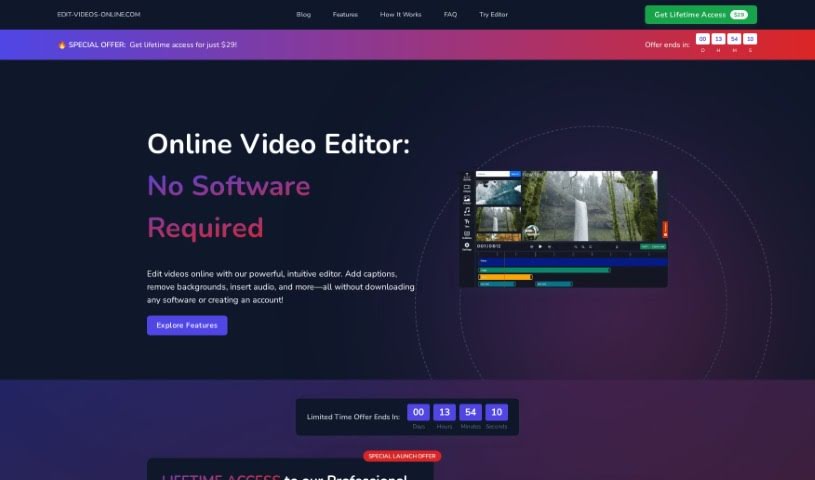
What is Edit-Videos-Online?
Edit-Videos-Online is a handy online tool that lets you edit and create videos right in your browser. The best part? You don’t need to sign up or install any software. It’s super easy to add text, captions, subtitles, music, voiceovers, and other audio tracks using the built-in tools. Plus, it works with all the popular video formats you’re likely using, like MP4, AVI, MOV, WMV, and FLV. When you’re done editing, you can export your video in whatever format and resolution you need. It even has features to automatically generate captions, add images, and watermarks, giving you lots of control over font, color, size, where it appears, and how long it lasts. Want to create TikToks, Instagram Reels, or YouTube Shorts automatically? This tool can do that too! You just give it a topic, and it’ll generate a video based on that, letting you review and edit the script and even pick a voice actor.
Who created Edit-Videos-Online?
Edit-Videos-Online was brought to life by a team led by Morgan Scott, and it first launched on May 1, 2024. It’s a web-based application, meaning you can edit and create videos directly online without needing to register or install any software. You can easily add text, captions, subtitles, music, voiceovers, and even watermarks to your videos using the editor right there in your browser.
What is Edit-Videos-Online used for?
- Creating short-form video content: It’s great for automatically making TikToks, Instagram Reels, and YouTube Shorts.
- Growing your channel with AI: You can generate videos using AI to help boost your channel’s growth.
- Consistently engaging content: It helps you produce highly engaging content on a regular basis.
- Easy video generation: You simply pick a topic to kick off the video creation process.
- Script review and editing: You can review and edit the video script that’s generated.
- Voice actor selection: You get to choose a voice actor for your videos.
- Streamlined editing: You can edit your videos directly within the video editor.
- Simple downloading: Download your edited videos easily for uploading to your favorite platforms.
- Automated content creation: It automates the process of making TikToks, Instagram Reels, and YouTube shorts.
- Consistent engagement: It helps you create highly engaging content consistently.
- Topic-based generation: You can choose a topic and then review the script that’s generated.
- Narration options: Select a voice actor to narrate your videos.
- Editing generated videos: You can edit the videos that are generated.
- Downloading for upload: Download your edited video to upload it.
- Channel growth: It helps you grow your channel through video content.
- AI for growth: Utilize AI-generated videos to help grow your channel.
- Voiceover enhancement: Add voiceovers to make your videos better.
- Automatic captions: It can automatically generate captions for your videos.
- Subtitle and caption addition: Add subtitles and captions automatically.
- Custom text: Add text to your videos, customizing the font, color, size, position, and duration.
- Audio options: Add audio by uploading existing files, recording your own, or using the Text-to-Speech tool.
- Image and watermark addition: Effortlessly add images or watermarks to your videos.
- Automated short-form video: Automate the creation of TikToks, Instagram Reels, and YouTube shorts.
- AI video for growth: Generate AI videos to help grow your channels.
- Script review: Review and edit generated video scripts.
- Vivid narration: Choose voice actors for your videos to make them more vivid.
- Editing and uploading: Edit generated videos and download them for uploading.
- Caption generation: Automatically generate captions.
- Text overlay: Add text to your video.
- Audio integration: Add audio to your video.
- Image overlay: Add an image to your video.
Who is Edit-Videos-Online for?
- Content creators
- Social media managers
- Digital marketers
- Online influencers
- Marketers
- YouTubers
- Influencers
- Video editors
How to use Edit-Videos-Online?
Here’s how you can get started with Edit-Videos-Online:
- Access the Online Video Editor:
- Just head over to Edit-Videos-Online.com. It’s a web-based application, so you can start editing right away without needing to register or install anything.
- Upload Your Video:
- The first step is to upload the video you want to work with into the editor.
- Enhance Video with Text and Captions:
- Make your videos more engaging by easily adding text, captions, and subtitles. You can customize the font, color, size, positioning, and how long they appear.
- Add Audio:
- Boost your video’s impact by adding audio. You can upload an existing audio file, record your own voiceover, or use the Text-to-Speech tool.
- Include Images or Watermarks:
- Add watermarks to your videos to protect your brand and content, or include other images easily.
- Export Your Video:
- Once you’re happy with your edits, use the export function to save your video in your preferred format and resolution.
- AI Video Generation:
- Take advantage of AI to create videos for platforms like TikTok, Instagram Reels, and YouTube Shorts.
- First, choose a topic, and the AI will generate a video script for you.
- Then, select a voice actor to narrate the video.
- Start the generation process.
- If needed, you can edit the video that the AI generates.
- Finally, download the video so you can upload it to your favorite platforms.
Remember, you don’t need to register to use the video editor, and it supports popular formats like MP4, AVI, MOV, WMV, and FLV. You’ll find it’s a breeze to create professional-looking videos with Edit-Videos-Online!