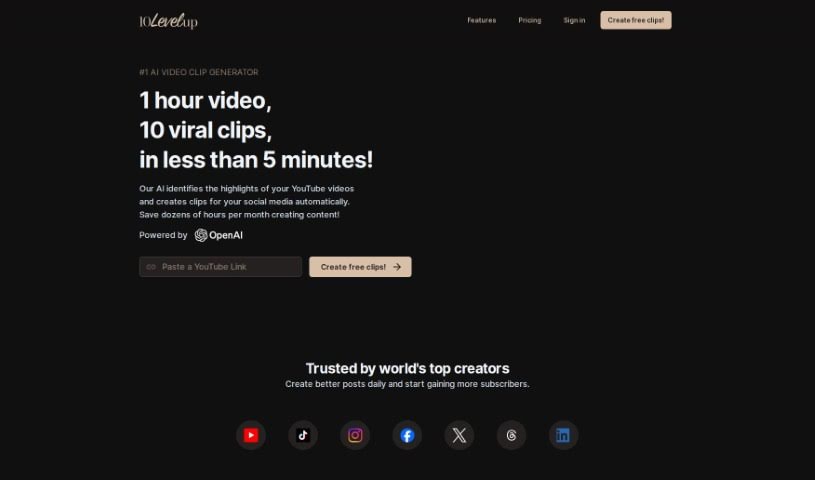
Screenshot of 10LevelUp

10LevelUp

Discover what 10LevelUp is and learn how to use it effectively in 2025. We'll explore its features and see how it stacks up against other video editing tools.

Screenshot

What is 10LevelUp?

10LevelUp is a smart tool that uses AI to find the best moments in your longer videos. It then automatically creates short clips from these highlights, perfect for sharing on social media. It is your personal video editor for platforms like YouTube, LinkedIn, Twitter, TikTok, and Instagram. It can detect who’s speaking, automatically clip segments, add captions, resize your video, and even set up the best output formats for you. All you need to do is upload your video file or a YouTube link, tell it your preferred settings while it works its magic, and then pick the clips you want to share.

Who created 10LevelUp?

10LevelUp first launched on December 13, 2023. While the founder’s name isn’t specifically mentioned, the company behind it is based in Munich. They’ve engineered this tool to harness the power of AI, specifically for creating those short, engaging video clips that social media audiences love. The goal is to make it easier for creators to repurpose their longer content, reach more people, and grow their audience efficiently across different platforms.

What is 10LevelUp used for?

  • It helps make your videos perfect for social media.
  • It’s great at spotting the most interesting parts of a video.
  • It automatically creates short clips from those highlights.
  • It makes repurposing content a breeze.
  • It can automatically detect different speakers.
  • It has a handy auto-clipping feature.
  • It adds captions to help viewers stay engaged.
  • You can get minutes-long clips that have the potential to go viral.
  • It’s designed to optimize your YouTube videos.
  • You can set your preferences while the AI is still processing.
  • It can resize your videos.
  • It automatically configures the best output formats.
  • It even handles auto-layout for videos with multiple speakers.

Who is 10LevelUp for?

  • Anyone who creates content
  • Social media managers
  • Digital marketers
  • Podcasters
  • YouTubers
  • Video editors

How to use 10LevelUp?

Using 10LevelUp is pretty straightforward. Here’s a quick rundown:

  1. Upload: Start by uploading your video file or just pasting a YouTube link. The AI will begin processing it as soon as it’s uploaded.
  2. Configure: While the AI is busy processing your video, you can set up your desired output formats and choose your preferred subtitle settings.
  3. Select: Once the AI has finished processing, you can preview all the generated clips. Then, simply pick the ones you want to render in full quality.
  4. Publish: Finally, share those awesome clips on your social media channels to really connect with your audience.

On top of that, 10LevelUp offers some really useful features like automatically detecting multiple speakers, auto-clipping, adding captions automatically, cropping content smartly, setting up auto-layouts, and even auto-posting. These tools are designed to make your videos shine on social media and keep viewers hooked, all while saving you a ton of time.

Related AI Tools

Discover more tools in similar categories that might interest you

Stay Updated with AI Tools

Get weekly updates on the latest AI tools, trends, and insights delivered to your inbox

Join 25,000+ AI enthusiasts. No spam, unsubscribe anytime.