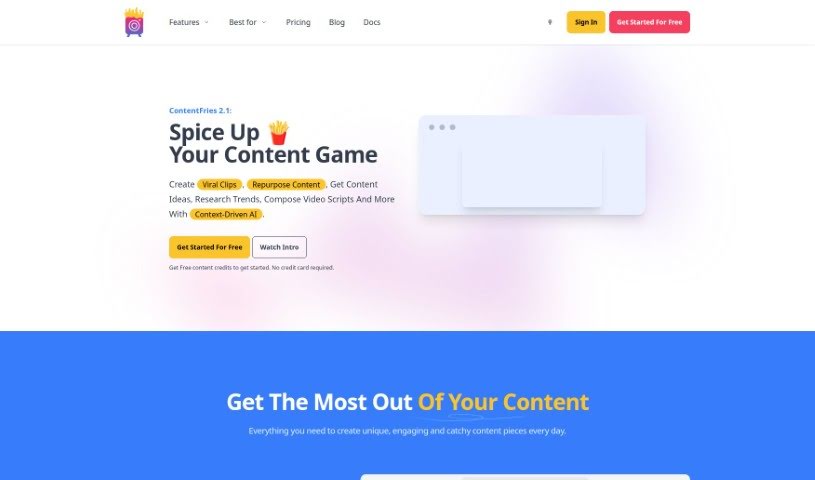
What is ContentFries?
ContentFries is a really handy software tool designed to help you repurpose your content. Basically, it lets you take those longer videos you’ve already made and quickly turn them into shorter, bite-sized pieces. It is a way to get more mileage out of your existing work, making it super easy to share across different platforms. It comes with neat features like a drag-and-drop tool for multiplying your content, smart subtitles that are easy to read, and some really nice templates to make your videos look great. Podcasters, people who do live streams, webinar hosts, interviewers, and honestly, anyone who creates video content can benefit from this. It’s built to help you get the most out of your videos by making it simple to repurpose them. Plus, it’s got tools to cut out those awkward silent bits and even fix typos automatically, so you can create engaging content for social media without a lot of hassle.
Who created ContentFries?
ContentFries was actually created by a person known as Mr. Fry, who also happens to be the company’s mascot! He’s developed this powerful software that makes it super efficient for users to take their long-form videos and chop them up into smaller, engaging content pieces. The platform is all about helping creators maximize their output by repurposing what they already have. With features like drag-and-drop content multiplication, smart subtitles, and attractive templates, ContentFries really aims to boost how much great content you can produce from your existing videos.
What is ContentFries used for?
ContentFries is incredibly versatile, helping you:
- Create content ahead of time: Get weeks or even months of contextual content ready to go, much faster than usual.
- Transform long videos: Turn those lengthy videos or audio files into lots of short, shareable clips.
- Generate lots of clips: You can easily get dozens of bite-sized pieces from a single long-form audio or video.
- Attract more fans: Create amazing content pieces that help you connect with more super fans on social media.
- Easily extract clips: Use the drag-and-drop feature to quickly cut out content pieces from your longer videos.
- Get great transcriptions: Obtain impressive transcriptions and subtitles in just minutes.
- Create templated videos: Generate dozens of video content pieces, all fitting into a template you choose.
- Remove silence: Say goodbye to awkward pauses; it removes silent parts from videos without any fuss.
- Fix typos easily: Correct common typos with just a single click.
- Adapt videos effortlessly: Make your videos fit any platform with a simple click.
- Repurpose for different platforms: Make your content work across all your social media channels.
- Drag & drop content multiplication: This makes extracting content pieces super easy.
- Smart Subtitles: Get quick transcriptions and subtitles that are easy to read.
- Beautiful Templates: Use these to generate professional-looking video content pieces.
- Remove Silence feature: This helps you eliminate those silent parts from your videos.
- Search and Replace tool: Perfect for fixing frequent typos quickly.
- AI Clips Detector: A great tool for content repurposing.
- AI Lab tools: This suite includes tools for drafting video scripts, generating post descriptions, researching trends, coming up with content ideas, and writing quotes.
- Transforming long-form videos: It’s all about turning those longer videos into bite-sized content.
- Creating contextual content: Get your content calendar filled for weeks or months ahead.
- Generating dozens of bite-sized pieces: Maximize your output from long-form audio and video.
- Repurposing content: Make your content work harder for you across different platforms.
- Creating smart subtitles: Get highly accurate transcriptions and subtitles.
- Utilizing drag & drop content multiplier: This makes content extraction a breeze.
- Removing silent parts: Easily clean up your videos.
- Fixing frequent typos: The search and replace feature is a lifesaver.
- Automatically transcribing videos: Speed up your repurposing process significantly.
- Creating engagement: Produce video chunks that grab attention on various platforms.
Who is ContentFries for?
ContentFries is a fantastic tool for:
- Podcasters
- Live streamers
- Webinar Hosts
- Interviewers
Essentially, if you’re a podcaster, live streamer, webinar host, or interviewer, this software is designed with you in mind!
How to use ContentFries?
Using ContentFries effectively is pretty straightforward. Just follow these steps:
- Sign Up: First, you’ll need to register for an account. You can choose between the Premium or Platinum plans, depending on what fits your needs and budget best.
- Upload Videos: You can upload your long-form videos in several ways – directly from your computer, via links, or by connecting your Dropbox or Google Drive accounts.
- Content Repurposing: This is where the magic happens! You can use features like the AI Clip Detector to find the best parts, auto-reframing to make sure your clips look good on any screen, adjust clip timings, add your own custom clips, remove silences and filler words, and use the timeline-based editor to really polish your content.
- AI Lab: For even more power, check out the AI Lab. Here you can access premium models like ChatGPT 4o, use an AI video script writer, get help generating post descriptions, research current trends, find new content ideas, and even write quotes.
- Subtitles and Templates: You can generate super accurate subtitles in over 100 languages. Plus, you can add AI emojis, gifs, b-rolls, overlays, and use one-click presets and templates to make your content creation process much smoother.
- Customization & Export: Make your content truly yours by customizing it with your own fonts, elements, progress bars, images, videos, texts, gifs, stickers, and more. You can also export subtitles as SRT or plain text files, which is really handy for different uses.
- Content Creation: Use the drag-and-drop content multiplier, smart subtitles, beautiful templates, the remove silence feature, and the search and replace option to create content efficiently.
- Resize and Adapt: Need to put your video on a different platform? No problem! You can easily resize your videos for different platforms with just a single click, ensuring they look great everywhere.
By following these steps, you can really harness the power of ContentFries to efficiently turn your long-form videos into engaging and impactful content that reaches a wider audience.