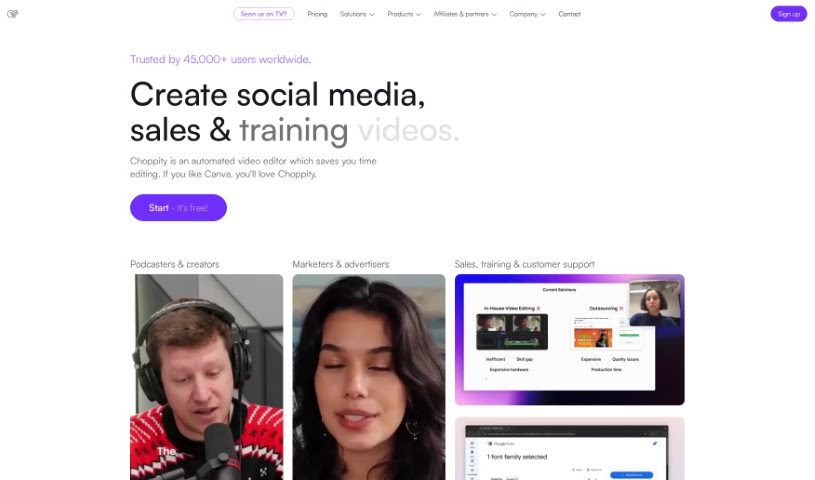
Screenshot of Choppity

Choppity

Discover Choppity in 2025! Learn what this AI-powered video editor does, how to use its features effectively, and how it stacks up against other short video makers.

Screenshot

What is Choppity?

Choppity is a video editing tool that uses AI to quickly turn your longer videos into engaging clips perfect for social media. It’s packed with features designed to make your life easier. Think ‘magic clips™’ that automatically find the most interesting parts of your video, background effects (VFX) to make your text, images, or b-roll look professional, and even profanity censoring to keep your content social media-friendly. You can also add custom captions with your own fonts and styles, plus music and sound effects. If you like having more control, there’s a timeline editor too. People who’ve used it really like how much time it saves and how easy it is to use. Plus, they emphasize that while the AI does a lot, they also offer great human customer support.

Who created Choppity?

Founder of Choppity:

Eleni Socratous founded Choppity. The platform is all about helping you repurpose your content for different social media channels. It offers smart features to adapt your videos for each platform, including eye-catching caption graphics. Eleni, along with her co-founder Aaron, is really focused on making sure users have a great experience and are always improving the tool based on what people tell them.

What is Choppity used for?

  • Instantly chop one long video into multiple clips.
  • Magic clipsâ„¢: This feature automatically finds the most engaging and potentially viral clips within your long video.
  • Background VFX: You can place text, images, or b-roll videos behind people in your footage, giving your videos a professional look.
  • Magic followâ„¢: Easily track moving subjects with just a single click.
  • Profanity censoring: Automatically removes curse words, keeping your content compliant with social media guidelines.
  • Magic reframeâ„¢: Effortlessly convert landscape videos into portrait or square formats.
  • Transcript-based editing: Edit your videos by simply selecting parts of the transcript, available in 97 languages.
  • Customizable captions: Personalize your captions with custom fonts, styles, and animations.
  • Add media: Easily incorporate music, sound effects, b-roll footage, images, and text.
  • Powerful timeline editor: Gives you complete control over the editing process.
  • AI-powered social media clips: Edit videos into clips designed to maximize views and engagement.
  • Detect viral content: The AI is great at spotting the most engaging and viral moments in a long video.
  • Professional backgrounds: Add text, images, and b-roll videos behind people for a polished look.
  • Subject tracking: Follow moving subjects with a single click.
  • Automatic censoring: Keep your videos clean by automatically censoring curse words.
  • Format conversion: Turn landscape videos into portrait or square while ensuring people stay in frame.
  • Transcript editing: Edit videos by selecting specific sections of the transcript.
  • Quick clip creation: Choppity is used to chop one long video into clips instantly.
  • Human-like AI editing: Choppity’s AI edits videos like a human, resulting in extremely high-quality output.
  • Engaging clip detection: The AI detects engaging and viral clips in a long video.
  • Professional visual aids: Add text, images, and b-roll videos behind people for professional-quality videos.
  • Magic follow feature: Choppity’s Magic follow feature tracks moving subjects with a single click.
  • Social media compliance: Provides profanity censoring to avoid issues with social media algorithms.
  • Multilingual editing: The AI offers transcript-based editing in 97 languages.
  • Caption customization: Offers fully customizable captions with custom font, style, and animation.
  • Engagement boosters: Enables the addition of b-roll, images, and text as visual aids to increase engagement.
  • Visual enhancements: Allows for adding music, sound effects, and custom fonts to videos.

Who is Choppity for?

  • YouTubers
  • Freelancers
  • Marketing Agencies
  • Media corporations

How to use Choppity?

Here’s a straightforward guide to using Choppity effectively:

  1. Upload Your Video: Start by uploading your long video to Choppity. Then, let the AI do its thing to find those engaging clips.
  2. AI Editing: Take advantage of Choppity’s AI editing. It produces high-quality video, much like a human editor would.
  3. Explore Magic Features: Check out features like Background VFX, Magic followâ„¢ to track moving subjects, and profanity censoring to really boost your videos.
  4. Customize Your Videos: Use magic reframeâ„¢ to get the right aspect ratios, add zoom effects, and try out transcript-based editing in different languages.
  5. Add Enhancements: Make your videos more engaging and on-brand by adding music, sound effects, custom fonts, b-roll, images, and text.
  6. Templates & Timeline Editing: If you find a style you like, save it as a template for later. You can also use the professional timeline editor for precise control over your edits.
  7. See What Users Say: Over 25,000 users find Choppity saves them time and produces professional results, often mentioning the great customer support.
  8. Choose a Plan: Pick a subscription plan that fits your editing needs, whether you’re just starting out on social media or need advanced features for professional work.
  9. Get Support: You can count on excellent customer support to help with any questions or issues you might have while editing your high-performing videos.
  10. Start Editing: Once you’re comfortable with what the tool can do, you’re all set to start creating captivating video content and grow your audience faster.

By following these steps, you can really use Choppity’s advanced AI editing features to create engaging, professional videos efficiently.

Related AI Tools

Discover more tools in similar categories that might interest you

Stay Updated with AI Tools

Get weekly updates on the latest AI tools, trends, and insights delivered to your inbox

Join 25,000+ AI enthusiasts. No spam, unsubscribe anytime.