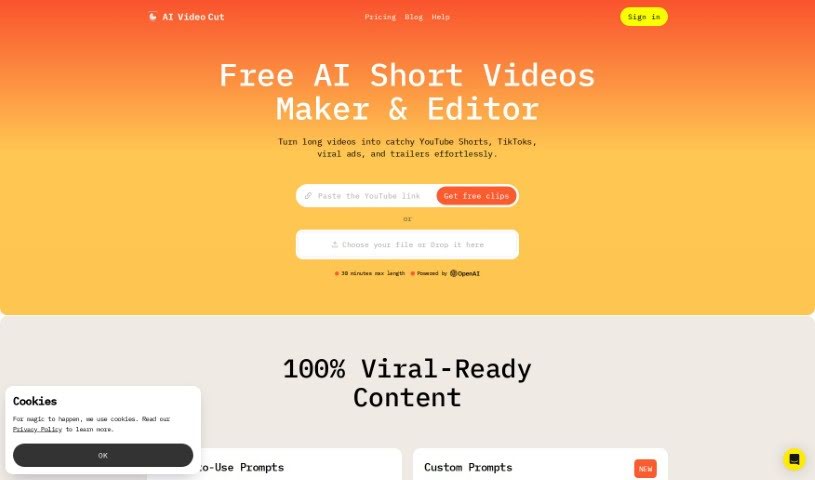
Screenshot of AI Video Cut

AI Video Cut

Discover what AI Video Cut is and how to use it effectively in 2025. We'll explore its features and see how it stacks up against other Short Video Makers.

Screenshot

What is AI Video Cut?

AI Video Cut is your go-to tool for transforming lengthy videos into bite-sized content. Whether you need a catchy trailer, a quick short, or an engaging video ad, this tool can do it. It’s designed with today’s audiences in mind, who often consume content quickly on platforms like YouTube, TikTok, and various ad channels. What’s neat is that it handles conversational English really well. You can also tell it how long you want your clips to be, choosing from options like 5, 10, or 20 phrases. Plus, it boasts impressive transcription accuracy, thanks to some smart AI prompting. Looking ahead, AI Video Cut is planning to add even more useful features, like letting you export your clips in different aspect ratios and a handy Telegram bot so you can clip videos easily right from your phone.

Who created AI Video Cut?

AI Video Cut was actually developed by ChatGPT and first launched on December 15, 2023. Its main job is to take those longer videos and condense them into shorter formats – think trailers, shorts, and video ads. This really fits with how people consume content these days, especially on social media. It’s a super helpful tool for anyone creating content, working in digital marketing, managing social media, running an e-commerce business, planning events, or even for podcasters who want to share clips.

What is AI Video Cut used for?

This tool is fantastic for a variety of professionals:

  • Event planners
  • Digital Marketers
  • Content Creators and Influencers
  • Social Media Managers
  • E-commerce Businesses
  • Podcasters

Who is AI Video Cut for?

If you’re in any of these roles, AI Video Cut could be a real game-changer:

  • Event Planners
  • Podcasters
  • Content Creators and Influencers
  • Digital Marketers
  • Social Media Managers
  • E-commerce Businesses

How to use AI Video Cut?

Using AI Video Cut is pretty straightforward. Here’s a quick rundown:

  1. First, head over to the AI Video Cut website.
  2. Upload your video. Then, just pick the length you want and the type of clip you’re aiming for – maybe a trailer, a topic-specific video, or an ad.
  3. The service then works its magic, using AI to cut your video into clips that are ready for you to download.
  4. You have control over the clip’s length; just select whether you want it to be around 5, 10, or 20 phrases long.
  5. You’ll get really accurate transcriptions, which means high-quality output for your videos.
  6. You can also choose different aspect ratios when you export, making sure your clips look great on all sorts of platforms and screens.
  7. Keep an eye out for new features they’re planning, like options to adjust the tone of voice and that handy Telegram bot for even easier video clipping.
  8. If you have any thoughts or suggestions, feel free to share them with the AI Video Cut team at [email protected].

Basically, this tool is a great asset for anyone in content creation, digital marketing, social media management, e-commerce, event planning, or podcasting who wants to make engaging video content for different platforms.

Related AI Tools

Discover more tools in similar categories that might interest you

Stay Updated with AI Tools

Get weekly updates on the latest AI tools, trends, and insights delivered to your inbox

Join 25,000+ AI enthusiasts. No spam, unsubscribe anytime.