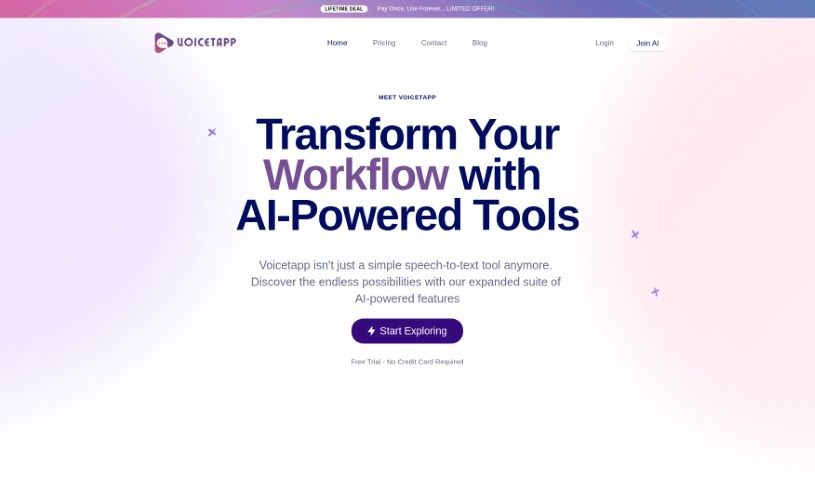
What is Voicetapp?
Voicetapp is a sophisticated cloud-based AI software that’s really good at speech-to-text transcription. It converts voice, audio, and video into text using top-notch speech recognition technology, giving you high-quality transcriptions. What’s great is that it supports over 170 languages and dialects, so it’s ready for pretty much anyone, anywhere. A standout feature is its speaker identification, which can tell apart up to 5 different speakers in an audio file. Plus, it offers live transcription services for real-time text in 12 languages. You can easily upload audio files in formats like MP3, OGG, WAV, WEBM, MP4, and FLAC. You can jump right in and start using Voicetapp, or give it a free spin to see just how accurate its transcriptions are.
Who created Voicetapp?
Voicetapp was developed by an individual who’s really into creating advanced, state-of-the-art cloud-based AI software. The whole idea behind the platform is to provide super precise speech-to-text transcriptions. It comes packed with features like support for tons of languages, the ability to identify up to 5 speakers, live transcription in 12 languages, and it works with all sorts of audio formats. Users seem to really appreciate how accurate the transcriptions are and how easy the interface is to use, making it a solid choice for all sorts of different needs. In fact, the positive reviews suggest that customers are pretty happy with it.
What is Voicetapp used for?
- It helps you integrate transcription seamlessly into your workflow.
- You can try it out for free to see if it’s a good fit.
- It provides accurate speech-to-text transcription services in over 170 languages and dialects.
- It can identify up to 5 different speakers within a single audio file.
- You can get real-time transcriptions of audio in 12 languages.
- It supports a variety of audio input formats, including MP3, OGG, WAV, WEBM, MP4, and FLAC.
- It uses the latest speech recognition technology for highly accurate transcriptions.
- Taking notes becomes effortless thanks to its high accuracy.
- It’s great for generating captions for your video content.
- Its multilingual support means you can transcribe audio in many different languages.
- You get industry-leading accuracy powered by advanced AI technology.
- It offers speech-to-text transcription in over 170 languages and dialects.
- You can get live transcription services in 12 languages.
- It handles multiple audio input formats like MP3, OGG, WAV, WEBM, MP4, and FLAC.
- Note-taking is made easy with accurate transcription.
- It boasts industry-leading accuracy in transcription technology.
- It provides accurate speech-to-text transcription.
- Speaker identification is available for up to 5 speakers.
- You can get live transcription in 12 languages.
- It supports over 170 languages and dialects.
- It can handle multiple audio input formats, such as MP3, OGG, WAV, WEBM, MP4, and FLAC.
- It uses the latest speech recognition technology for high-accuracy transcription.
- Its multilingual support is a big plus for content creation.
- It offers accurate Speech to Text Transcriptions.
- It converts Voice, Audio, and Video into Text.
- Speaker Identification is available for up to 5 Speakers.
- It handles Multiple Audio Input Formats.
- You can get Real-Time Transcription Services.
- It provides High-Quality Transcription Services.
- The platform has received positive customer reviews.
- It offers accurate speech-to-text transcription services in over 170 languages and dialects.
- It supports multiple audio input formats, including MP3, OGG, WAV, WEBM, MP4, and FLAC.
- Its multilingual support is great for audio transcription.
- It offers industry-leading accuracy in transcription.
Who is Voicetapp for?
- Entrepreneurs
- Marketers
- Podcasters
- Tech enthusiasts
- Entrepreneurs
- Marketers
- Podcasters
- Tech enthusiasts
How to use Voicetapp?
Ready to turn your audio into text with Voicetapp? It’s pretty straightforward. Here’s a quick rundown:
- Get Started: First, you’ll want to sign up for Voicetapp or take advantage of the free trial. This is a great way to get a feel for its features.
- Supported Inputs: Voicetapp is quite flexible with audio formats. You can use files like MP3, OGG, WAV, WEBM, MP4, and FLAC for transcription.
- Language Options: Whether you’re working with English, Spanish, or something else, Voicetapp has you covered with transcription in over 170 languages and dialects. It’s a truly global tool.
- Know Your Speakers: If you have multiple people speaking in your audio, Voicetapp’s speaker identification can help by recognizing up to 5 different speakers.
- Real-Time Transcriptions: Need text as it happens? Use the live transcription service, which works in 12 languages.
- Accuracy & Speed: Voicetapp uses the latest AI technology to deliver accurate transcriptions, aiming for up to 100% accuracy.
- Got Questions?: If you’re wondering about specific features or how things work, check out the FAQs section – it’s a good resource.
- Pricing: They offer different pricing plans, so you can find one that matches your usage needs and word count requirements.
- Explore Advanced Tools: Beyond basic transcription, Voicetapp offers advanced AI features like content writing assistance, caption generation, and more multilingual support.
- Join the Community: You can connect with users from over 30 countries and find a supportive environment as you use Voicetapp.
By following these simple steps, you’ll be well on your way to using Voicetapp effectively for all your speech-to-text needs. You’ll get to enjoy its accuracy, broad language support, and handy advanced features.