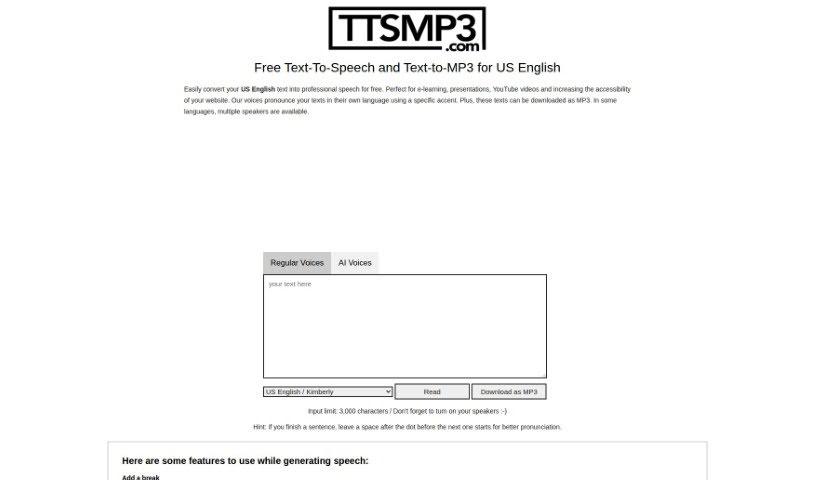
Screenshot of ttsMP3.com

ttsMP3.com

Discover what ttsMP3.com is and how to use it effectively in 2025. We'll walk you through its features, compare it to other Text-to-Speech tools, and show you how to get the most out of it.

Screenshot

What is ttsMP3.com?

TtsMP3.com is a text-to-speech service that makes converting text into natural-sounding speech super easy. It supports many languages, including US English, and offers a variety of voices and accents. You can download your spoken text as MP3 files, which is really handy. Plus, it’s packed with features like voice customization, adding breaks, emphasizing words, controlling speed, adjusting pitch, and even creating whispered speech. The service runs on AWS Polly, giving free users a daily limit of about 375 words or 3,000 characters. If you need more, they offer premium access. It’s a fantastic tool for anyone creating audio for e-learning, presentations, YouTube videos, or anything else that needs a professional voiceover.

Who created ttsMP3.com?

Ttsmp3 was developed with the goal of making text-to-speech conversion convenient and user-friendly across many languages. The platform, which uses AWS Polly, comes with helpful customization options. You can add breaks, emphasize words, control the speaking speed, tweak the pitch, and even use a whispered speech effect. It’s a great way to get free daily text-to-speech conversions, with premium options available if your needs are greater. By offering MP3 downloads and supporting various accents and languages, the service really helps boost the reach and engagement of online content. While the platform is quite useful, the specific details about who founded Ttsmp3 aren’t publicly available.

How to use ttsMP3.com?

Ready to turn your text into speech with Ttsmp3? It’s straightforward! Just follow these simple steps:

  1. Head over to ttsMP3.com. You’ll find it’s a really user-friendly site that supports text-to-speech in over 28 languages, including US English.
  2. Pop the text you want to convert into the speech box provided.
  3. Pick the language and voice you like best from the options available.
  4. Want to fine-tune it? You can customize the speech by adjusting things like breaks, emphasis, speed, pitch, and even try out the whispered speech effect to perfectly match your needs.
  5. You can listen to your converted speech right there on the site, or download it as an MP3 file to use whenever you want, even offline.
  6. Remember, the service is free, but there’s a daily limit of around 375 words or 3,000 characters. If you need to convert more, premium access is an option.
  7. For those looking for even more control and advanced features, you can use SSML (Speech Synthesis Markup Language) options right on the platform.
  8. Ttsmp3 is powered by AWS Polly, which cleverly combines AI and regular voices to create natural-sounding speech in many different languages.

Related AI Tools

Discover more tools in similar categories that might interest you

Stay Updated with AI Tools

Get weekly updates on the latest AI tools, trends, and insights delivered to your inbox

Join 25,000+ AI enthusiasts. No spam, unsubscribe anytime.