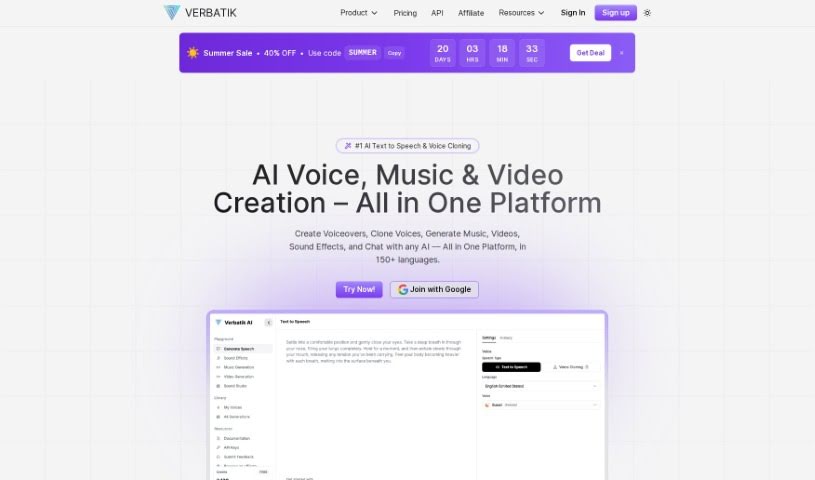
Screenshot of Verbatik

Verbatik

Discover Verbatik in 2025! Learn what this advanced AI text-to-speech and voice cloning platform offers, explore its features, and see how it stacks up against other voice generators.

Screenshot

What is Verbatik?

Verbatik is a sophisticated AI platform that specializes in text-to-speech and voice cloning. It’s pretty impressive, offering voice generation in 142 different languages. You get access to over 300 incredibly realistic text-to-speech voices, which means you can create top-notch AI voiceovers for all sorts of projects. The platform is designed to be super user-friendly, making text-to-voice conversion a breeze. You can easily customize voices by picking characteristics like gender and age, and you have fine-grained control over pacing, tone, and even emphasis. Want to add a bit more flair? Verbatik lets you layer in background music and ambient sound effects to really make your audio pop. This makes it a fantastic choice for a wide range of applications across many different industries. Plus, they’re always adding new voices to their library, so you’re sure to find options that are accurate, sound natural, and flow smoothly – the result? Voiceovers that sound remarkably human.

Who created Verbatik?

Verbatik was actually started by a team who saw a real need for people with busy lives to be able to consume articles through audio. The platform quickly became popular, and they decided to really focus on creating realistic audio content for all sorts of uses. Today, Verbatik is a leader in text-to-speech solutions, partnering with major companies to deliver high-quality audio experiences that really connect with users.

What is Verbatik used for?

Verbatik is incredibly versatile! Here’s a look at some of the main ways people use it:

  • Voice Cloning: Recreate specific voices with remarkable accuracy.
  • Video Voiceovers: Add professional narration to your videos.
  • Podcast Development: Produce engaging audio content for your podcast episodes.
  • Accessibility: Make content accessible for visually impaired users by converting text to speech.
  • Audiobooks: Create audio versions of books and other written works.
  • Adding Background Music: Enhance your voiceovers with background tracks.
  • Customizing Voice Output: Fine-tune the tone, emotion, and speaking rate to match your needs.
  • Commercial Use: Use the generated voices for business and marketing purposes.
  • Special Pricing: Get access to special pricing if you’re an educational institution or a non-profit organization.
  • Scriptwriting: Even helps with crafting your scripts.
  • High-Quality Speech: Generate speech that sounds natural and high-quality for any application.
  • Sound Effects: Improve audio output by adding background music and ambient sound effects.
  • Multilingual Voiceovers: Create content for global and multicultural audiences in multiple languages.
  • Engaging Audio: Produce compelling and engaging audio content across different languages.

Who is Verbatik for?

Verbatik is a great tool for a variety of people, including:

  • Content Creators: Anyone producing videos, podcasts, or online courses.
  • Marketers: For creating ad copy, explainer videos, and promotional materials.
  • Educators: To develop accessible learning materials and engaging lectures.
  • Business Professionals: For presentations, internal communications, and client outreach.

How to use Verbatik?

Getting started with Verbatik is pretty straightforward. First, you’ll want to head over to the Verbatik platform using your web browser – just make sure you have an internet connection. Once you’re there, you can sign up for an account. They offer a few different pricing plans, from Lite to Professional, so you can pick the one that best fits how much you’ll use it. You can choose your monthly character limit and customize your plan from there. Verbatik boasts over 600 realistic voices available in 142 languages, which is fantastic for voice generation.

Simply type your text into the easy-to-use interface. Then, pick the voice you like – you can choose based on gender, age, and other characteristics. You’ll also want to play around with settings like pacing and tone to get just the right effect. Feeling creative? You can even add background music to make your voiceovers even better. Verbatik takes data security and privacy seriously, with clear policies in place to protect your information. Once your voiceover is just how you want it, you can export it as an MP3 or WAV file, which works with pretty much any device. For payments, Verbatik accepts major credit cards, Apple Pay, Google Pay, iDeal, and PayPal. So, whether you’re making voiceovers for videos, podcasts, audiobooks, or any other project, Verbatik offers a really convenient and efficient way to generate high-quality AI voices in lots of different languages.

Related AI Tools

Discover more tools in similar categories that might interest you

Stay Updated with AI Tools

Get weekly updates on the latest AI tools, trends, and insights delivered to your inbox

Join 25,000+ AI enthusiasts. No spam, unsubscribe anytime.