AI Tools for Text To Speech

Discover the best Text To Speech AI tools to enhance your productivity and creativity.

Page 7 of 9 • 101 total tools

In today’s digital world, making content accessible is more important than ever. Text-to-speech (TTS) technology has become an essential tool, letting people consume written content easily. Whether it’s eBooks or online articles, turning text into natural-sounding speech helps everyone, especially those with visual impairments or learning differences.

What used to be a niche tool is now a sophisticated option. Today’s AI-powered TTS solutions don’t just read text; they adapt to different situations and tones. The quality has improved dramatically, making them great for casual listening or professional narration.

After trying out a bunch of text-to-speech tools, I’ve put together a list of some of the best ones. Each tool has unique features that can help you connect with your audience or just enjoy a book without having to read it yourself.

If you’re looking to improve your listening experience or need a helpful tool for reading, you’ve come to the right place. Here are the top text-to-speech tools worth checking out.

The best AI Text To Speech Tools

  1. ElevenLabs: Great for voiceovers for e-learning content.
  2. Speechify: Perfect for reading audiobooks seamlessly.
  3. NaturalReader: Helps enhance learning with spoken content.
  4. Narakeet: Use it to generate lifelike voiceovers for videos.
  5. PlayHT: Ideal for audiobooks and narratives.
  6. Ttsmaker: Good for narrating e-learning content.
  7. tts MP3.com: Useful for voiceovers for multimedia projects.
  8. Top Mediai: Offers natural voice narration for videos.
  9. Murf.ai: Excellent for interactive e-learning narration.
  10. Fake You: Converts text to lifelike speech.
  11. Voicemaker: Provides dynamic voiceovers for educational apps.
  12. TTS Reader: Reads ebooks aloud for convenience.
  13. Speechgen.io: Enhances presentations with audio narration.
  14. Resemble AI: Offers real-time narration for audiobooks.
  15. ReadSpeaker: Provides accessible reading for diverse audiences.

How do AI text to speech tools work?

AI text-to-speech (TTS) tools convert written text into spoken words using advanced algorithms and models. At their heart are neural networks trained on huge amounts of vocal data. This training helps them understand and copy human speech patterns, accents, and intonations, making the generated voices sound more and more lifelike.

When you input text, the TTS system first analyzes it to grasp its structure. It looks at punctuation, sentence length, and word context to figure out the right rhythm and intonation, known as prosody. This ensures the generated audio sounds natural and flows well, rather than robotic.

After analyzing the text, the system uses a vocoder to create the audio. This step involves generating sound waves that mimic how human voices produce sound. It considers how phonemes—the basic units of sound—combine to form words. The result is audio that captures the natural flow of human speech.

Many TTS tools also let you customize settings like pitch, speed, and voice style. This flexibility means you can choose from different voices, including male and female options, various accents, and even different age ranges. This adaptability suits many uses, from virtual assistants to audiobooks.

Plus, TTS technology is always getting better. Innovations like deep learning and neural TTS are improving the quality and emotional range of synthesized speech. As these advancements continue, the difference between machine-generated speech and human voices will become even smaller, making TTS tools more versatile and engaging.

Our best AI text to speech tools at a glance

RankNameBest forPlans and PricingRating
1ElevenLabsvoiceover for e-learning content.N/A4.83 (29 reviews)
2Speechifyreading audiobooks seamlessly.N/A4.80 (54 reviews)
3NaturalReaderenhance learning with spoken content.N/A4.75 (44 reviews)
4Narakeetgenerate lifelike voiceovers for videos.N/A4.72 (18 reviews)
5PlayHTaudiobooks and narrativesN/A4.59 (27 reviews)
6Ttsmakere-learning content narrationN/A4.60 (5 reviews)
7ttsMP3.comvoiceovers for multimedia projectsN/A4.64 (11 reviews)
8TopMediainatural voice narration for videosPaid plans start at $Free/month.3.86 (7 reviews)
9Murf.aiinteractive elearning narrationN/A4.64 (11 reviews)
10FakeYouconverting text to lifelike speechN/A4.82 (11 reviews)
11Voicemakerdynamic voiceovers for educational appsPaid plans start at $50/year.4.55 (11 reviews)
12TTS Readerreading ebooks aloud for convenienceN/A4.79 (14 reviews)
13Speechgen.ioenhancing presentations with audio narration.Paid plans start at $0.08/per 1000 characters.4.73 (11 reviews)
14Resemble AIreal-time narration for audiobooksN/A4.64 (22 reviews)
15ReadSpeakeraccessible reading for diverse audiences.N/A4.72 (72 reviews)
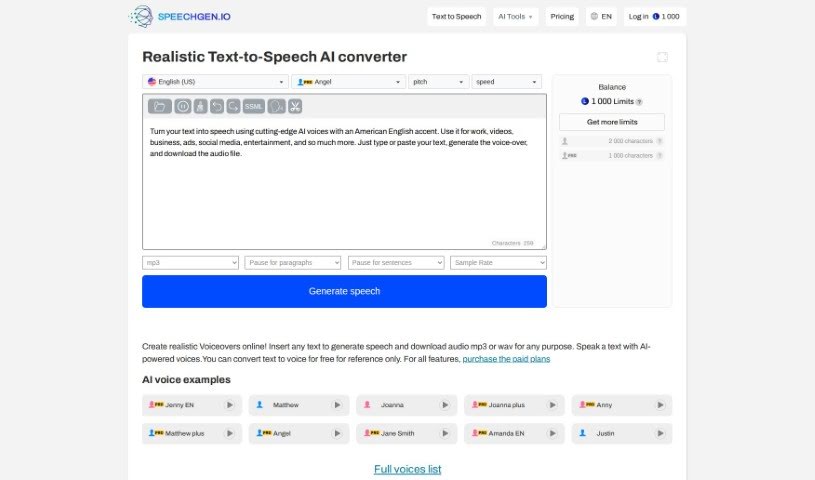
Screenshot of Speechgen.io

Speechgen.io

Freemium

Speechgen.io is a really handy online tool that's all about text-to-speech (TTS) technology. It lets you turn written words into natural-sounding spoken audio, and you can pick from lots of different languages and voices. This makes it super useful for all sorts of things, like creating content, making things more accessible for people, or for your multimedia projects. Speechgen.io has a simple interface, so you can easily type or paste your text, choose the voice and language you like, and then get high-quality speech audio pretty quickly. Plus, you can tweak the settings and even integrate it with other tools if you need to, which is great for meeting different user needs.

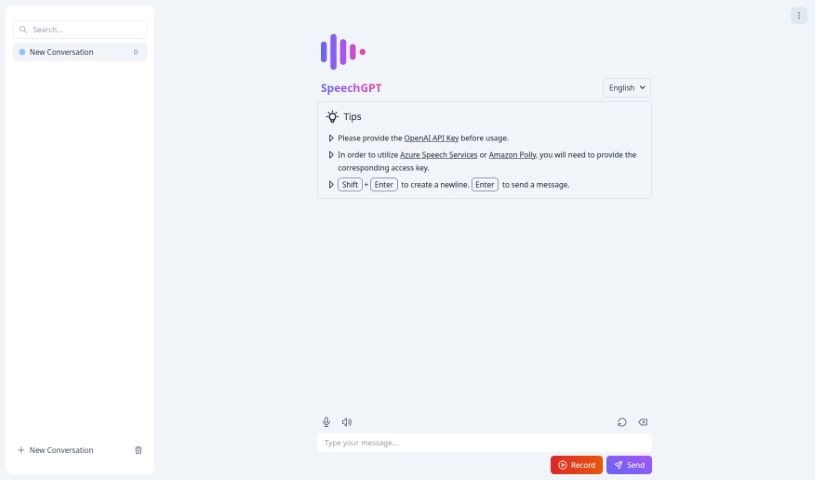
Screenshot of Speechgpt

Speechgpt

Freemium

SpeechGPT is a really neat tool that helps you create top-notch audio content using some pretty advanced AI. It is your go-to for generating speech that sounds incredibly realistic and natural. It's perfect for all sorts of things, like making voiceovers for videos, producing podcasts, or creating any other kind of audio media. The platform itself is super easy to use, meaning you can get to its features without a hassle. Plus, they've put together detailed guides, so even if you're new to making synthesized speech, you'll have a smooth experience.

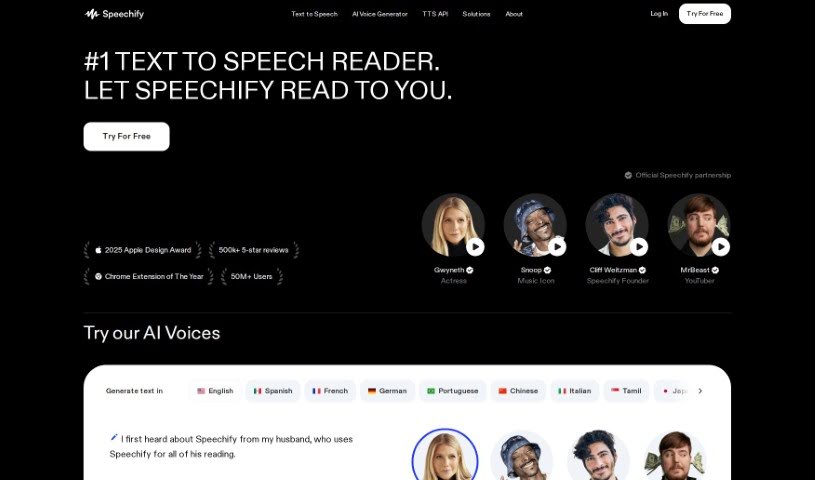
Screenshot of Speechify

Speechify

Freemium

Speechify is a really handy text-to-speech app designed to help you get through PDFs, books, articles, emails, and so much more, but at a much quicker pace. It is a way to speed-read with your ears! This clever tool lets you listen to content while you're busy doing other things – maybe you're walking the dog, going for a run, or just tackling your daily chores. The person behind Speechify, Cliff Weitzman, actually has dyslexia. He created the app to help himself, and then others like him, read faster and actually remember what they're reading. It's pretty popular, too, with over 30 million people using it. One of its cool features is voice cloning, which lets you create your own personalized voice clones for listening.

Screenshot of Speechimo

Speechimo

Freemium

Speechimo is a really advanced Text-to-Speech tool that creates incredibly lifelike human voices. These voices are perfect for all sorts of content, like videos, podcasts, audiobooks, and even e-learning materials. What's great about Speechimo is how realistic its voices sound – they really capture natural intonation and emotion, making for a much more engaging and authentic listening experience. You can whip up professional-sounding voiceovers in just seconds, which is a huge time and money saver compared to hiring expensive voice-over artists. Plus, Speechimo supports many different languages, offers a free trial so you can test it out, and has a helpful Help Center if you ever get stuck.

Screenshot of Speechson

Speechson

Freemium

Speechson TTS is an online tool that transforms text into speech that sounds incredibly natural, almost like a real person is speaking. It boasts an impressive library of over 900 AI voices spread across 144 different languages. This means you can generate high-quality audio files in common formats like MP3 and WAV. What really sets it apart are features like its emotion-based AI text-to-speech engine, which makes the voices sound more realistic, SSML control for fine-tuning, support for multiple audio formats, and a really easy-to-use interface. You get access to a huge variety of languages and dialects, can download and share your creations without a hassle, and choose between standard and neural voices depending on what your project needs. Speechson TTS is built to create audio that mimics human speech patterns and intonations so well, it's perfect for things like voiceovers, virtual assistants, audiobooks, and even language learning tools.

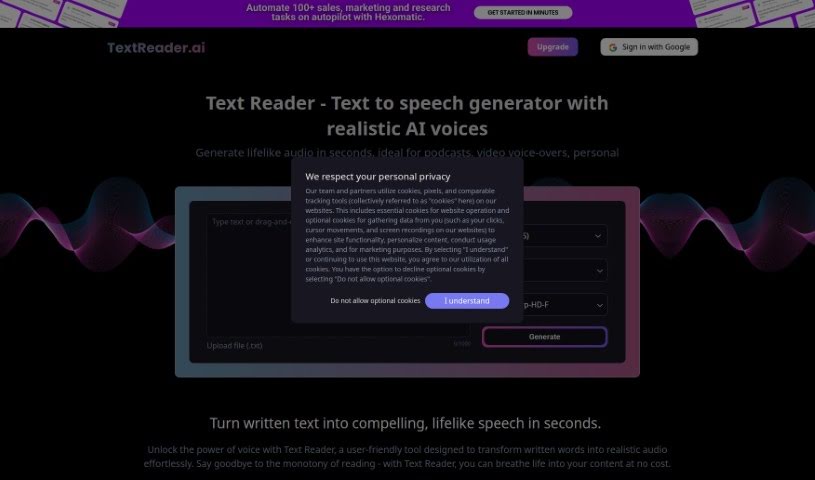
Screenshot of Text Reader

Text Reader

Freemium

Text Reader is a really handy text-to-speech generator. It's super easy to use and turns written words into natural-sounding audio in just seconds. It is a way to bring your text to life with lifelike voices. It uses high-quality TTS WaveNet voices and supports over 40 languages, which is pretty great for all sorts of personal and business needs. The platform has a straightforward interface, making it quick to convert text to audio. Plus, it's budget-friendly, saving you both time and the cost of production.

Screenshot of Text To Speech Online

Text To Speech Online

Freemium

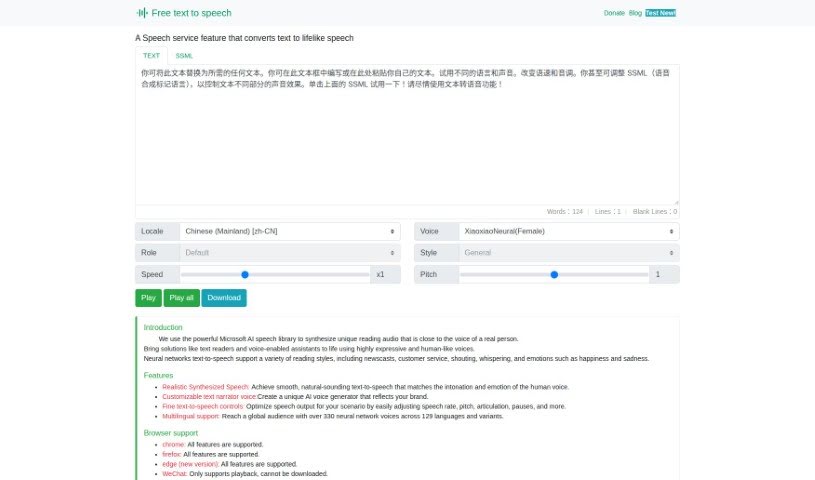
Text To Speech Online is a really handy platform that turns written words into natural-sounding speech. It uses Microsoft's AI speech technology to create voices that sound remarkably like real people. You've got over 100 voices to pick from, supporting lots of languages and dialects, and you can even mix Chinese and English. This makes it super useful for all sorts of things, like reading news aloud, guiding you on trips, powering smart devices, or sending out announcements. You can tweak how fast the speech is, the pitch, and even the style to make it sound just right. Once you're happy, you can easily download the audio as an MP3 file. Since it works with all the latest web browsers, it's a fantastic tool for anyone creating content for a global audience.

Screenshot of Textalky

Textalky

Freemium

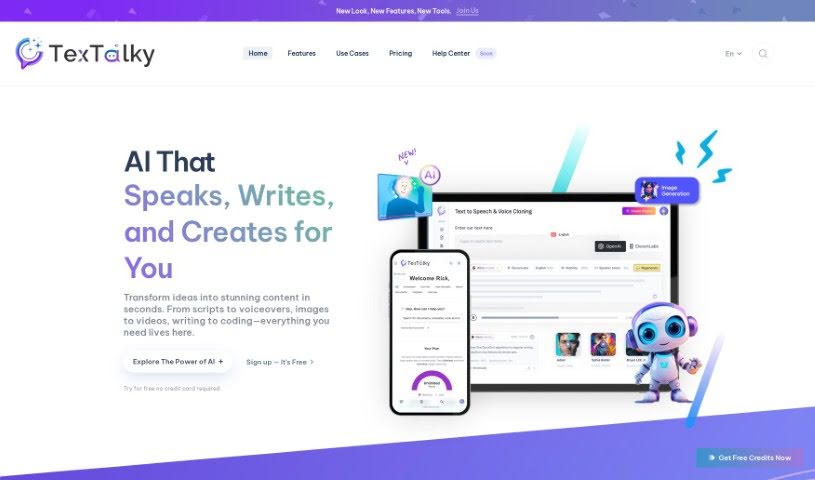
Textalky is a really smart AI text-to-speech software that turns any text or script into natural-sounding human voices. It's super easy to use – you can get lifelike audio in just three simple steps. First, you just upload or paste your text. Then, you pick a voice and language from a huge selection. Finally, you hit 'Listen' to hear your text come to life as audio. This tool is perfect for all sorts of things, like making e-learning materials, marketing content, podcasts, and videos. It offers a wide variety of voices in different languages and accents, so it's great for a global audience. Plus, Textalky really cares about keeping your information private and secure. It’s also ideal for commercial projects, like ads and product promotions, giving you professional-quality AI voices.

Screenshot of Texttovoice

Texttovoice

Freemium

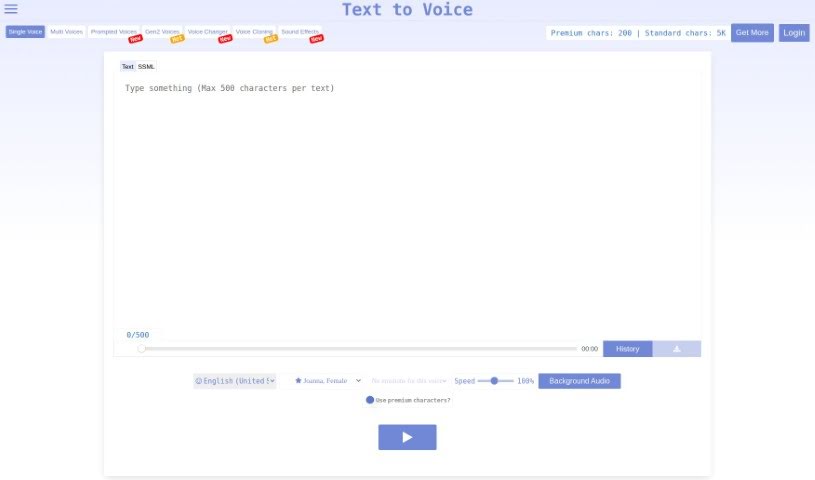
Text to Speech is a handy online tool that turns your written text into spoken English using AI. It offers a nice variety of English voices, both male and female, each with different emotional tones. Plus, it's got these new Generation 2 voices that sound incredibly lifelike, capturing all sorts of emotions based on what you've written. The interface is super easy to use, letting you tweak the playback speed and even add background audio. It’s a really convenient way to create natural-sounding voiceovers for your content.

Screenshot of TopMediai

TopMediai

Freemium

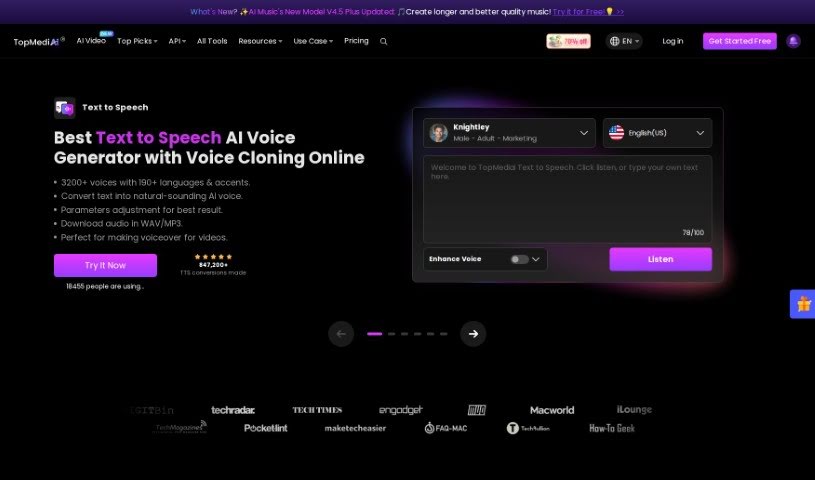
TopMediai is an online platform powered by AI, offering a variety of tools designed specifically for content creators. Its main goal is to help you work more efficiently and boost your productivity on multimedia projects. You can find services like Voice Cloning, AI Song Cover generation, an AI Music Generator, a Voice Enhancer, AI Dubbing, a Vocal Remover, Speech to Speech conversion, a Voice Changer, an AI Art Generator, a Background Eraser, and a Watermark Remover all in one place. Plus, TopMediai offers a 30-day money-back guarantee, ensures your purchases are secure, provides professional support, and regularly updates its services.

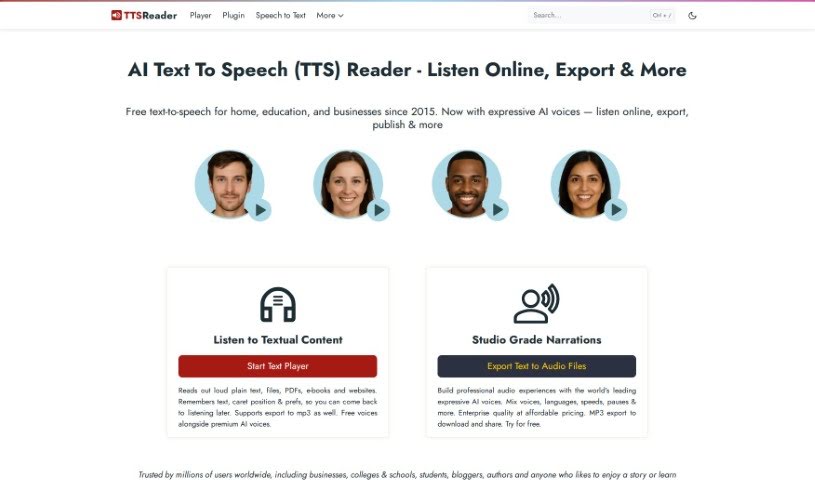
Screenshot of TTS Reader

TTS Reader

Freemium

TTS Reader is a handy, free Text to Speech tool that works seamlessly across all modern browsers like Chrome, Firefox, and Safari. It supports a variety of languages and accents, and if you're using Chrome, you can even access Google's high-quality voices. What's great is that you can just start listening to text without needing to download anything, log in, or create an account. It's really useful for anyone who has trouble with reading, needs to improve their comprehension, or has visual impairments. Plus, language learners can use it to practice listening and speaking in different languages. For kids, it's a fun way to hear stories read aloud, with each sentence highlighted as it's spoken, which really helps them follow along and build their reading skills.

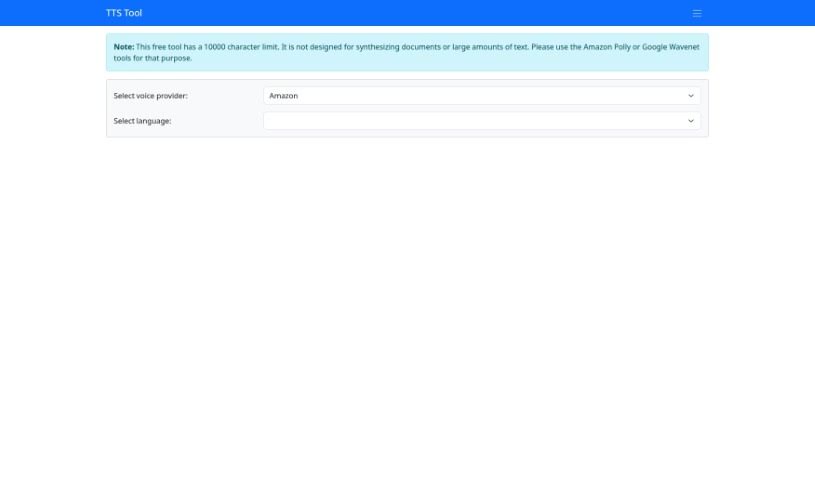
Screenshot of TTS Tool

TTS Tool

Freemium

TTS Tool is a handy software application that takes anything you've written and turns it into spoken words. It uses some pretty clever speech technology to read your text aloud accurately. This is a real lifesaver if you prefer listening to content, or if reading for long periods is a bit tough. You can usually tweak things too – like picking different voices, changing how fast or slow the speech is, and even choosing from various languages. Lots of people and businesses find TTS tools super useful. They're great for making websites and apps more accessible, especially for users with visual impairments. They can also make e-learning much more engaging, create audio versions of articles or documents, and generally just improve how people interact with digital content.

Stay Updated with AI Tools

Get weekly updates on the latest AI tools, trends, and insights delivered to your inbox

Join 25,000+ AI enthusiasts. No spam, unsubscribe anytime.