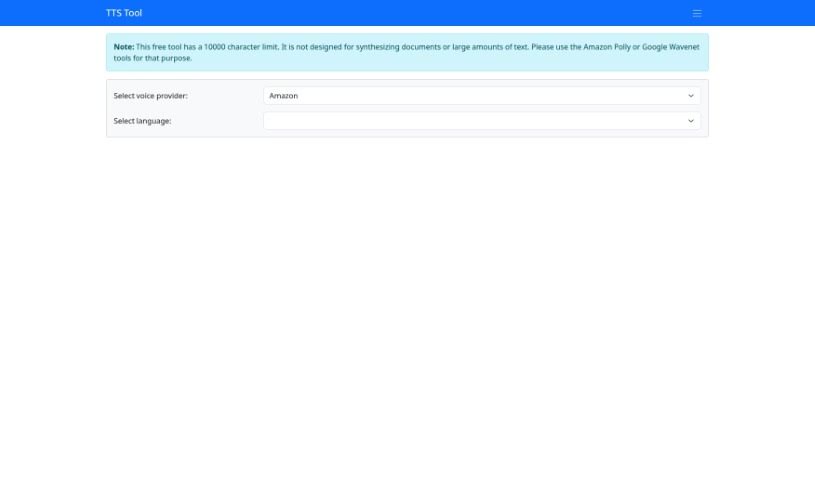
Screenshot of TTS Tool

TTS Tool

Discover what TTS Tool is and how to make the most of it in 2025. We'll walk through its features, compare it to other voice generators, and show you exactly how to use it.

Screenshot

What Exactly is TTS Tool?

TTS Tool is a handy software application that takes anything you’ve written and turns it into spoken words. It uses some pretty clever speech technology to read your text aloud accurately. This is a real lifesaver if you prefer listening to content, or if reading for long periods is a bit tough. You can usually tweak things too – like picking different voices, changing how fast or slow the speech is, and even choosing from various languages. Lots of people and businesses find TTS tools super useful. They’re great for making websites and apps more accessible, especially for users with visual impairments. They can also make e-learning much more engaging, create audio versions of articles or documents, and generally just improve how people interact with digital content.

Who’s Behind TTS Tool?

LSD Software developed the Text-to-Speech Tool. While the specific founder and more detailed company history aren’t available in the “12750.html” document, we know it comes from them.

How Do I Use TTS Tool?

Using the Text-to-Speech (TTS) Tool is pretty straightforward. Here’s a quick rundown:

  1. Get to the Tool: Just head over to the TTS Tool website.
  2. Know the Limits: Keep in mind there’s a 10,000-character limit. This tool is really best for shorter pieces of text, not for converting entire books or long documents.
  3. Pick Your Voice and Language:
    • You can choose between voices from Amazon or Microsoft.
    • Then, select the language you need, like English, French, Spanish, and so on.
  4. Fine-Tune the Settings:
    • You have control over things like how long pauses last, the type of voice, the volume, how fast the speech goes, and the pitch.
  5. Type Your Text:
    • Pop the text you want to hear into the text box provided.
  6. Create the Speech:
    • Just click the check icon to start the conversion process.
  7. Explore Other Features:
    • Don’t forget to check out other helpful tools like the SSML tool and the Soundboard Tool.
  8. Share Your Thoughts:
    • If you have any feedback, feel free to share it!

Just a heads-up: if you’re dealing with really long texts or need to synthesize a whole document, you might want to look into tools like Amazon Polly or Google Wavenet. This TTS Tool is really designed for those shorter, quick conversions.

Related AI Tools

Discover more tools in similar categories that might interest you

Stay Updated with AI Tools

Get weekly updates on the latest AI tools, trends, and insights delivered to your inbox

Join 25,000+ AI enthusiasts. No spam, unsubscribe anytime.