008 Agent
Audio Transcription
Learn more
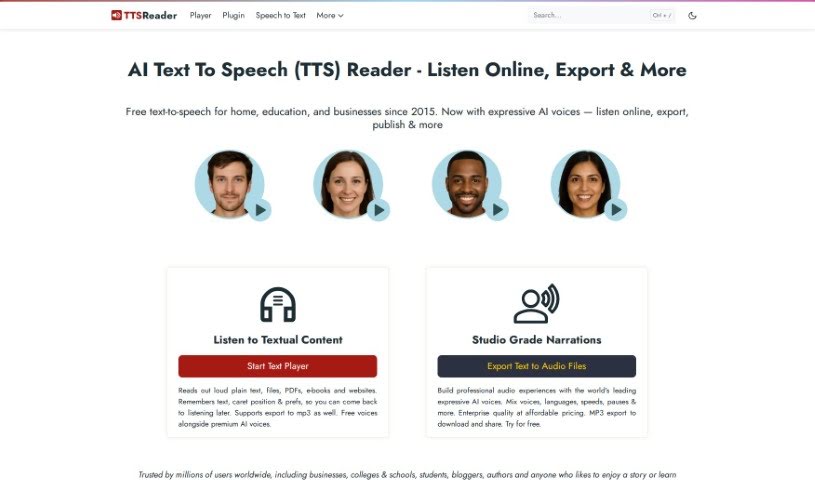
Discover what TTS Reader is, a free browser-based text-to-speech tool for listening to web pages, ebooks, and documents aloud.
TTS Reader is a free text-to-speech tool that runs in modern browsers like Chrome, Firefox, and Safari. It supports multiple languages and accents, and Chrome users can access Google’s high-quality voices. There is nothing to download and no login or account required — you can start listening immediately.
It is useful for people with reading difficulties or visual impairments, and for anyone who wants to improve comprehension. Language learners can practice listening and speaking, and children can hear stories read aloud with each sentence highlighted as it is spoken, helping them follow along and build reading skills.
TTS Reader was developed by Murf AI, a company that offers a range of text-to-speech tools and services.
Listen to any text source. Paste text from webpages, PDFs, or other documents and have it read aloud — lectures, articles, and more.
Proofread by ear. Listening to your own text can help catch mistakes in sentence structure, punctuation, grammar, or flow that you might miss when reading silently.
Listen to web pages. Paste a webpage URL into the regular player and hit play, or install the Chrome extension to listen without leaving the page you’re on.
Turn ebooks into audiobooks. Upload an ebook in epub format and TTS Reader will read it aloud.
Read-along highlighting. The tool highlights the sentence currently being read and automatically scrolls to keep it in view, supporting reading speed and comprehension.
Export audio files. Synthesized speech can be exported with one click. This feature is currently only available on Windows and requires the premium version. It also enables commercial use of some voices, such as narrating videos.
Accessibility and language learning. With support for multiple languages and hands-free listening, TTS Reader makes content accessible to people with visual impairments or reading difficulties and helps language learners practice listening and speaking.
Related
Discover more tools in similar categories
Weekly picks of the best AI tools we've researched and added — no spam, unsubscribe anytime.
Join 25,000+ AI enthusiasts. No spam, unsubscribe anytime.