In today’s digital world, making content accessible is more important than ever. Text-to-speech (TTS) technology has become an essential tool, letting people consume written content easily. Whether it’s eBooks or online articles, turning text into natural-sounding speech helps everyone, especially those with visual impairments or learning differences.
What used to be a niche tool is now a sophisticated option. Today’s AI-powered TTS solutions don’t just read text; they adapt to different situations and tones. The quality has improved dramatically, making them great for casual listening or professional narration.
After trying out a bunch of text-to-speech tools, I’ve put together a list of some of the best ones. Each tool has unique features that can help you connect with your audience or just enjoy a book without having to read it yourself.
If you’re looking to improve your listening experience or need a helpful tool for reading, you’ve come to the right place. Here are the top text-to-speech tools worth checking out.
The best AI Text To Speech Tools
- ElevenLabs: Great for voiceovers for e-learning content.
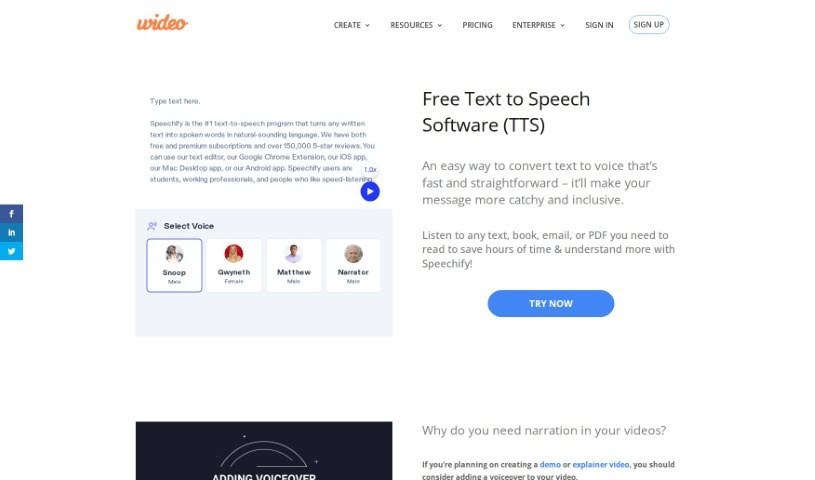
- Speechify: Perfect for reading audiobooks seamlessly.
- NaturalReader: Helps enhance learning with spoken content.
- Narakeet: Use it to generate lifelike voiceovers for videos.
- PlayHT: Ideal for audiobooks and narratives.
- Ttsmaker: Good for narrating e-learning content.
- tts MP3.com: Useful for voiceovers for multimedia projects.
- Top Mediai: Offers natural voice narration for videos.
- Murf.ai: Excellent for interactive e-learning narration.
- Fake You: Converts text to lifelike speech.
- Voicemaker: Provides dynamic voiceovers for educational apps.
- TTS Reader: Reads ebooks aloud for convenience.
- Speechgen.io: Enhances presentations with audio narration.
- Resemble AI: Offers real-time narration for audiobooks.
- ReadSpeaker: Provides accessible reading for diverse audiences.
How do AI text to speech tools work?
AI text-to-speech (TTS) tools convert written text into spoken words using advanced algorithms and models. At their heart are neural networks trained on huge amounts of vocal data. This training helps them understand and copy human speech patterns, accents, and intonations, making the generated voices sound more and more lifelike.
When you input text, the TTS system first analyzes it to grasp its structure. It looks at punctuation, sentence length, and word context to figure out the right rhythm and intonation, known as prosody. This ensures the generated audio sounds natural and flows well, rather than robotic.
After analyzing the text, the system uses a vocoder to create the audio. This step involves generating sound waves that mimic how human voices produce sound. It considers how phonemes—the basic units of sound—combine to form words. The result is audio that captures the natural flow of human speech.
Many TTS tools also let you customize settings like pitch, speed, and voice style. This flexibility means you can choose from different voices, including male and female options, various accents, and even different age ranges. This adaptability suits many uses, from virtual assistants to audiobooks.
Plus, TTS technology is always getting better. Innovations like deep learning and neural TTS are improving the quality and emotional range of synthesized speech. As these advancements continue, the difference between machine-generated speech and human voices will become even smaller, making TTS tools more versatile and engaging.
Our best AI text to speech tools at a glance
| Rank | Name | Best for | Plans and Pricing | Rating |
|---|
| 1 | ElevenLabs | voiceover for e-learning content. | N/A | 4.83 (29 reviews) |
| 2 | Speechify | reading audiobooks seamlessly. | N/A | 4.80 (54 reviews) |
| 3 | NaturalReader | enhance learning with spoken content. | N/A | 4.75 (44 reviews) |
| 4 | Narakeet | generate lifelike voiceovers for videos. | N/A | 4.72 (18 reviews) |
| 5 | PlayHT | audiobooks and narratives | N/A | 4.59 (27 reviews) |
| 6 | Ttsmaker | e-learning content narration | N/A | 4.60 (5 reviews) |
| 7 | ttsMP3.com | voiceovers for multimedia projects | N/A | 4.64 (11 reviews) |
| 8 | TopMediai | natural voice narration for videos | Paid plans start at $Free/month. | 3.86 (7 reviews) |
| 9 | Murf.ai | interactive elearning narration | N/A | 4.64 (11 reviews) |
| 10 | FakeYou | converting text to lifelike speech | N/A | 4.82 (11 reviews) |
| 11 | Voicemaker | dynamic voiceovers for educational apps | Paid plans start at $50/year. | 4.55 (11 reviews) |
| 12 | TTS Reader | reading ebooks aloud for convenience | N/A | 4.79 (14 reviews) |
| 13 | Speechgen.io | enhancing presentations with audio narration. | Paid plans start at $0.08/per 1000 characters. | 4.73 (11 reviews) |
| 14 | Resemble AI | real-time narration for audiobooks | N/A | 4.64 (22 reviews) |
| 15 | ReadSpeaker | accessible reading for diverse audiences. | N/A | 4.72 (72 reviews) |