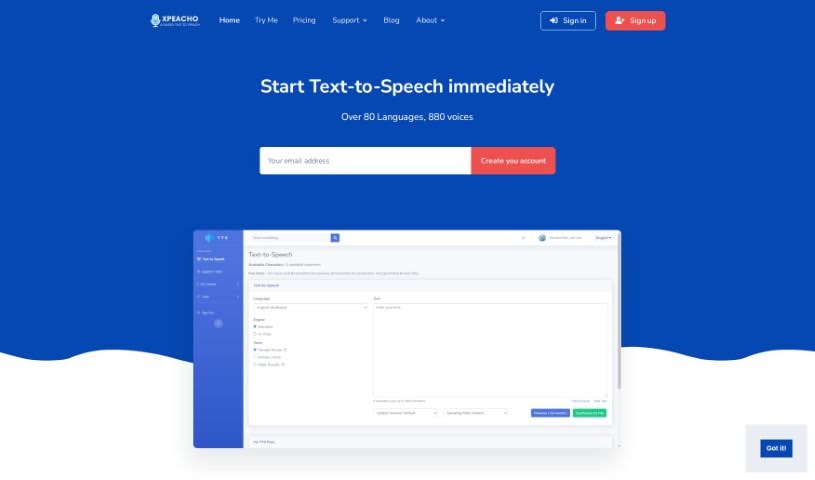
Screenshot of Xpeacho

Xpeacho

Discover what Xpeacho is and how to use it effectively in 2025. We'll explore its features and see how it stacks up against other voice generators.

Screenshot

What is Xpeacho?

Xpeacho is a text-to-speech tool that uses some really advanced technology to turn your written words into voiceovers that sound remarkably human. You know, the kind that don’t sound like a robot reading a script? The platform offers a huge selection of voices – we’re talking 660 different options, both male and female, and it supports over 80 languages. Xpeacho really focuses on making sure the voices sound professional and natural, so they can actually connect with listeners. Plus, they’ve got flexible pricing, whether you prefer to pay as you go, buy a package, or go with a subscription. This makes it super handy for all sorts of projects, like creating audiobooks, podcasts, presentations, business materials, customer service audio, or even voice assistants.

Who created Xpeacho?

Xpeacho was actually developed by a team with members from Malaysia and Singapore. It first launched on January 9, 2022, bringing what they call a revolutionary text-to-speech technology that delivers those human-like voiceovers. With its impressive library of over 660 voices and support for more than 80 languages, Xpeacho really aims to give users a natural, human-sounding experience. What sets Xpeacho apart is its unique TTS engine, which actually lets you control how specific words are pronounced and even tweak the speech speed.

What is Xpeacho used for?

  • Business: Great for marketing materials, internal communications, and training.
  • Customer Support: Create clear, helpful audio messages for your customers.
  • Voice Assistants: Develop natural-sounding responses for your AI assistants.
  • Audiobooks: Effortlessly produce professional audiobooks in any language you choose, complete with various SSML voice effects for added depth.
  • Podcasts: Craft engaging podcast narration audio instantly, again in any language, using Xpeacho’s Text to Speech with different SSML voice effects.
  • Presentations: Make your presentations more dynamic with professional voiceovers, available in any language and enhanced with SSML effects.
  • Marketing Content: Produce compelling marketing audio quickly and professionally, supporting a wide range of languages and SSML features.
  • Call Centers: Generate clear, consistent audio for call center systems, ensuring a professional customer experience across many languages.
  • Documentaries: Create immersive documentary audio that brings your stories to life.
  • YouTube Narration: Enhance your YouTube videos with high-quality, natural-sounding narration.

Who is Xpeacho for?

  • Audiobook Producers & Creators: Anyone looking to bring their books to life in audio format.
  • Podcasters: For creating engaging and professional-sounding podcast episodes.
  • Presenters & Business Professionals: To add polish and clarity to presentations and business content.
  • Customer Support Specialists & Representatives: To provide clear, consistent audio for customer interactions.
  • Call Center Personnel & Staff: For developing effective audio prompts and messages.
  • Voice Assistant Developers: To build more natural and responsive AI interactions.
  • Documentary Producers & Creators: To narrate compelling stories and information.
  • Content Creators: Especially those working on presentations, business materials, and YouTube videos.

How to use Xpeacho?

Using Xpeacho to convert your text into speech is pretty straightforward. Here’s a simple breakdown:

  1. First, head over to the Xpeacho website and sign up for an account. It’s a quick process.
  2. Next, you’ll want to decide if you need a Standard Voice or an AI Voice. Think about what sounds best for your project and what fits your budget.
  3. Then, pick your language and choose the specific voice you like from their extensive library – they have 880 voices across more than 80 languages, so you’ll have plenty of options.
  4. Now, just type in the text you want to turn into a voiceover.
  5. To really make your audio shine, play around with the different SSML voice effects they offer.
  6. You can also customize how specific words are pronounced and adjust the speaking speed to get it just right.
  7. Don’t forget to explore all the ways you can use Xpeacho! It’s great for narrating YouTube videos, creating marketing content, making tutorials, voicing news reports, producing audiobooks, podcasts, presentations, business materials, customer support audio, call center messages, voice assistants, and even documentary audio.
  8. Finally, just enjoy how easy and convenient Xpeacho is to use. Lots of users around the world have shared how happy they are with it.

By following these steps, you can easily use Xpeacho’s technology to transform your written content into captivating audio narratives with voiceovers that sound genuinely human.

Related AI Tools

Discover more tools in similar categories that might interest you

Stay Updated with AI Tools

Get weekly updates on the latest AI tools, trends, and insights delivered to your inbox

Join 25,000+ AI enthusiasts. No spam, unsubscribe anytime.