AI Tools for Audio

Discover the best Audio AI tools to enhance your productivity and creativity.

Page 29 of 40 • 471 total tools

We’re really entering a new age for creating and changing audio, thanks to AI. You know, those days of needing tons of skills and pricey gear for good audio are pretty much over. Now, with smart AI audio tools, anyone can make professional-sounding audio for podcasts, music, or any cool audio project.

These tools aren’t just for making music; they can create voiceovers, improve sound quality, and even help with sound design. It’s amazing how much AI is changing the audio world, and the ways we can use it are endless.

After spending a lot of time trying out different platforms and features, I’ve put together a list of the top AI audio tools out there. Whether you’re just starting out and need something simple, or you’re a pro looking for powerful options, there’s definitely something here to help you make your audio sound even better.

So, if you’re ready to see what AI can do for sound, let’s jump into the best tools that will totally change how you work with audio.

The Best AI Audio Tools

  1. ElevenLabs: Great for making multilingual video voiceovers if you’re a creator.
  2. Suno: Perfect for creating custom soundscapes to help you relax.
  3. BandLab: Lets you mix and master tracks smoothly.
  4. TurboScribe: Helps improve audio for clearer transcriptions.
  5. Voicemod: Lets you change your voice for creative projects.
  6. Adobe Podcast: Enhances audio with simple, one-click AI tools.
  7. Transkriptor: An automated tool for transcribing lectures.
  8. Speechify: Makes it easy to listen to articles and documents.
  9. NaturalReader: Good for creating voiceovers for your video content.
  10. Riffusion: Offers real-time audio manipulation for creators.
  11. Narakeet: Converts subtitles into synchronized audio.
  12. PlayHT: Useful for voiceovers in audio editing.
  13. Lalal.ai: Lets you remove vocals seamlessly for remixes.
  14. Ttsmaker: Effortlessly create voiceovers for videos.
  15. Udio: Craft unique sounds using its audio tools.

How Do AI Audio Tools Work?

AI audio tools work a lot like AI writing software. They use advanced models that have been trained on huge amounts of data. Many of these tools use deep learning to analyze and create sound patterns, which lets them generate or change audio. You’ll often see them used for making speech, composing music, and sound design, all thanks to the vast libraries of audio samples and language data they learn from.

Basically, these tools use neural networks that are designed to process sound much like we do. They look at audio input, find patterns, and then predict the best sound to produce based on what they’ve learned. This means they can create a wide range of outputs, from voices that sound really real to music that feels both familiar and new.

When it comes to making voices, the process usually involves feeding a neural network thousands of hours of spoken audio. This teaches it subtle things like intonation and how to vary speech. Then, when you type something in, the model uses its training to create speech that matches the tone and context you’re going for. The result? Voices that sound lifelike and can deliver text with emotion and clarity.

In a similar way, AI music tools study huge collections of music to understand what makes a good hook, rhythm, or harmony. By breaking down existing songs, these models learn how to create new music that sounds like popular styles or even comes up with completely new soundscapes. You can tell the AI what genre or mood you want, and it’ll tailor the results to your taste.

Beyond just creating content, AI audio tools can also improve existing sounds. Things like reducing noise, fixing pitch, and adding effects are all powered by algorithms that have learned from the details in audio files. This lets you make your recordings sound better or create entirely new sound experiences without much effort.

If you’re curious about the technical side, there are plenty of resources that explain how audio processing and machine learning work in sound. All in all, AI audio tools are really changing how we create and interact with sound, opening up amazing possibilities for musicians, podcasters, and audio engineers.

Our Best AI Audio Tools at a Glance

RankNameBest ForPlans and PricingRating
1ElevenLabsMultilingual video voiceovers for creatorsN/A4.83 (29 reviews)
2SunoCreate custom soundscapes for relaxationN/A4.82 (11 reviews)
3BandLabMix and master tracks seamlessly.N/A4.75 (44 reviews)
4TurboScribeEnhance audio for clear transcriptionPaid plans start at $10/month.4.80 (5 reviews)
5VoicemodTransform your voice for creative projectsN/A4.78 (27 reviews)
6Adobe PodcastEnhance audio with one-click AI toolsN/A4.67 (12 reviews)
7TranskriptorAutomated lecture transcription tool.N/A.4.31 (13 reviews)
8SpeechifyListen to articles and documents.N/A4.80 (54 reviews)
9NaturalReaderCreate voiceovers for video contentN/A4.75 (44 reviews)
10RiffusionReal-time audio manipulation for creatorsN/A4.18 (11 reviews)
11NarakeetConvert subtitles to synchronized audioN/A4.72 (18 reviews)
12PlayHTVoice over for audio editingN/A4.59 (27 reviews)
13Lalal.aiSeamless vocal removal for remixesN/A4.64 (11 reviews)
14TtsmakerCreate voiceovers for videos effortlessly.N/A4.60 (5 reviews)
15UdioCraft unique sounds with audio toolsN/A4.18 (11 reviews)
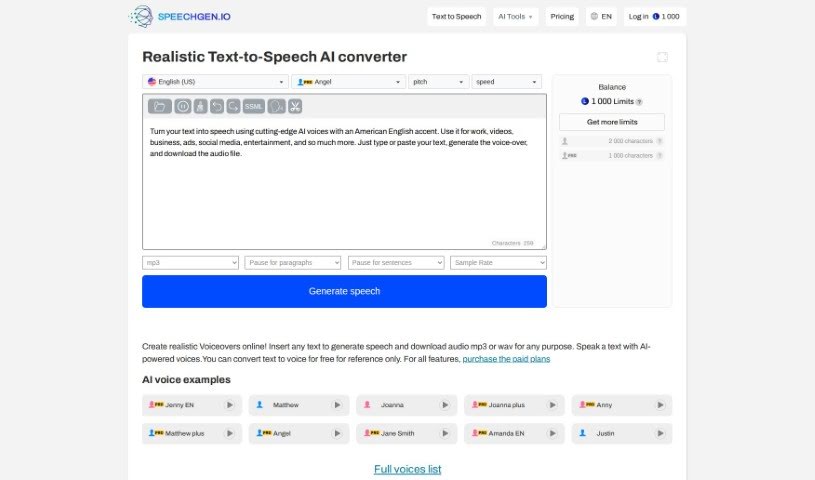
Screenshot of Speechgen.io

Speechgen.io

Freemium

Speechgen.io is a really handy online tool that's all about text-to-speech (TTS) technology. It lets you turn written words into natural-sounding spoken audio, and you can pick from lots of different languages and voices. This makes it super useful for all sorts of things, like creating content, making things more accessible for people, or for your multimedia projects. Speechgen.io has a simple interface, so you can easily type or paste your text, choose the voice and language you like, and then get high-quality speech audio pretty quickly. Plus, you can tweak the settings and even integrate it with other tools if you need to, which is great for meeting different user needs.

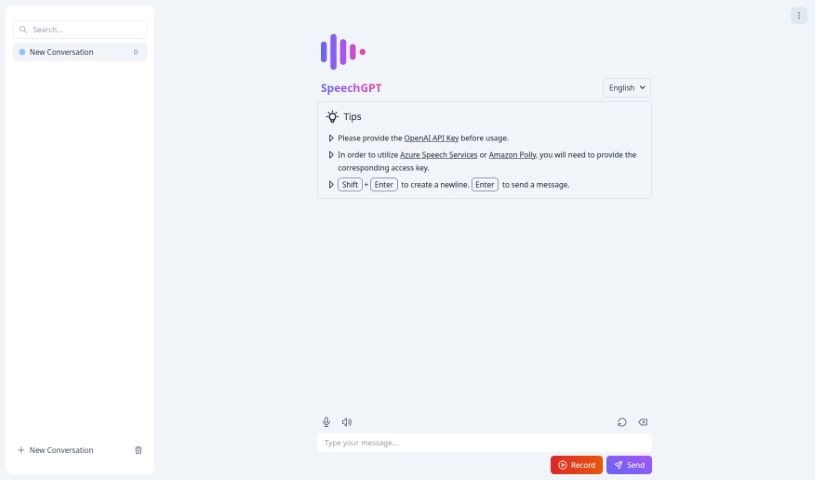
Screenshot of Speechgpt

Speechgpt

Freemium

SpeechGPT is a really neat tool that helps you create top-notch audio content using some pretty advanced AI. It is your go-to for generating speech that sounds incredibly realistic and natural. It's perfect for all sorts of things, like making voiceovers for videos, producing podcasts, or creating any other kind of audio media. The platform itself is super easy to use, meaning you can get to its features without a hassle. Plus, they've put together detailed guides, so even if you're new to making synthesized speech, you'll have a smooth experience.

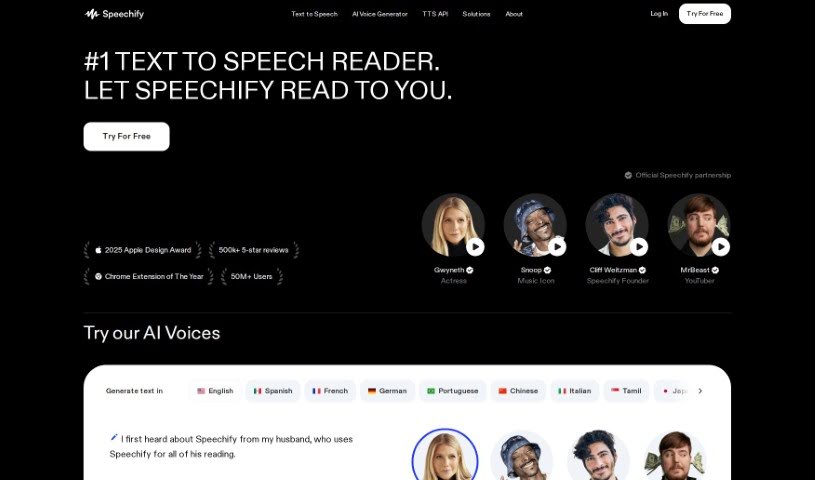
Screenshot of Speechify

Speechify

Freemium

Speechify is a really handy text-to-speech app designed to help you get through PDFs, books, articles, emails, and so much more, but at a much quicker pace. It is a way to speed-read with your ears! This clever tool lets you listen to content while you're busy doing other things – maybe you're walking the dog, going for a run, or just tackling your daily chores. The person behind Speechify, Cliff Weitzman, actually has dyslexia. He created the app to help himself, and then others like him, read faster and actually remember what they're reading. It's pretty popular, too, with over 30 million people using it. One of its cool features is voice cloning, which lets you create your own personalized voice clones for listening.

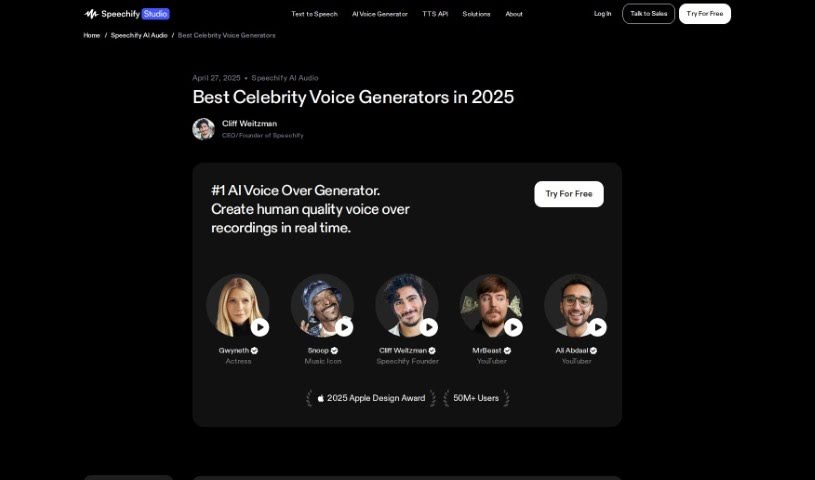
Screenshot of Speechify Celebrity Voice-Over Generator

Speechify Celebrity Voice-Over Generator

Freemium

Speechify's Celebrity Voice-Over Generator is a really cool tool that lets you create voice-overs using the voices of famous people. It's a pretty neat platform that uses advanced tech to copy celebrity voices, which can make your audio content feel really unique and engaging. You get to pick from a bunch of well-known voices to read your text, giving your projects a personal touch. It’s a fun and creative way to make your stories, presentations, audiobooks, and other projects more interesting. By mimicking how celebrities actually speak, including their speech patterns and how they emphasize words, this Voice-Over Generator opens up some exciting new possibilities for anyone creating content or just wanting to add a bit of personality to their recordings.

Screenshot of Speechify Voice Cloning

Speechify Voice Cloning

Freemium

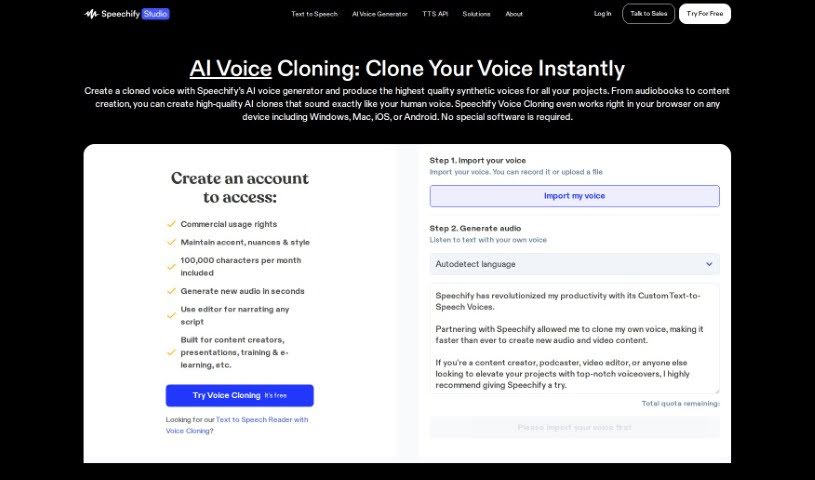
Voice cloning is a fascinating technique that lets us create a synthetic version of someone's voice. It uses advanced algorithms and deep learning models to do this. To get a really realistic copy, you usually need a good amount of clear audio from the person whose voice you want to clone. This technology has all sorts of uses, from making virtual assistants sound better to creating personalized voice styles for people. You can use the generated voice for voiceovers, dubbing, audiobooks, and even if someone has lost their ability to speak. While voice cloning opens up some really exciting possibilities, it's also important to think about the ethical side, like privacy, identity theft, and how these voice recordings might be misused.

Screenshot of Speechimo

Speechimo

Freemium

Speechimo is a really advanced Text-to-Speech tool that creates incredibly lifelike human voices. These voices are perfect for all sorts of content, like videos, podcasts, audiobooks, and even e-learning materials. What's great about Speechimo is how realistic its voices sound – they really capture natural intonation and emotion, making for a much more engaging and authentic listening experience. You can whip up professional-sounding voiceovers in just seconds, which is a huge time and money saver compared to hiring expensive voice-over artists. Plus, Speechimo supports many different languages, offers a free trial so you can test it out, and has a helpful Help Center if you ever get stuck.

Screenshot of Speechmatics

Speechmatics

Freemium

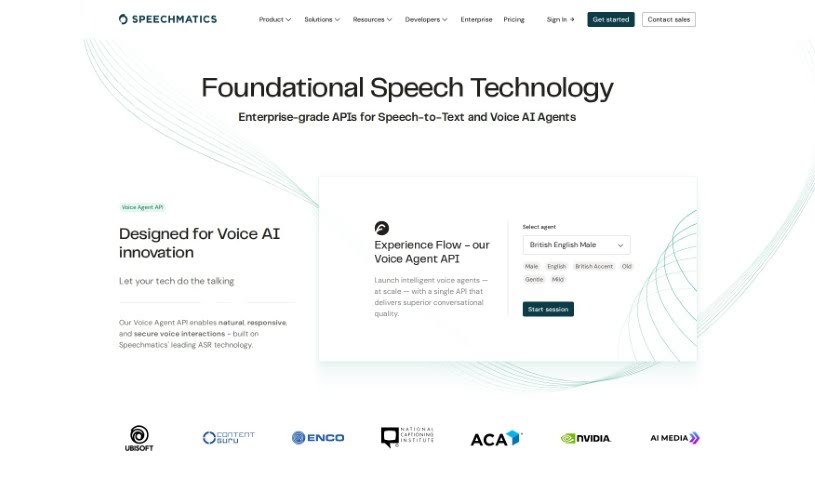
Speechmatics is a top-tier solution that uses artificial intelligence to really change the game for speech transcription and real-time translation. Its powerful Speech API converts spoken words into text across many languages with impressive accuracy. It's built on advanced algorithms and machine learning, making global communication much smoother by breaking down language barriers.

Screenshot of Speechnotes

Speechnotes

Freemium

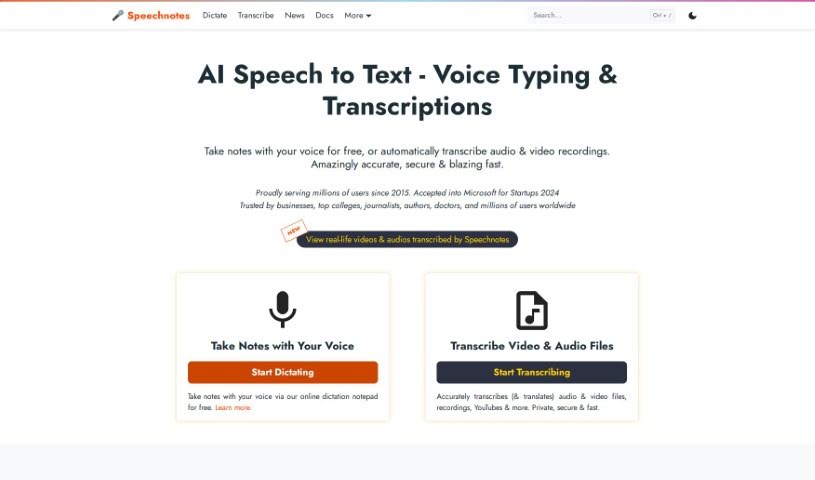
Speechnotes is a really useful tool you can use right in your web browser. It's designed to help you transcribe and translate audio and video recordings with a focus on keeping things simple and distraction-free. Basically, instead of typing everything out, you can just talk, and Speechnotes turns your speech into text. This can save you a ton of time and effort. It's packed with handy features like voice commands for punctuation and formatting, automatic capitalization to make things look neat, and it's super easy to import and export your text. The accuracy is top-notch because it uses the powerful speech recognition AI engines from Google and Microsoft. It's also lightweight, meaning it runs fast, and it's designed with your privacy and security in mind. This makes it a great choice for all sorts of tasks, whether you're taking notes, filling out medical forms, or if you're an author or student who does a lot of writing. The whole idea behind Speechnotes is to help your ideas flow freely by offering a clean, efficient design that encourages clear thinking and creativity. Plus, you can use it for free with ads, or opt for a premium version if you want even more features and support.

Screenshot of SpeechPulse

SpeechPulse

Freemium

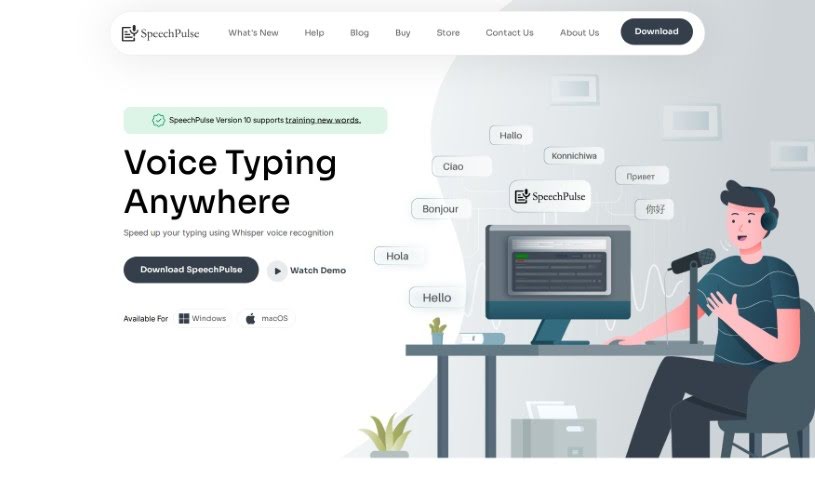
SpeechPulse is a really handy voice recognition tool designed to make your typing much faster. It can recognize your speech in real-time, meaning it can type for you directly in apps like text editors and web browsers. Plus, it's great for privacy because it works completely offline. It uses OpenAI's powerful Whisper speech-to-text models, which are known for being super accurate, even if there's a bit of background noise. SpeechPulse supports many different languages, can transcribe audio files while also telling you who's speaking (that's speaker diarization!), and can even create subtitles for your videos. It also has some neat AI features, like correcting your grammar and summarizing text. You can get it for Windows 10/11 and for Macs with Apple Silicon. People seem to really like how accurate it is, how many languages it handles, and how quickly it translates with hardly any delay. It’s praised for being versatile, easy to use, and for how the creator listens to user feedback.

Screenshot of Speechson

Speechson

Freemium

Speechson TTS is an online tool that transforms text into speech that sounds incredibly natural, almost like a real person is speaking. It boasts an impressive library of over 900 AI voices spread across 144 different languages. This means you can generate high-quality audio files in common formats like MP3 and WAV. What really sets it apart are features like its emotion-based AI text-to-speech engine, which makes the voices sound more realistic, SSML control for fine-tuning, support for multiple audio formats, and a really easy-to-use interface. You get access to a huge variety of languages and dialects, can download and share your creations without a hassle, and choose between standard and neural voices depending on what your project needs. Speechson TTS is built to create audio that mimics human speech patterns and intonations so well, it's perfect for things like voiceovers, virtual assistants, audiobooks, and even language learning tools.

Screenshot of Speechtext.ai

Speechtext.ai

Freemium

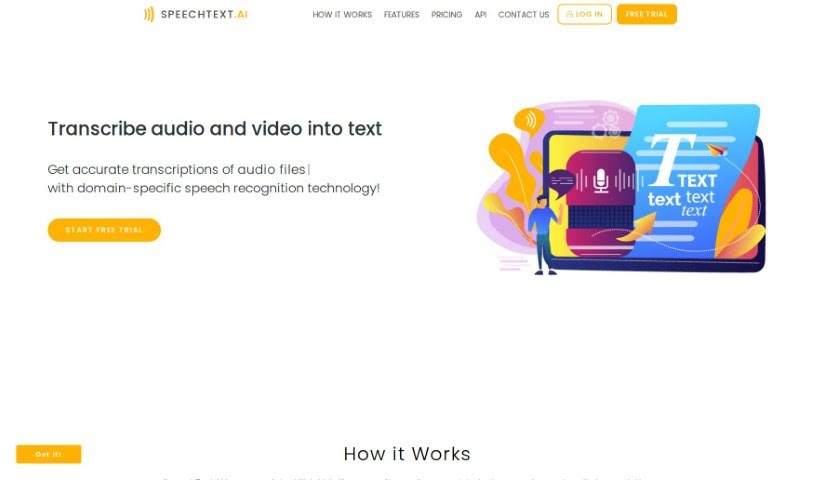
SpeechText.AI is an AI-powered service that turns audio and video into text, and it does it with impressive accuracy. It is a smart assistant that listens and writes for you. This technology is really helpful across many different fields because it provides precise transcriptions, thanks to its advanced speech recognition. You can easily upload files in all sorts of formats. What's great is that it offers accuracy tailored to specific industries, meaning the transcriptions aren't just correct, they also understand the context. SpeechText.AI uses the latest deep neural network models for converting audio to text, which gets it incredibly close to human accuracy. Plus, it has an editing platform where you can easily tweak the transcriptions. Once you're happy, you can export the text in several formats to fit whatever you need. They also offer a free trial, which makes it a really attractive option if you're looking for top-notch transcription services.

Screenshot of Splash Music

Splash Music

Freemium

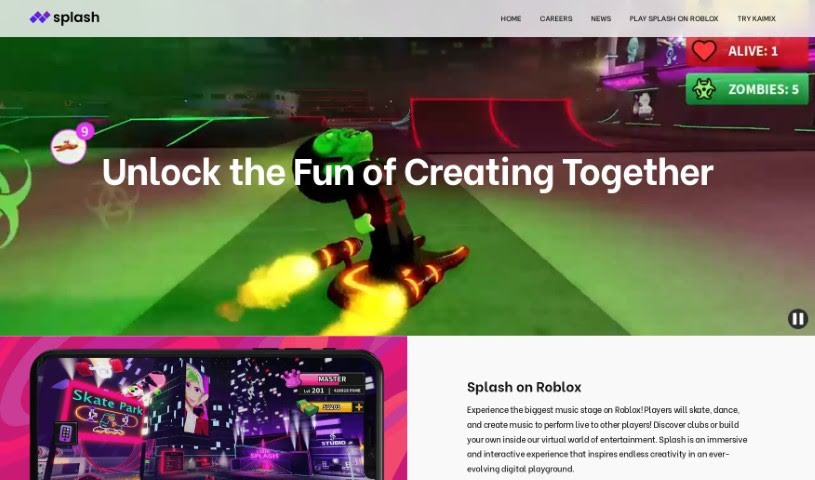
Splash Music is a platform that really changes how we make music, all thanks to AI. It gives you a bunch of AI-powered tools so you can sing, rap, play instruments, compose, and produce your own original music. It doesn't matter if you're a seasoned pro or just someone who enjoys music as a hobby; Splash Music makes creating music super accessible. You can use features like Text-to-Singing, Text-to-Rap, Generative Text-to-Music, Composition, Melody, Voice Transfer, Lyrics, and Mastering. Plus, you can create royalty-free tracks exactly how you like them, meaning you're free to use your creations however you want. Why not give Splash Music a try today? It's a fresh, innovative way to get into music production.

Stay Updated with AI Tools

Get weekly updates on the latest AI tools, trends, and insights delivered to your inbox

Join 25,000+ AI enthusiasts. No spam, unsubscribe anytime.