008 Agent
Audio Transcription
Learn more
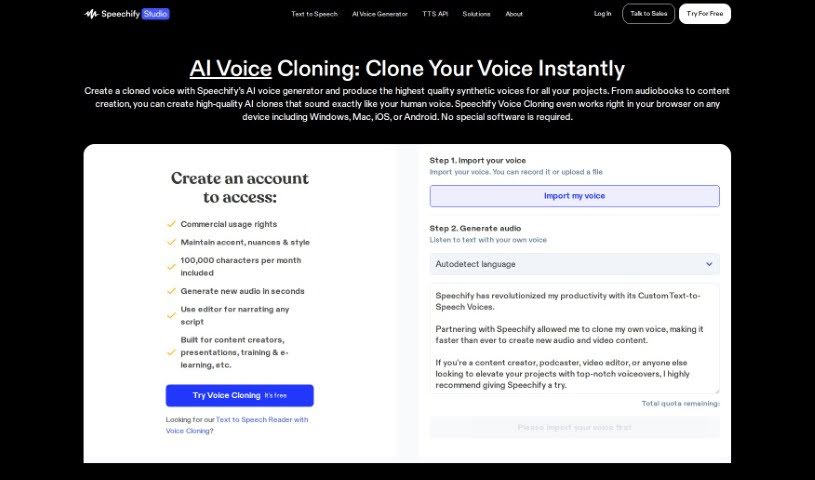
Discover what Speechify Voice Cloning is, how voice cloning works, and its uses for voiceovers, dubbing, and audiobooks.
Voice cloning is a technique that creates a synthetic version of someone’s voice using advanced algorithms and deep learning models. To produce a realistic copy, you generally need a good amount of clear audio from the person whose voice you want to clone.
The generated voice can be used for voiceovers, dubbing, audiobooks, virtual assistants, personalized voice styles, and even to help people who have lost their ability to speak.
While voice cloning opens up many possibilities, it also raises ethical concerns worth considering: privacy, identity theft, and the potential misuse of cloned voice recordings.
The underlying voice cloning technology came out of research by a team at Google, with Ye Jia among the key researchers. Google has advanced voice cloning through projects like DeepMind and Google Brain. Rather than a single company dedicated solely to voice cloning, the technology is part of broader research and development efforts by major tech players like Google.
If you want to clone a voice, the general process is:
Always respect copyright and ethical guidelines when using cloned voices, especially for public or commercial projects.
Related
Discover more tools in similar categories
Weekly picks of the best AI tools we've researched and added — no spam, unsubscribe anytime.
Join 25,000+ AI enthusiasts. No spam, unsubscribe anytime.