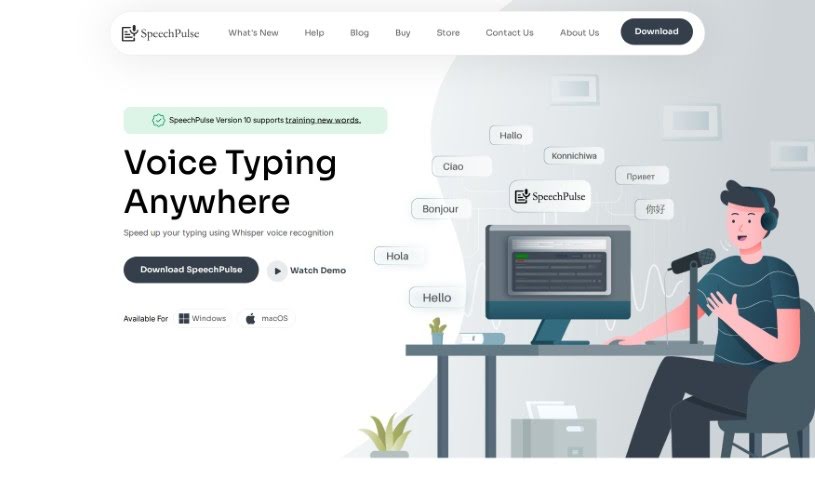
What is SpeechPulse?
SpeechPulse is a really handy voice recognition tool designed to make your typing much faster. It can recognize your speech in real-time, meaning it can type for you directly in apps like text editors and web browsers. Plus, it’s great for privacy because it works completely offline. It uses OpenAI’s powerful Whisper speech-to-text models, which are known for being super accurate, even if there’s a bit of background noise. SpeechPulse supports many different languages, can transcribe audio files while also telling you who’s speaking (that’s speaker diarization!), and can even create subtitles for your videos. It also has some neat AI features, like correcting your grammar and summarizing text. You can get it for Windows 10/11 and for Macs with Apple Silicon. People seem to really like how accurate it is, how many languages it handles, and how quickly it translates with hardly any delay. It’s praised for being versatile, easy to use, and for how the creator listens to user feedback.
Who created SpeechPulse?
SpeechPulse was developed by Daniele, its founder. He’s received a lot of positive comments about how accurate the tool is, how easy it is to use, its flexibility, and how he’s really responsive to suggestions from users. The tool first came out on December 2, 2023, and it brought features like working offline, high accuracy, support for many languages, the ability to generate subtitles, and real-time translation. SpeechPulse works without an internet connection, using OpenAI’s Whisper speech-to-text models to handle speech recognition efficiently and accurately across various languages.
What is SpeechPulse used for?
SpeechPulse is incredibly versatile! Here’s a breakdown of what you can do with it:
- Language Support: It works with many different languages.
- Real-time Speech Recognition: Speak naturally, and it types for you as you go.
- Translation: It can translate speech from other languages into English.
- Typing Efficiency: Speed up your writing process significantly.
- Offline Operation: Use it anywhere, anytime, without needing an internet connection, which is great for privacy.
- Subtitle Generation: Easily create subtitles for your audio and video files.
- Audio File Processing: Transcribe and translate audio files.
- Automatic Speech Input: Use a push-to-talk mode for hands-free typing.
- AI Language Assistance: Get help with grammar, punctuation, and even text summarization.
- Speaker Diarization: In file mode, it can identify different speakers in your audio.
- App Integration: Type directly into all sorts of applications, including text editors, web browsers, and office software.
- Non-English to English Translation: Convert spoken words from other languages into English as you speak.
- File Transcription/Translation: Process audio files to get text or translations.
- Subtitle Creation: Generate subtitles for both audio and video content.
- Multilingual Capabilities: Recognize and process speech in several languages.
- Low Latency: Get your speech converted to text very quickly.
- Subtitle Formats: Supports common subtitle formats like .srt and .vtt.
- Privacy: Its offline nature means your data stays private.
- Push-to-Talk: Control when it starts and stops listening with a simple key press.
- Boost Typing Speed: Make your writing much faster.
- Translate Speech: Convert non-English speech into English in real-time.
- Type Anywhere: Input text into your favorite apps, whether it’s a document, a browser, or office suite.
- Powered by Whisper: Built on OpenAI’s highly accurate Whisper models.
- Multiple Languages: Handles speech recognition for several languages.
- Audio File Conversion: Transcribe or translate audio files.
- Subtitle Generation: Create subtitles for audio and video in .srt and .vtt formats.
- Customizable Hotkeys: Set up your own push-to-talk shortcuts.
- Offline AI Models: Get grammar, spelling, and punctuation corrections offline.
- Speaker Identification: Differentiate speakers in audio files.
- App Typing: Works seamlessly with text editors, browsers, and office software.
- Real-time Translation: Translate non-English speech into English instantly.
- Broad Language Support: Handles many languages for speech recognition.
- Fast Conversion: Low latency for speech-to-text.
- High Accuracy: Reliable speech recognition, even in noisy environments.
Who is SpeechPulse for?
SpeechPulse is a fantastic tool for anyone who works with language or audio. This includes:
- Translators: For quick transcription and translation.
- Transcribers: To speed up the process of converting audio to text.
- Speech Therapists: To help analyze speech patterns.
- Language Teachers: For practice and demonstration.
- Transcriptionists: Making their work more efficient.
- Multilingual Professionals: Communicating across language barriers.
- Language Professionals: Anyone working extensively with languages.
- Multilingual Communication Specialists: Facilitating clear communication.
- Content Creators: For generating subtitles and transcribing interviews or voiceovers.
How to use SpeechPulse?
Getting started with SpeechPulse is pretty straightforward. Just follow these simple steps:
- Download and Install: First, head over to the SpeechPulse website. You can download the version that’s right for your computer, whether you’re on Windows 10/11 or a Mac with Apple Silicon.
- Set Up Your Microphone: Make sure your computer’s microphone is plugged in and working correctly. SpeechPulse needs to hear you!
- Launch the App: Once installed, just open the SpeechPulse application.
- Start Speaking: Begin talking into your microphone. SpeechPulse will recognize your speech in real-time and type it out for you. You can have it type directly into your text editors, web browsers, or other office software.
- Enjoy Offline Use: Take advantage of the offline capability. This is perfect if you’re concerned about privacy or if you’re in a place with spotty internet.
- Explore Language Support: SpeechPulse supports many languages for speech recognition, including English, French, Spanish, Italian, German, Japanese, Chinese, and Russian. Pick the one you need!
- Translate and Transcribe: Need to translate speech from another language into English? SpeechPulse does that in real-time. You can also use it to transcribe or translate audio files in common formats like mp3, wav, m4a, flac, ogg, and webm.
- Generate Subtitles: If you have audio or video files, SpeechPulse can create subtitles for them, complete with accurate timestamps. It supports standard formats like .srt and .vtt.
- Use Enhanced Features: You’ll appreciate the low latency for fast speech-to-text, the AI models that boost accuracy, different punctuation modes, automatic speech detection, the push-to-talk option, and the ability to transcribe audio files with speaker diarization.
- Try it Free: Why not give it a spin? You can often get a 30-day free trial to explore all of SpeechPulse’s features and see how it can help you.
By following these steps, you’ll be able to use SpeechPulse effectively for all your speech recognition, translation, transcription, and subtitle needs across different applications and languages.