What Exactly is Speechnotes?
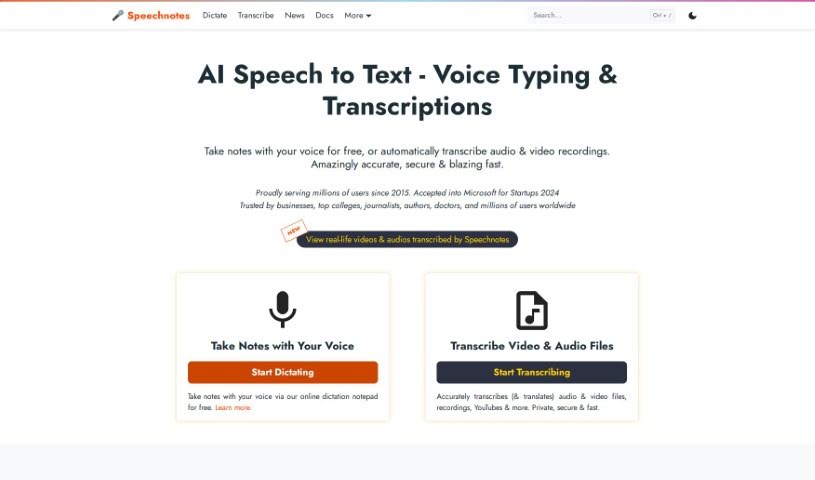
Speechnotes is a really useful tool you can use right in your web browser. It’s designed to help you transcribe and translate audio and video recordings with a focus on keeping things simple and distraction-free. Basically, instead of typing everything out, you can just talk, and Speechnotes turns your speech into text. This can save you a ton of time and effort. It’s packed with handy features like voice commands for punctuation and formatting, automatic capitalization to make things look neat, and it’s super easy to import and export your text. The accuracy is top-notch because it uses the powerful speech recognition AI engines from Google and Microsoft. It’s also lightweight, meaning it runs fast, and it’s designed with your privacy and security in mind. This makes it a great choice for all sorts of tasks, whether you’re taking notes, filling out medical forms, or if you’re an author or student who does a lot of writing. The whole idea behind Speechnotes is to help your ideas flow freely by offering a clean, efficient design that encourages clear thinking and creativity. Plus, you can use it for free with ads, or opt for a premium version if you want even more features and support.
Who’s Behind Speechnotes?
Speechnotes was created back in 2015 by the folks at Speechlogger & TTSReader. Their main goal was to make it easier for people all over the world to type out their thoughts, stories, and notes more comfortably. The tool officially launched on December 4, 2023, and it’s available online for everyone to use, completely free. The team developed Speechnotes based on what users were asking for and a real need for a simpler, more user-friendly way to type.
What Can You Actually Use Speechnotes For?
Speechnotes is incredibly versatile! Here are just a few ways people use it:
- Students: Great for taking lecture notes, writing essays, or transcribing study materials.
- Cost-Effective Transcription: It’s a budget-friendly way to get transcriptions done.
- Writing Notes & Thoughts: Jot down ideas, journal entries, or creative writing as they come to you.
- Dictating Medical Forms: Many find it easier to speak information for forms rather than typing.
- Assisting Authors: Helps writers get their stories and ideas down quickly.
- Supporting Students: Offers a helpful tool for academic tasks.
- Facilitating Transcribers: Listen to audio and dictate it directly, making the transcription process smoother.
- Boosting Productivity: Get more done by using your voice.
- Voice Typing: Simply speak to type anything.
- Medical Forms: Dictate information directly into medical forms.
- Authors: A fantastic tool for drafting manuscripts.
- Transcribers: Listen and dictate to speed up your work.
- Transcribing Phone Calls/Voice Messages: Easily convert spoken messages into text.
- Speaker Diarization (English): Helps identify different speakers in recordings.
- Text Indexing for Audio Archives: Make your audio content searchable.
- Automatic Transcription for Recordings: Get quick transcriptions of any audio.
- Aiding Students: Provides a supportive tool for learning and assignments.
- Supporting Transcribers: Offers features to make their job easier.
- Health Advantages: Voice typing can be better for your wrists and posture than traditional typing.
- Saving Time: Significantly cuts down the time spent on transcription tasks.
Who Is Speechnotes Designed For?
Speechnotes is a great fit for several groups:
- Authors: For drafting, brainstorming, and getting words down.
- Students: To help with note-taking, assignments, and studying.
- Transcribers: To make the process of converting audio to text more efficient.
How Do I Actually Use Speechnotes?
Using Speechnotes is pretty straightforward. Here’s a step-by-step guide:
-
Get Ready: First, make sure you have a good quality microphone connected to your computer. If your computer has a built-in microphone, that usually works well too.
-
Start Talking:
- Head over to the Speechnotes website and click on the microphone icon you see on the screen.
- Your browser might ask for permission to use your microphone. Just click “Allow” if it does.
- Now, start speaking! Try to talk clearly and at a moderate pace, emphasizing your words correctly. This really helps the tool understand you better.
-
See Your Transcription:
- As you speak, you’ll see the text appearing in a temporary buffer area.
- To move your transcribed text into the main editor, you can press “Enter” on your keyboard, say a punctuation mark (like “period” or “question mark”), or just click on a punctuation symbol. You can also just wait a moment, and it will often shift over automatically.
-
If Something Goes Wrong (Troubleshooting):
- Sometimes, you might run into issues. Common culprits include microphone hardware problems, using a browser other than Chrome, not giving permission for microphone access, or Chrome picking up the wrong microphone.
- If this happens, look for a small camera icon in your browser’s address bar (it usually shows up after you click the microphone). Click on that, grant the necessary permissions, and make sure you select the correct microphone from the list provided.
-
Who Else Can Benefit?
- Anyone who’s tired of spending hours typing away.
- People who find typing difficult because of physical conditions or maybe they just aren’t keyboard whizzes.
- Professionals and hobbyists who type a lot and might experience strain or discomfort.
- Transcribers, whether they’re students or seasoned pros, can really speed things up with dictation.
-
Compatibility and Privacy Matters:
- Speechnotes works great on pretty much any platform, as long as you’re using the Chrome browser.
- You don’t need to install anything, and you don’t need a super powerful computer for it to run smoothly.
- Your privacy is a big deal. Speechnotes doesn’t save any of your data. Your speech is sent directly to Google’s speech-to-text engines, so your words never go through Speechnotes’ own servers.
Overall, Speechnotes provides a clean, distraction-free space that’s perfect for letting your innovative thoughts flow. It offers accurate, fast, and secure speech recognition that’s useful for so many different things.