What is Speechtext.ai?
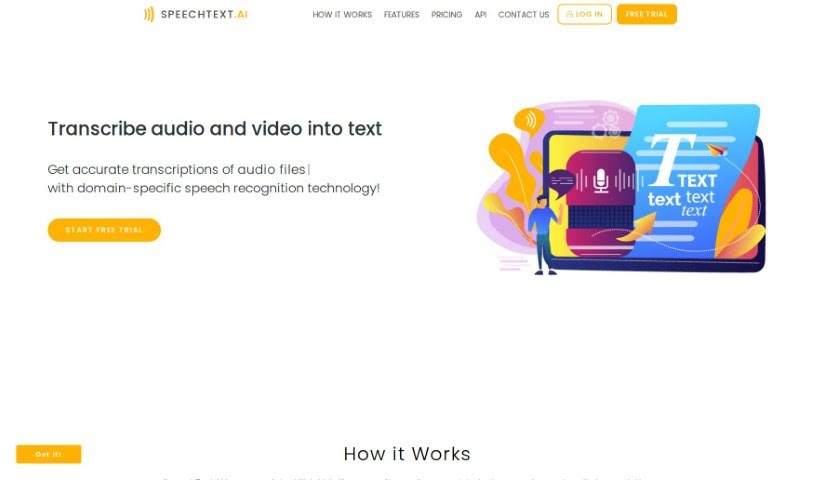
SpeechText.AI is an AI-powered service that turns audio and video into text, and it does it with impressive accuracy. It is a smart assistant that listens and writes for you. This technology is really helpful across many different fields because it provides precise transcriptions, thanks to its advanced speech recognition. You can easily upload files in all sorts of formats. What’s great is that it offers accuracy tailored to specific industries, meaning the transcriptions aren’t just correct, they also understand the context. SpeechText.AI uses the latest deep neural network models for converting audio to text, which gets it incredibly close to human accuracy. Plus, it has an editing platform where you can easily tweak the transcriptions. Once you’re happy, you can export the text in several formats to fit whatever you need. They also offer a free trial, which makes it a really attractive option if you’re looking for top-notch transcription services.
Who created Speechtext.ai?
SpeechText.ai is an AI transcription service designed to effortlessly convert audio and video content into text. The platform offers domain-specific accuracy, advanced transcription engine using deep neural network models, interactive editing tools, and flexible export options. The company aims to provide seamless user experience and high-quality transcription services for professionals.
What is Speechtext.ai used for?
Here’s a look at what you can do with Speechtext.ai:
- Turn audio and video into text using specialized speech recognition for different fields.
- Upload audio or video files in many formats, and get transcriptions in any language.
- Pick predefined categories to help the system recognize industry-specific words more accurately.
- Edit, search, and export your transcriptions easily with interactive tools.
- It supports over 30 languages and handles various accents from non-native speakers.
- It can even detect and separate different speakers in conversations with multiple people.
- You can use domain-specific models to boost recognition accuracy even further.
- It lets you search through your audio content using everyday language.
- Punctuation is automatically added to your transcriptions.
- There’s a simple proofreading interface to help you edit and check the results.
- Basically, it transcribes audio and video into text.
- It converts audio files into text files.
- You can generate subtitles for your video files.
- It helps improve speech recognition quality for various industries.
- It automatically transcribes things like interviews, conference calls, and meeting notes.
- It identifies who is speaking in conversations with multiple participants.
- You can search audio data using natural language queries.
- Domain-specific models are available to enhance transcription accuracy.
- You can export your transcription results in different formats, like .txt, .pdf, or .docx.
- Interactive tools are provided for editing and verifying transcriptions.
Who is Speechtext.ai for?
SpeechText.ai is a great tool for:
- Journalists
- Researchers
- Content creators
- Podcasters
- Videographers
- Lawyers
- Academics
- Doctors
- Market Researchers
- Students
How to use Speechtext.ai?
Using SpeechText.AI to transcribe your audio and video content into text is pretty straightforward. Just follow these simple steps:
- Upload with Ease: You can easily upload your audio or video files in various formats. It’s designed to be simple.
- Select Domain-Specific Accuracy: To get the best results, especially for industry-specific terms, you can choose predefined categories. This really helps improve accuracy.
- Utilize Advanced Transcription Engine: The service uses cutting-edge neural network models. This means the conversion from audio to text is incredibly accurate, almost like a human is doing it.
- Edit Interactively: Once transcribed, you can easily check and fine-tune the text using user-friendly editing tools.
- Export Flexibly: When you’re happy with the transcription, you can export it in different formats, like .txt, .pdf, or .docx, whatever suits your needs best.
For specific tasks, here’s a bit more detail:
- Data Security: SpeechText.AI is GDPR compliant. Your data is kept secure with servers located in Europe (France), and all data transmission is encrypted.
- Convert Audio to Text: It’s simple: just log in, upload your audio files, pick your settings, and hit ‘Transcribe’.
- Transcribe MP3 to DOCX: Upload your MP3 file, let it transcribe, and then download the result as a Word Document.
- Improve Speech Recognition: If you want to make speech recognition even better, you can specify the industry domain for your files. This uses specialized machine learning models that are trained for that specific field.