Splash Music: AI Music Creation Features & Overview
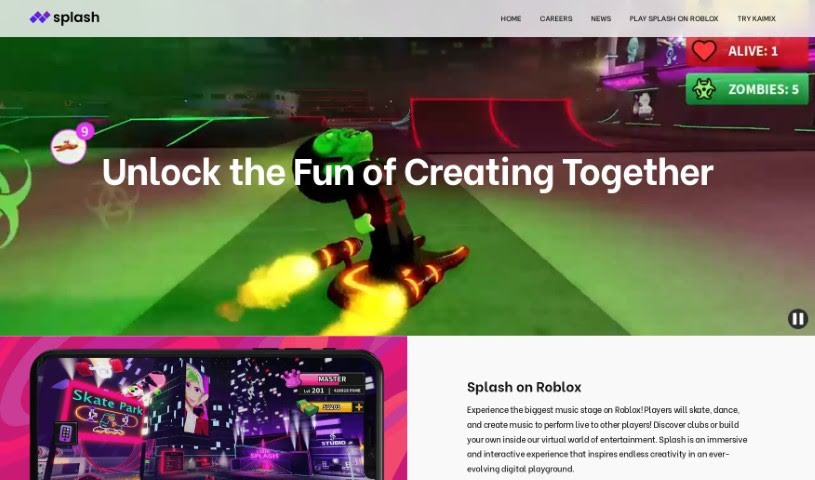
Screenshot of Splash Music

Splash Music

Discover Splash Music, an AI platform for creating music with features like Text-to-Singing, Text-to-Rap, and Generative Text-to-Music.

Screenshot

What is Splash Music?

Splash Music is an AI-powered platform for creating music. It provides tools for singing, rapping, playing instruments, composing, and producing original music, making music creation accessible to both professionals and hobbyists. Features include Text-to-Singing, Text-to-Rap, Generative Text-to-Music, Composition, Melody, Voice Transfer, Lyrics, and Mastering. Tracks you create are royalty-free, so you can use them however you like.

Who created Splash Music?

Splash was developed by a company focused on changing music creation with AI. It has been building its own technology and high-quality audio datasets since 2017. Its AI expertise spans Text-to-Singing, Text-to-Rap, Generative Text-to-Music, Composition, Melody, Voice Transfer, Lyrics, and Mastering. The company’s goal is to help a new wave of artists create and perform music, using AI to boost creativity.

What is Splash Music used for?

  • Text-to-Singing: Turn written words into sung vocals.
  • Text-to-Rap: Generate rap lyrics from text prompts.
  • Generative Text-to-Music: Create new music from text instructions.
  • Composition: Build your own unique music tracks.
  • Melody: Add melodies to make your music stand out.

Who is Splash Music for?

  • Professional musicians
  • Hobbyists
  • Anyone who enjoys making music

How to use Splash Music?

  1. Sign up: Create an account on the Splash platform.
  2. Explore the tools: Get familiar with the AI-powered features for singing, rapping, playing instruments, composing, and producing.
  3. Generate: Use Text-to-Singing, Text-to-Rap, or Generative Text-to-Music to create vocals, lyrics, or original tracks from text input.
  4. Refine: Use the Composition and Melody features to shape your track, then apply Mastering to polish the final quality.
  5. Collaborate: Connect with other users on Splash to collaborate and engage with the community.
  6. Keep your work: All music you create on Splash is yours to keep and use however you like, with no restrictions.

Related

Related AI Tools

Discover more tools in similar categories

New tools, in your inbox.

Weekly picks of the best AI tools we've researched and added — no spam, unsubscribe anytime.

Join 25,000+ AI enthusiasts. No spam, unsubscribe anytime.