AI Tools for Documentation

Discover the best Documentation AI tools to enhance your productivity and creativity.

Page 10 of 15 • 174 total tools

Documentation can feel like a never-ending task, full of tedious steps and confusing details. Whether you’re writing manuals, project guides, or reports, it’s easy to get stuck. Wouldn’t it be great if AI could help lighten that load?

Lately, AI tools made specifically for documentation have really changed things. They offer ways to speed up writing, organizing, and editing. These aren’t just helpers; they can truly change how you handle your documentation work.

After spending a good amount of time trying out the latest options, I’ve put together a list of the top AI tools for documentation that you might want to check out. If you need help with structure, style, or just getting things done faster, these tools are here to make your life simpler.

In this article, we’ll look at the standout tools making a splash in documentation, how they can help you be clearer and more efficient, and what to keep an eye on as this field keeps growing. Let’s jump in and find the tools that can really improve your documentation efforts.

The best AI Documentation Tools

  1. Tenorshare: Great for easily summarizing PDFs for research.
  2. Mermaid Chart: Perfect for creating code architecture diagrams.
  3. Git Book: A platform for editing documentation collaboratively.
  4. Craft Docs: Ideal for team collaboration and communication.
  5. Slite: Use it to centralize all your company’s knowledge.
  6. Macro.com: Helps you streamline document editing tasks.
  7. Supernormal: Makes meeting notes easy to access.
  8. Writingmate.ai: Offers automated documentation with AI help.
  9. Mentalyc: Provides seamless note-taking for therapists.
  10. Sembly AI: Generates meeting notes automatically.
  11. Document360: Helps create user-friendly product manuals.
  12. Mintlify: Streamlines the creation of developer documentation.
  13. Trickle AI: Manages project notes more efficiently.
  14. Single Store: For searching and analyzing documents in real-time.
  15. Bit.ai: Streamlines how teams manage documentation.

How do AI documentation tools work?

AI documentation tools work much like other AI writing tools, but they’re specifically built to make creating, managing, and updating documents smoother. Basically, they use smart algorithms and large language models to help you generate content, format text, and organize information efficiently.

These tools usually look at what you’ve written and suggest relevant content, making it easier to create thorough documentation. By understanding your questions and prompts, they can produce structured documents that fit specific needs, like technical manuals, user guides, or FAQs.

Plus, AI documentation tools often include features for teamwork, letting multiple people work on a document at the same time. This is super helpful for teams working on projects together, ensuring everyone’s ideas and expertise blend smoothly into one document.

Most of these tools come with templates and best practices learned from huge amounts of data. This means they can suggest styles, formats, and even the right words for your field, making your documentation clearer and more professional.

The technology behind them relies a lot on information from different places, like technical articles, manuals, and other formal documents. This wealth of data lets AI tools act like smart search engines, quickly finding information that can fill in gaps or answer specific questions in your documentation process.

So, in short, AI documentation tools are designed to make your workflow and productivity better when writing and maintaining documents. They help cut down the time spent on repetitive tasks and improve accuracy by using a vast amount of knowledge and understanding context. As these tools keep getting better, their ability to boost efficiency and teamwork in documentation will only grow.

Our best AI documentation tools at a glance

RankNameBest forPlans and PricingRating
1TenorshareEffortless PDF summarization for research.N/A4.64 (11 reviews)
2Mermaid ChartCode architecture diagramsN/A4.84 (19 reviews)
3GitBookCollaborative documentation editing platformN/A4.76 (25 reviews)
4Craft DocsTeam collaboration and communicationPaid plans start at $10/month.4.17 (6 reviews)
5SliteCentralizing company knowledgeN/A4.00 (15 reviews)
6Macro.comStreamlining document editing tasksN/A4.77 (30 reviews)
7SupernormalStreamline meeting notes for easy access.Paid plans start at $18/month.4.79 (19 reviews)
8Writingmate.aiAutomated documentation with AI supportN/A4.64 (11 reviews)
9MentalycSeamless note-taking for therapistsPaid plans start at $39.99/month.4.75 (12 reviews)
10Sembly AIAutomated meeting notes generationPaid plans start at $20/month.4.64 (11 reviews)
11Document360Creating user-friendly product manualsPaid plans start at $149/month.4.82 (11 reviews)
12MintlifyStreamlined developer documentation creationN/A4.17 (6 reviews)
13Trickle AIStreamline project notes managementPaid plans start at $8/month.4.67 (6 reviews)
14Single StoreReal-time document search and analysisPaid plans start at $574.9/month.4.17 (6 reviews)
15Bit.aiStreamlined team documentation managementPaid plans start at $8/month.4.64 (11 reviews)
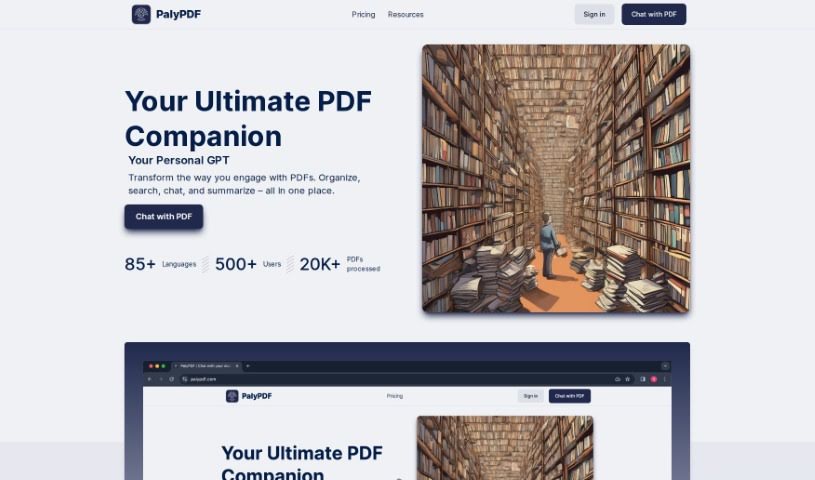
Screenshot of PalyPDF

PalyPDF

Freemium

PalyPDF is a really neat AI tool that's changing how we work with PDF documents. It is a smart assistant for your PDFs. It lets you chat directly with your documents, get answers in real-time, and even pull together insights from several files at once. It's great for summarizing long documents quickly, and its advanced OCR (Optical Character Recognition) means it can understand both text and images. Plus, you can chat with your documents in over 85 languages, keep everything organized in a clean workspace, and pick a subscription plan that fits your needs and budget.

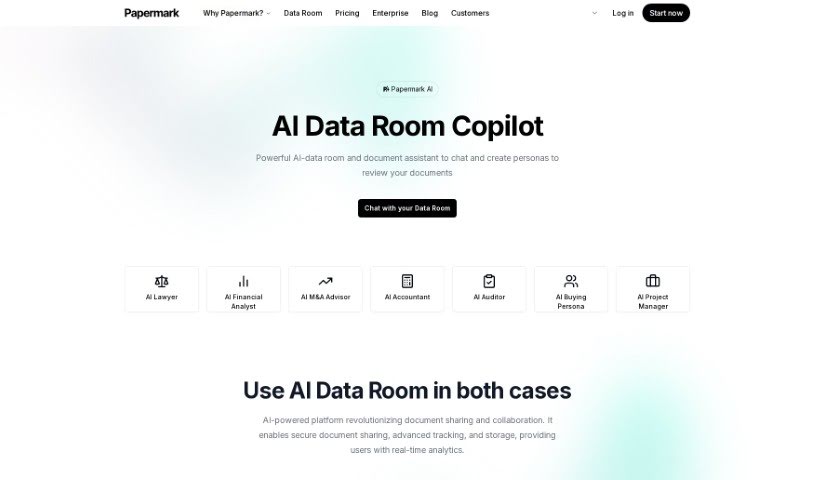
Screenshot of Papermark AI

Papermark AI

Freemium

Papermark AI is essentially your AI document sidekick, built to make managing and sharing documents a much smoother experience. It is a tool that helps you with things like sharing documents securely, keeping an eye on how they're being used with real-time analytics, creating custom links for sharing, and being part of a supportive community, all on an open-source platform. It gives you AI-powered insights, secure ways to share, tracks how people interact with your documents, lets you create custom links, and offers the advantages of a community that works together on an open-source system.

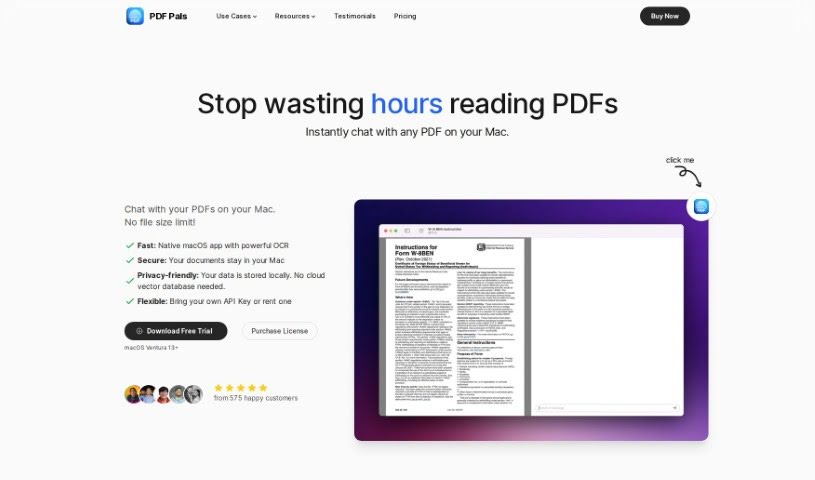
Screenshot of PDF Pals

PDF Pals

Freemium

PDF Pals is a really useful tool for working with PDFs, built to make you more productive and efficient. It lets you chat with multiple PDFs at once, right on your Mac. The best part? You don't have to upload anything, and there are no annoying file size limits. Since it's made specifically for macOS, it's super fast and keeps your data safe. It even handles scanned documents and tricky forms thanks to a strong OCR engine, so it's great for all sorts of documents. Plus, PDF Pals really respects your privacy – all your data stays right on your computer. You can even tweak the AI settings and system prompts to get exactly the experience you want. It's a lifesaver for researchers, lawyers, and software developers who need to quickly pull key info from academic papers, legal briefs, or technical manuals.

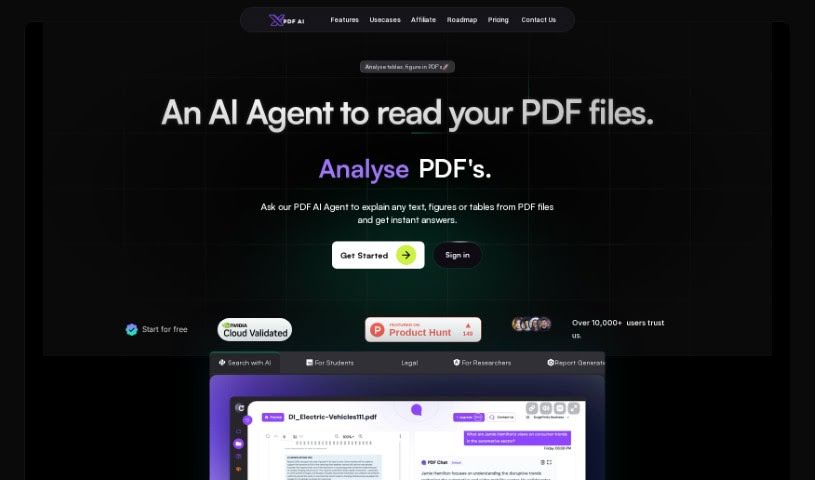
Screenshot of PDFchat

PDFchat

Freemium

PDFchat is a really neat AI tool that completely changes how we work with documents. Basically, it lets you have a conversation with your PDFs! It's built to understand, pull out, and analyze information from PDFs, no matter what language they're in. This makes it super helpful for students, professionals, and businesses alike. Think about it: you can ask questions using your voice, it handles scanned and messy PDFs, and it can even make sense of tables. PDFchat really speeds things up by giving you quick, accurate answers straight from your documents. You just upload your file and start chatting – no more sifting through pages for hours. Some of its best features include smart chat interactions, support for all sorts of documents, quick summaries, voice commands, and analysis in many languages. It’s a genuinely useful tool for managing documents more efficiently.

Screenshot of Playroom Booom.ai

Playroom Booom.ai

Freemium

Playroom Booom.ai is a platform designed with a focus on 'playroom' functionalities. It offers resources like documentation and pricing information, making it easier for users to understand and get the most out of its features. It is your go-to spot for guidance and details on how to really make the most of what Playroom Booom.ai has to offer. Whether you're curious about specific features or need to know the costs involved, the platform provides all the necessary information. Essentially, Playroom Booom.ai is a comprehensive tool for anyone interested in engaging with activities and services related to creating playful environments.

Screenshot of Proddy.io

Proddy.io

Freemium

Proddy.io is a platform built to really improve how product managers work. It uses smart AI to help turn those first, rough ideas into polished, professional documents. It is your AI co-pilot for product management. The goal is to save you time, cut down on the heavy lifting, and make the whole product development process smoother, especially for Product Managers, founders, entrepreneurs, and small businesses. With Proddy.io, you can simplify your product development workflow, get a handle on what your competitors are doing, create detailed user personas, and importantly, free up your time so you can focus more on the creative side of things. Plus, they're really committed to keeping your data private. You can even try it out for free to see firsthand how AI can really boost your product management game.

Screenshot of Productbot AI

Productbot AI

Freemium

Productbot AI is your smart co-pilot, built to really speed up how you develop products. It's an AI-powered platform that helps you get better insights, making the whole product development process smoother, from the initial idea all the way to getting it out the door. Productbot AI uses generative AI to pull together and analyze information from all sorts of places. This gives you a really clear picture, helping you transform how you discover and develop products. It significantly cuts down the time and money spent on product discovery, so your teams can go from a concept to a launch much faster than before. It really brings clarity and makes product management much more efficient.

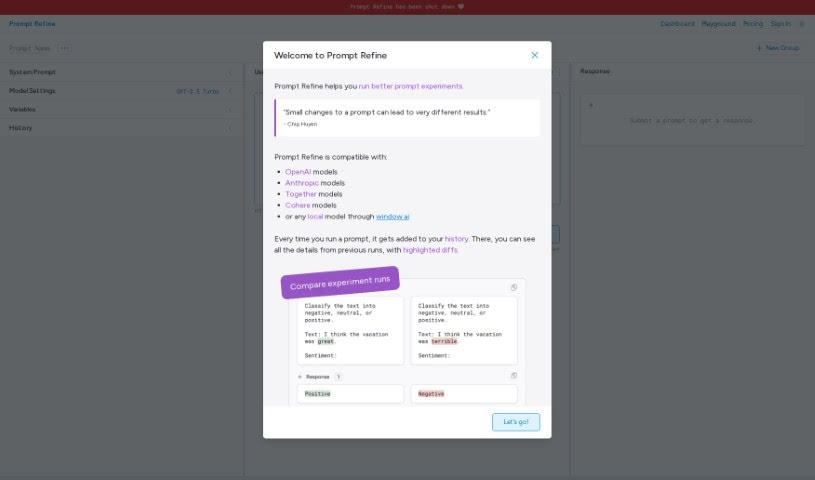
Screenshot of Prompt Refine

Prompt Refine

Freemium

Prompt Refine is a really handy tool designed to help you systematically improve the prompts you use with Language Models (LLMs). It is your personal prompt engineer! With Prompt Refine, you can easily generate, manage, and experiment with all sorts of different prompts. It lets you run prompt experiments, keep track of how well they're performing, and compare the results with what you got last time. You can even use variables to create different versions of your prompts and see exactly how those changes affect the AI's responses. Prompt Refine plays nicely with a bunch of AI models, including those from OpenAI, Anthropic, Together, and Cohere. Plus, if you like to have more control, you can even use local AI models with Prompt Refine, which really opens up possibilities for customization. Once you're done experimenting, you can export your runs in CSV format, making it super easy to dive deeper into the data and analyze everything.

Screenshot of Qlerify

Qlerify

Freemium

Qlerify is an AI-powered tool for modeling business processes. It's designed to help IT transformation teams really nail down and document what a business domain looks like. It is a shared online workspace where your team can edit together, no matter where everyone is. It supports a bunch of popular agile methods, including Event Storming, BEAM, BPM, User Story Mapping, and Domain-Driven Design. What's really neat is Qlerify's generative AI. It can quickly turn your process models into data models, which significantly speeds up how fast you can get IT systems up and running. It does this by cutting down the time it takes to agree on project requirements – often from weeks or months down to just a couple of workshops.

Screenshot of Quartzite AI

Quartzite AI

Freemium

Quartzite AI is a natural metamorphic rock, formed when sandstone is subjected to intense heat and pressure. It's known for being incredibly durable and looking great, which is why people often choose it for countertops, flooring, and wall coverings, both inside and outside. This stone usually has a glassy look and comes in a variety of colors and patterns, adding a touch of elegance wherever it's used. Because it's so hard and resistant to heat, Quartzite AI is a fantastic choice for kitchens and bathrooms. Its unique combination of natural beauty and strength makes it a popular material for making homes and businesses look better and work more smoothly.

Screenshot of Question Base

Question Base

Freemium

Question Base is a handy tool built to help teams answer questions faster, especially within specific communication channels. It is a smart assistant that keeps track of every question asked. It can automatically respond, capture new answers as they come up, and works seamlessly with Slack. The main idea is to cut down on how often people need to ask the resident experts for help. It aims to generate answers naturally from the discussions happening, bringing existing knowledge to the forefront. This really helps build a culture where everyone learns and shares, and it means fewer interruptions to people's actual work. Right now, Question Base is in beta, so there are still some unknowns about pricing down the line and how well it will integrate with Slack. Also, the accuracy of its answers will depend a lot on the data available in your channels.

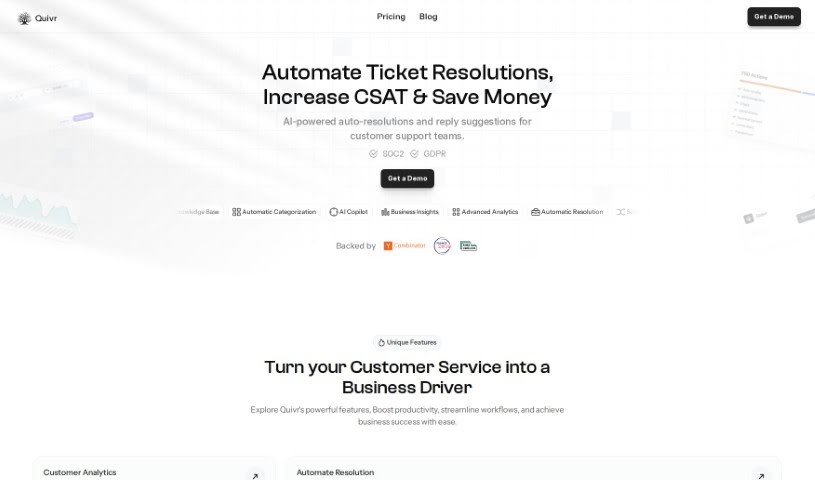
Screenshot of Quivr

Quivr

Freemium

Quivr is your personal AI-powered second brain, living in the cloud. When you sign up, you get a generous starting package: 100 message credits and 3 "brains" – essentially, separate storage spaces, each with 50MB capacity. This gives you a great way to test out Quivr and see if it fits your needs. There's even a free plan available, so you can explore everything it offers without any commitment. For those who really prioritize privacy and security, Quivr can also be run locally on your own system. Any data you store on Quivr's servers is kept confidential, encrypted, and only accessible by you. And don't worry about running out of messages; your credits are refreshed at the start of each month after you activate your subscription. Quivr is a really flexible tool, perfect for anyone looking to harness the power of AI for managing information and tackling various tasks.

Stay Updated with AI Tools

Get weekly updates on the latest AI tools, trends, and insights delivered to your inbox

Join 25,000+ AI enthusiasts. No spam, unsubscribe anytime.