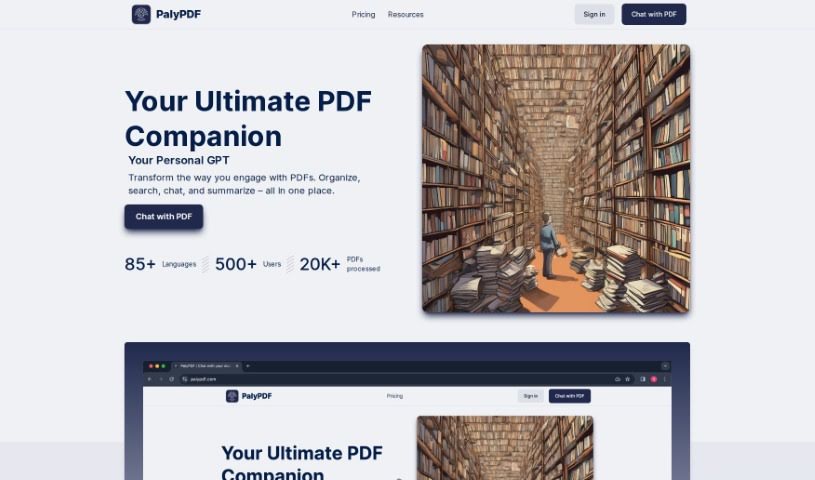
Screenshot of PalyPDF

PalyPDF

Discover what PalyPDF is and how to use it effectively in 2025. We'll explore its features and see how it stacks up against other documentation tools.

Screenshot

What is PalyPDF?

PalyPDF is a really neat AI tool that’s changing how we work with PDF documents. It is a smart assistant for your PDFs. It lets you chat directly with your documents, get answers in real-time, and even pull together insights from several files at once. It’s great for summarizing long documents quickly, and its advanced OCR (Optical Character Recognition) means it can understand both text and images. Plus, you can chat with your documents in over 85 languages, keep everything organized in a clean workspace, and pick a subscription plan that fits your needs and budget.

Who created PalyPDF?

PalyPDF was launched on January 31, 2024, by a company that prefers to stay out of the spotlight. Their goal was to completely rethink how people interact with PDFs, making it as easy as having a conversation. That’s why they built in features like a PDF chatbot, advanced OCR for understanding all sorts of content, and smart search capabilities. We don’t know who the founder is, but the company behind PalyPDF is clearly focused on making document management and getting information out of documents much simpler for everyone.

What is PalyPDF used for?

Here’s a rundown of what you can do with PalyPDF:

  • Chat with PDFs: Have direct conversations with your documents and get instant answers.
  • Combine Document Insights: Merge information from multiple PDFs into a single chat for a broader understanding.
  • Quick Summaries: Get concise summaries of lengthy PDFs in no time.
  • Unified Knowledge: Combine insights from various documents to build a comprehensive understanding.
  • Understand Everything (OCR): It can read and understand both text and images within your PDFs.
  • Smart Search: Dig deeper into documents to find connections and uncover new insights.
  • Find Information Fast: Quickly locate specific details across one or many documents.
  • Organized Workspace: Keep your PDFs tidy, categorized, and easy to manage.
  • Works with All Docs: It’s suitable for a wide variety of document types.
  • Talk in Any Language: Engage with your documents in over 85 different languages.
  • Seamless Conversations: Chat with your documents in your preferred language, no matter what language the document itself is in.
  • Flexible Plans: Choose from subscription plans designed for different users and budgets.
  • Real-time Answers: The PDF chatbot provides immediate responses and insights from multiple documents.
  • Concise Summaries: Quickly condense long PDFs into easy-to-digest summaries.
  • Multi-Document Understanding: Combine knowledge from various sources for a deeper grasp of the material.
  • Image & Text Comprehension: Advanced OCR helps understand all content within PDFs.
  • In-depth Exploration: Semantic search lets you explore document contents thoroughly.
  • Organized Management: Store and categorize PDFs in your preferred folders.
  • Broad Language Support: Engage with documents in over 85 languages.
  • Direct PDF Conversations: Chat directly with your PDFs and get real-time answers.
  • Swift Summaries: Quickly turn extensive PDFs into concise summaries.
  • Unified Multi-PDF Insights: Combine knowledge from different documents for a deeper understanding.
  • OCR Magic: Understand text and images in PDFs for comprehensive comprehension.
  • Advanced Semantic Search: Dive deep into documents for new insights.
  • Powerful Search: Quickly find specific information across documents.
  • Universal Utility: A versatile solution for various document types.
  • Speak Any Language: Supports engagement in over 85 languages.
  • Direct PDF Conversations: Chat with PDFs directly and get real-time answers.
  • Swift Summaries: Condense extensive PDFs into easy-to-digest summaries quickly.
  • Unified Multi-PDF Insights: Combine knowledge from various documents for deeper understanding.
  • OCR Magic: Understand text and images in PDFs for comprehensive comprehension.
  • Powerful Search: Quickly find specific information in one or multiple documents.
  • Neat and Tidy Workspace: Organize and manage PDFs efficiently.
  • Universal Utility: Suitable for various document types and needs.
  • Universal and Inclusive: Supports engagement in over 85 languages.
  • Group PDF Chats: Merge knowledge from multiple documents into one conversation.
  • Swift Summaries: Transform extensive PDFs into concise summaries.
  • Unified Multi-PDF Insights: Combine insights from various documents into one conversation.
  • Advanced Semantic Search: Delve deeper into documents for connections and insights.
  • Language Translation: Chat with documents in over 85 languages.
  • Document Comprehension: Understanding text and images in PDFs for seamless comprehension.
  • Specific Information Retrieval: Locate precise information across one or multiple documents.
  • Flexible Subscription Plans: Choose from different plans to suit needs and budgets.
  • Swift Summaries: Quickly summarize extensive PDFs into concise content.
  • Unified Multi-PDF Insights: Combine knowledge from various documents into one conversation.
  • OCR Magic: Understand text and images in PDFs for seamless comprehension.
  • Advanced Semantic Search: Dive deeper into documents for insights and connections.
  • Powerful Search: Find specific information across one or multiple PDFs efficiently.
  • Easy Storage: Organize, categorize, and manage PDFs in neat folders.
  • Universal Utility: Suitable for various document types with tailored solutions.
  • Swift Summaries: Transform complex PDFs into concise, easy-to-digest summaries quickly.
  • Unified Multi-PDF Insights: Combine insights from various documents into one dialogue.
  • Advanced Semantic Search: Delve deeper into documents and discover new insights.
  • OCR Magic: Understand all content in PDFs, whether text or images.
  • Universal Utility: Tailored for every document type, from novels to legal contracts.
  • Interactive Document Management: Revolutionize user interaction with PDFs.

Who is PalyPDF for?

PalyPDF is a great tool for a wide range of people who work with documents:

  • Legal professionals
  • Researchers
  • Students
  • Anyone working with lots of PDF documents
  • Teachers
  • Business professionals
  • Freelancers
  • Writers
  • Translators
  • Editors
  • Administrative professionals
  • Knowledge workers
  • Data Analysts
  • Data scientists
  • Scientists
  • Academia
  • Consultants
  • Professionals dealing with extensive PDFs
  • Professionals who need to organize and manage documents
  • Financial Analysts
  • Professionals working with legal contracts
  • Professional writers and editors
  • Novelists and authors
  • Anyone who manages user manuals

How to use PalyPDF?

Here’s how to get the most out of PalyPDF:

  1. Chat with Your Documents: Use the PDF chatbot to talk directly with your documents. It’s like having a conversation with the text itself, and you get answers in real-time.
  2. Use OCR for Clarity: The Optical Character Recognition (OCR) feature is really handy. It helps the tool recognize and understand text and images within your PDFs, making comprehension much smoother.
  3. Get Quick Summaries: If you have a long PDF, you can get a concise summary quickly. This helps you grasp the main points without reading the whole thing.
  4. Combine Insights from Multiple PDFs: You can merge information from several different documents into one conversation. This gives you a much deeper and broader understanding of the topics.
  5. Keep Things Organized: Store, categorize, and manage your PDFs in a neat workspace. Using folders makes it easy to keep everything organized and find what you need later.
  6. Chat in Your Language: You can chat with your documents in over 85 languages. This means you can interact comfortably, no matter the original language of the document.
  7. Search Smartly: Use the advanced semantic search to find specific information quickly, whether it’s in one document or spread across several.
  8. Choose Your Plan: PalyPDF offers various subscription options. You can pick one that fits your specific needs and budget, from a free plan to more feature-rich Pro plans.

PalyPDF really changes how you interact with PDFs. It lets you have direct conversations, get fast summaries, understand information from multiple documents, and manage everything efficiently.

Related AI Tools

Discover more tools in similar categories that might interest you

Stay Updated with AI Tools

Get weekly updates on the latest AI tools, trends, and insights delivered to your inbox

Join 25,000+ AI enthusiasts. No spam, unsubscribe anytime.