What is PDF Pals?
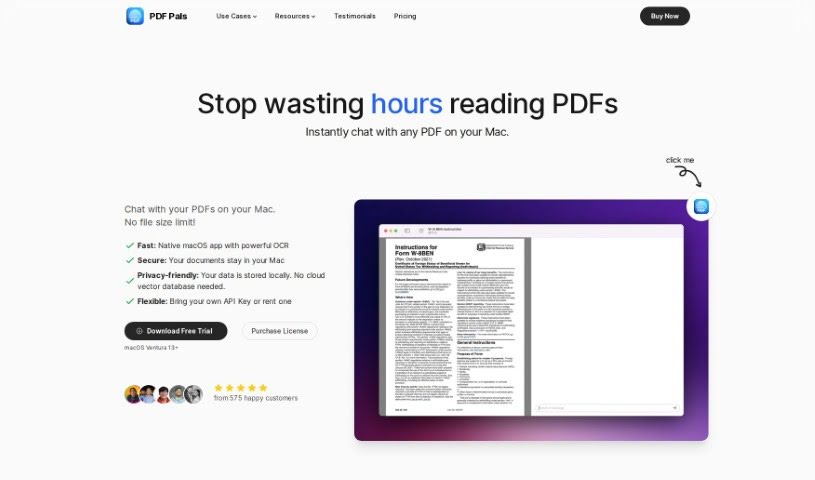
PDF Pals is a really useful tool for working with PDFs, built to make you more productive and efficient. It lets you chat with multiple PDFs at once, right on your Mac. The best part? You don’t have to upload anything, and there are no annoying file size limits. Since it’s made specifically for macOS, it’s super fast and keeps your data safe. It even handles scanned documents and tricky forms thanks to a strong OCR engine, so it’s great for all sorts of documents. Plus, PDF Pals really respects your privacy – all your data stays right on your computer. You can even tweak the AI settings and system prompts to get exactly the experience you want. It’s a lifesaver for researchers, lawyers, and software developers who need to quickly pull key info from academic papers, legal briefs, or technical manuals.
Who created PDF Pals?
Jasonn Smith is the creator behind PDF Pals. His company offers this powerful PDF tool that lets users interact with multiple PDFs at the same time on their Mac. It’s designed to help extract important information from things like research papers, academic articles, and e-books, which is a huge help for researchers and academics. For legal professionals, PDF Pals makes reviewing and analyzing legal documents much simpler, speeding up their work and improving accuracy. And for software developers, it helps them learn faster from technical PDFs by quickly finding the key information they need to speed up development.
What is PDF Pals used for?
- For Researchers and Academics: You can really improve your research and academic work by easily pulling out important details from research papers, academic articles, and e-books. This helps you dive deeper into your studies.
- For Legal Professionals: Reviewing and analyzing legal documents, case files, and contracts becomes much simpler. PDF Pals helps you work more accurately and efficiently.
- For Software Developers: Get up to speed faster with technical PDFs. You can instantly find and extract the key information you need to speed up your software development and boost your productivity.
- For Researchers and Academics: Make your research and academic processes better by easily extracting key information from research papers and academic articles.
- For Legal Professionals: Streamline your legal document review and analysis to boost both productivity and accuracy.
- For Software Developers: Learn more quickly from technical PDFs by instantly finding and extracting the information that accelerates your software development.
- You can interact with several PDFs at once, all on your own computer.
- Boost your productivity and efficiency; you won’t have to spend ages reading through long documents.
- Pull out key insights from your documents to really improve your studies and research.
- Effortlessly go through and analyze legal documents, case files, and contracts.
- Increase your productivity by quickly finding and extracting the important information from technical PDFs.
- Improve your research methods by easily getting key information from research papers and academic articles.
- For Researchers and Academics: Make your research and academic work better by extracting important information from research papers, academic articles, and e-books.
- For Legal Professionals: Simplify how you review and analyze legal documents, improving both your productivity and accuracy.
- For Software Developers: Learn faster from technical PDFs by instantly finding and extracting the information that speeds up software development and increases productivity.
- For Researchers and Academics: Improve your research and academic processes by easily extracting important information from research papers, academic articles, and e-books.
- For Legal Professionals: Simplify your legal document review and analysis by effortlessly going through legal documents, case files, and contracts.
- For Software Developers: Learn faster from technical PDFs by instantly finding and extracting key information to accelerate software development and boost productivity.
- For Researchers and Academics
- For Legal Professionals
- For Software Developers
- For Researchers and Academics: Make your research and academic processes better.
- For Legal Professionals: Simplify Legal Document Review and Analysis.
- For Software Developers: Learn Faster from Technical PDFs.
Who is PDF Pals for?
- Anyone doing research or working in academia.
- Legal professionals who deal with a lot of documents.
- Software developers looking to speed up their workflow.
How to use PDF Pals?
Using PDF Pals is pretty straightforward. Here’s how you can get the most out of it:
- Open PDFs: Just open PDF Pals on your Mac. You can start exploring your documents right away without needing to upload anything, thanks to its fast, built-in features.
- Interact Instantly: PDF Pals lets you work with multiple PDFs at the same time, which is a real time-saver when you’re processing information.
- Enhance Research Processes: If you’re a researcher or academic, PDF Pals is incredibly helpful for pulling out crucial details from research papers, academic articles, and e-books. It really helps improve your studies.
- Simplify Legal Document Analysis: Legal professionals can make reviewing and analyzing legal documents, case files, and contracts much smoother with PDF Pals. This leads to better productivity and more accurate results.
- Boost Software Development: Software developers can use PDF Pals to quickly grab essential information from technical PDFs. This helps speed up software development and makes you more productive.
- No Uploads, Secure & Private: Your documents are safe with PDF Pals. It keeps files stored locally and your API key secure in the Apple Keychain, so your privacy and data are well-protected.
- Easy Backup: All your data is stored locally in an SQLite database, making it simple to back up and keep your information secure.
Basically, PDF Pals is a flexible and easy-to-use tool designed for researchers, legal pros, and software developers. It offers efficiency, security, and valuable insights, all conveniently on your Mac.