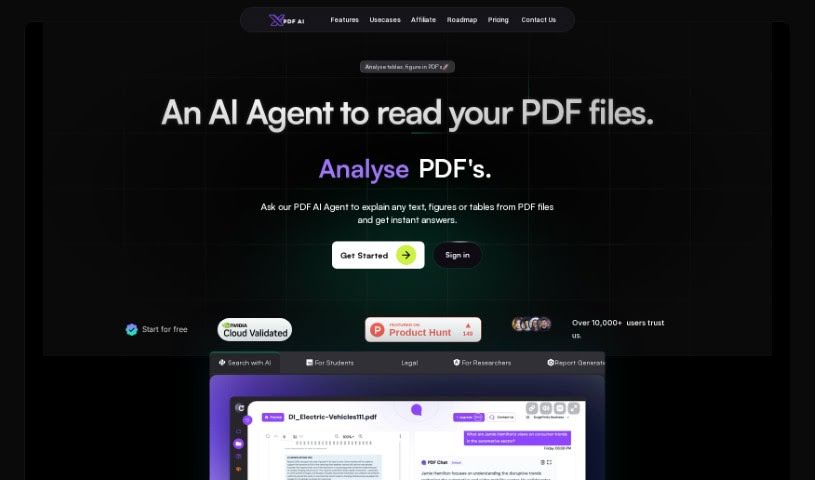
Screenshot of PDFchat

PDFchat

Discover what PDFchat is and learn how to use it effectively in 2025. We'll explore its features and see how it stacks up against other documentation tools.

Screenshot

What is PDFchat?

PDFchat is a really neat AI tool that completely changes how we work with documents. Basically, it lets you have a conversation with your PDFs! It’s built to understand, pull out, and analyze information from PDFs, no matter what language they’re in. This makes it super helpful for students, professionals, and businesses alike. Think about it: you can ask questions using your voice, it handles scanned and messy PDFs, and it can even make sense of tables. PDFchat really speeds things up by giving you quick, accurate answers straight from your documents. You just upload your file and start chatting – no more sifting through pages for hours. Some of its best features include smart chat interactions, support for all sorts of documents, quick summaries, voice commands, and analysis in many languages. It’s a genuinely useful tool for managing documents more efficiently.

Who created PDFchat?

Rishit Patel is the person behind PDFchat. His company is all about changing how people interact with their documents, making it possible to chat with PDFs in different languages. PDFchat is especially great for students, professionals, and businesses. It offers cool features like voice activation, works with scanned and unstructured PDFs, and can efficiently analyze data in tables.

Who is PDFchat for?

  • Students
  • Researchers
  • Teachers
  • Lawyers
  • Accountants
  • Data Analysts
  • Journalists
  • Consultants
  • Project managers
  • Business analysts
  • Healthcare professionals
  • Software developers
  • Sales professionals
  • Marketing specialists

How to use PDFchat?

Using PDFChat is pretty straightforward. Here’s how you can get the most out of it:

  1. Sign Up: First, head over to the PDFChat website and sign up for a free account. This gives you access to their AI document assistant.
  2. Upload Your Document: Once you’re signed up, it’s time to upload your PDF. PDFChat can handle all sorts of documents, even scanned ones or those that aren’t neatly organized.
  3. Interact with Your PDF: After uploading, you can start chatting with your document. PDFChat’s AI makes it easy to have a conversation in multiple languages, pulling information directly from the file.
  4. Use the Features: Make sure to explore all the tool offers! Things like voice commands, getting quick summaries, and analyzing content in different languages can really boost your productivity.
  5. Improve Document Management: By using PDFChat, you can efficiently extract and analyze information from your PDFs. This makes managing documents much simpler for everyone, whether you’re a student, a professional, or running a business.
  6. Security Measures: You can feel confident using PDFChat because they have security measures in place to keep your files safe while you’re working with them.
  7. Cancellation Policy: It’s always a good idea to check out the tool’s cancellation policy. You can usually find this in the terms and conditions on their platform.

Follow these steps, and you’ll be using PDFChat like a pro to make your document management so much better. Why not give it a try today and see how it changes the way you work with PDFs?

Related AI Tools

Discover more tools in similar categories that might interest you

Stay Updated with AI Tools

Get weekly updates on the latest AI tools, trends, and insights delivered to your inbox

Join 25,000+ AI enthusiasts. No spam, unsubscribe anytime.