AI Tools for Audio

Discover the best Audio AI tools to enhance your productivity and creativity.

Page 34 of 40 • 471 total tools

We’re really entering a new age for creating and changing audio, thanks to AI. You know, those days of needing tons of skills and pricey gear for good audio are pretty much over. Now, with smart AI audio tools, anyone can make professional-sounding audio for podcasts, music, or any cool audio project.

These tools aren’t just for making music; they can create voiceovers, improve sound quality, and even help with sound design. It’s amazing how much AI is changing the audio world, and the ways we can use it are endless.

After spending a lot of time trying out different platforms and features, I’ve put together a list of the top AI audio tools out there. Whether you’re just starting out and need something simple, or you’re a pro looking for powerful options, there’s definitely something here to help you make your audio sound even better.

So, if you’re ready to see what AI can do for sound, let’s jump into the best tools that will totally change how you work with audio.

The Best AI Audio Tools

  1. ElevenLabs: Great for making multilingual video voiceovers if you’re a creator.
  2. Suno: Perfect for creating custom soundscapes to help you relax.
  3. BandLab: Lets you mix and master tracks smoothly.
  4. TurboScribe: Helps improve audio for clearer transcriptions.
  5. Voicemod: Lets you change your voice for creative projects.
  6. Adobe Podcast: Enhances audio with simple, one-click AI tools.
  7. Transkriptor: An automated tool for transcribing lectures.
  8. Speechify: Makes it easy to listen to articles and documents.
  9. NaturalReader: Good for creating voiceovers for your video content.
  10. Riffusion: Offers real-time audio manipulation for creators.
  11. Narakeet: Converts subtitles into synchronized audio.
  12. PlayHT: Useful for voiceovers in audio editing.
  13. Lalal.ai: Lets you remove vocals seamlessly for remixes.
  14. Ttsmaker: Effortlessly create voiceovers for videos.
  15. Udio: Craft unique sounds using its audio tools.

How Do AI Audio Tools Work?

AI audio tools work a lot like AI writing software. They use advanced models that have been trained on huge amounts of data. Many of these tools use deep learning to analyze and create sound patterns, which lets them generate or change audio. You’ll often see them used for making speech, composing music, and sound design, all thanks to the vast libraries of audio samples and language data they learn from.

Basically, these tools use neural networks that are designed to process sound much like we do. They look at audio input, find patterns, and then predict the best sound to produce based on what they’ve learned. This means they can create a wide range of outputs, from voices that sound really real to music that feels both familiar and new.

When it comes to making voices, the process usually involves feeding a neural network thousands of hours of spoken audio. This teaches it subtle things like intonation and how to vary speech. Then, when you type something in, the model uses its training to create speech that matches the tone and context you’re going for. The result? Voices that sound lifelike and can deliver text with emotion and clarity.

In a similar way, AI music tools study huge collections of music to understand what makes a good hook, rhythm, or harmony. By breaking down existing songs, these models learn how to create new music that sounds like popular styles or even comes up with completely new soundscapes. You can tell the AI what genre or mood you want, and it’ll tailor the results to your taste.

Beyond just creating content, AI audio tools can also improve existing sounds. Things like reducing noise, fixing pitch, and adding effects are all powered by algorithms that have learned from the details in audio files. This lets you make your recordings sound better or create entirely new sound experiences without much effort.

If you’re curious about the technical side, there are plenty of resources that explain how audio processing and machine learning work in sound. All in all, AI audio tools are really changing how we create and interact with sound, opening up amazing possibilities for musicians, podcasters, and audio engineers.

Our Best AI Audio Tools at a Glance

RankNameBest ForPlans and PricingRating
1ElevenLabsMultilingual video voiceovers for creatorsN/A4.83 (29 reviews)
2SunoCreate custom soundscapes for relaxationN/A4.82 (11 reviews)
3BandLabMix and master tracks seamlessly.N/A4.75 (44 reviews)
4TurboScribeEnhance audio for clear transcriptionPaid plans start at $10/month.4.80 (5 reviews)
5VoicemodTransform your voice for creative projectsN/A4.78 (27 reviews)
6Adobe PodcastEnhance audio with one-click AI toolsN/A4.67 (12 reviews)
7TranskriptorAutomated lecture transcription tool.N/A.4.31 (13 reviews)
8SpeechifyListen to articles and documents.N/A4.80 (54 reviews)
9NaturalReaderCreate voiceovers for video contentN/A4.75 (44 reviews)
10RiffusionReal-time audio manipulation for creatorsN/A4.18 (11 reviews)
11NarakeetConvert subtitles to synchronized audioN/A4.72 (18 reviews)
12PlayHTVoice over for audio editingN/A4.59 (27 reviews)
13Lalal.aiSeamless vocal removal for remixesN/A4.64 (11 reviews)
14TtsmakerCreate voiceovers for videos effortlessly.N/A4.60 (5 reviews)
15UdioCraft unique sounds with audio toolsN/A4.18 (11 reviews)
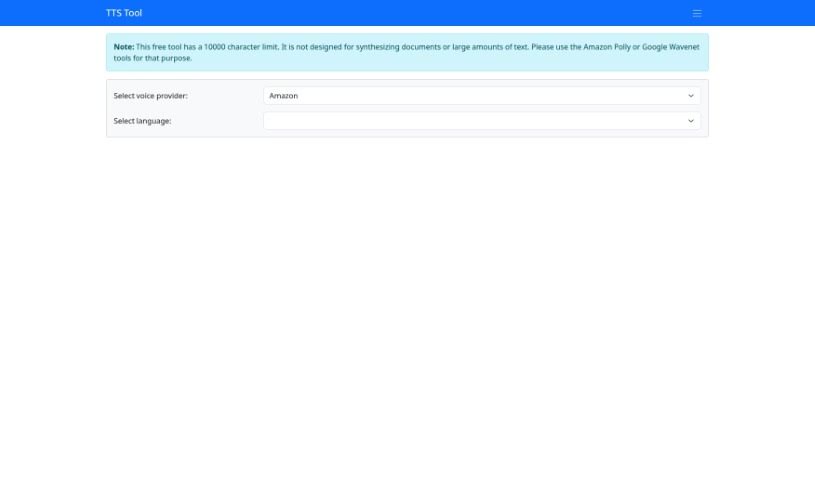
Screenshot of TTS Tool

TTS Tool

Freemium

TTS Tool is a handy software application that takes anything you've written and turns it into spoken words. It uses some pretty clever speech technology to read your text aloud accurately. This is a real lifesaver if you prefer listening to content, or if reading for long periods is a bit tough. You can usually tweak things too – like picking different voices, changing how fast or slow the speech is, and even choosing from various languages. Lots of people and businesses find TTS tools super useful. They're great for making websites and apps more accessible, especially for users with visual impairments. They can also make e-learning much more engaging, create audio versions of articles or documents, and generally just improve how people interact with digital content.

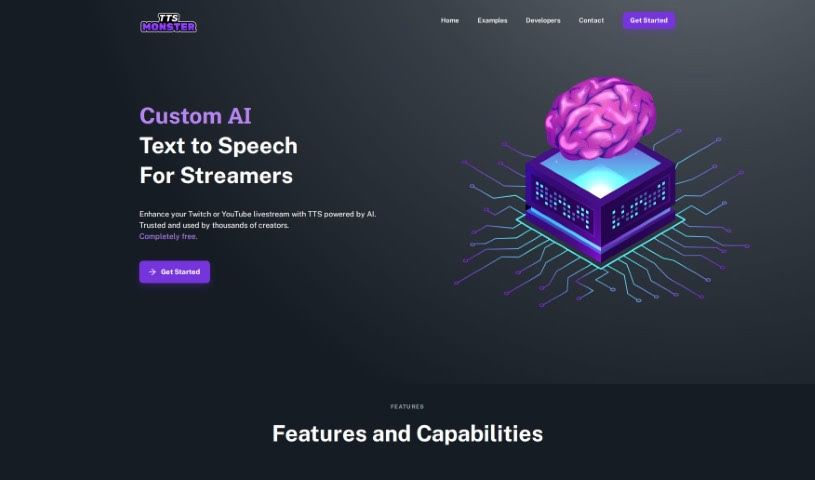
Screenshot of Tts.monster

Tts.monster

Freemium

TTS.Monster is a really neat AI Text to Speech (TTS) tool built specifically for Twitch streamers. It gives you access to a bunch of cool, iconic voices that can really spice up your streams. It is a way to add a unique, characterful voice to your content, making things way more engaging and memorable for your viewers. It's designed to work smoothly with Twitch, so whether you're just starting out or you've been streaming for ages, it's super easy to get going. You'll find it offers customizable voices, seamless Twitch integration, a boost in audience engagement, access to those recognizable voices, and it's all set up in a really user-friendly way.

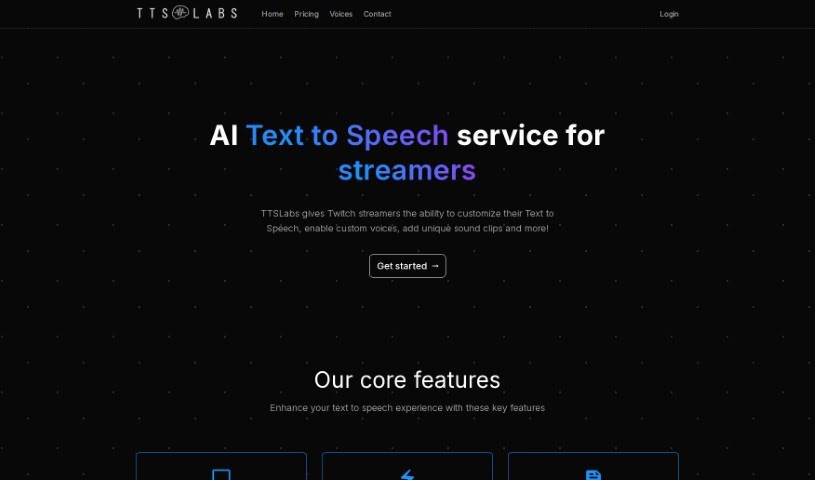
Screenshot of TTSLabs

TTSLabs

Freemium

TTSLabs offers a few different subscription plans, letting you access custom voices and voice alerts. Their free plan is pretty generous, giving you over 80 custom voices, support for things like Tips and Bits, advanced profanity filters, and 400 AI voice alerts each month. You also get 10 enabled voices, 25 enabled sound clips, customer support, early access to new voices, priority processing, and extended alert support for Raids and Hosts. If you need more, the Pro plan costs $25 a month and bumps things up with unlimited AI voice alerts, unlimited enabled voices, and unlimited enabled sound clips, plus priority customer support and that extended alert support for Raids/Hosts.

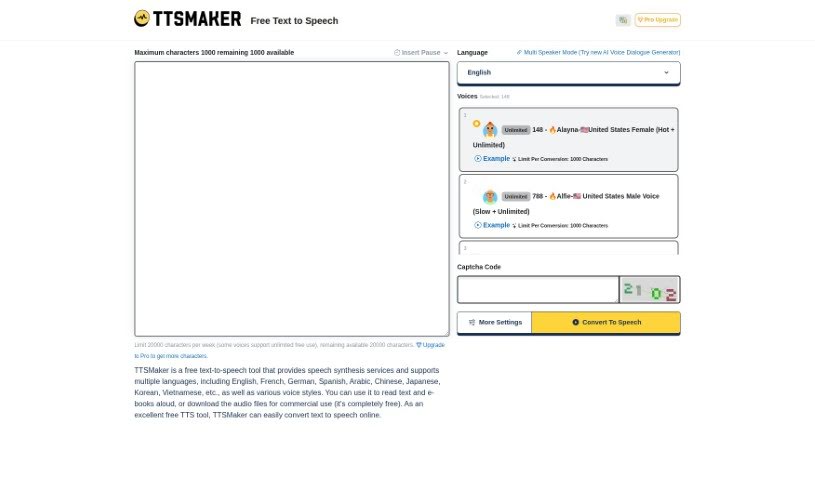
Screenshot of Ttsmaker

Ttsmaker

Freemium

Ttsmaker is a fantastic free online tool that turns text into speech. It boasts over 200 different AI voices across a wide array of languages, including English, French, German, Spanish, Arabic, Chinese, Japanese, Korean, and many more. You can pick from various voice styles to have your text or even your e-books read aloud. Plus, you have the option to download the audio files that are created. The best part? Ttsmaker doesn't ask for any registration or payment, so you can use it online for free, whenever you need it.

Screenshot of ttsMP3.com

ttsMP3.com

Freemium

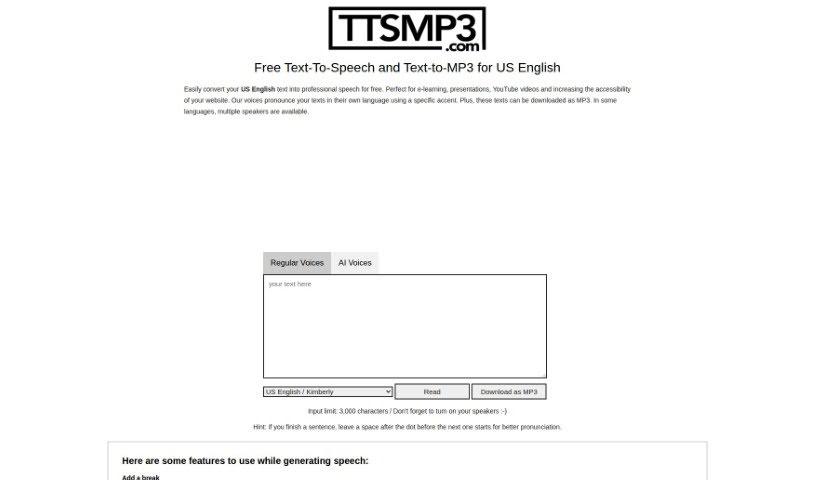
TtsMP3.com is a text-to-speech service that makes converting text into natural-sounding speech super easy. It supports many languages, including US English, and offers a variety of voices and accents. You can download your spoken text as MP3 files, which is really handy. Plus, it's packed with features like voice customization, adding breaks, emphasizing words, controlling speed, adjusting pitch, and even creating whispered speech. The service runs on AWS Polly, giving free users a daily limit of about 375 words or 3,000 characters. If you need more, they offer premium access. It’s a fantastic tool for anyone creating audio for e-learning, presentations, YouTube videos, or anything else that needs a professional voiceover.

Screenshot of Tube Transcripts

Tube Transcripts

Freemium

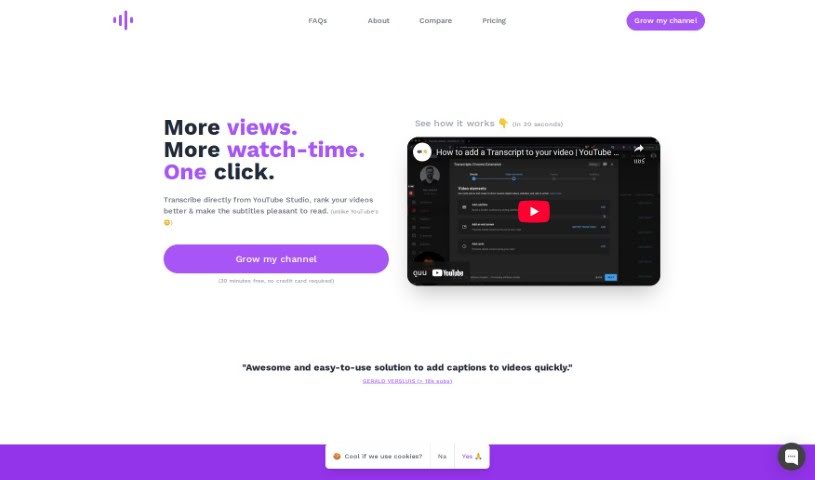
TubeTranscripts is a handy tool that helps you add professional-quality transcripts to your YouTube videos without breaking the bank. It lets you quickly add AI-generated captions right from YouTube Studio. This is a big deal because it can really boost your video's SEO, make it more user-friendly, and accessible to a wider audience, including people who are hard of hearing. TubeTranscripts also gives you options to customize things, like adding specific keywords for your niche, mapping custom terms, and even scanning for words the AI isn't super confident about. This all helps get your transcriptions close to human-level accuracy. You can try it out for 30 minutes for free, and they have different pricing plans depending on how often you create content – no credit card needed for the trial, which is nice. People seem to really like TubeTranscripts because it's affordable, accurate, and easy to use. It’s a great asset for anyone making YouTube content who wants to get their videos seen by more people.

Screenshot of TuneBlades

TuneBlades

Freemium

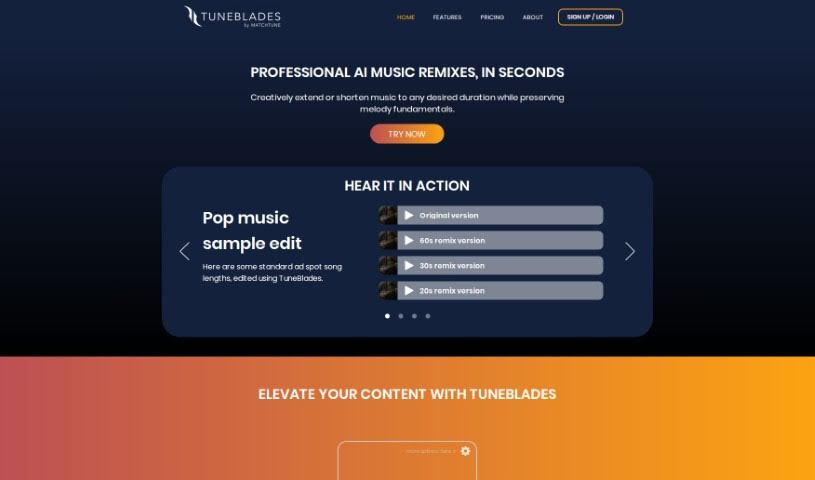
TuneBlades is a really smart audio editing software from MatchTune. It lets you automatically change the length of songs, remix them, and tweak them, all while keeping the core melody and vocals sounding great. It uses AI to make tasks like resizing audio, remixing tracks, and preserving the original melody and voice incredibly simple. You can choose from different pricing plans: a starter option for just $0.99 per track, an Essential plan at $5.99 per month, or the Advanced plan for $9.99 per month, so there's something for everyone, whether you're a hobbyist or a professional music editor.

Screenshot of TurboScribe

TurboScribe

Freemium

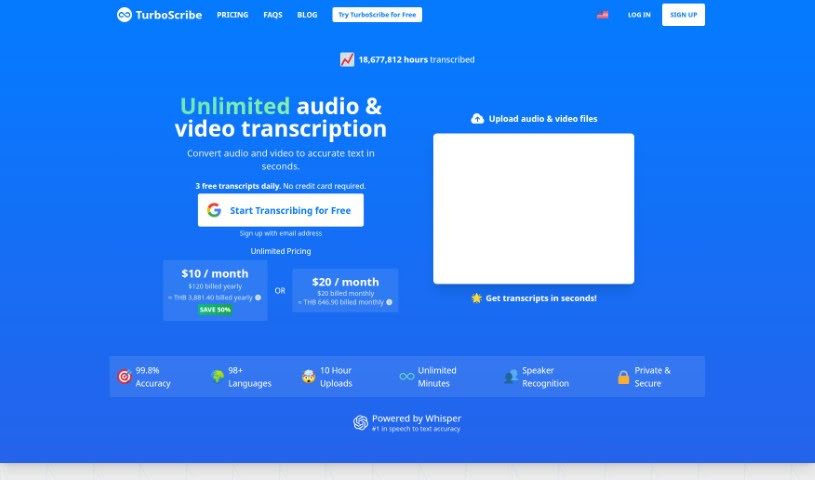
TurboScribe is an AI-powered transcription service that's really good at turning your audio and video files into text. It handles over 98 languages with impressive accuracy, often hitting over 98%! What's great is that it includes features like speaker recognition, so you know who's saying what, and it keeps your data super secure. Plus, there are no limits – you can transcribe as much as you need without worrying about caps or quotas. You can easily download your finished transcripts in common formats like DOCX, PDF, TXT, or even as subtitles.

Screenshot of TwoShot

TwoShot

Freemium

TwoShot is a platform that's really changing the game for music sampling. It gives producers and artists access to a huge library, with over 200,000 different samples to choose from. It is a super-efficient way to find the sounds you need. It's designed to save you time, get your creative juices flowing, and make sure you're working with top-notch audio for your music. Whether you're an independent artist or part of a music label, and no matter your musical style or genre, TwoShot is redefining a key part of making music today.

Screenshot of Typecast

Typecast

Freemium

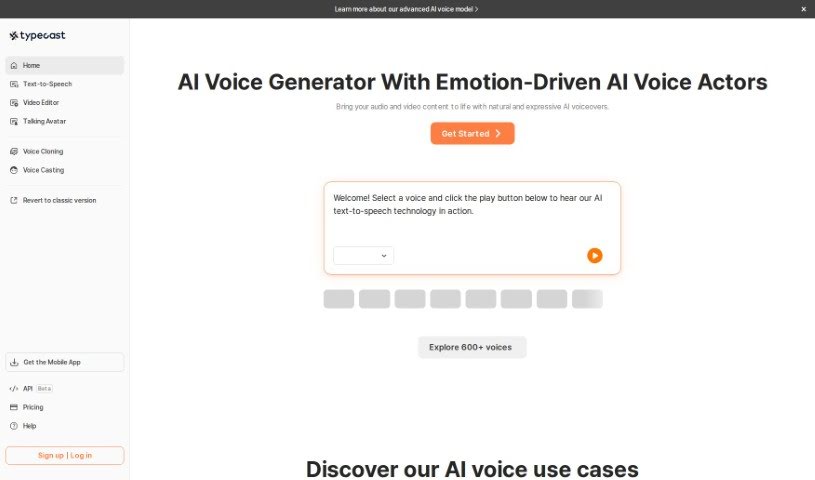
Typecast is a really advanced AI speech technology that helps you create incredibly realistic voiceovers. It is a super-smart tool where you can type out text, and it turns it into a voice. What's cool is you can really tweak the voices – adjust their emotions, how fast they speak, and their overall tone. This makes it perfect for all sorts of content, especially videos for places like YouTube, Instagram, and TikTok. Typecast's AI is designed to sound exceptionally natural, full of expression, and varied, so you can get just the right feel for whatever you're creating.

Screenshot of Uberduck

Uberduck

Freemium

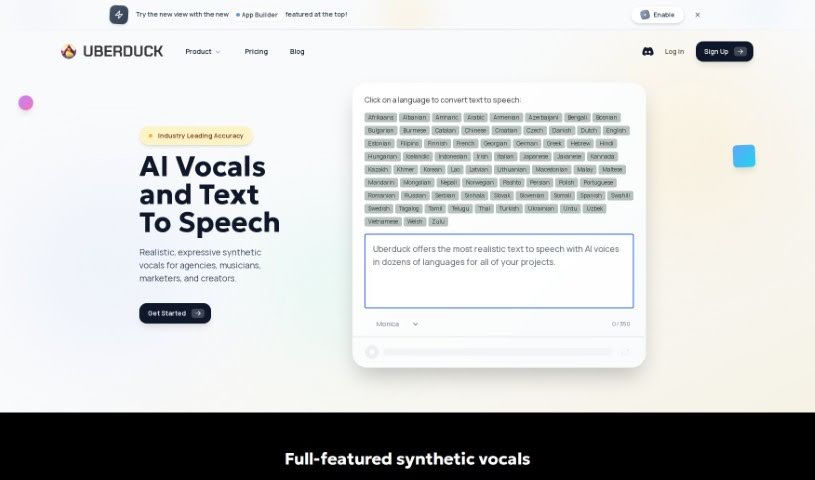
Uberduck is a really interesting platform that lets you create music using vocals generated by artificial intelligence. It is an AI tool that can create realistic voices from text, which is super handy if you want to make custom voiceovers for your songs or videos. It's designed for folks like creative agencies, musicians, and even coders. They offer a range of services, from making songs to generating videos. What's great is that you can personalize your audio and video content at a large scale without needing to be a coding expert. This helps keep your brand's voice consistent and just makes the whole creative process a lot smoother. You might be surprised to know that well-known companies and artists have already used Uberduck to create AI voice, music, and video content.

Screenshot of Udio

Udio

Freemium

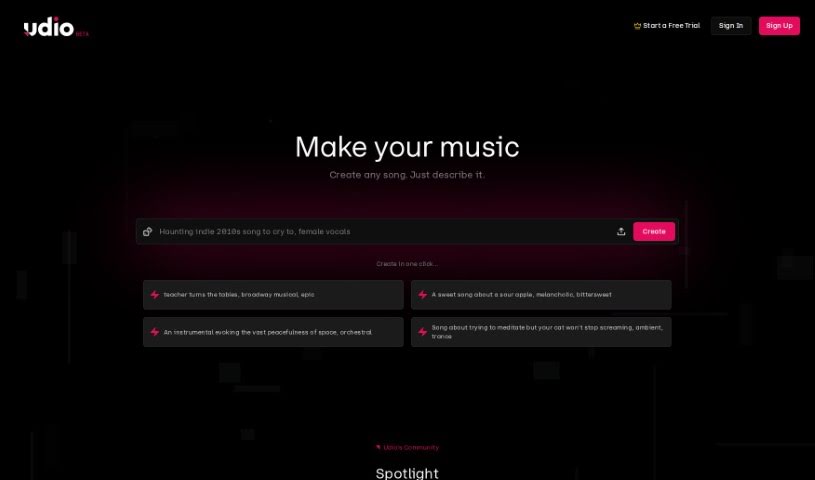
Udio is your go-to spot for all things music – whether you're just starting out or you've been making tunes for years. It's a platform built for music lovers to dive into, create, and then share their musical ideas with everyone. What's really neat is how easy it is to use, no matter your experience level. You get access to a huge library of sounds to play with, you can team up with other musicians, and then share what you've made all over the world. It's all about getting feedback, growing as an artist, and finding inspiration. Udio really aims to be like your own personal music studio, always ready when inspiration strikes, helping you connect with a whole community of creators and get your music heard by a global audience.

Stay Updated with AI Tools

Get weekly updates on the latest AI tools, trends, and insights delivered to your inbox

Join 25,000+ AI enthusiasts. No spam, unsubscribe anytime.