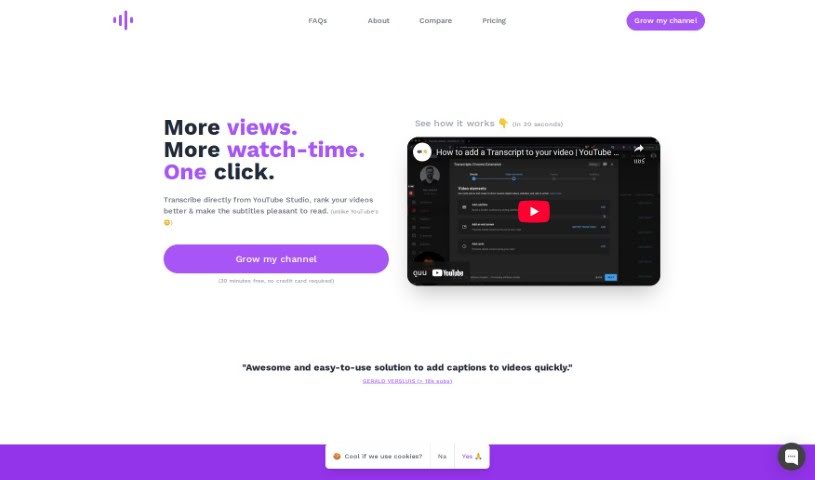
What is Tube Transcripts?
TubeTranscripts is a handy tool that helps you add professional-quality transcripts to your YouTube videos without breaking the bank. It lets you quickly add AI-generated captions right from YouTube Studio. This is a big deal because it can really boost your video’s SEO, make it more user-friendly, and accessible to a wider audience, including people who are hard of hearing. TubeTranscripts also gives you options to customize things, like adding specific keywords for your niche, mapping custom terms, and even scanning for words the AI isn’t super confident about. This all helps get your transcriptions close to human-level accuracy. You can try it out for 30 minutes for free, and they have different pricing plans depending on how often you create content – no credit card needed for the trial, which is nice. People seem to really like TubeTranscripts because it’s affordable, accurate, and easy to use. It’s a great asset for anyone making YouTube content who wants to get their videos seen by more people.
Who created Tube Transcripts?
TubeTranscripts was actually started by a YouTube creator who wasn’t happy with the existing options for getting videos transcribed. They really wanted a way to transcribe their videos that was more accurate, cost-effective, and just plain faster. That’s what led them to create TubeTranscripts. The whole idea behind this service is to offer quick, accurate, and affordable transcriptions for YouTube videos. The benefits are pretty clear: it can give your videos an SEO boost, make them easier for people to watch, and ensure viewers with hearing impairments can understand your content.
What is Tube Transcripts used for?
- Make your videos more user-friendly: People can easily follow along.
- Reach more viewers: About 80% of US viewers watch videos without sound, so transcripts help them.
- Boost watch time: Videos with transcripts tend to get about 12% more watch time on average.
- Help viewers with hearing issues: It makes your content understandable for the 15% of US and 5% of the world population who have hearing problems.
- Grow your channel affordably: Get great transcriptions without spending a fortune.
- Improve video rankings: Transcribe directly from YouTube Studio to help your videos show up better.
- Enhance user experience: Provide professional-looking transcripts that make your videos shine.
- Boost SEO and accessibility: Transcriptions make your videos more discoverable and easier for everyone to access.
- Get about 90% accurate transcriptions: Use AI technology for fast and reliable results.
- Save money: It’s much more cost-effective than paying for human transcriptions.
- Customize for accuracy: Add your own terms and mappings to ensure specific words are transcribed correctly.
- More reach: Connect with that 80% of US viewers who prefer watching without sound.
- More retention: Aim for that 12% increase in watch time by making videos more engaging.
- More accessibility: Ensure everyone, including those with hearing challenges, can enjoy your content.
- Better YouTube SEO: Transcripts mean searchable text, which helps your videos rank higher.
- Improved user experience: Accurate captions and transcripts make a big difference.
- Increased accessibility: Make your content welcoming to viewers with hearing disabilities.
- Quick captioning: Add AI-generated captions with just one click in YouTube Creator Studio.
- Save time and improve rankings: Add niche keywords and map custom terms to get near-human quality.
- Cost-effective: Get professional transcription quality for a fraction of the usual price.
- Boost YouTube SEO: Make your videos more visible.
- Enhance user experience: Provide accurate captions that viewers appreciate.
- Reach a wider audience: Include people with hearing disabilities.
- Increase video retention: Aim for that 12% watch time boost.
- Make content accessible: Cater to viewers who watch without sound.
- Save time and money: Get fast, accurate transcriptions affordably.
- Customization options: Tailor transcriptions to your specific needs.
- Boost video rankings: Help your content get noticed on YouTube.
- Improve visibility and accessibility: Make your content easier to find and understand.
- Instant 90% accuracy: Get AI-powered transcriptions quickly.
- Human quality, low cost: Experience the quality of human transcriptions for only about 4% of the price.
- Custom mappings: Ensure accuracy with personalized term mappings.
- Subtitle editor: Review and fix low-confidence words easily.
- Enhance SEO and accessibility: Reach more people with your content.
- Inclusive content: Make your videos welcoming to viewers with hearing impairments.
- Easy captioning: Add captions to your videos quickly and simply.
- Improve SEO, user experience, and accessibility: Reach a broader audience effectively.
- Cost-effective transcriptions: Get them at a fraction of the cost of human services.
- Custom term mappings: Ensure accuracy with your specific terms.
- Editing tools: Easily review and correct low-confidence words.
- Searchable text for SEO: Improve your video’s visibility.
- AI-powered captions: Get approximately 90% accurate transcriptions instantly.
- Free trial and plans: Enjoy a 30-minute free trial and choose from various pricing options.
- Reach viewers without sound: Connect with the 80% of US viewers who watch videos silently.
- Increase watch time: Aim for that 12% average increase.
- Help hearing-impaired viewers: Make your content understandable for them.
- Increase content accessibility: Make your videos available to more people.
- Add captions with one click: It’s that simple.
- Near-human quality: Achieve transcriptions that are almost as good as human ones.
- Improve video rankings: Help your videos get found more easily.
- Save time and money: Get transcriptions without the usual hassle or cost.
Who is Tube Transcripts for?
- YouTube creators: Anyone making videos on YouTube.
- SEO professionals: People focused on improving search rankings.
- Content creators: Broadly, anyone producing digital content.
- Developers: Those building or integrating with video platforms.
- Accessibility advocates: Individuals promoting inclusive content.
- SEO specialists: A more specific term for SEO professionals.
- Accessibility advocates: Again, those championing accessibility.
- Digital marketers: Professionals using online channels for marketing.
How to use Tube Transcripts?
Here’s a straightforward way to get the most out of Tube Transcripts:
- Sign Up and Get Started: First, head over to Tube Transcripts and create an account. Once you’re signed up, you can access the tool directly through YouTube Studio.
- Add AI Captions Easily: You can add AI-generated captions to your videos with just a click, all without leaving the YouTube Creator Studio. It’s super convenient.
- Customize for Better Accuracy: Want your transcriptions to be spot-on? Add custom term mappings for any niche or technical words. This helps achieve that near-human transcription quality.
- Boost Your SEO and Accessibility: Improve your video’s ranking on YouTube, enhance your overall SEO, and make your content much more accessible, especially for viewers who are hard of hearing.
- Use the Editing Tools: Take advantage of features like the subtitle editor. It helps you spot and fix any words the AI might have transcribed with low confidence, ensuring your final transcript is accurate.
- Try the Free Trial: It’s a good idea to start with the 30-minute free trial. This lets you see exactly how the tool works before you commit to a paid plan.
- Pick a Pricing Plan: Choose the plan that best fits how often you create content. They offer different tiers with varying amounts of transcription minutes each month.
By following these steps, you can easily use Tube Transcripts to add great transcripts to your YouTube videos. This not only makes your videos look more professional but also helps with SEO and makes them accessible to a wider audience. If you ever need more help or have questions, the Tube Transcripts team is there to assist you.