AI Tools for AI Assistants

Discover the best AI Assistants AI tools to enhance your productivity and creativity.

Page 34 of 37 • 433 total tools

We’re living in an exciting time for digital assistants, with AI technology advancing fast to change how we handle our daily tasks. These virtual helpers have come a long way from simple voice recognition; they’re now sophisticated AI companions that can schedule appointments, answer questions, and even hold conversations.

With so many options out there, picking the right AI assistant for your needs can feel a bit overwhelming. You’ve got everything from voice-activated devices to powerful mobile apps – there really is something for everyone.

I spent some time checking out the most notable AI assistants available right now. I tested their features, how easy they are to use, and what makes them unique, all to help you sort through this busy market. Whether you need help getting organized or just want someone to chat with, you’ll find a good fit here.

So, let’s jump into the world of AI assistants and see which ones really stand out in this constantly changing digital space.

The best AI Assistants

  1. Monica: Great for easy chats with AI chatbots.
  2. Sider: Perfect for personalized virtual assistant conversations.
  3. Abacus.ai: Offers smart responses for users.
  4. Yeschat: Helps with smart scheduling and reminders.
  5. You.com: Streamlines everyday tasks with AI help.
  6. Merlin AI: Simplifies daily task management.
  7. MaxAI.me: Provides personalized virtual scheduling assistance.
  8. Chatgpt Online: Good for smart scheduling and task management.
  9. Casetext: Streamlines legal document review.
  10. Hume AI: Offers personalized customer support chatbots.
  11. Tavus: Features personalized AI assistant video interactions.
  12. Chatgpt For Google: Delivers quick answers through voice search.
  13. Retell AI: Provides smart voice control for daily tasks.
  14. Runway Research: Enhances AI assistant training data.
  15. Dola AI: Streamlines group event scheduling.

How do AI assistants work?

AI assistants work using a mix of natural language processing (NLP) and machine learning. These technologies are designed to understand and respond to what you say or type. Basically, they’re programmed to figure out your commands, questions, and what you’re trying to do, so they can give you the right information or get tasks done.

These assistants really depend on pre-trained models. These models look at huge amounts of data – text, audio, even images – to spot patterns and figure out the best way to respond. This training helps them grasp context and the subtle meanings in language, making interactions smoother.

When you give a command, the assistant breaks it down. It then uses different algorithms to decide the best response or action based on what you asked for.

Plus, many AI assistants use voice recognition. This means they can turn your spoken words into text. It makes using them feel more natural, as you can just talk instead of typing out your requests.

Behind the scenes, AI assistants get better over time through ongoing learning. As you use them, they collect data and learn from your interactions, tweaking their algorithms to give more accurate answers and understand your preferences better.

AI assistants also often connect with other services and apps, which makes them even more useful. This connection lets them do things like schedule appointments, send messages, or control smart home devices, making them handy tools for everyday life.

If you’re curious to learn more about how these technologies develop, check out the latest advancements in AI and machine learning. They keep changing how we interact with technology and each other, proving to be really helpful allies for our daily tasks and decisions.

Our best AI assistants at a glance

RankNameBest forPlans and PricingRating
1MonicaEasy chats with AI chatbotsN/A4.27 (11 reviews)
2SiderPersonalized virtual assistant chatsPaid plans start at $8.3/month.4.75 (12 reviews)
3Abacus.aiSmart response generation for usersN/A4.24 (21 reviews)
4YeschatSmart scheduling and remindersN/A4.18 (11 reviews)
5You.comStreamlining everyday tasks with AI helpN/A4.71 (17 reviews)
6Merlin AIStreamlining daily task managementPaid plans start at $19/month.4.33 (12 reviews)
7MaxAI.mePersonalized virtual scheduling help.N/A4.68 (19 reviews)
8Chatgpt OnlineSmart scheduling and task managementN/A4.30 (10 reviews)
9CasetextStreamline legal document review processes.Paid plans start at $250/month.4.79 (24 reviews)
10Hume AIPersonalized customer support chatbotsN/A4.78 (23 reviews)
11TavusPersonalized AI assistant video interactionsPaid plans start at $39/mo.4.81 (26 reviews)
12Chatgpt For GoogleQuick answers via voice searchN/A4.20 (5 reviews)
13Retell AISmart voice control for daily tasksN/A4.33 (9 reviews)
14Runway ResearchEnhancing AI assistant training data.N/A4.76 (21 reviews)
15Dola AIStreamlined group event schedulingN/A4.50 (6 reviews)
Screenshot of VERN AI

VERN AI

Freemium

VERN AI is a system designed to recognize human emotions in conversations. It works by looking at specific emotional cues in both individual words and the overall text. It like this: it analyzes your messages to figure out what emotions are present, scoring each one on a scale from 0 to 100% to show how intense it is. VERN AI can identify emotions like anger, sadness, love and affection, fear, and even humor, giving you a clearer picture of the emotional tone in any communication. The team behind it aimed to make it understandable, adaptable, and is fair as possible, so you can trust the emotion scores it provides.

Text Generation View Tool →
Screenshot of Viso.ai

Viso.ai

Freemium

Viso.ai is a really flexible platform that makes computer vision tasks much simpler for businesses. It offers top-notch features for recognizing images, detecting people or objects using AI vision, segmenting images, identifying key points, estimating poses, recognizing faces, and performing detailed analysis. The platform is built to be adaptable, easy to expand, and ready for enterprise use. This means teams can connect camera feeds directly to powerful deep learning algorithms. Plus, they can pick from a bunch of pre-trained AI models. Viso.ai helps you create AI vision applications quickly and efficiently, fitting what your organization needs with its no-code automation tools. On top of that, Viso Suite has been recognized for its ability to build and deploy large custom vision systems into production, leading to significant cost savings. It also simplifies the whole ecosystem for developers thanks to its no-code interface, which really speeds up how fast computer vision applications can be delivered.

Text Generation View Tool →
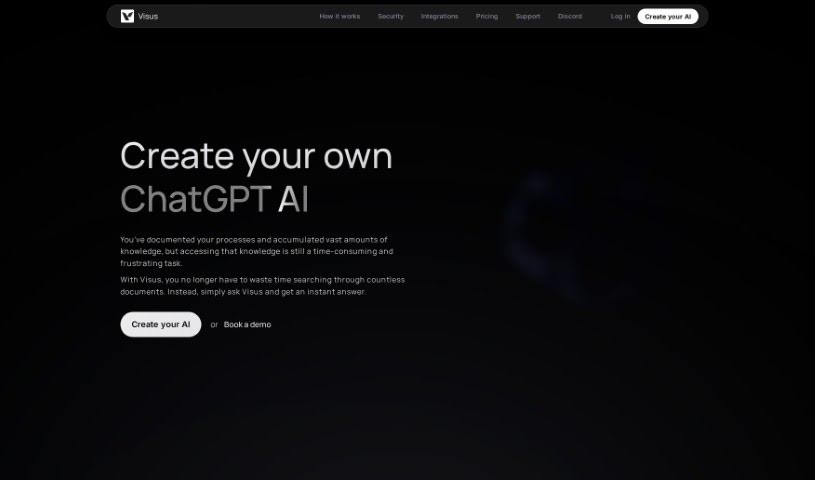
Screenshot of Visus.ai

Visus.ai

Freemium

Visus.ai is an AI solution designed to give you instant, conversational, and verified answers based on the material you've trained it on. It is your own personal AI expert, ready to chat. It understands questions asked in plain English, can store an unlimited number of your documents, and crucially, it backs up every answer with a source from your training data. You can also tweak how the AI works to get just the right level of accuracy and sensitivity, all while knowing your data is super secure thanks to AES 256 encryption. It’s a straightforward way to turn all your stored knowledge into something you can easily access and use.

Text Generation View Tool →
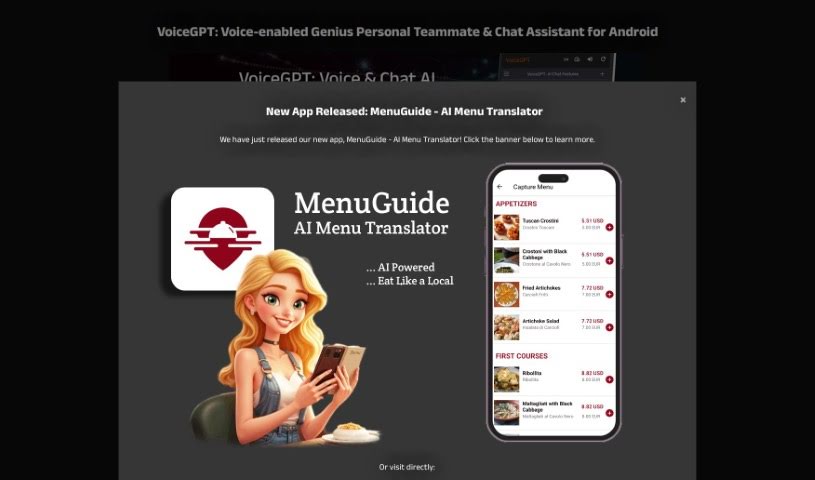
Screenshot of Voicegpt

Voicegpt

Freemium

VoiceGPT is a really neat app that lets you talk to AI models like ChatGPT. It is an Android browser with a special voice extension. It's designed to make powerful AI much more accessible. You get unlimited free messages, which is great, and it supports voice input and output in tons of languages. Plus, you can activate it hands-free using a specific phrase, and it even has OCR to read text from images. What sets VoiceGPT apart is its wide range of features, its multi-language capabilities, and that super convenient hands-free activation. It also makes switching between apps a breeze and lets you easily look back at your past conversations.

Text Generation View Tool →
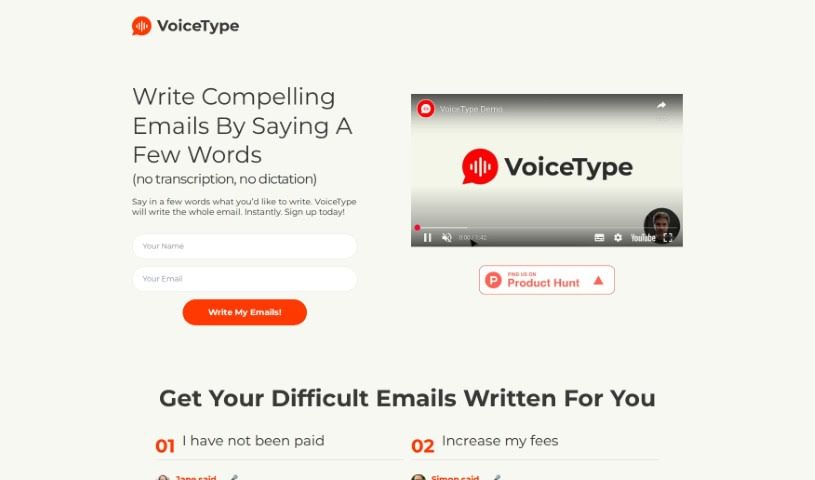
Screenshot of VoiceType

VoiceType

Freemium

VoiceType is a really neat AI assistant that completely changes how we write emails. Basically, you just give it short voice prompts, and it writes the whole email for you. No more typing!

Text Generation View Tool →
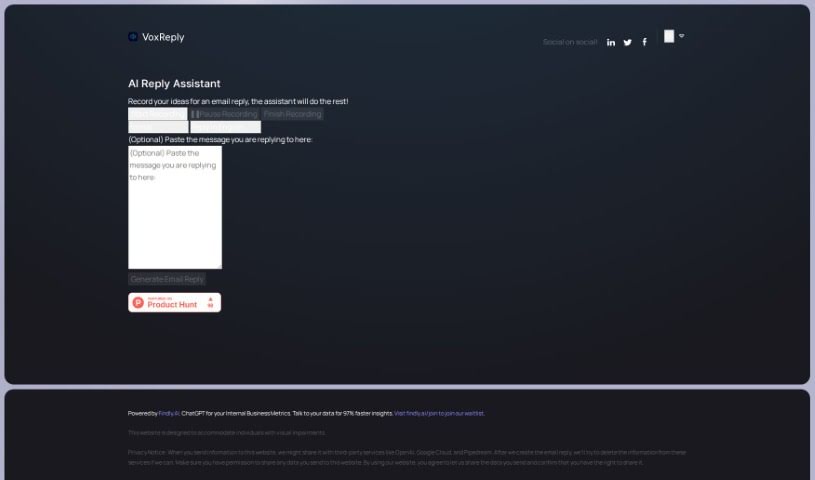
Screenshot of Voxreplay

Voxreplay

Freemium

VoxReply is a smart writing assistant that lets you craft email replies simply by speaking. You can paste the email you need to answer, then just record your thoughts out loud. VoxReply takes your voice input and turns it into a well-written response that's grammatically correct and fits the context. You can even pick from different writing styles – think informal, business-like, friendly, or formal. Plus, it handles multiple languages, including English, Arabic, French, German, and Japanese, among others. This tool is especially helpful for visually impaired individuals, giving them a voice-driven way to create email replies. To make this work, VoxReply might share your input data with services like OpenAI, Google Cloud, and Pipedream. They do aim to remove this information from those external platforms once your email is ready, which is a good step for privacy.

Text Generation View Tool →
Screenshot of WaifuChat

WaifuChat

Freemium

WaifuChat is a mobile app that uses AI to give you a virtual anime girlfriend experience. It lets you chat with a simulated character on a messaging platform, kind of like texting a friend. You can grab it from both the App Store and Google Play Store; Disco Labs LLC is the company behind it. The main idea is to offer a really personal anime experience, making it feel like you're actually in a relationship with an anime character. It uses AI to make your chats with the character more engaging, offering fun and virtual companionship, especially for people who love anime.

Text Generation View Tool →
Screenshot of Wallu

Wallu

Freemium

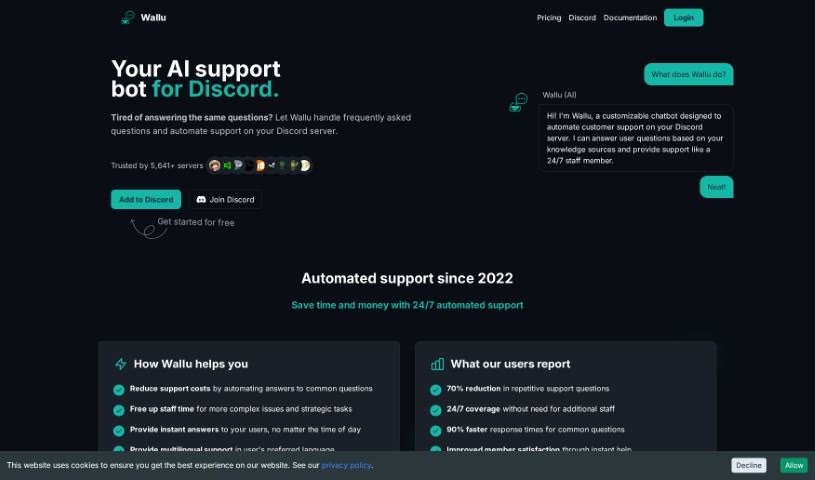
Wallu is a smart chatbot built specifically for Discord servers. Its main job is to handle customer support automatically and efficiently. It uses advanced language models, the kind that really understand what people are asking, to answer user questions. It pulls information from a wide range of sources, including its own knowledge base, documentation, and even past conversations. The great thing is, Wallu works smoothly in the background, giving you instant and accurate support without users needing to know any special commands. Plus, you can really tailor Wallu to your server's needs through its easy-to-use admin panel. This lets server admins adjust its functions and decide what information it uses. With support for over 50 languages, Wallu is a flexible tool for managing servers anywhere in the world, making things better for users and support teams alike.

Text Generation View Tool →
Screenshot of WebWhiz

WebWhiz

Freemium

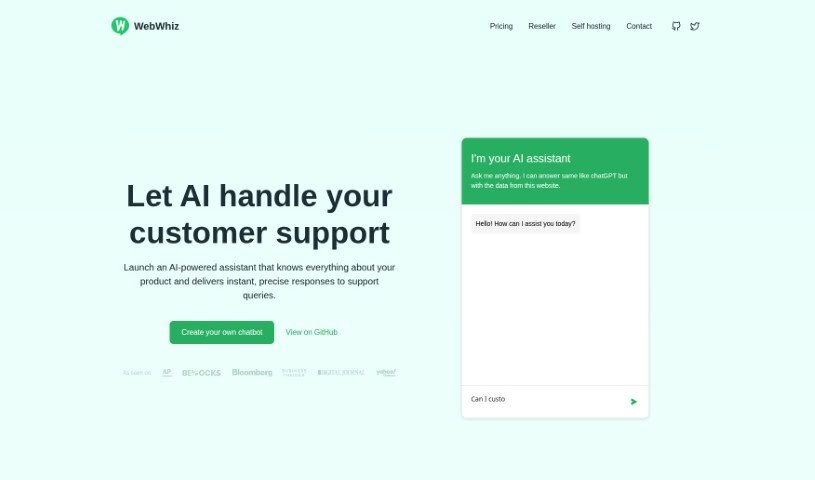
WebWhiz is your smart AI assistant, designed to help you create a chatbot for your website without needing any technical skills or coding. It's trained using the information from your own website, which means it can give really quick and accurate answers to customer questions. What makes WebWhiz special is how precise it is, its ability to communicate in over 100 languages, its commitment to GDPR privacy, its features for generating leads, and how it can significantly cut down the number of common questions your support team has to handle. You can choose from different pricing plans, and there are even options to host it yourself or customize how the chatbot looks.

Text Generation View Tool →
Screenshot of Whatgpt

Whatgpt

Freemium

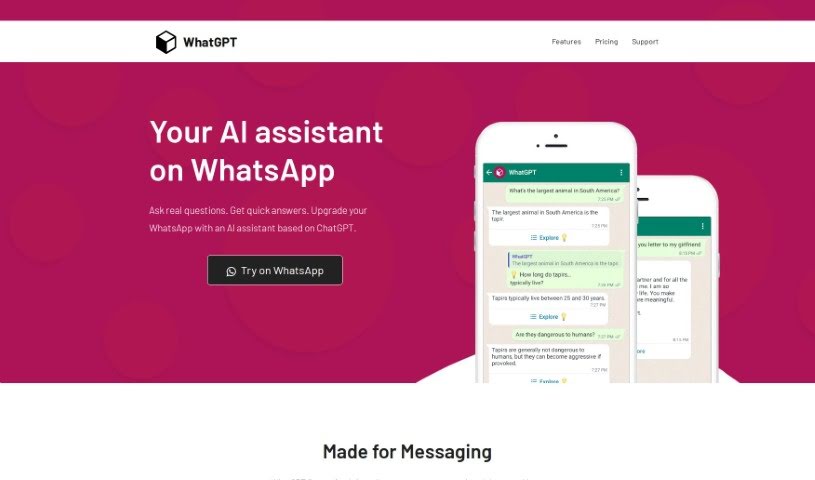
WhatGPT is your personal AI assistant, built right into WhatsApp. It uses the power of ChatGPT to give you instant answers to your questions, making your WhatsApp chats smarter and faster. It's designed to really improve how you use WhatsApp by giving you quick, accurate replies, suggesting short answers so you don't have to type as much, and delivering information in a really concise way. Plus, it's always available – no need to log in or deal with annoying captchas. It can even help you dig deeper into topics by providing web links for more detailed research.

Text Generation View Tool →
Screenshot of WhatsGPT

WhatsGPT

Freemium

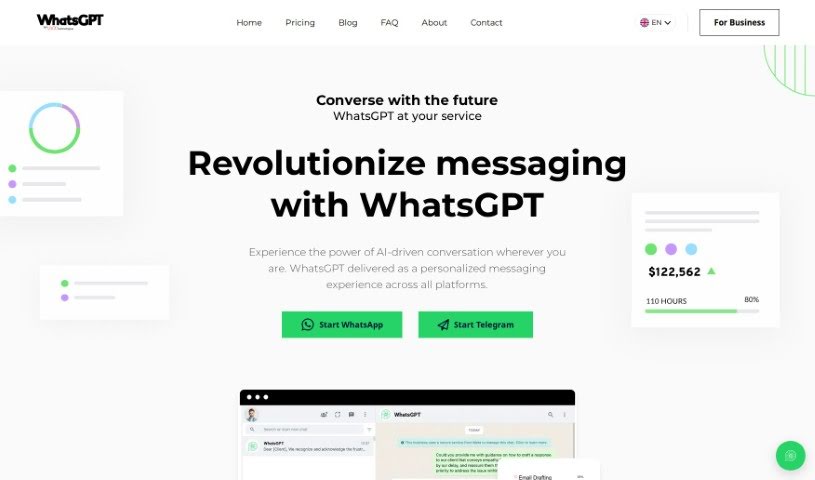
WhatsGPT is a messaging platform powered by AI, brought to you by UVX Technologies. Their goal is to make AI technology easy for everyone to use, offering a simple and straightforward tool for both individuals and businesses. With WhatsGPT, you can bring the power of AI into your conversations. It lets you chat across different platforms all in one place, tap into a massive amount of knowledge from processed data, and use time-saving features for things like answering customer questions or creating reports. They also offer a premium subscription that unlocks even more benefits, like unlimited access, voice messages, sharing images, and handling multiple chats at once. UVX Technologies, the company behind WhatsGPT, is really focused on pushing innovation and making AI accessible, helping to shape how we'll all communicate and work with AI in the future.

Text Generation View Tool →
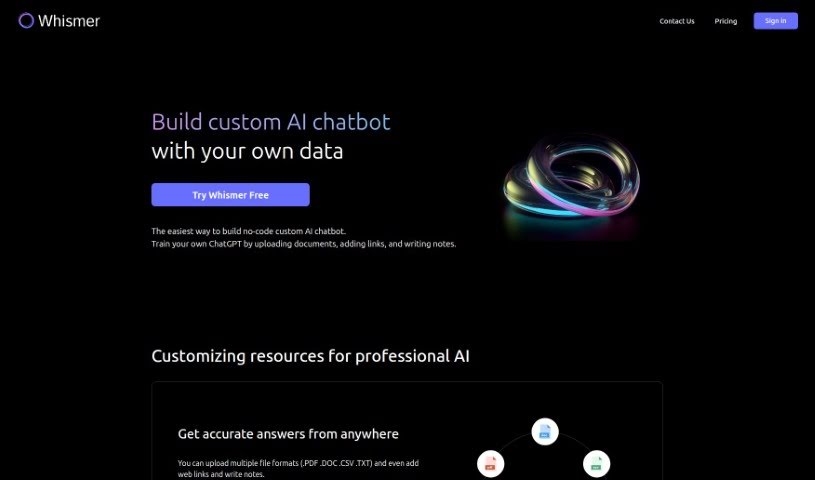
Screenshot of Whismer

Whismer

Freemium

Whismer is a handy Software as a Service (SaaS) AI tool that lets you build your own custom AI chatbots. The best part? You don't need any coding skills at all! Think of it like training your own ChatGPT. You can do this by uploading all sorts of documents, adding useful web links, and jotting down your own notes. This platform also makes it super easy to create an AI knowledge base that you can then share with anyone.

Text Generation View Tool →

Stay Updated with AI Tools

Get weekly updates on the latest AI tools, trends, and insights delivered to your inbox

Join 25,000+ AI enthusiasts. No spam, unsubscribe anytime.