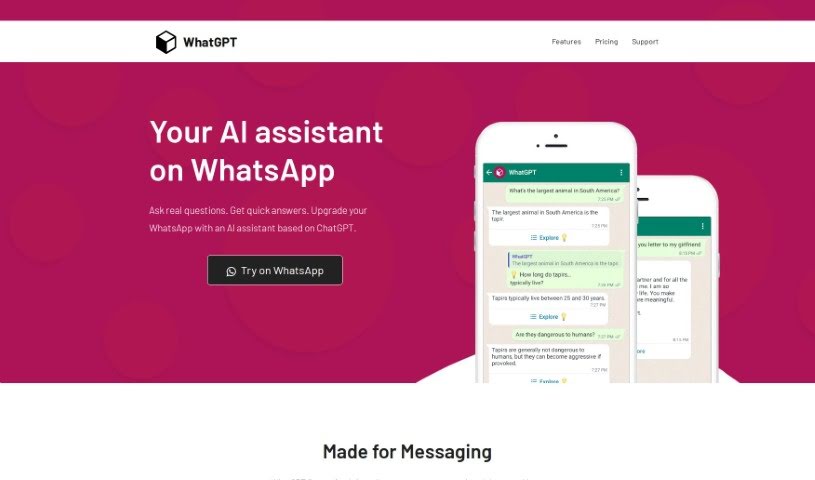
Screenshot of Whatgpt

Whatgpt

Discover WhatGPT, the free AI assistant for WhatsApp in 2025. Learn how its ChatGPT-powered features like quick replies and web links can boost your messaging and research. See how it stacks up against other chatbots.

Screenshot

What Exactly is WhatGPT?

WhatGPT is your personal AI assistant, built right into WhatsApp. It uses the power of ChatGPT to give you instant answers to your questions, making your WhatsApp chats smarter and faster. It’s designed to really improve how you use WhatsApp by giving you quick, accurate replies, suggesting short answers so you don’t have to type as much, and delivering information in a really concise way. Plus, it’s always available – no need to log in or deal with annoying captchas. It can even help you dig deeper into topics by providing web links for more detailed research.

WhatGPT offers a free version, but if you’re a heavy user, you might consider their monthly subscription. It unlocks extra features, like unlimited messages and round-the-clock support.

Who’s Behind WhatGPT?

The main idea behind WhatGPT was to completely change how we message on WhatsApp by bringing in AI. While the specific founder or company details aren’t laid out in the information I have, the goal is clear: to make WhatsApp messaging better with AI. WhatGPT works by using ChatGPT’s technology to offer fast, accurate answers directly within your WhatsApp conversations. It’s packed with helpful features like suggested quick replies to save you typing, delivering information straight to the point, and being available whenever you need it. It also helps you explore subjects further by generating useful web links.

What Can You Actually Do with WhatGPT?

Here’s a quick rundown of what WhatGPT is great for:

  • Acting as your AI Assistant right inside WhatsApp.
  • Getting smart Quick Reply Suggestions to speed things up.
  • Receiving information that’s Straight to the Point.
  • Enjoying Always Online Availability, so it’s ready when you are.
  • Deepening your Research by getting Generated Web Links for more details.

Who Would Find WhatGPT Useful?

WhatGPT is particularly helpful for:

  • Students who need quick information for their studies.
  • Small businesses looking to streamline customer communication or internal queries.

How Do I Start Using WhatGPT?

Getting WhatGPT set up on WhatsApp is pretty straightforward. Just follow these simple steps:

  1. Head over to WhatGPT: Start by visiting their website at https://api.whatgpt.app/start.
  2. Seamless Integration: WhatGPT connects ChatGPT’s powerful AI directly into your WhatsApp chats, giving you instant AI help during your conversations.
  3. Smart Quick Replies: You’ll get AI-suggested quick replies that cut down on typing and help you respond much faster.
  4. Get to the Point: Expect clear, concise answers that make exchanging information quick and easy.
  5. Always Ready: WhatGPT is available 24/7, so you won’t have to worry about logging in repeatedly, solving captchas, or dealing with downtime.
  6. Explore More: Want to learn more about a topic? WhatGPT provides a list of generated web links to help you dive deeper.
  7. Try it Out: Ready to see it in action? Just click the ‘Try on WhatsApp’ link on the website to test it out.
  8. Consider an Upgrade: While WhatGPT is free, their Plus subscription ($7.99/month) is a great option if you’re a power user. It gives you unlimited messages and 24/7 support.

Basically, WhatGPT can really upgrade your WhatsApp experience, making your messaging smarter and more efficient thanks to its AI assistance.

Related AI Tools

Discover more tools in similar categories that might interest you

Stay Updated with AI Tools

Get weekly updates on the latest AI tools, trends, and insights delivered to your inbox

Join 25,000+ AI enthusiasts. No spam, unsubscribe anytime.