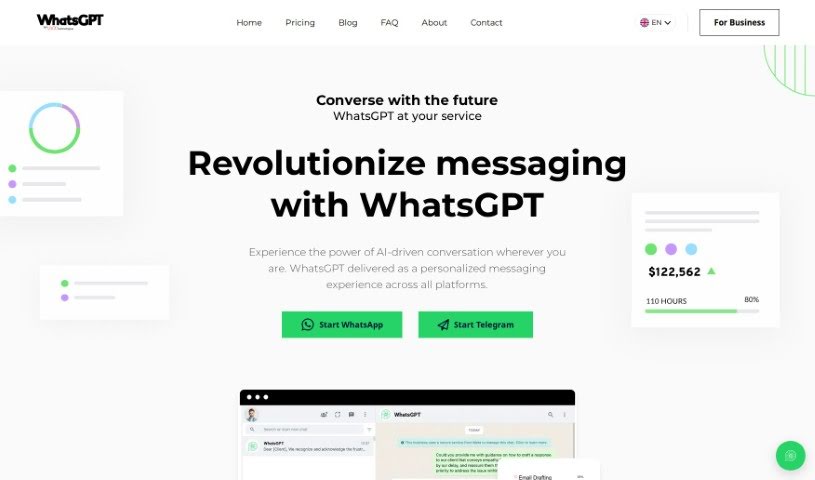
Screenshot of WhatsGPT

WhatsGPT

Curious about WhatsGPT? We'll break down what this AI messaging tool is, how you can use it effectively in 2025, explore its features, and see how it stacks up against other AI assistants.

Screenshot

What is WhatsGPT?

WhatsGPT is a messaging platform powered by AI, brought to you by UVX Technologies. Their goal is to make AI technology easy for everyone to use, offering a simple and straightforward tool for both individuals and businesses. With WhatsGPT, you can bring the power of AI into your conversations. It lets you chat across different platforms all in one place, tap into a massive amount of knowledge from processed data, and use time-saving features for things like answering customer questions or creating reports. They also offer a premium subscription that unlocks even more benefits, like unlimited access, voice messages, sharing images, and handling multiple chats at once. UVX Technologies, the company behind WhatsGPT, is really focused on pushing innovation and making AI accessible, helping to shape how we’ll all communicate and work with AI in the future.

Who created WhatsGPT?

WhatsGPT was actually started by a group of driven founders at UVX Technologies. They really wanted to make AI technology available to more people, aiming to create a tool that was both accessible and user-friendly for individuals and businesses alike. UVX Technologies, the company behind WhatsGPT, has since made a name for itself in the AI world, providing innovative solutions and expertise to clients all over. Through WhatsGPT, their main product, the company is committed to advancing AI and changing the way we all interact and work using this technology.

What is WhatsGPT used for?

Here are some of the ways you can use WhatsGPT:

  • Generating reports: Let the AI help you create reports.
  • Drafting contracts: Get assistance with writing up contracts.
  • Responding to customer queries: Handle customer questions more efficiently.
  • Unified Messaging: Keep all your conversations in one spot, no matter the platform, and your history stays intact.
  • Accessible Knowledge: Tap into 45 terabytes of processed data for a huge range of general and practical knowledge.
  • Time-Saving Tools: Let the AI handle routine tasks, freeing up valuable time for professionals.
  • Premium Options: Get unlimited access, voice messaging, and image sharing when you subscribe to premium.
  • Cross-Platform Integration: Use ChatGPT consistently across WhatsApp and Telegram.
  • General knowledge seeking: Ask questions and get answers on all sorts of topics.
  • Practical knowledge seeking: Find information for real-world applications.
  • Unified Messaging: Seamlessly bring your conversations together from all platforms.
  • Accessible Knowledge: Access a vast amount of general and practical knowledge, thanks to 45 terabytes of processed data.
  • Time-Saving Tools: Let AI manage everyday tasks like answering customer questions, drafting contracts, and generating reports.
  • Premium Options: Unlock unlimited access, voice messaging, and image sharing with a premium subscription.
  • Cross-Platform Integration: Interact with ChatGPT uniformly on WhatsApp and Telegram.

Who is WhatsGPT for?

WhatsGPT is a great tool for:

  • Customer service representatives
  • Legal professionals
  • Sales professionals
  • Professionals in fields like customer service, legal work, and report generation
  • Professionals in general
  • Customer service professionals
  • Contractors
  • Report Writers
  • Project managers
  • Financial Analysts

How to use WhatsGPT?

Here’s how you can get started with WhatsGPT:

  1. Sign Up: First, create your account on the WhatsGPT website.
  2. Access: Once you’re registered, just log in to your account to get into the platform.
  3. Start Conversations: You can begin using ChatGPT across different messaging apps like WhatsApp and Telegram.
  4. Unified Messaging: Make sure to integrate your conversations smoothly across various platforms; your message history will be preserved.
  5. Access Knowledge: Take advantage of the 45 terabytes of processed data for both general information and practical knowledge you might need.
  6. Time-Saving Tools: You can hand over routine tasks to the AI – think responding to customer queries, drafting contracts, or generating reports.
  7. Premium Subscription Features: If you’re looking for more, consider upgrading to a premium subscription. It gives you unlimited access, lets you send voice messages, share images, and even handle multiple chats at the same time.
  8. Invest Wisely: Put WhatsGPT to work for you! It’s a smart way to save time and access a huge amount of information and knowledge.

By following these steps, you can really make the most of WhatsGPT to simplify your messaging and make your communication much more efficient.

Related AI Tools

Discover more tools in similar categories that might interest you

Stay Updated with AI Tools

Get weekly updates on the latest AI tools, trends, and insights delivered to your inbox

Join 25,000+ AI enthusiasts. No spam, unsubscribe anytime.