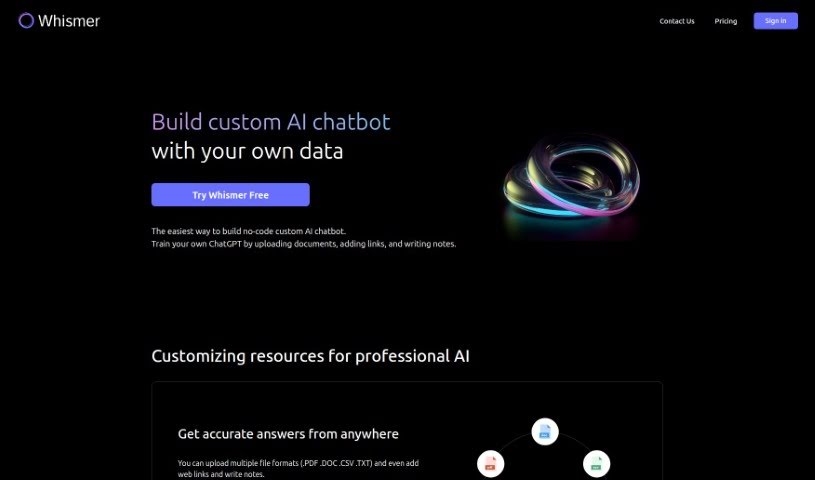
Screenshot of Whismer

Whismer

Discover what Whismer is and how to use it effectively in 2025. We'll explore its features and see how it stacks up against other chatbots.

Screenshot

What is Whismer?

Whismer is a handy Software as a Service (SaaS) AI tool that lets you build your own custom AI chatbots. The best part? You don’t need any coding skills at all! Think of it like training your own ChatGPT. You can do this by uploading all sorts of documents, adding useful web links, and jotting down your own notes. This platform also makes it super easy to create an AI knowledge base that you can then share with anyone.

When you want to customize your chatbot, Whismer makes it simple. You can upload your data in common formats like PDF, DOC, CSV, and TXT. Plus, you can add resources like web links and your own notes. By customizing it this way, Whismer AI can really adapt to specific tasks and fields, which makes it much more efficient and accurate for what you need.

With Whismer, you can create all sorts of different AIs. Need one for your team’s work? Or maybe a customer service AI? How about a learning AI for students, or a knowledge-sharing AI for your friends? Whismer helps you save both time and resources. It does this by making the chatbot creation process much simpler and by letting you create a shareable AI knowledge base.

Who created Whismer?

We don’t have specific details on who exactly created Whismer. The information available doesn’t point to a particular individual or group. What we do know is that this Software as a Service (SaaS) AI tool, designed for building custom AI chatbots without coding, was launched on May 9, 2023. It’s a platform that lets users train their ChatGPT by uploading documents, adding web links, and writing notes. This makes creating a professional AI knowledge base that’s easy to share with others quite straightforward.

What is Whismer used for?

Whismer is incredibly versatile! Here’s a breakdown of what you can do with it:

  • Build Custom Chatbots: Create your very own AI chatbots without needing to write a single line of code.
  • Train Your ChatGPT: You can train your ChatGPT by uploading documents, adding relevant web links, and writing your own notes.
  • Shareable AI Knowledge Base: Easily create an AI knowledge base that you can share with others.
  • Deep Customization: Tailor your chatbots by uploading documents in various formats (like PDF, DOC, CSV, TXT), adding web links, and including your own notes.
  • Boost AI Performance: Improve your AI’s accuracy and efficiency by customizing its training resources.
  • Easy Sharing: Share your customized AI projects with just one click.
  • Diverse AI Types: Create different kinds of AIs, such as:
    • Work AI for teams
    • Customer service AI
    • Learning AI for students
    • Knowledge-sharing AI for friends
  • Adaptability: Make your AI adapt to specific fields or tasks by customizing its resources.
  • Save Time & Resources: Streamline the chatbot creation process and leverage a sharable AI knowledge base to save time and resources.

Essentially, Whismer empowers you to train ChatGPT by uploading various documents, adding web links, and writing notes. You can customize chatbots with your own data in multiple file formats (PDF, DOC, CSV, TXT). This allows you to create different types of AIs – think work AI, customer service AI, learning AI, or knowledge-sharing AI. By customizing training resources, you can improve the AI’s accuracy and efficiency, helping it adapt to specific fields or tasks. It’s a great way to save time and resources by simplifying chatbot creation and building a professional AI knowledge base that you can share with a wider audience.

Who is Whismer for?

Whismer is a fantastic tool for a variety of users and needs:

  • For Creating Specific AIs:
    • Team work AI creators
    • Customer service AI creators
    • Learning AI creators
    • Friend AI creators
  • For Professional Roles:
    • Team Managers
    • Client Services Agents
    • Knowledge Sharing Professionals
  • For Personal Use:
    • Students
    • Friends
  • General Users:
    • Team members
    • Clients
    • Students
    • Friends
  • For Specific Applications:
    • Team work
    • Customer Service
    • Knowledge sharing

So, whether you’re a team member, a client, a student, or just looking to share knowledge with friends, Whismer can help you create specialized AIs for work, customer service, learning, or general knowledge sharing, all while improving AI accuracy and efficiency.

How to use Whismer?

Here’s a straightforward guide to getting started with Whismer:

  1. Getting to Know Whismer:
    • First off, Whismer is a no-code AI tool. This means you can create custom AI chatbots without needing any coding knowledge at all.
  2. Starting Out:
    • To train your ChatGPT, you’ll want to upload your documents. You can use formats like PDF, DOC, CSV, or TXT.
    • Don’t forget to add any relevant web links and write down your own notes to customize the AI’s resources.
  3. Customizing Your Chatbot:
    • Make your chatbot even better by providing various input formats. This helps it adapt more effectively to specific tasks and fields you have in mind.
  4. Building Your AI Knowledge Base:
    • Upload a wide range of resources to create a professional AI knowledge base. It’s designed for easy sharing with others.
  5. Training the AI System:
    • Use the documents you’ve uploaded, along with web links and notes, to train the AI system. This helps it adapt better.
  6. Boosting Accuracy and Efficiency:
    • You can improve your AI’s accuracy and efficiency by customizing its training resources. Just keep uploading documents, adding web links, and writing notes.
  7. Sharing Your Custom AI:
    • Once you’re happy with your customized AI, you can share it with a wider audience with just a single click. This makes it accessible to your team members, clients, students, or friends.
  8. Creating Different AI Types:
    • Whismer lets you create various types of AI. You can make a work AI, a customer service AI, a learning AI, or even a knowledge-sharing AI, depending on what you need.
  9. After Your Subscription Ends:
    • If your subscription expires, your account will be moved to the free version. You’ll still have access to your historical data, but you won’t be able to use the advanced features.
  10. Handling Your Needs:
    • If you find that the pro version isn’t quite enough for your usage, don’t hesitate to contact customer service. They can help you optimize your subscription plan.

In short, Whismer makes creating AI chatbots simple, lets you customize them thoroughly, and helps you build a professional AI knowledge base. This makes sharing information and solving problems much more efficient. Ready to explore what AI can do with Whismer?

Related AI Tools

Discover more tools in similar categories that might interest you

Stay Updated with AI Tools

Get weekly updates on the latest AI tools, trends, and insights delivered to your inbox

Join 25,000+ AI enthusiasts. No spam, unsubscribe anytime.