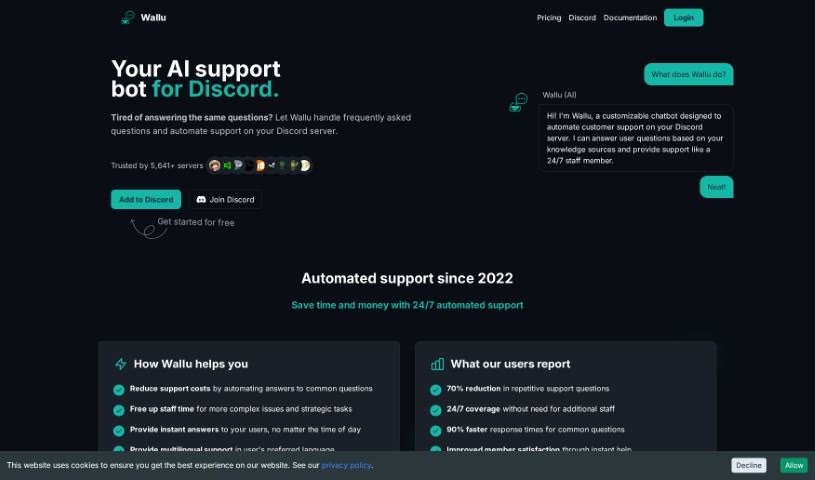
Screenshot of Wallu

Wallu

Discover what Wallu is and how to use it effectively in 2025. We'll explore its features and see how it stacks up against other chatbots.

Screenshot

What is Wallu?

Wallu is a smart chatbot built specifically for Discord servers. Its main job is to handle customer support automatically and efficiently. It uses advanced language models, the kind that really understand what people are asking, to answer user questions. It pulls information from a wide range of sources, including its own knowledge base, documentation, and even past conversations. The great thing is, Wallu works smoothly in the background, giving you instant and accurate support without users needing to know any special commands. Plus, you can really tailor Wallu to your server’s needs through its easy-to-use admin panel. This lets server admins adjust its functions and decide what information it uses. With support for over 50 languages, Wallu is a flexible tool for managing servers anywhere in the world, making things better for users and support teams alike.

Here are some of Wallu’s main features:

  • Automated Support: It can automatically answer user questions by using sophisticated language models.
  • Control and Customization: You get an admin panel that lets you fine-tune exactly which channels it works in and what information sources it relies on.
  • Instant Support: It quickly handles common questions, freeing up your support staff to tackle the more complex issues.
  • Multilingual Capability: It supports over 50 languages, which really broadens its reach and usefulness.
  • Positive User Experiences: People using Wallu often mention they can get support more easily and that there are fewer repetitive questions, which generally leads to happier users.

Wallu’s strong capabilities and straightforward interface make it a really useful tool for Discord server administrators. It helps simplify support, cuts down on workload, and generally makes users happier.

Who created Wallu?

Wallu, this advanced chatbot for Discord servers, was actually founded by Sanci. Sanci is the Founder & CEO over at EverGrow AI. He’s really excited about all the creative ways Wallu can be used and has pointed out how precise it is, especially for larger and medium-sized communities. Users have found the bot to be exceptional, noting that it significantly cuts down on repetitive questions and boosts customer satisfaction. On top of that, Wallu’s quick responses and the fantastic support from Sanci himself have made everyday tasks much easier for users.

What is Wallu used for?

  • Automated Support: It uses advanced language models to automatically answer questions, no special commands needed.
  • Control and Customization: You can fine-tune its operational channels and information sources through an admin panel.
  • Instant Support: It quickly answers common questions, letting your support team focus on new and unique inquiries.
  • Multilingual Capability: It supports over 50 languages, making the support system better for a global audience.
  • Positive User Experiences: It makes getting support easier and reduces the burden of repetitive questions for server staff.
  • Control and Customization: You can fine-tune its operational channels and information sources through an admin panel.
  • Achieving automated support: This is done using large language models.
  • Controlling and customizing: You can do this through an admin panel.
  • Providing instant support: This is for common questions.
  • Supporting over 50 languages: This helps a global user base.
  • Enhancing user experience: It does this by reducing repetitive questions.
  • Facilitating easier access: This is for server members seeking support.
  • Transforming business processes: It helps with server management too.
  • Improving customer satisfaction: This comes from quick and reliable responses.
  • Automating responses: It handles FAQs and provides 24/7 support.
  • Streamlining customer support: It also effectively manages FAQs.

Who is Wallu for?

  • Customer Support Agents
  • Community Managers
  • Small Business Owners
  • Customer Support Specialists
  • Server Administrators
  • Anyone involved in customer support
  • Those managing servers
  • People looking for FAQ Automation
  • Small businesses
  • Customer support staff

How to use Wallu?

If you want to use Wallu effectively on your Discord servers, here’s a simple guide:

  1. Get to know Wallu: First, understand that Wallu is an advanced chatbot designed to automate customer support. It’s great for answering FAQs and offering help around the clock on Discord servers.
  2. Set up Automated Support: Let Wallu handle those frequently asked questions and provide instant support. You won’t need to intervene manually.
  3. Customize It: Use the admin panel to make Wallu work just right for your server. You can fine-tune the channels it operates in and the specific information sources it uses.
  4. Use Multilingual Support: Take advantage of Wallu’s ability to support over 50 languages. This ensures that your diverse user base can interact with the chatbot effectively.
  5. Enjoy Control and Flexibility: The admin panel gives you a lot of control. You can tailor its functions, like choosing which documents it uses for answers or what FAQs it draws from.
  6. Improve User Experience: You’ll notice positive user experiences as Wallu makes support processes smoother, cuts down on repetitive questions, and generally boosts customer satisfaction.

Just remember, Wallu’s main goal is to automate and improve customer support on Discord servers. It provides instant, accurate responses that benefit both your server members and the administrators. By using its powerful features and customization options, Wallu can really make your server’s support operations much more efficient and effective.

Related AI Tools

Discover more tools in similar categories that might interest you

Stay Updated with AI Tools

Get weekly updates on the latest AI tools, trends, and insights delivered to your inbox

Join 25,000+ AI enthusiasts. No spam, unsubscribe anytime.