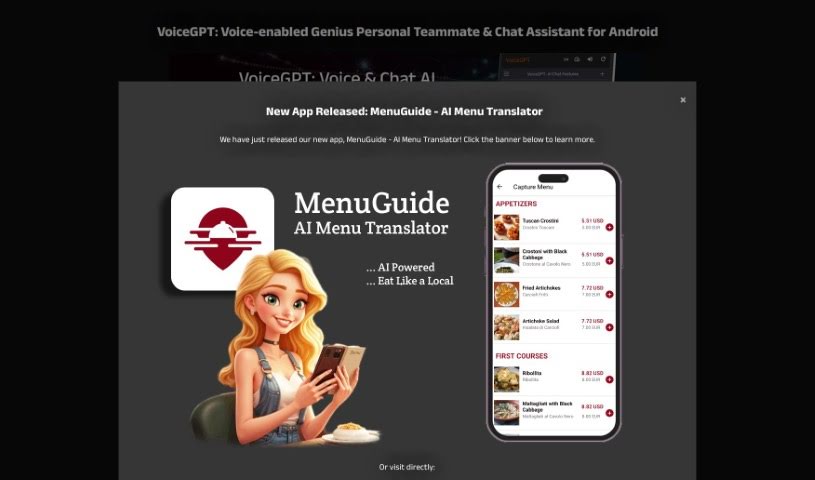
Screenshot of Voicegpt

Voicegpt

Discover what VoiceGPT is and how to get the most out of it in 2025. We'll cover its features, compare it to other chatbots, and show you how to use it.

Screenshot

What Exactly is VoiceGPT?

VoiceGPT is a really neat app that lets you talk to AI models like ChatGPT. It is an Android browser with a special voice extension. It’s designed to make powerful AI much more accessible. You get unlimited free messages, which is great, and it supports voice input and output in tons of languages. Plus, you can activate it hands-free using a specific phrase, and it even has OCR to read text from images. What sets VoiceGPT apart is its wide range of features, its multi-language capabilities, and that super convenient hands-free activation. It also makes switching between apps a breeze and lets you easily look back at your past conversations.

Who’s Behind VoiceGPT?

VoiceGPT was developed by Jan Horak, who launched it on January 12, 2023. His goal was to create a more natural way to chat with AI. This Android app is built to interact with AI, offering voice capabilities that are especially helpful for users who might have visual impairments or dyslexia. It also includes optical character recognition (OCR) and a user-friendly interface with support for many languages and voices. It’s worth noting that VoiceGPT isn’t officially linked to OpenAI or Google, but it does use OpenAI’s ChatGPT model to power its voice-based conversations.

What Can You Do with VoiceGPT?

VoiceGPT is packed with useful features:

  • It supports many different programming languages.
  • Switching between apps is incredibly easy.
  • You can use predefined prompts to guide specific interactions.
  • There’s a built-in code editor for your coding needs.
  • You can easily access your past conversations.
  • It integrates with your ChatGPT Plus account.
  • You can even create images directly in the app using DALLE-2.
  • The design is tablet-friendly and supports landscape mode.
  • You can adjust the themes to your preference.
  • A detailed changelog keeps you updated on new features.
  • OCR support lets you upload and process text from images.
  • Enjoy unlimited messages without worrying about limits.
  • Hands-free usage is possible with hotword activation.
  • Features like ‘instabubble’ make switching apps super smooth.
  • It integrates with RunGPT, letting you run code and switch programming languages easily.

Who Would Benefit Most from VoiceGPT?

VoiceGPT is particularly helpful for:

  • Busy Professionals who need to multitask.
  • Users with visual impairments who benefit from voice interaction.
  • Individuals with dyslexia who find voice input and output more comfortable.

How Do I Start Using VoiceGPT?

Getting started with VoiceGPT is straightforward. Just follow these simple steps:

  1. Download and Install: First, grab VoiceGPT from the Google Play Store.
  2. Explore Key Features: You’ll get unlimited free messages. Plus, the voice input/output works in over 67 languages! You can even set VoiceGPT as your default assistant for quick access.
  3. Try Hotword Activation: Activate VoiceGPT hands-free by simply saying “Hey, Chat”.
  4. Discover Functionalities: Use the handy ‘instabubble’ feature for seamless app switching. The OCR support is also great for pulling text out of images.
  5. Integrate with Programming: If you code, you can connect with various programming languages using the built-in code editor.
  6. Manage Conversations: Access and manage your chat history easily.
  7. Get Creative with DALLE-2: Create images right within VoiceGPT to boost your creativity.
  8. Optimize Your Experience: Enjoy the tablet-friendly design and landscape mode for a better viewing experience.
  9. Customize Your View: Switch between dark and light themes to suit your eyes.
  10. Benefit from Auto-Features: The app automatically refreshes when servers are busy, so you don’t have to.
  11. Stay Informed: Check the changelog to see what’s new.

By using VoiceGPT’s unique features like hotword activation, its programming integrations, OCR capabilities, and DALLE-2, you can really boost your experience and get more done. Dive into its many functions to make the most of this advanced AI assistant!

Related AI Tools

Discover more tools in similar categories that might interest you

Stay Updated with AI Tools

Get weekly updates on the latest AI tools, trends, and insights delivered to your inbox

Join 25,000+ AI enthusiasts. No spam, unsubscribe anytime.