AI Tools for Web Design

Discover the best Web Design AI tools to enhance your productivity and creativity.

Page 6 of 6 • 70 total tools

Building a website used to mean wrestling with complicated code and tedious tools. These days, AI has really changed things, making web design much more accessible and efficient. You don’t need a design degree or programming background anymore to create stunning websites—AI-powered tools can handle a lot of the hard work for you.

These AI web design tools do more than just offer simple templates. Many now suggest responsive designs, adjust layouts automatically, and help create personalized user experiences. This saves you time and helps your website stand out in today’s crowded digital world.

After testing a bunch of AI web design tools, I’ve put together a list of the best ones out there. Each tool has unique features for different needs, whether you’re just starting or you’re a pro looking to speed up your workflow.

If you’re ready to boost your web design projects with smart AI solutions, you’ve come to the right place. Let’s check out the top AI web design tools that can help bring your ideas to life.

The best AI Web Design Tools

  1. v0 by Vercel for creating dynamic UI for websites
  2. Carrd for making simple one-page websites
  3. Tilda for creating stunning websites without coding.
  4. Builder.io for visual content creation for websites.
  5. Relume for quickly creating wireframes for websites.
  6. Wegic AI for smart layout suggestions for websites
  7. Anima App for streamlining design-to-code with Figma.
  8. Webwave Ai for crafting stunning website layouts effortlessly.
  9. Webstudio for streamlining web design processes
  10. Shuffle for rapidly designing responsive landing pages.
  11. Fronty for converting Figma designs to responsive websites.
  12. Hiding Elephant for seamless wireframe creation for websites.
  13. Get Site AI for professional design for microsites.
  14. PageGPT for instantly creating unique web landing pages.
  15. Elegant Themes for creating stunning WordPress websites.

How do AI web design tools work?

AI web design tools use advanced algorithms to automate parts of the design process. Basically, these tools use machine learning models that look at tons of existing web designs. They find patterns, layouts, and styles that people tend to like. By putting all this data together, they can suggest templates, color schemes, and layout ideas that fit what you need.

When you tell the system your preferences or what you need, the AI generates design options based on past data and current trends. This includes picking good font styles, where to place images, and what interactive elements to use. The AI understands how users behave and can guess which designs will grab visitors’ attention effectively.

Lots of these tools have easy-to-use interfaces, letting people without design experience create appealing websites. The AI helps in real-time, offering suggestions and making adjustments that improve the user experience. This cuts out the often frustrating back-and-forth of traditional web design.

Some platforms also build in responsive design principles. This means the websites they create look great on all devices, from desktops to smartphones. This ability comes from data showing how different layouts perform on various screen sizes, making the design process even smoother.

For those who want to learn more about web design, these AI tools often include helpful resources like tutorials and style guides. This way, you don’t just get a template; you’re encouraged to learn and understand design basics, which empowers you to make smart choices for your projects.

So, AI web design tools offer a mix of automation and customization that works for many people. They speed up the design process while keeping quality and aesthetics high.

Our best AI web design tools at a glance

RankNameBest forPlans and PricingRating
1v0 by VercelDynamic UI creation for websitesN/A4.73 (11 reviews)
2CarrdSimple one-page website creationPaid plans start at $19/year.4.72 (29 reviews)
3TildaCreate stunning websites without coding.N/A4.75 (20 reviews)
4Builder.ioVisual content creation for websites.Paid plans start at $24/month.4.73 (11 reviews)
5RelumeQuickly create wireframes for websites.Paid plans start at $18/month.4.76 (42 reviews)
6Wegic AISmart layout suggestions for websitesN/A4.73 (11 reviews)
7Anima AppStreamline design-to-code with Figma.N/A4.71 (17 reviews)
8Webwave AiCraft stunning website layouts effortlessly.N/A4.81 (47 reviews)
9WebstudioStreamline web design processesPaid plans start at $20/month.4.76 (25 reviews)
10ShuffleRapidly design responsive landing pages.Paid plans start at $249/once.4.73 (26 reviews)
11FrontyConvert Figma designs to responsive websites.N/A4.82 (11 reviews)
12Hiding ElephantSeamless wireframe creation for websites.N/A4.73 (11 reviews)
13Get Site AIProfessional design for microsites.N/A4.74 (54 reviews)
14PageGPTInstantly create unique web landing pages.N/A4.77 (13 reviews)
15Elegant ThemesCreating stunning WordPress websites.Paid plans start at $193/year.4.18 (11 reviews)
Screenshot of Use Superflow

Use Superflow

Freemium

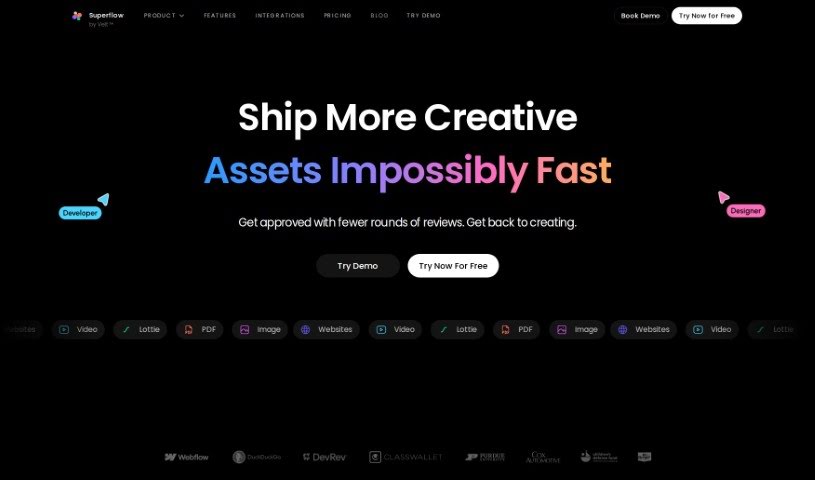
Use Superflow is your AI assistant for web teams and agencies. It's designed to help you craft really engaging headlines and product descriptions without all the usual hassle. What's cool is that you can actually annotate your website live, letting the tool automatically generate copy right there. You can also assign tasks, collaborate with your team on live products, and connect it with tools you probably already use, like Slack, Clickup, and Asana. It even lets you tap into ChatGPT for rewriting text, adding rich media annotations, and managing tasks all within the app. They've got different plans for freelancers and agencies, offering things like private comments, unlimited projects, integrations, and dedicated support. Plus, you can try it out for free for 14 days to see if it's a good fit before you commit. Users have shared how much time it saves them, how efficient it makes their workflow, and how much easier collaboration becomes, really making it a standout tool for anyone working on website development.

Web Development View Tool →
Screenshot of v0 by Vercel

v0 by Vercel

Freemium

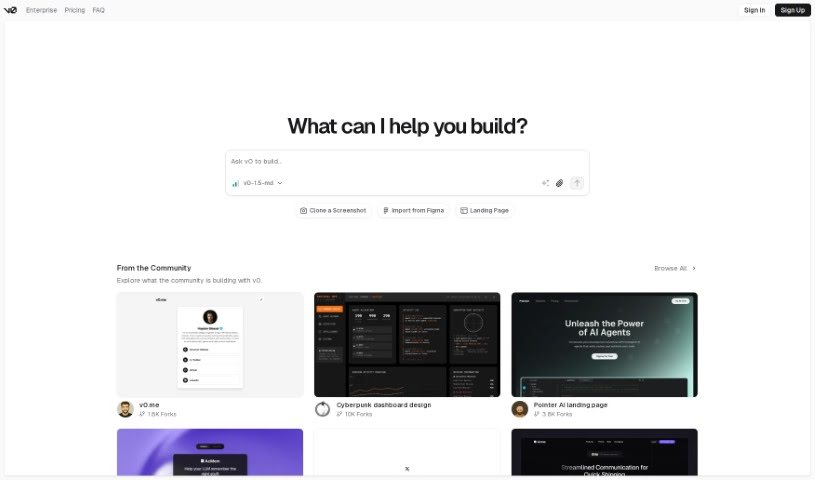
Vercel's v0 is a really neat tool for building websites. It helps you create dynamic User Interfaces (UI) just by typing in simple text prompts. The big idea here is speed and making things easy, so developers can quickly create and put UI components into their projects without getting bogged down in complicated design or coding. You can type in what you want – like product categories, hero sections, contact forms, or even detailed e-commerce dashboards – and v0 will generate them for you. It's currently in beta, but it's already pretty user-friendly. For instance, there's a handy toggle menu that makes navigating the development environment a breeze, making it a super efficient way to add UI elements to both public and private projects.

Web Development View Tool →
Screenshot of Vert Works

Vert Works

Freemium

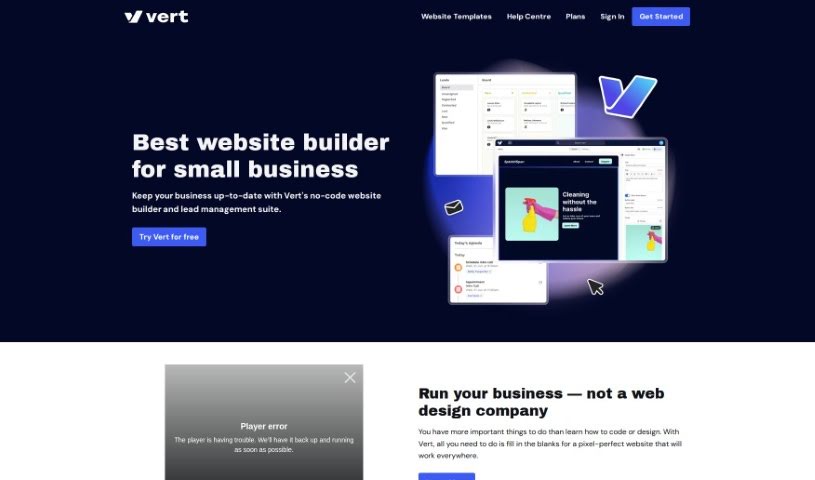
Vert Works is a really handy no-code website builder and lead management suite, perfect for small businesses. It lets you build professional-looking websites without needing to know any code at all. You get pixel-perfect templates that look great on any device, whether it's a phone, tablet, or computer. It's pretty straightforward to use: you just pick building blocks, fill in your content using simple forms, and then stack more blocks to finish your pages. If you want a bit more control, Vert also lets you build your own custom blocks, add external scripts, and even plugins. Plus, it helps you manage your leads – you can record new ones, track where they are in the sales process, and see your past conversations with them. There are also AI tools built in to help you create content and design website pages, so you can get high-quality stuff done quickly. People often mention how professional and responsive Vert is for web design, and the pricing is super affordable, starting at just $4 a month, which even includes hosting! It’s all designed and built right here in Sydney and Darwin, Australia.

Web Development View Tool →
Screenshot of Weavely

Weavely

Freemium

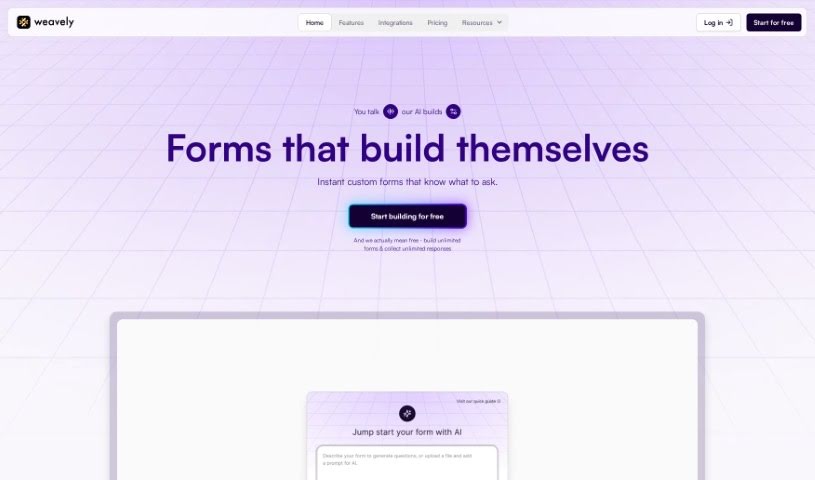
Weavely is a really neat AI form builder, especially for folks who use Figma. It lets you take your visual designs and turn them into interactive, web-based forms without any fuss. You can create custom forms for all sorts of things – think user research, marketing campaigns, or just simple surveys. What makes Weavely special is how it blends design with smart logic. This means your forms can actually change and react based on what people type in, making them feel more dynamic. Plus, you get total freedom with design customization, and you can collect all sorts of responses, not just text – like images, voice recordings, or even location data. It really makes the whole process from design to collecting live data super smooth, offering a complete package for creating online forms.

Web Development View Tool →
Screenshot of Weaverse

Weaverse

Freemium

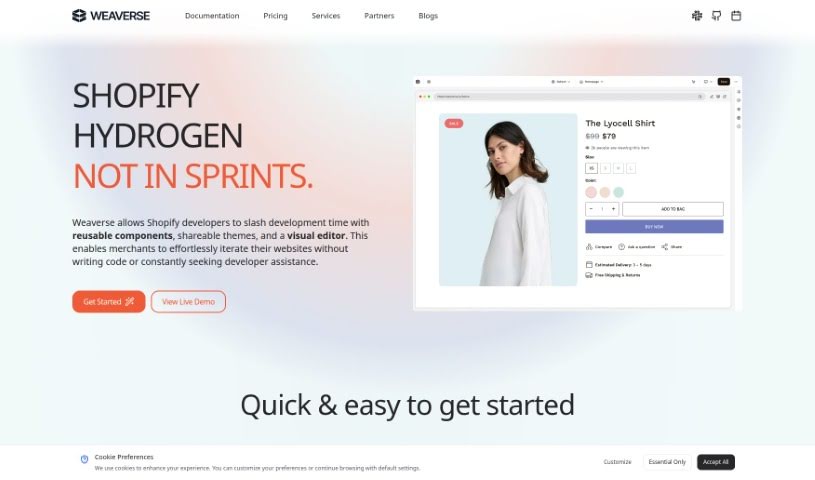
Weaverse is an AI-powered website builder specifically made for Shopify sellers. It helps you create really fast eCommerce storefronts that are also super easy to use. It does this by using headless frameworks like Shopify Hydrogen, Remix, and NextJS. You get a drag-and-drop page builder, a smart grid system that makes placing elements a breeze, and everything is designed to look great on mobile. Plus, there's a code editor if you want to tweak things further. Weaverse also has an AI assistant that handles those repetitive tasks, speeding up how quickly you can build your pages.

Web Development View Tool →
Screenshot of Websitecolorsai

Websitecolorsai

Freemium

WebsiteColorsAI is a neat tool that uses AI to help designers and developers grab color schemes right from popular websites. You just pop a website's URL into the tool, and its AI gets to work identifying and pulling out the exact colors used on that site. You can then save these color schemes for your own design projects, no coding skills needed! It’s super handy for keeping your designs consistent, letting you download and save the palettes you find.

Web Development View Tool →
Screenshot of Webstudio

Webstudio

Freemium

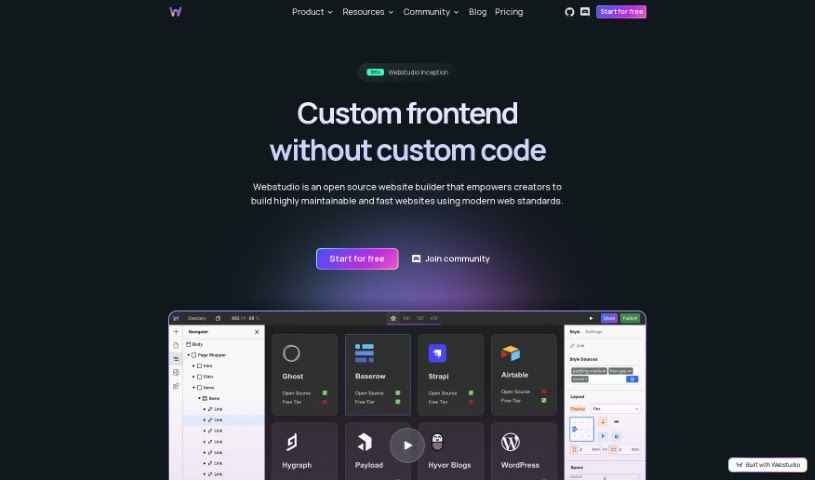
Webstudio is your AI-powered sidekick for building websites. It's designed to speed things up considerably, giving you, the designer, a lot of say and control throughout the entire process. It comes packed with helpful features, such as:

Web Development View Tool →
Screenshot of Webullar

Webullar

Freemium

Webullar is a top-notch online tool that helps you build a strong online presence quickly and easily. It uses AI to fully automate the process, letting you get your website up and running in as little as 30 seconds. You'll find it's super user-friendly, with modern design elements and a simple setup. Webullar makes sure your site looks professional and attractive, using current web design trends and the Poppins font. It’s perfect for anyone, whether you're an individual or a business, who wants to make a splash online. Key features include:

Web Development View Tool →
Screenshot of Webwave Ai

Webwave Ai

Freemium

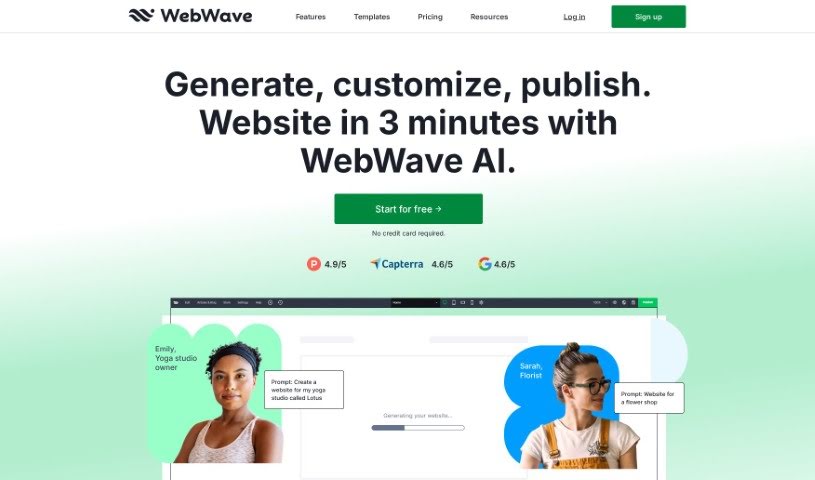
Webwave AI is a website builder that really makes creating a website much simpler by using artificial intelligence. It lets people design and customize their sites without needing to know any coding at all, which is great for all sorts of users, whether they're individuals or businesses. With Webwave AI, you can pick from lots of different templates and design elements to put together unique, professional-looking websites pretty quickly. The AI built into the platform helps fine-tune layouts, graphics, and the overall design, making sure your finished website looks good and works well. By simplifying the whole web design process, Webwave AI aims to give users the power to bring their online ideas to life easily and effectively.

Web Development View Tool →
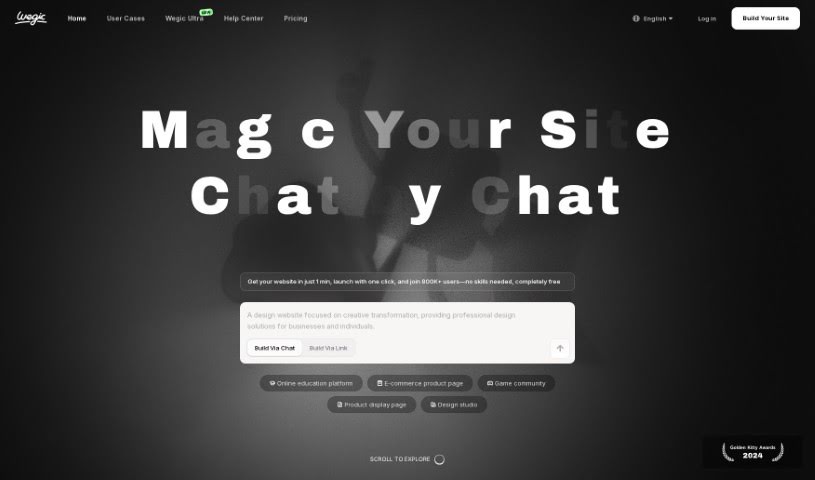
Screenshot of Wegic AI

Wegic AI

Freemium

Wegic AI is a smart tool that helps you design and build websites, all through simple conversations. It is your AI web designer and developer, ready to help bring your ideal website to life. It's powered by three helpful assistants, making it easy for anyone to create beautiful, functional websites quickly, even if you don't know a thing about coding or design. Wegic offers different plans, including a free option perfect for getting started, plus more advanced choices for personal or business sites. With over 50,000 people already building their sites with Wegic, it’s a really straightforward and efficient way to get your website up and running.

Web Development View Tool →
Previous 6 of 6 Next

Stay Updated with AI Tools

Get weekly updates on the latest AI tools, trends, and insights delivered to your inbox

Join 25,000+ AI enthusiasts. No spam, unsubscribe anytime.