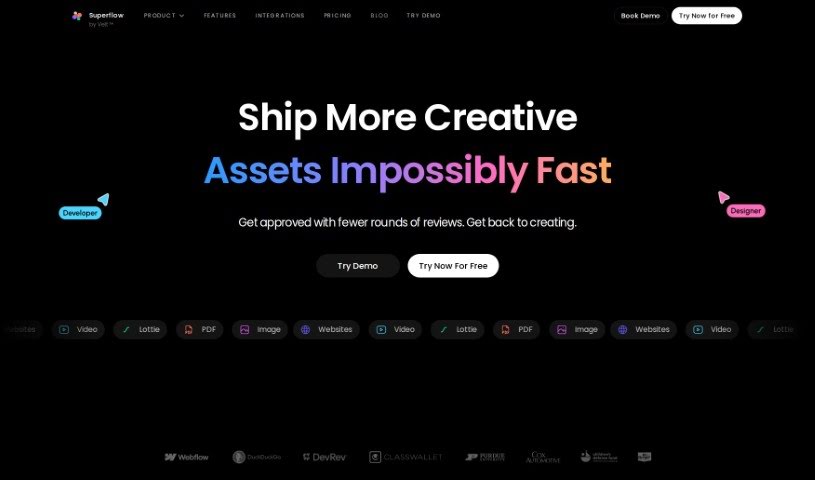
Screenshot of Use Superflow

Use Superflow

Discover what Use Superflow is and how to use it effectively in 2025. We'll explore its features and see how it stacks up against other website builders.

Screenshot

What is Use Superflow?

Use Superflow is your AI assistant for web teams and agencies. It’s designed to help you craft really engaging headlines and product descriptions without all the usual hassle. What’s cool is that you can actually annotate your website live, letting the tool automatically generate copy right there. You can also assign tasks, collaborate with your team on live products, and connect it with tools you probably already use, like Slack, Clickup, and Asana. It even lets you tap into ChatGPT for rewriting text, adding rich media annotations, and managing tasks all within the app. They’ve got different plans for freelancers and agencies, offering things like private comments, unlimited projects, integrations, and dedicated support. Plus, you can try it out for free for 14 days to see if it’s a good fit before you commit. Users have shared how much time it saves them, how efficient it makes their workflow, and how much easier collaboration becomes, really making it a standout tool for anyone working on website development.

Who created Use Superflow?

Superflow Rewrite was actually created by Nick Winter, who’s also the CEO of CodeCombat. It first launched on October 18, 2022. Essentially, Superflow Rewrite is a tool built to help web teams and agencies generate compelling headlines and product descriptions with surprising ease. It offers some neat features like annotating your website live, automatically generating copy, assigning tasks, and collaborating directly on live products. It also plays nicely with other platforms you might be using, such as Slack, Clickup, and Asana, which really helps streamline your workflow and manage projects more efficiently. You can choose from three different subscription plans: Freelancer, Agency, and Agency Pro, each offering a different set of features and storage options.

What is Use Superflow used for?

  • Keeping track of tasks
  • Automatically creating website copy
  • Working together on projects in real-time
  • Adding notes and comments directly to live websites
  • Managing tasks right within the platform itself
  • Making private annotations so your notes stay confidential
  • Using ChatGPT to help generate copy
  • Getting set up quickly and easily
  • Having several pricing plans to choose from
  • Easily incorporating feedback from clients
  • Watching the progress of your tasks
  • Crafting really engaging headlines
  • Automatically generating descriptions for products
  • Annotating live websites
  • Collaborating on live products
  • Using AI to generate copy
  • Collecting feedback efficiently
  • Integrating with ChatGPT
  • Connecting with other tools like Clickup, Webflow, Asana, and Slack

Who is Use Superflow for?

  • Web agencies
  • Freelancers
  • Product designers

How to use Use Superflow?

Ready to dive into Superflow Rewrite? Here’s a simple, step-by-step guide to get you going:

  1. Open Up Superflow Rewrite: First things first, just open the Superflow Rewrite tool on your device. It’s ready when you are.
  2. Start a New Project: Look for the “New Project” button and click it. This kicks off a fresh project within the tool.
  3. Input Your Data: Tell the tool what text you want to rewrite. You’ll specify your input data here.
  4. Pick Your Rewrite Options: Superflow Rewrite gives you choices! Select how you want the text rewritten – maybe you need it paraphrased, summarized, or just made easier to read.
  5. Adjust Your Preferences: Tailor the tool to your needs. You can tweak settings, like how much rewriting you want or how complex the output should be.
  6. Hit Rewrite: Once everything’s set, just click the “Rewrite” or “Start” button to begin the magic.
  7. Check the Results: When the tool finishes, take a good look at the rewritten content. Make sure it’s exactly what you were hoping for.
  8. Tweak if Needed: If something isn’t quite perfect, don’t worry. You can make any necessary edits to refine the content further.
  9. Save Your Work: Found the perfect version? Save your rewritten content in the format and location you prefer.
  10. Export if You Need To: If you need to move your rewritten content to another platform or document, just use the export options the tool provides.

Following these steps should help you make the most of Superflow Rewrite for all your text rewriting needs!

Related AI Tools

Discover more tools in similar categories that might interest you

Stay Updated with AI Tools

Get weekly updates on the latest AI tools, trends, and insights delivered to your inbox

Join 25,000+ AI enthusiasts. No spam, unsubscribe anytime.