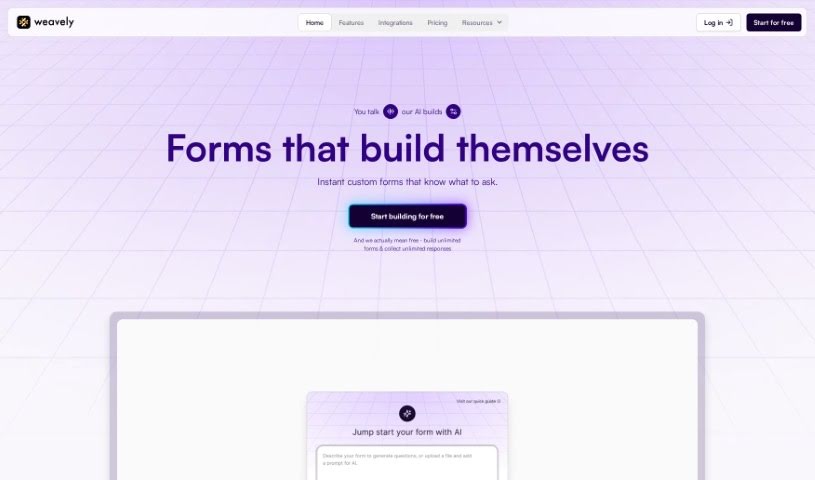
Screenshot of Weavely

Weavely

Discover what Weavely is and how to use it effectively in 2025. We'll explore its features and see how it stacks up against other website builders.

Screenshot

What is Weavely?

Weavely is a really neat AI form builder, especially for folks who use Figma. It lets you take your visual designs and turn them into interactive, web-based forms without any fuss. You can create custom forms for all sorts of things – think user research, marketing campaigns, or just simple surveys. What makes Weavely special is how it blends design with smart logic. This means your forms can actually change and react based on what people type in, making them feel more dynamic. Plus, you get total freedom with design customization, and you can collect all sorts of responses, not just text – like images, voice recordings, or even location data. It really makes the whole process from design to collecting live data super smooth, offering a complete package for creating online forms.

Who created Weavely?

Weavely was started by a team of young entrepreneurs, with Sarah Johnson leading the way. They officially launched the company on September 24, 2023. Their big idea was to shake up the tech world by creating products that are both unique and easy for people to use. Weavely’s goal is to weave technology into our everyday lives in a way that feels natural, making things more efficient and keeping us all connected.

Who is Weavely for?

  • UX/UI designers
  • Market Researchers
  • Product Managers
  • Digital marketers
  • Web Developers
  • Data Analysts
  • Content creators
  • Business analysts
  • Survey Researchers
  • Event Planners

How to use Weavely?

Ready to dive in? Here’s how you can get the most out of Weavely:

  1. Design Your Form in Figma: Start by creating your form directly in Figma. You can customize everything to match your brand – think colors, fonts, and all your usual design elements.
  2. Add Smart Functionality: Weavely offers some cool advanced features. You can use things like answer piping (using previous answers in later questions), conditional logic (showing questions based on answers), and even AI to help generate your form. Once you’re collecting data, you can easily send it to places like Notion, Google Sheets, or Airtable. Plus, it connects with over 6,000 apps through Zapier, which is pretty handy.
  3. Make it Personal: To really boost the user experience, create forms that adapt and respond to what your users are saying. This makes the whole interaction feel much more tailored and engaging for them.
  4. Test Your Designs: Marketing teams, take note! You can use Weavely to A/B test different form designs. This helps you see which version is best for capturing leads or signing people up for events.
  5. Collect Unlimited Responses: Don’t worry about limits. You can collect as many responses as you need, whether it’s text, images, voice, or location data.
  6. Publish Your Form: When your design is just right, simply hit the “publish” button in the Weavely plugin. Your Figma form design goes live instantly! You can then grab the link or embed code to share it easily.
  7. Think About Use Cases: Weavely is super versatile. You can use it for user research, running marketing campaigns, gathering feedback through surveys, conducting academic studies, or even assessing customer satisfaction.
  8. It’s Easy to Use: Weavely was built with ease in mind, so you don’t need to be a tech wizard. It handles the whole process smoothly, from design to publishing and collecting data, all in one place.

By following these steps, you’ll be able to use Weavely to create interactive forms right within Figma, making the journey from your initial design to collecting valuable data a breeze.

Related AI Tools

Discover more tools in similar categories that might interest you

Stay Updated with AI Tools

Get weekly updates on the latest AI tools, trends, and insights delivered to your inbox

Join 25,000+ AI enthusiasts. No spam, unsubscribe anytime.