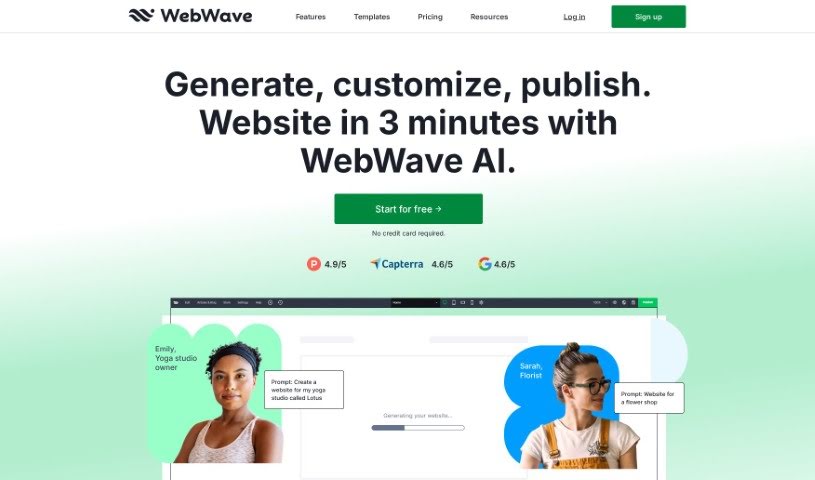
What is Webwave Ai?
Webwave AI is a website builder that really makes creating a website much simpler by using artificial intelligence. It lets people design and customize their sites without needing to know any coding at all, which is great for all sorts of users, whether they’re individuals or businesses. With Webwave AI, you can pick from lots of different templates and design elements to put together unique, professional-looking websites pretty quickly. The AI built into the platform helps fine-tune layouts, graphics, and the overall design, making sure your finished website looks good and works well. By simplifying the whole web design process, Webwave AI aims to give users the power to bring their online ideas to life easily and effectively.
Who created Webwave Ai?
Webwave AI was brought to life by a team of developers and entrepreneurs who are really passionate about new technology and innovation. They launched the platform on September 25, 2023, with a clear goal: to completely change how websites are designed and built. While we don’t have specific details about the founders themselves, the company behind Webwave AI is dedicated to offering tools that are easy for anyone to use, helping them create fantastic websites without a fuss.
What is Webwave Ai used for?
Webwave AI can help you with a lot of things to make your website successful:
- Boost your website’s traffic: Get more visitors to your site.
- Improve search engine visibility: Optimize your website and its content so both visitors and search engines like it more.
- Design your website’s look: Use the WebWave AI Website Builder to craft your site’s layout.
- Work with images: Easily select and make changes to the pictures on your website.
- Customize your site’s appearance: Adjust the color schemes and fonts to match your style.
- Set up an online store: Build your own e-commerce shop using the WebWave AI Website Builder.
- Generate text content: Use the WebWave AI Writer tool to create various kinds of text.
- Ensure high-quality copy: Make sure the text generated by the AI is excellent, using the ‘Rewrite’ feature if needed.
- Optimize copy for SEO: Make sure the text written by the WebWave AI Writer is also good for search engines.
- Create a user-friendly experience: The WebWave AI Website Builder is designed with AI intelligence and drag-and-drop functionality to be easy to use.
- Design website layouts: Craft the visual structure of your site.
- Modify images: Select and change images on your website as you need.
- Build an online store: Set up your shop to sell products online.
- Generate different text types: Create headlines, body text, product descriptions, and more.
- Future AI Store feature: Look out for the ‘AI Store’ feature, which was planned for December 2023.
- Maintain high-quality website text: Ensure all your website copy is well-written.
- SEO-friendly copy: Get text that helps your site rank better in search results.
- Easy-to-use interface: The WebWave AI Website Builder is designed for simplicity.
- Drive traffic through optimization: Increase visitors by making your site and content appealing to both people and search engines.
- Flexible layout design: Use the WebWave AI Website Builder to design your site’s layout with plenty of control.
- Personalize images: Select and alter website images to fit your specific needs and preferences.
- Brand consistency: Change the website’s colors and fonts to perfectly match your brand’s character.
- Diverse text generation: Use the WebWave AI Writer tool to create all sorts of text, from headlines to detailed product descriptions.
- High-quality AI copy: Ensure the text generated by WebWave AI is top-notch.
- SEO-optimized content: Make sure your copy is written to perform well in search engine results.
- Enhance online stores: Use the ‘AI Store’ feature to boost the functionality and usability of your online shops.
- Intuitive navigation: Easily move around the WebWave AI Website Builder interface, which uses drag-and-drop and AI intelligence.
- Optimize for visitors and search engines: Increase website traffic by making sure your site and its content are appealing to both people and search algorithms.
- AI-powered design: Use the AI Website Builder to design your site’s layout.
- E-commerce with AI: Create an online store using the AI Website Builder.
- AI writing assistance: Generate a wide range of text types with the AI Writer tool.
- SEO copy optimization: Make sure your website copy is optimized for search engines.
- Save on copywriting: Save time and money by using AI for your copywriting needs.
- Streamline design: Make the website design process easier and more creative.
Who is Webwave Ai for?
Webwave AI is a great tool for a wide variety of users, including:
- Artists looking to showcase their work.
- Entrepreneurs wanting to establish an online presence.
- Institutions needing a professional website.
- Freelancers offering their services.
- Agencies managing client projects.
- Designers creating visual portfolios.
- Hobbyists sharing their passions.
- Web designers looking for efficient tools.
- Small Business Owners aiming to grow online.
- Individuals with limited experience in web design who want professional results.
How to use Webwave Ai?
Using Webwave AI is straightforward. Just follow these simple steps:
- Get Started: First, you’ll need to sign up for an account on the Webwave website or log in if you’re already a member.
- Pick a Template: Browse through the available templates and choose one that best fits what you want to create.
- Customize Your Design: Dive into the easy-to-use drag-and-drop editor. You can add all sorts of elements like text, images, videos, and buttons to make the website your own.
- Edit Your Content: Easily change the text, colors, and styles to give your website a personal touch.
- Make it Mobile-Friendly: It’s crucial that your site looks great on phones and tablets. Adjust the layout and elements to ensure it’s responsive.
- Add Features: Include interactive elements like contact forms, image galleries, or sliders to make your website more engaging for visitors.
- Check it Out: Before you make it public, use the preview function to see exactly how your website will look to everyone else.
- Go Live: Once you’re happy with everything, just hit the publish button, and your website will be live on the internet!
- Boost Searchability: Help people find your site by optimizing it for search engines. Add meta tags, keywords, and descriptions.
- Monitor Performance: Keep an eye on how your website is doing with the analytics tools that Webwave AI provides.
By following these steps, you can really make the most of Webwave AI to build a professional, responsive website that meets all your needs.