AI Tools for Productivity

Discover the best Productivity AI tools to enhance your productivity and creativity.

Page 32 of 114 • 1361 total tools

In today’s busy world, staying productive can feel like a real challenge. With so much to do, constant notifications, and distractions everywhere, having the right tools to manage your time well is more important than ever. That’s where AI productivity tools come in—they’re designed to make your work smoother, handle repetitive tasks for you, and keep you organized.

These smart solutions have come a long way recently. They’ve gone from simple task managers to complete systems that can adapt to what you need. Whether you’re trying to organize your day better, improve how your team works together, or finally tackle that huge inbox, the right AI tools can make a big difference.

As I looked into the best AI productivity tools out there, I tried out several apps that promise to make you more efficient and focused. From smart schedulers to new project management systems, there are tons of options to help you get your time back.

So, if you’re ready to boost your productivity and make the most of your workday, you’re in the right place. Here’s a list of great AI productivity tools that are definitely worth checking out. Let’s explore how to work smarter together!

The best AI Productivity Tools

  1. Perplexity for automating tasks and helping with management.
  2. Small PDF.com for smoother document management for teams.
  3. Gamma for document creation tools that save time.
  4. Odoo for a task management and collaboration app.
  5. Zoom for analyzing and summarizing meeting content.
  6. N8N for smoother team onboarding processes.
  7. Prezi for engaging team collaboration sessions.
  8. Tableau for creating reports and dashboards more easily.
  9. Data Camp for efficient team collaboration workflows.
  10. Otter.ai for getting action items from meetings without the fuss.
  11. Tenorshare for easily summarizing long PDF documents.
  12. Slidesgo for creating professional presentations efficiently.
  13. Facecheck Id for streamlining identity verification tasks.
  14. HIX.AI for boosting writing speed with smart tools.
  15. Tactiq for automating meeting notes for teams.

How do AI productivity tools work?

AI productivity tools use machine learning to look at how you work and make your tasks more efficient. These tools are built to handle lots of information, spotting patterns and your preferences to help smooth out your workflows. By understanding how you use different apps, AI can suggest personal improvements to boost your productivity.

Basically, these tools use natural language processing (NLP) to understand and respond to what you ask. For example, they can schedule meetings, set reminders, or create reports just by understanding simple requests. This saves you time and cuts down on manual work.

Many AI productivity apps connect with popular tools like calendars, email, and project management software. This connection lets them gather information and automate tasks across different places. As a result, you get a smooth, connected experience that improves how you work day-to-day.

AI productivity tools also learn from how you use them to get better over time. The more you use a tool, the better it gets at guessing what you need and offering helpful suggestions. This ability to adapt is what makes AI tools increasingly valuable for improving productivity for both individuals and teams.

Plus, these tools can look at data about how you complete tasks and suggest ways to improve. For instance, if you often miss deadlines, the AI might suggest better ways to manage your time. By giving you useful insights, AI productivity tools help you work smarter, not just harder.

In the end, AI productivity tools show how technology can change everyday tasks into more efficient processes. By automating routine jobs and offering personal insights, they help you focus on what’s most important—hitting your goals and being more effective overall.

Our best AI productivity tools at a glance

RankNameBest forPlans and PricingRating
1PerplexityAutomating tasks and helping with management.N/A4.70 (10 reviews)
2SmallPDF.comSmoother document management for teams.Paid plans start at $9/month.4.73 (11 reviews)
3GammaDocument creation tools that save time.N/A4.79 (19 reviews)
4OdooA task management and collaboration app.N/A4.67 (6 reviews)
5ZoomAnalyzing and summarizing meeting content.Paid plans start at $15.99/month.4.73 (11 reviews)
6N8NSmoother team onboarding processes.Paid plans start at $50/month.4.58 (12 reviews)
7PreziEngaging team collaboration sessions.Paid plans start at $19/month.4.18 (11 reviews)
8TableauCreating reports and dashboards more easily.N/A4.70 (43 reviews)
9DataCampEfficient team collaboration workflows.Paid plans start at $25/month.4.71 (24 reviews)
10Otter.aiGetting action items from meetings without the fuss.Paid plans start at $13.59/month.4.73 (11 reviews)
11TenorshareEasily summarizing long PDF documents.N/A4.64 (11 reviews)
12SlidesgoCreating professional presentations efficiently.N/A4.68 (22 reviews)
13Facecheck IdStreamlining identity verification tasks.N/A4.42 (19 reviews)
14HIX.AIBoosting writing speed with smart tools.N/A4.36 (11 reviews)
15TactiqAutomating meeting notes for teams.N/A4.64 (11 reviews)
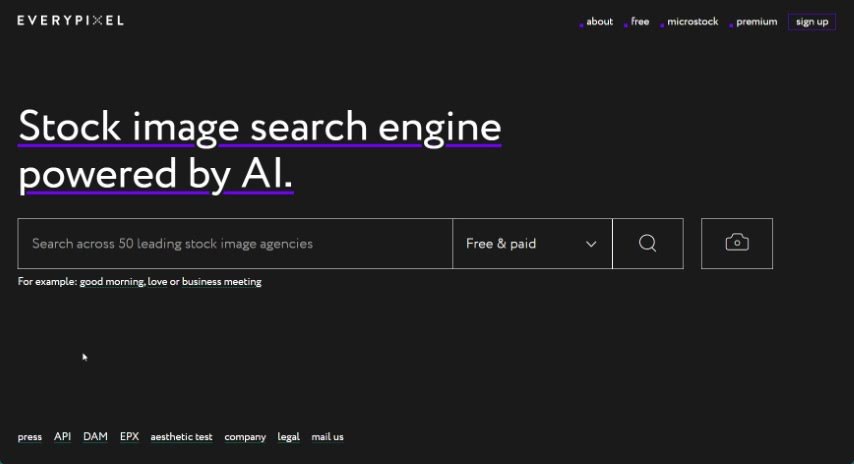
Screenshot of Everypixel

Everypixel

Freemium

Everypixel is a smart stock image search engine that uses AI to help you find exactly what you're looking for. It is a central hub for a massive library of stock images. It saves you a ton of time by gathering licensed content from all sorts of different stock websites. You can easily narrow down your search using filters for color, orientation, image type, and even compare prices across different sites. Whether you need free images or premium ones, Everypixel has you covered, including exclusive collections tailored for various needs. They also make it clear that all image rights belong to the original copyright holders. It’s designed to be super easy to navigate, so you can quickly find that perfect image for your project.

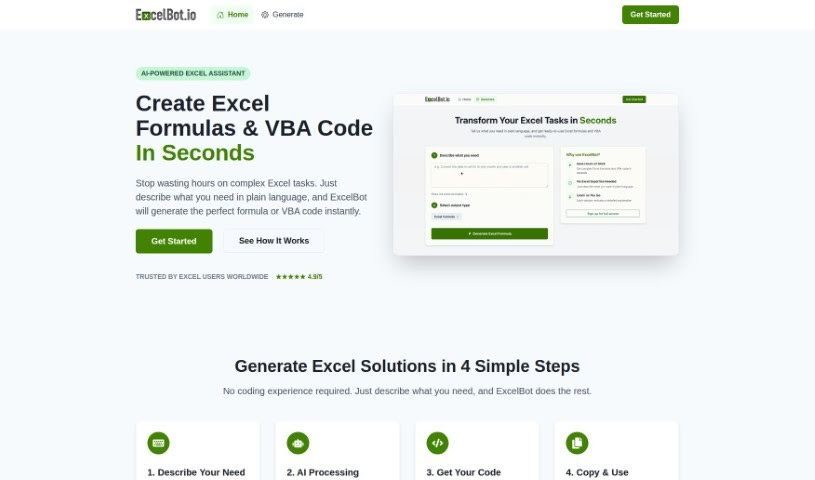
Screenshot of Excelbot

Excelbot

Freemium

Excelbot is your personal assistant for Excel. It lets you create, edit, and copy Excel formulas or even VBA code just by typing what you want in plain English. It’s designed to be super easy to use, whether you’re an Excel whiz or just starting out. Excelbot can whip up Excel formulas and VBA code based on your natural language requests, and it even explains what the code does. This is a real game-changer for everyone, from seasoned coders to absolute beginners. It helps automate your Excel tasks, boost your productivity, makes managing data a breeze, and generally simplifies coding for anyone new to it. However, it's not perfect. You'll need an email for the free trial, it doesn't support many languages, there's no offline option, and data privacy isn't explicitly detailed. Plus, there aren't any built-in learning resources, it doesn't work with other spreadsheet programs, there's no mobile app, and you can't collaborate with others. You also have to manually copy and paste results, and it doesn't offer guidance if you run into errors.

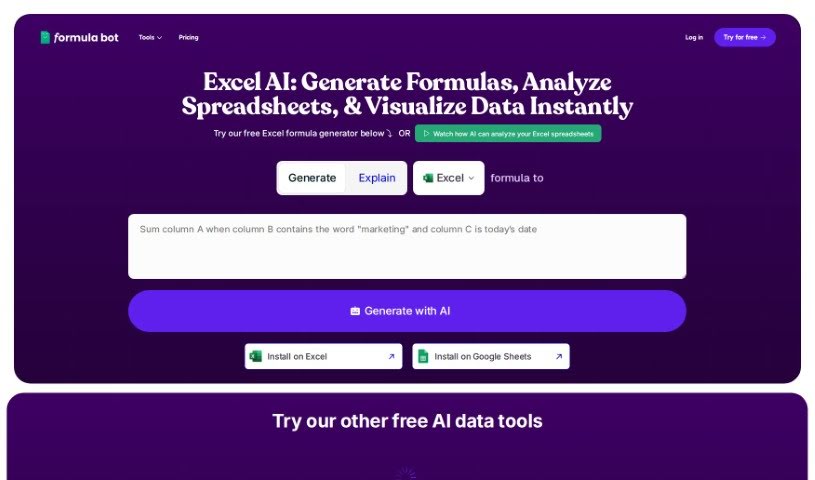
Screenshot of Excelformulabot

Excelformulabot

Freemium

Excelformulabot is an AI-powered tool designed to make creating Excel formulas much simpler. You just type out what you need in plain English, and it figures out the right formula for you. It works with both Excel and Google Sheets, so it's pretty flexible. The core of it is this AI formula generation – you tell it what you want, and it writes the formula. Beyond that, it can help with analyzing data, spotting potential fraud, and automating everyday tasks to boost your productivity. Plus, there's a free version, and you can always upgrade to a Pro plan if you need more advanced features.

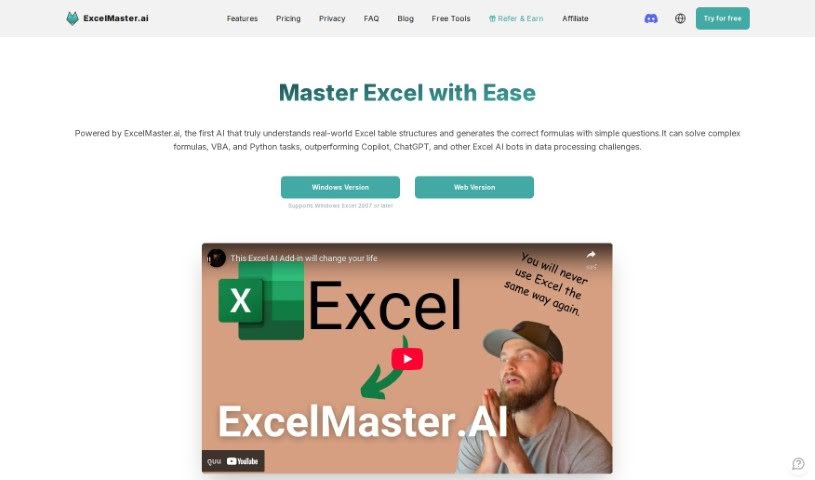
Screenshot of Excelmaster

Excelmaster

Freemium

ExcelMaster.ai is essentially an AI assistant built to be your go-to expert for all things Excel. It is having a seasoned Excel pro by your side, ready to help you create, fix, or even explain complex formulas. It's also fantastic for drafting and polishing VBA scripts. The main goal here is to make you more productive by giving you exactly what you need, right when you need it, all through simple, everyday language. It’s a great way to learn and get better at Excel, step by step.

Screenshot of ExperAI

ExperAI

Freemium

ExperAI is a smart AI tool built to give businesses, no matter their size, personalized and better solutions. It uses advanced algorithms and machine learning to offer helpful insights, automate tasks, and boost productivity. You can use it for all sorts of things, like data science, design, customer support, and creating content.

Screenshot of Extend

Extend

Freemium

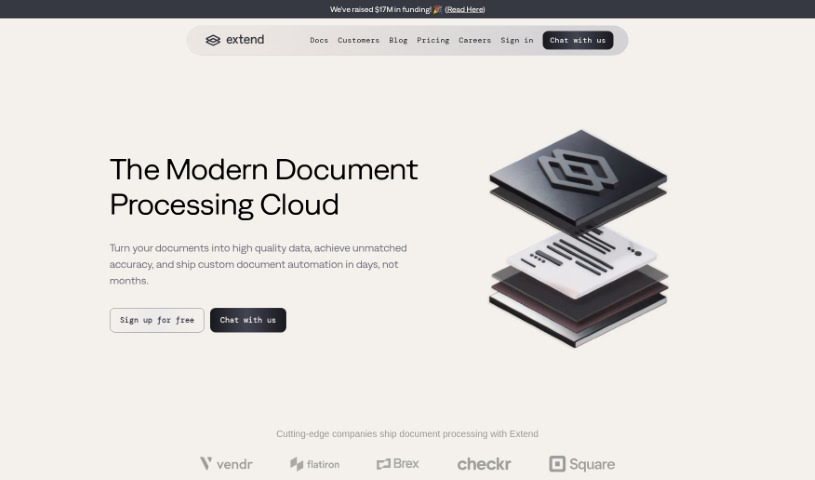
Extend is a smart AI tool built to make enterprise workflows much smoother. It's designed to automatically pull out and handle information from all sorts of unstructured data – think documents, images, and emails. You can use it to extract data, sort it, analyze it, and even ask questions about it. Extend is pretty versatile, able to grab data from PDFs, CSVs, XLSX files, images, and even handwritten notes. Plus, it takes data security seriously, using encryption, sticking to SOC2 policies, and importantly, never using your data for training its own models. You can also deploy it on-premises, use its confidence scoring to check how accurate the data extraction is, and employ a human-in-the-loop system for extra validation.

Screenshot of Extracta.ai

Extracta.ai

Freemium

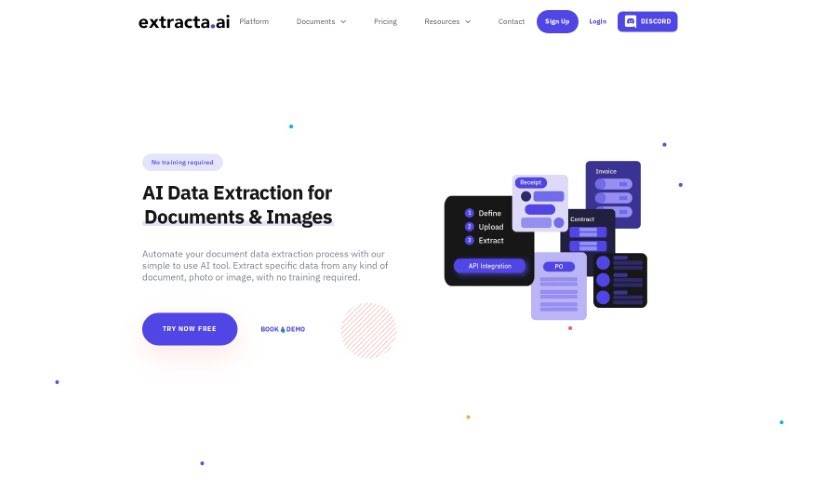
Extracta.ai is a powerful platform designed to make pulling data from unstructured documents incredibly simple. It is a smart assistant that can read through scanned papers and pull out the key information you need, all without you having to manually train it. Businesses can create their own custom templates with Extracta.ai to automate these data extraction tasks, which really boosts efficiency and accuracy. The platform also offers specialized APIs for all sorts of documents – like invoices, resumes, and contracts – making it a super versatile tool for whatever you're working on. Plus, Extracta.ai supports smart data automation and business intelligence data mining, helping organizations get much better at handling their data.

Screenshot of Eye Shape AI

Eye Shape AI

Freemium

Eye Shape AI is a really neat tool that uses smart image processing and AI to look at your eyes in photos. It figures out their size, how far apart they are, and their curve. This AI technology is pretty good at spotting different eye shapes – think almond, round, upturned, downturned, wide-set, and close-set. It learned all this by looking at a huge collection of data, which helps it be super accurate. Your privacy is a big deal to us, so any photos you upload are used just for figuring out your eye shape and nothing else. We've fine-tuned it to work best with clear, well-lit photos of individual eyes, which gives you the most accurate results and helps us suggest the best eyewear for you.

Screenshot of Eyen Taskheat AI Assistant

Eyen Taskheat AI Assistant

Freemium

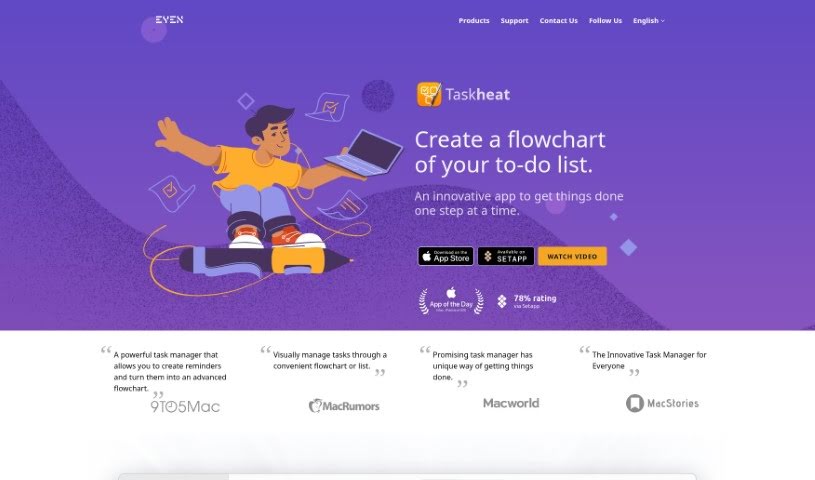
the Taskheat AI Assistant is your smart helper built right into the Taskheat task management app. It's designed to work seamlessly on your Mac, iPad, and iPhone. Its main job is to help you build out your task workflows. How? By creating new tasks based on whatever you tell it. It's pretty neat because it shows your tasks as flowcharts, which really helps you see how everything connects. You can manage all those tricky relationships between tasks, use color-coded tags to keep things organized, and it'll even remind you when tasks are due. Plus, you can hand off tasks to others, and it supports a bunch of languages. They offer a two-week free trial, and after that, it's a one-time purchase – no subscriptions to worry about, which is a nice change of pace. You can even try out a free version for a bit.

Screenshot of Eyepop

Eyepop

Freemium

EyePop.ai is an AI-powered platform designed to make computer vision projects much simpler. It is a low-code or even no-code way to build your own AI applications, which they call 'Pops.' These Pops can work with images, videos, and even live streams. The platform offers really intuitive features, lets you analyze live streams, create solutions just for you, and gives you AI-driven insights to make your experience better and your visual data analysis smoother. It's helpful for all sorts of industries because it provides actionable insights that can guide your business decisions. You don't need to know how to code to use it, and they've got plenty of documentation to help everyone out.

Screenshot of Eyre

Eyre

Freemium

Eyre is an AI-powered platform built to make your collaborative meetings much better. It is your all-in-one meeting hub. It offers a really interactive virtual whiteboard where you can brainstorm ideas together. Plus, it helps with task management, securely shares content, and even has an AI assistant named Jane, powered by GPT-4. With Eyre, your team can easily brainstorm, assign tasks, keep an eye on progress as it happens, and quickly create all sorts of meeting content.

Screenshot of FabSoft

FabSoft

Freemium

DeskConnect, a key part of the Fab-Connect Suite, is designed to make managing your documents much smoother. It uses something called Intelligent Document Capture technology to automatically grab, sort, pull out information from, and send out your transactional documents. It is a smart assistant for your paperwork. It taps into advanced Machine Learning and OCR (Optical Character Recognition) to make sure document processing is more accurate and your workflows run more efficiently. This really helps in getting your documents into all the different business applications you use. DeskConnect comes with features like Intelligent Document Capture, Adaptive Classification (it learns how to sort things), Sophisticated Extraction (pulling out specific data), and Seamless Distribution (sending documents where they need to go). Plus, right now, it's available at a special promotional price.

Stay Updated with AI Tools

Get weekly updates on the latest AI tools, trends, and insights delivered to your inbox

Join 25,000+ AI enthusiasts. No spam, unsubscribe anytime.