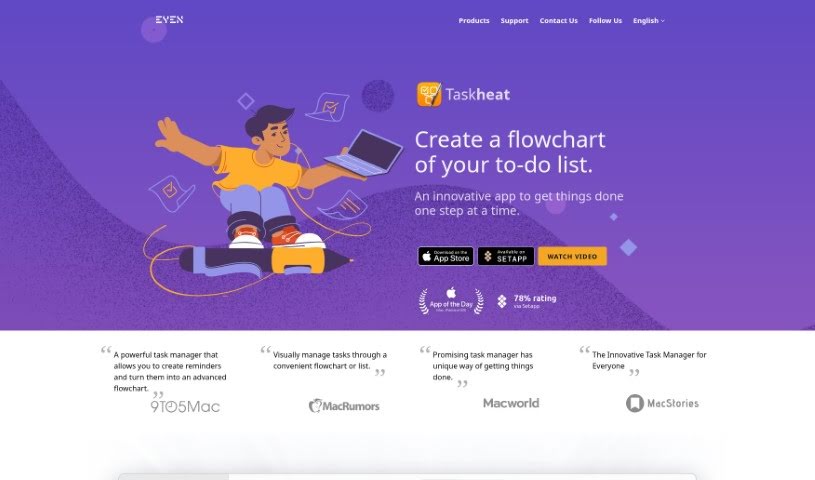
What Exactly is the Eyen Taskheat AI Assistant?
the Taskheat AI Assistant is your smart helper built right into the Taskheat task management app. It’s designed to work seamlessly on your Mac, iPad, and iPhone. Its main job is to help you build out your task workflows. How? By creating new tasks based on whatever you tell it. It’s pretty neat because it shows your tasks as flowcharts, which really helps you see how everything connects. You can manage all those tricky relationships between tasks, use color-coded tags to keep things organized, and it’ll even remind you when tasks are due. Plus, you can hand off tasks to others, and it supports a bunch of languages. They offer a two-week free trial, and after that, it’s a one-time purchase – no subscriptions to worry about, which is a nice change of pace. You can even try out a free version for a bit.
Who’s Behind Eyen Taskheat AI Assistant?
The company Eyen created the Taskheat AI Assistant. They launched this AI tool back on October 6, 2022. Eyen is all about making productivity apps, and Taskheat is one of their key projects. They aim to help purposeful people like you manage your tasks really well, whether you’re on a Mac, iPad, or iPhone.
What Can You Do With Eyen Taskheat AI Assistant?
This tool is packed with features to make your task management smoother:
- Language Support: It works in multiple languages, which is great for global teams or users.
- Task Generation: It can automatically create tasks just from your input, saving you time.
- Visual Workflow: You can see your tasks laid out in flowcharts and link them together, making complex projects easier to understand.
- Relationship Management: It helps you manage the intricate connections between different tasks.
- Organization: Color-coded tagging makes it super easy to navigate and sort your tasks.
- Reminders: You’ll get notifications for tasks that are due, so nothing slips through the cracks.
- Delegation: Need to pass a task on? You can delegate it to others.
- Personalization: Beyond color-coding, you can assign tags and even set location-based reminders for tasks.
- Device Compatibility: It’s built for macOS, iPadOS, and iOS, so it works across your Apple devices.
- Pricing Model: Forget subscriptions! It’s a single purchase for all versions, and there’s a free version available for a limited time.
- Visual Views: You can see your to-do lists either as flowcharts or simple lists.
- Updates: Your task lists update automatically.
Who Should Use Eyen Taskheat AI Assistant?
This assistant is a great fit for a wide range of people:
- Project managers keeping track of complex projects.
- Team leaders who need to coordinate efforts.
- Freelancers managing multiple clients and deadlines.
- Students juggling coursework and personal tasks.
- Busy professionals who need help staying organized.
- Anyone looking for better task management assistance.
- Teachers organizing lesson plans and student assignments.
- Business owners overseeing various operations.
- Creative professionals managing projects with many moving parts.
- Researchers tracking progress and data.
- Consultants coordinating client work.
How Do I Get Started with Eyen Taskheat AI Assistant?
Using the Taskheat AI Assistant is pretty straightforward. Here’s a quick guide:
- Check Compatibility: First off, make sure your devices are ready. Taskheat works on Mac, iPad, and iPhone. You’ll need macOS 11.0 or newer, and iOS 15 or newer to run it.
- Understand the Features: Taskheat AI Assistant is designed to make managing your tasks easier. It helps you visualize them with flowcharts, handle complex task connections, use color-coding for clarity, and sends you reminders for due tasks. It can even generate tasks automatically for you and lets you delegate them.
- Build Your Flowcharts: When you want to map out your projects, use the flowchart feature. You can visually link tasks together. Just use the connector outlet to show dependencies between tasks – this really helps in managing your workflow efficiently.
- Personalize Your Tasks: Make your tasks stand out by assigning color-coded tags. This makes it much easier to find and differentiate them. You can also link tasks to specific locations, which is handy for context-aware reminders.
- Language Options: Taskheat supports several languages, including English, French, German, Ukrainian, Japanese, and Simplified Chinese, making it accessible to a global audience.
- Pricing Details: Taskheat uses a one-time purchase model, so you buy it once and own it. The price can vary depending on your region. They also offer a 14-day free trial, giving you plenty of time to test it out before you commit.
- Stay on Track with Reminders: Taskheat will send you notifications for tasks that are due, acting as your personal reminder system. The AI Assistant is also great at generating new tasks based on what you input, which really boosts your workflow efficiency.
- Support and Privacy: If you have questions or need help, you can find support services on their website. They also have a clear privacy policy that explains how your data is used and stored, so you know exactly what’s happening.
- What to Expect (Beta): Keep in mind that Taskheat is currently in beta. This means things might change – features, availability, and pricing could be updated as they gather user feedback and continue development. It’s an evolving app!
By following these tips, you can make the most of the Taskheat AI Assistant for smooth and effective task management on all your Apple devices.