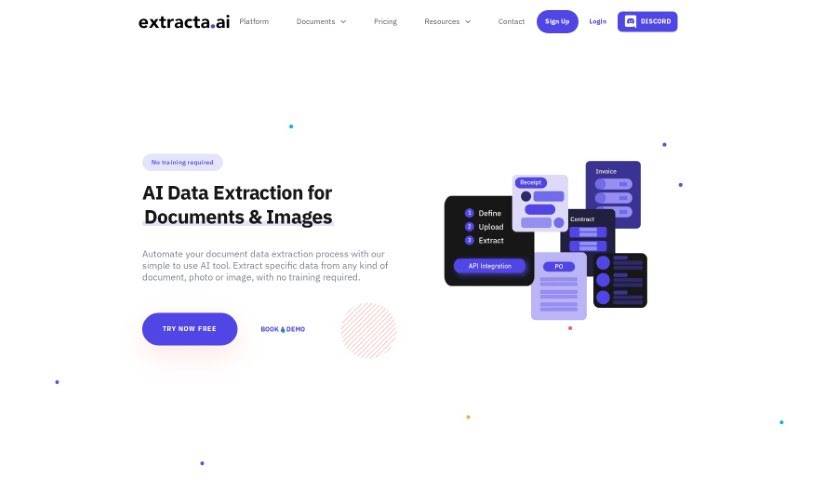
Extracta.ai is a powerful platform designed to make pulling data from unstructured documents incredibly simple. It is a smart assistant that can read through scanned papers and pull out the key information you need, all without you having to manually train it. Businesses can create their own custom templates with Extracta.ai to automate these data extraction tasks, which really boosts efficiency and accuracy. The platform also offers specialized APIs for all sorts of documents – like invoices, resumes, and contracts – making it a super versatile tool for whatever you’re working on. Plus, Extracta.ai supports smart data automation and business intelligence data mining, helping organizations get much better at handling their data.
Extracta.ai was developed by the team at FASTAPP DEVELOPMENT S.R.L. They’ve built a really advanced solution for getting data out of unstructured documents. The best part? You don’t need to manually train it, and you can create custom templates to make data extraction efficient and accurate. You can use their specialized APIs for different document types, including invoices, resumes, and contracts. Essentially, Extracta.ai is all about making your data handling smoother and boosting your business intelligence through smart automation.
- Automated Document Recognition: It automatically figures out what kind of document it’s looking at.
- Custom Templates for Data Extraction: You can build your own templates to pull out exactly what you need.
- Specialized APIs: There are specific tools for invoices, resumes, contracts, receipts, and even your own custom documents.
- No Manual Training Required: Forget spending hours training the system; it’s ready to go.
- Enhanced Business Intelligence and Data Analysis: Get better insights from your data.
- Streamlining Legal Operations: Makes handling legal documents much easier.
- Receipt Data Organization: Keeps your expense management tidy.
- Flexible Extraction Criteria: You set the rules for what data to pull from any document.
- Efficient Extraction: Works with PDFs, images, scans, digital files, and text files.
- Fully Customizable Templates: Tailor extraction to your exact needs.
- Automated Document Recognition: It automatically identifies document types.
- Specialized APIs: Tailored tools for invoices, resumes, and contracts.
- No Manual Training Requirement: No need to train the system yourself.
- Business Intelligence Data Mining: Dig into your data for insights.
- Automating Invoices Processing: Speeds up how you handle invoices.
- Efficient Resumes Analysis: Quickly process resumes for hiring.
- Organizing Receipt Data: Keeps your expense records neat.
- Custom Document Extraction Criteria: Define exactly what data you want.
- Custom Templates: Create personalized extraction setups.
- Business Intelligence: Gain deeper understanding from your data.
- Invoices processing: Streamlines how you handle invoices.
- No Manual Training Required: It’s ready to use right away.
- Business Intelligence and Data Mining: Helps you uncover valuable information.
- Enhanced Legal Document Handling: Simplifies managing legal paperwork.
- Automated Financial Data Extraction: Pulls financial data from invoices automatically.
- Effortless Extraction from Resumes: Easily get key info from resumes.
- Expense Data Extraction: Organizes expense data from receipts.
- Fully Customizable Templates: Make templates that fit your specific documents.
- Automating Data Processes: Makes your data workflows more efficient.
- AI-driven Document Data Extraction: Uses artificial intelligence to pull data.
- Efficient Extraction: Works well with invoices, resumes, contracts, receipts, and custom documents.
- Streamlined Legal Operations: Makes legal tasks smoother.
- Organized Expense Tracking: Helps you manage expenses from receipts.
- Specialized APIs: Offers specific tools for different needs.
- Invoices Simplified: Makes invoice processing easier.
- Resumes Decoded: Helps you understand resumes quickly.
- Receipt Data Organization: Keeps your receipt data tidy.
- Custom Document Extraction: Tailor extraction to any document.
- Business Intelligence and Data Analysis: Get more from your data.
- Efficient Invoices Processing: Speeds up invoice handling.
- Smart Resumes Extraction: Helps hiring managers analyze resumes.
- Specialized APIs: Tools for invoices, resumes, and contracts.
- Business Intelligence through Data Mining: Uncover insights by analyzing data.
- Extraction from Any Document Format: Works with all kinds of documents.
- No Manual Training: Ready to use without setup.
- Invoices Extraction: Pulls data from invoices.
- Resumes Extraction: Gets information from resumes.
- Contracts Extraction: Extracts data from contracts.
- Receipts Extraction: Pulls data from receipts.
- Contracts Management: Helps manage contracts.
- Receipts Data Organization: Keeps receipt data organized.
- Financial Analysts: To help them process financial documents more efficiently.
- Human Resources professionals: For analyzing resumes and other HR documents.
- Legal professionals: To streamline the handling of contracts and other legal paperwork.
- Accountants: To automate invoice and receipt processing.
- Finance professionals: For general data extraction in financial tasks.
- Human Resources Managers: To improve the hiring process by analyzing resumes faster.
- Recruiters: To quickly gather information from candidate resumes.
- HR Professionals: For efficient document handling in HR.
- Financial Professionals: To simplify data extraction in their work.
Using Extracta.ai is pretty straightforward. Just follow these simple steps:
- Define Fields: First, tell the system exactly what pieces of information you want to pull from your documents. You can do this easily through the web interface or by using the API.
- Upload Documents: Next, upload the documents you need processed. Extracta.ai can handle all sorts of files, whether they’re scanned images or digital documents.
- Extract Data: Now, let Extracta.ai’s AI do the heavy lifting. The system will carefully scan each document and pull out the data you requested, giving you structured results in just seconds.
Plus, Extracta.ai takes security seriously. Your data won’t be used for training, all communication is fully encrypted, data is stored securely, and they’re GDPR compliant. The platform is flexible too, handling everything from PDFs and images to text files. You can even create fully customized templates in minutes to match any unique document needs you have.
By following these three steps and taking advantage of Extracta.ai’s features, you can really automate your data extraction and document processing. It’s a great way to save time and make sure your data handling is accurate.