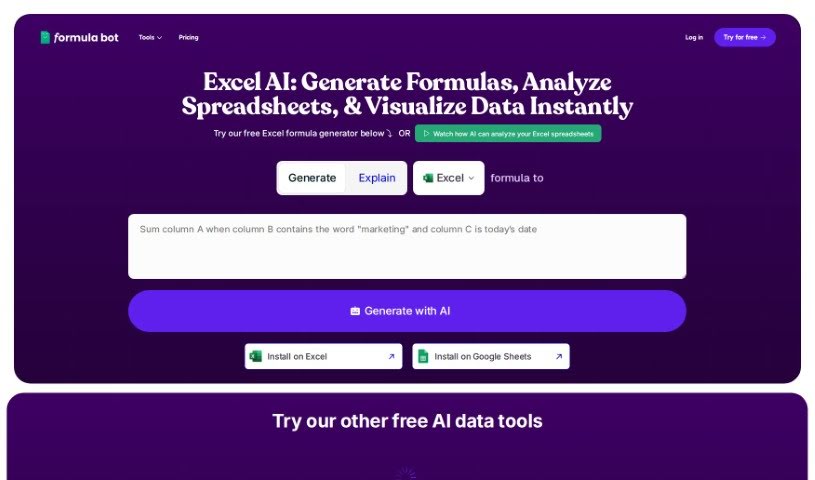
Screenshot of Excelformulabot

Excelformulabot

Discover Excelformulabot in 2025! Learn what this AI tool does, how to use it effectively, its key features, and how it stacks up against other Excel tools.

Screenshot

What is Excelformulabot?

Excelformulabot is an AI-powered tool designed to make creating Excel formulas much simpler. You just type out what you need in plain English, and it figures out the right formula for you. It works with both Excel and Google Sheets, so it’s pretty flexible. The core of it is this AI formula generation – you tell it what you want, and it writes the formula. Beyond that, it can help with analyzing data, spotting potential fraud, and automating everyday tasks to boost your productivity. Plus, there’s a free version, and you can always upgrade to a Pro plan if you need more advanced features.

How does it do this? It uses natural language processing (NLP) to understand what you’re asking for. This means it can pick out the right Excel functions you need, which is a huge help, especially if you’re new to Excel or don’t know all the functions by heart. It tackles the common headaches of making formulas manually: it takes too long, you’re likely to make mistakes, you might not know the right function, and it’s tough to apply formulas to huge amounts of data. By using AI, the Excel Formula Generator inside Excelformulabot really helps you create and understand formulas more efficiently and accurately.

Excelformulabot can handle a lot of different data tasks thanks to features like Scripts, Basic Tasks, Regex, Spreadsheet Maker, and SQL. These tools let you do all sorts of data operations, from simple things to more complicated ones, making data management much more approachable. The AI capabilities aren’t just for generating formulas; they also help with preparing and analyzing data. You get AI-generated formulas, clear explanations, and you can even interact with it using natural language commands, much like you would with ChatGPT.

If you need more, there’s a Pro plan available for $6.99 a month or $84 a year. This gives you unlimited formula generations, access to the data analyzer, and AI data automation tasks for both Excel and Google Sheets add-ons. They also have fraud detection measures in place to keep things secure for everyone. The data analysis feature is pretty neat too: you can upload your data, ask questions about it, and get results in the form of insights, charts, and recommendations. It really streamlines how you analyze data and helps you get the most out of it.

Who created Excelformulabot?

LiteSpeed Technologies Inc. is the company behind Excelformulabot. They launched it on June 14, 2024. This AI tool is all about helping people get better at using Excel functions by quickly generating formulas from simple text instructions. It supports both Excel and Google Sheets. LiteSpeed Technologies Inc. is aiming to change how we approach data analysis by creating innovative AI assistants for spreadsheets.

What is Excelformulabot used for?

  • Basic Calculations: Handles everyday math needs.
  • Data Cleanup: Helps tidy up messy datasets.
  • Scheduling and Planning: Assists in organizing your time and projects.
  • Budget Tracking: Keeps an eye on your finances.
  • Sales and Retail Analysis: Provides insights into sales performance.
  • Marketing Campaign Performance Analysis: Helps measure the success of marketing efforts.
  • Project Management Tasks Automation: Streamlines repetitive project tasks.
  • Human Resources Data Management: Organizes and analyzes HR-related data.
  • Automating Calculations and Tasks: Makes repetitive spreadsheet work faster.
  • Efficient Data Analysis: Delivers insights quickly and effectively.
  • Automated Sentiment Analysis: Gauges opinions and feelings from text data.
  • Project Management Tracking: Monitors project progress and milestones.
  • Automating Tasks: Simplifies routine spreadsheet operations.
  • Maximizing Data Analysis Efficiency: Gets the most out of your data analysis.
  • Sales and Retail Data Calculations: Performs specific calculations for sales and retail.
  • Project Management Progress Tracking: Keeps tabs on project timelines and milestones.
  • Human Resources Data Management: Manages and calculates HR metrics.
  • Classify Feature Usage: Categorizes how features are used.
  • Sales and Retail Calculations: Performs various calculations for sales and retail.
  • Project Management Progress Tracking: Tracks project progress and milestone achievements.

Who is Excelformulabot for?

  • Sales and Retail Professionals: For managing sales data and insights.
  • Marketing Teams: To analyze campaign performance and customer data.
  • Project Managers: To automate tracking and calculations.
  • Human Resources Departments: For managing employee data and metrics.
  • Fortune 500 Companies: For large-scale data operations.
  • Government Agencies: For data analysis and reporting.
  • Small to Medium-Sized Businesses: To improve efficiency without needing dedicated analysts.
  • Individuals Struggling with Complex Excel Formulas: Anyone who finds Excel formulas challenging.
  • Entry-Level Professionals: To build confidence and skills in data handling.

How to use Excelformulabot?

Using Excelformulabot is straightforward. Just type out the instructions for the formula you need directly into Excel or Google Sheets. The tool’s AI uses natural language processing to understand what you’re asking for, identify the key information, and then generate the correct Excel functions. It’s really helpful for tasks like basic calculations, cleaning up data, planning schedules, or tracking budgets. This makes it a great tool for beginners in fields like sales, marketing, project management, and human resources. Essentially, this AI tool aims to make advanced Excel features accessible to everyone, so you can manage and analyze your data effectively, even if you’re not an Excel expert.

Related AI Tools

Discover more tools in similar categories that might interest you

Stay Updated with AI Tools

Get weekly updates on the latest AI tools, trends, and insights delivered to your inbox

Join 25,000+ AI enthusiasts. No spam, unsubscribe anytime.