What is Extend?
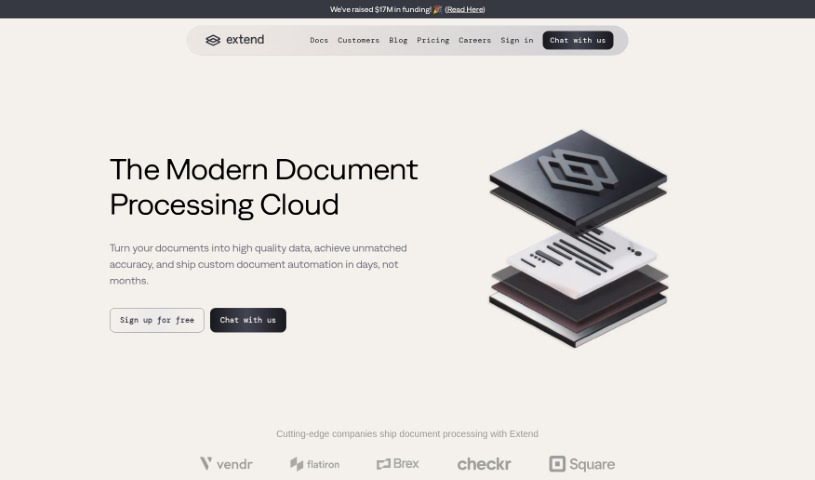
Extend is a smart AI tool built to make enterprise workflows much smoother. It’s designed to automatically pull out and handle information from all sorts of unstructured data – think documents, images, and emails. You can use it to extract data, sort it, analyze it, and even ask questions about it. Extend is pretty versatile, able to grab data from PDFs, CSVs, XLSX files, images, and even handwritten notes. Plus, it takes data security seriously, using encryption, sticking to SOC2 policies, and importantly, never using your data for training its own models. You can also deploy it on-premises, use its confidence scoring to check how accurate the data extraction is, and employ a human-in-the-loop system for extra validation.
Who created Extend?
Extend was brought to life by Hari Anbarasu and Kushal Byatnal, launching on March 18, 2023. The team behind it is made up of founders who’ve been in the startup world before, along with experienced operators and AI pros. They’ve previously worked at big names like Brex, Opendoor, Airbnb, and Google, bringing a wealth of knowledge to the project.
What is Extend used for?
Extend is a powerful tool that helps with a wide range of tasks:
- Data Extraction: Pulling information from various sources.
- Classification: Sorting and categorizing data.
- Automated Processes: Setting up systems for ongoing oversight and intervention.
- Process Maintenance: Keeping processes running smoothly over time.
- Monitoring & Observability: Keeping an eye on performance with custom alerts and real-time dashboards.
- Pipeline Fine-tuning: Optimizing data pipelines for the best possible performance.
- End-to-End Automation: Building complete automation solutions.
- Faster Go-Live: Using no-code modules to get solutions up and running quickly.
- Quicker Iterations: Speeding up development cycles with built-in evaluations and test suites.
- Model Choice: Ensuring you have options for different models to avoid risks.
- Workflow Orchestration: Managing complex use cases by coordinating workflows.
- Confident Deployment: Rolling out solutions into production with built-in safeguards.
- AI-Driven Workflows: Automating tasks by combining AI tools with business logic.
- Handwritten Text Handling: Extracting information from handwritten notes.
- Accuracy Assurance: Making sure data is correct using confidence scores and human review.
- Compliance: Adhering to SOC2 policies.
- On-Premise Deployment: Offering the option to install on your own servers.
- Data Security: Protecting data through encryption and other compliance measures.
- Custom Workflows: Creating tailored workflows without needing engineering help.
- Azure OpenAI Integration: Connecting with Azure OpenAI instances.
- Data Analysis: Examining extracted data to solve tough business problems.
- Tool Integration: Connecting with modern enterprise tools.
- Workflow Enhancement: Making enterprise workflows better.
- Unstructured Data Automation: Extracting and automating tasks with documents, images, and emails.
- Unstructured Data Analysis: Analyzing data that isn’t in a standard format.
- Question-Answer Capabilities: Getting answers from your data.
- AI and Business Logic Automation: Automating workflows by linking AI tools with business rules and checks.
- Handwritten Data Extraction: Specifically handling and pulling data from handwriting.
- Custom Internal Automation: Building workflows to automate internal operations.
- Secure Data Handling: Keeping data safe with encryption, audit logs, and specific permissions.
- On-Premise Option: Providing a deployment choice for your own environment.
- Monitoring and Observability: Keeping track of performance with custom alerts, version history, and dashboards.
- Pipeline Optimization: Fine-tuning pipelines to achieve top performance with private models.
- Intelligent Automation: Providing smart tools for data extraction and automation for today’s businesses.
- Future of Data Processing: Helping shape how businesses handle unstructured data in the future.
- Faster Iteration: Using evaluations and test suites to speed up development and prevent errors.
- Model Flexibility: Allowing you to choose from different providers and manage tradeoffs.
- End-to-End Workflows: Creating workflows that automate entire processes.
- Production-Ready Deployment: Deploying confidently with proper safeguards.
- No-Code Solutions: Accelerating deployment with easy-to-use modules.
- Enterprise Workflow Improvement: Making workflows better for businesses.
- Document, Image, Email Automation: Extracting and automating tasks from these common formats.
- Data Extraction, Classification, Analysis: Core functions for managing data.
- Q&A Functionality: Getting answers from your data.
- AI and Business Logic Integration: Automating workflows by connecting AI with business rules and validations.
- Handwritten Text Processing: Specifically handling and extracting data from handwriting.
- Internal Operations Automation: Creating custom workflows for internal tasks.
- SOC2 Compliance and Encryption: Ensuring data security through encryption and adherence to SOC2 policies.
- On-Premise Deployment: Offering the option to install on your own servers.
- Azure OpenAI Integration: Connecting with Azure OpenAI instances for enhanced capabilities.
Who is Extend for?
Extend is a valuable tool for a variety of professionals and industries:
- For Individuals: Software developers, data scientists, business analysts, accountants, administrative professionals, software engineers, data analysts, business analysts, data scientists, researchers, and AI experts.
- For Industries: Insurance, Technology, Finance, Healthcare, Logistics, Software companies, Healthcare providers, and Security Companies.
How to use Extend?
Here’s a straightforward guide to using Extend effectively:
- Get to Know Extend:
- First, understand that Extend is an AI tool designed for businesses. It helps automate tasks and extract unstructured data from things like documents, images, and emails.
- It offers key features for pulling data, sorting it, analyzing it, and even asking questions about it.
- Extract Your Data:
- Extend can handle data from many formats. This includes PDFs, CSVs, XLSX files, images, and even notes written by hand.
- Automate Your Workflows:
- You can automate your processes by linking AI tools with your business logic and validations. Plus, you can create custom workflows that mirror your internal operations.
- Ensure Accuracy:
- Use the confidence scoring feature to check how accurate the data extraction is. You can also use human-in-the-loop flows for manual checks, which helps ensure your deployments are precise.
- Prioritize Security:
- Keep your data safe with strong encryption, by following SOC2 policies, using audit logs, setting granular permissions, and implementing custom data retention rules.
- Choose Your Deployment:
- You have the option to deploy Extend on-premises, meaning within your own cloud environment, for greater control and security.
- Integrate and Analyze:
- Connect Extend with various platforms like APIs, Email, Google Drive, and more. Then, use its analysis tools to tackle complex business problems by working with your extracted and classified data.
- Leverage Enhanced Features:
- Make use of no-code modules for easy setup and deployment. You’ll also benefit from custom alerting, version history, real-time dashboards, and the ability to fine-tune pipelines for the best performance.
- Collaborate and Get Support:
- The human-in-the-loop feature is great for accurate data processing with ongoing oversight. You can also access various integration options and get help from the Extend team when you need it.
- Keep Improving:
- Make it a habit to fine-tune your pipelines, check performance regularly, and adjust your workflows as your needs change.
By following these steps, you can really make the most of Extend’s abilities to improve your enterprise workflows and handle data processing tasks more efficiently.