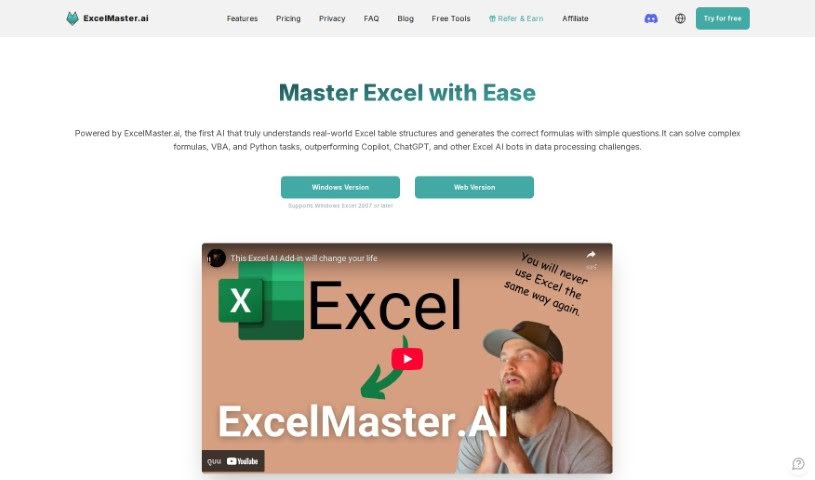
Screenshot of Excelmaster

Excelmaster

Discover what Excelmaster is and how to use it effectively in 2025. We'll explore its features, compare it to other Excel tools, and show you how it can boost your productivity.

Screenshot

What Exactly is Excelmaster?

ExcelMaster.ai is essentially an AI assistant built to be your go-to expert for all things Excel. It is having a seasoned Excel pro by your side, ready to help you create, fix, or even explain complex formulas. It’s also fantastic for drafting and polishing VBA scripts. The main goal here is to make you more productive by giving you exactly what you need, right when you need it, all through simple, everyday language. It’s a great way to learn and get better at Excel, step by step.

ExcelMaster offers different subscription options, letting you choose between responses from GPT-3.5 or the more advanced GPT-4/Claude. They’re serious about security too; they don’t store your data and only send the bare minimum information needed to process your requests.

Who’s Behind Excelmaster?

Carlos Dominguez is the individual who created Excelmaster, as we learned from a testimonial. He’s developed an AI-powered assistant that really changes the game for how we use Excel, offering top-notch support for formulas and VBA. Carlos really emphasizes how well the tool performs and how it can be a game-changer across different areas like operations, managing HR tasks, and finance. This focus shows a real commitment to providing truly exceptional help with Excel.

What Can You Do with Excelmaster?

Here’s a quick rundown of what Excelmaster is great for:

  • Creating Formulas: Just describe what you need, and it’ll whip up the right formula for you.
  • Fixing or Explaining Formulas: Stuck on a formula? It can help you fix it or break down exactly what it does.
  • Learning Formulas: Want to get better? You can learn formulas through practical, task-based guidance.
  • Drafting and Refining VBA Scripts: Need a VBA script? It can help you write one from scratch or improve an existing one.
  • Getting Better at VBA: You can really advance your VBA skills by working through practical tasks with the tool.

Who Should Use Excelmaster?

This tool is particularly helpful for:

  • Operations Managers
  • HR Specialists
  • Financial Controllers

How Do I Start Using Excelmaster?

Getting the most out of ExcelMaster is pretty straightforward. Just follow these steps:

  1. Pick a Plan: First, choose a subscription that fits your needs. Plans range from $15 to $30 per month, depending on the features and AI model you want.

  2. Explore the Features:

    • Generate Formula: Simply tell it what you want your formula to do in plain English, and it will create it for you.
    • Fix or Explain Formula: If you have a formula that isn’t working or you don’t understand, it can help you fix it or explain it clearly.
    • Learn Formula: You can improve your formula skills by working on specific tasks and getting guided help.
    • Draft and Refine VBA Scripts: Need help with VBA? It can write new scripts or make your existing ones better.
    • Advance through Learning VBA: Keep building your VBA knowledge with hands-on practice.
  3. Work with It:

    • Treat ExcelMaster like a colleague. Use it for your actual Excel tasks and collaborate with it.
    • Don’t hesitate to use the multi-round refinement feature. Giving feedback helps make the results even more accurate.
  4. Give Feedback and Learn:

    • Your feedback during interactions is super important for refining formula tasks.
    • Use the smart mentor feature to really get a handle on learning VBA.
  5. Check the FAQs:

    • If you have common questions, the FAQ section is a great place to start.
  6. Security First:

    • ExcelMaster takes your data security seriously. They don’t store customer data and only send necessary information securely to the GPT API.
  7. How it Compares:

    • What makes ExcelMaster stand out is its advanced support for formulas and VBA. It’s even more accurate and handles more complex tasks than tools like Microsoft 365 Copilot.

By following these steps and really using ExcelMaster’s features, you’ll definitely find your Excel experience gets a lot better, and you’ll handle your tasks more efficiently and accurately.

Related AI Tools

Discover more tools in similar categories that might interest you

Stay Updated with AI Tools

Get weekly updates on the latest AI tools, trends, and insights delivered to your inbox

Join 25,000+ AI enthusiasts. No spam, unsubscribe anytime.