AI Tools for Photo Editors

Discover the best Photo Editors AI tools to enhance your productivity and creativity.

Page 6 of 23 • 273 total tools

In today’s world of social media and instant sharing, everyone wants stunning visuals. We take so many photos every day, so making yours stand out is really important. But, not everyone has the time or the skills to learn complicated photo editing software. That’s where AI photo editors come in—they’re your new best friends for creating beautiful pictures.

These smart tools have completely changed how we improve and work with our photos. Instead of spending hours tweaking every little detail, you can now get professional-quality results with just a few clicks. Thanks to AI advancements, many of these editors can automatically adjust colors, fix blemishes, and even add artistic effects, all customized for you.

I’ve spent time checking out and testing the best AI photo editing tools out there right now. Each platform has its own special features, from simple automatic fixes to more detailed creative options. So, whether you’re just looking to touch up family photos or you’re a photographer wanting to add that extra something, I’ve got you covered.

Come along as we explore the best AI photo editors that can make your images shine while saving you precious time. Let’s find out what makes editing easier and more enjoyable.

The best AI Photo Editors

  1. Canva for quick photo enhancements and edits online.
  2. Photopea for easy photo retouching and improvements.
  3. Photoroom for efficient batch editing for photographers.
  4. Pixlr for simple photo enhancement and retouching.
  5. Cutout.pro for smooth background removal for portraits.
  6. Pic Wish AI Photo Editor for easy background removal for photos.
  7. Freepik Pikaso for adding details to images.
  8. Adobe Firefly for advanced photo improvements.
  9. BeFunky to easily enhance and retouch portraits.
  10. SnapEdit to effortlessly improve and edit images.
  11. Recraft for consistent edits for brand visuals.
  12. Icons8 for removing tricky photo backgrounds.
  13. Dewatermark for quick watermark removal for editors.
  14. Topaz Labs to refine and improve image quality.
  15. AirBrush for simple, precise photo retouching.

How do AI photo editors work?

AI photo editors use smart algorithms powered by machine learning to improve and change images. Basically, these tools look at your photos, identifying things like colors, lighting, and textures. By comparing these elements to data they’ve learned from, they can suggest edits or create new features that make the picture look better overall.

Most AI photo editing software uses deep learning, especially something called convolutional neural networks (CNNs). These networks are trained on tons of images, which helps them spot patterns and tell different visual parts apart. This training lets the software do things like recognize objects, remove backgrounds, and retouch photos automatically, without you having to do it manually.

When you upload a picture, the AI checks its parts and makes them better based on what it’s learned. For instance, if a photo is too dark, an AI photo editor can brighten it up naturally. It does this by understanding the photo’s context, not just by applying a generic filter.

Lots of popular editing tools now include AI features so users can do complex edits easily. This includes automatically improving photos, suggesting styles, or even copying the editing choices professional photographers make. Because these tools learn and adapt, they keep getting better at their suggestions over time.

AI photo editors aren’t just for basic tweaks. They can also get creative, adding new features like textures or artistic effects. Using generative models, some AI tools can even create whole new backgrounds or elements that fit perfectly with the original photo. As technology keeps advancing, what these editors can do keeps growing.

If you’re curious about how AI works in photography, there are plenty of tutorials and resources available. They can help you learn how to use these tools well, whether for your personal projects or your professional work. AI has huge potential in photo editing, offering new solutions for both beginners and experts.

Our best AI photo editors at a glance

RankNameBest forPlans and PricingRating
1Canvaquick photo enhancements and edits online.N/A4.73 (11 reviews)
2Photopeaeasy photo retouching and improvements.N/A4.67 (12 reviews)
3Photoroomefficient batch editing for photographers.Paid plans start at $7.50/month.4.74 (38 reviews)
4Pixlrsimple photo enhancement and retouching.Paid plans start at $0.99/month.4.73 (11 reviews)
5Cutout.prosmooth background removal for portraits.N/A4.46 (13 reviews)
6PicWish AI Photo Editoreasy background removal for photos.N/A4.65 (43 reviews)
7Freepik Pikasoadding details to images.N/A4.67 (21 reviews)
8Adobe Fireflyadvanced photo improvements.N/A4.67 (6 reviews)
9BeFunkyeasily enhance and retouch portraits.Paid plans start at $83.88/year.4.69 (13 reviews)
10SnapEditeffortlessly improve and edit images.N/A4.73 (11 reviews)
11Recraftconsistent edits for brand visuals.N/A4.67 (3 reviews)
12Icons8removing tricky photo backgrounds.N/A3.64 (11 reviews)
13Dewatermarkquick watermark removal for editors.N/A4.67 (18 reviews)
14Topaz Labsrefine and improve image quality.N/A4.70 (10 reviews)
15AirBrushsimple, precise photo retouching.N/A4.78 (23 reviews)
Screenshot of Colossis

Colossis

Freemium

Colossis.io is an AI tool that's really good at making hotel, villa, and Airbnb photos look amazing. It takes your original pictures and turns them into stunning, high-resolution enhancements. The technology behind it is pretty advanced; it can spot things like clutter or furniture in your images and then create really appealing visuals. What's great is that you get unlimited image generation, and the quality is top-notch, coming out in 8K. Plus, it's super easy to use, even if you're not very tech-savvy. Colossis.io also cares about your privacy – they don't share your data with anyone else and delete everything after just 48 hours.

Screenshot of cookAIfood

cookAIfood

Freemium

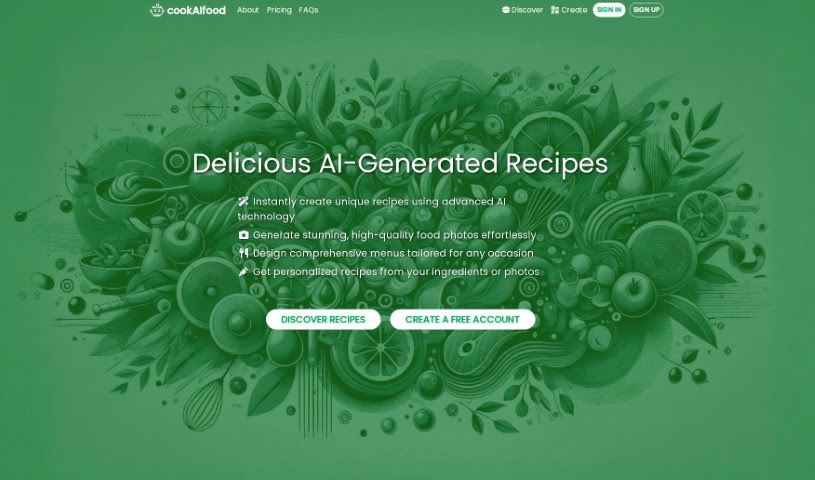
CookAIfood is a really neat AI tool designed to spark your inner chef! It lets you create, share, and explore all sorts of AI-generated food recipes and even entire menus. Just tell it what ingredients you have, a dish name, or a general description, and it'll whip up personalized recipes for you, complete with easy-to-follow instructions and beautiful photos. Plus, you can get extra images to really make your culinary creations shine, and you can download them too. It's pretty cool because it can even help you find local restaurants that serve the recipes you've created. You can also publish your own recipes on a personal page. As for cost, a basic recipe is 1 credit, and an advanced one is 3 credits. You can pay securely using Stripe or a variety of cryptocurrencies.

Screenshot of cre8tiveAI

cre8tiveAI

Freemium

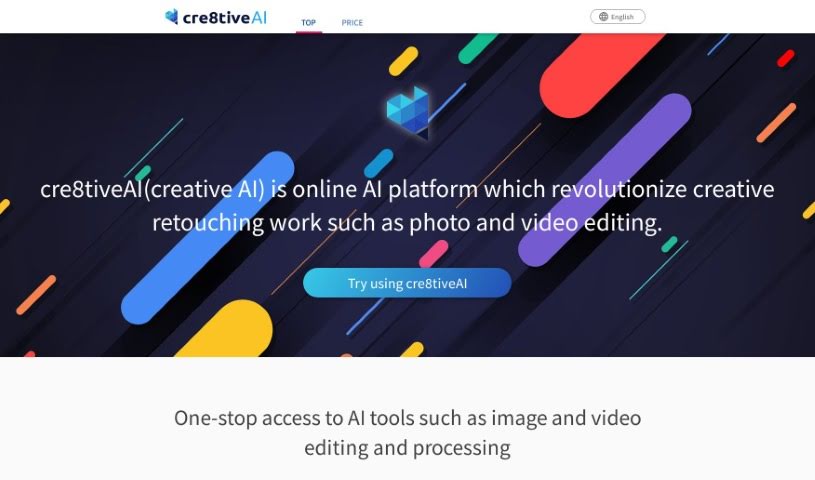
Cre8tiveAI, also known as Creative AI, is a really neat online platform designed to make creative retouching tasks, like editing photos and videos, much simpler. It is an AI-powered service that can handle a bunch of editing jobs super fast – we're talking things like automatic painting, boosting image and video quality, clipping, layering, and color correction, all done in less than 10 seconds! What's more, Cre8tiveAI has some pretty cool tricks up its sleeve, like creating anime-style face illustrations, full-body illustrations, and even line drawings from your photos. It can also whip up anime-style backgrounds from pictures. Basically, it's a comprehensive tool that helps you speed up and improve your creative editing workflow efficiently.

Screenshot of Creativio AI

Creativio AI

Freemium

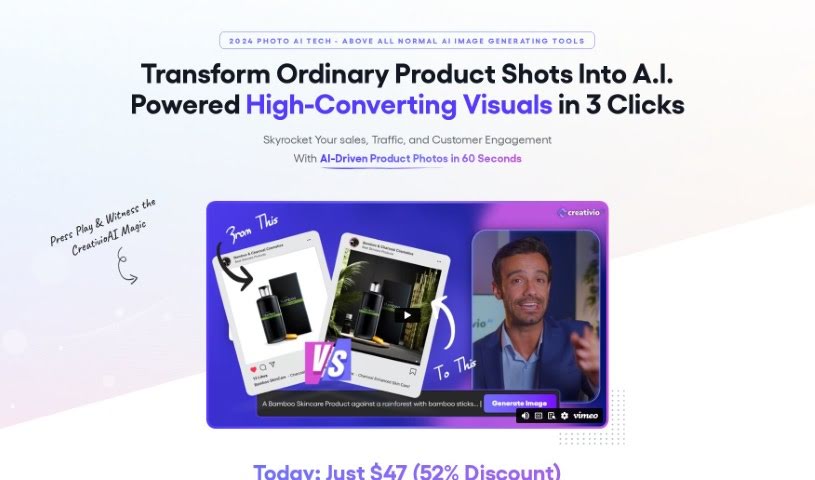
Creativio AI is a really neat tool designed to completely change how we do product photography. It is your go-to solution for getting amazing product shots without the usual hassle and expense. You know, the kind of hassle that comes with hiring photographers or spending hours in editing software? Well, Creativio AI cuts through all that. It lets you create fantastic product images super easily. It's a simple, three-step process: first, you just snap a photo of your product with your phone and upload it. Then, you can tweak it using a super intuitive interface. Finally, you get your AI-enhanced image back in a flash. The software uses smart AI to boost things like removing backgrounds, creating custom scenes, generally making your product photos look better, and all sorts of editing. The whole point is to help you sell more and get people more interested in what you offer. Creativio AI also has different pricing options, so whether you're an individual, a small business, or a pro in a specific field, there's likely a plan that fits. These plans include things like AI-generated images, the ability to upscale your photos to higher resolutions, and access to a community feed where you can see what other designers are creating. They're so confident you'll love it that they offer a 30-day money-back guarantee, which really shows how sure they are that Creativio AI can transform your product photography experience smoothly.

Screenshot of Cuebric

Cuebric

Freemium

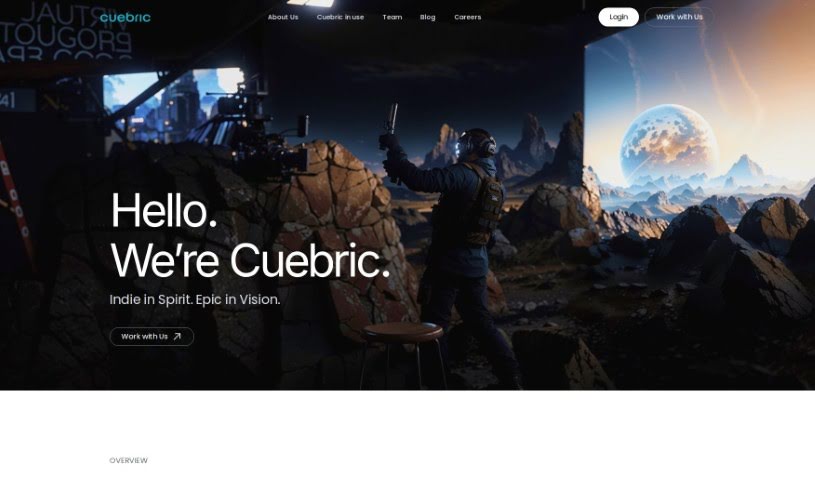
Cuebric is a generative AI tool that's really changing the game for filmmakers and content creators during preproduction and production. It helps you quickly build immersive 2.5D cinematic environments, which means you can spend more time focusing on your creative vision and telling your story. If you're part of a studio or a virtual production company, Cuebric can seriously boost your efficiency. It frees up your team to be more creative by making it easier to craft stunning cinematic environments and improve your visual content. Filmmakers get to build these amazing, immersive worlds much faster, and producers can look forward to smoother production timelines and lower costs, all thanks to Cuebric's AI-powered image generation and editing tools.

Screenshot of Cutout.pro

Cutout.pro

Freemium

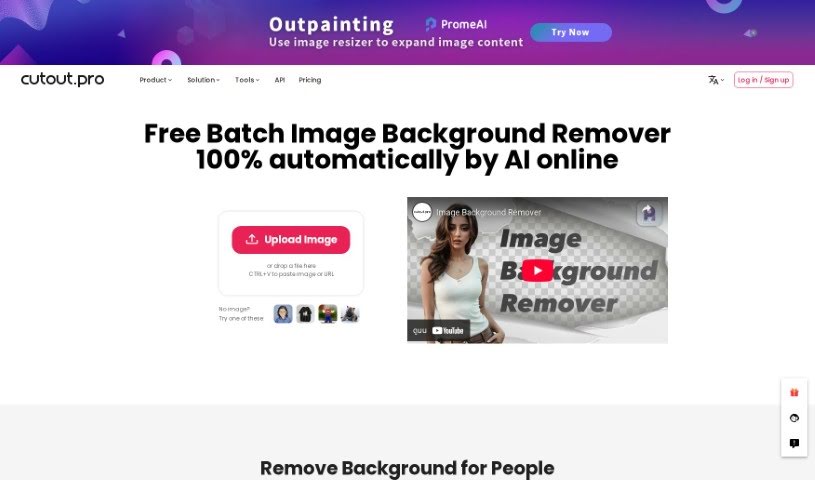
Cutout.pro is a really neat AI-powered platform for visual design. It uses artificial intelligence and computer vision to offer a bunch of different tools and products that are super helpful for both individuals and businesses. You can do things like remove image backgrounds, enhance and upscale photos, create cool backgrounds with text, edit videos with AI, and even animate photos. Basically, it helps with everything from designing images and making e-commerce listings shine to integrating with developer tools, creating ID photos, restoring old pictures, and getting custom prints ready. It’s pretty impressive – over 25,000 businesses already trust it to make their visual content look great and get tasks done efficiently.

Screenshot of Cutout.Pro Remove Background

Cutout.Pro Remove Background

Freemium

Basically, 'Remove Background' is a way to easily get rid of an image's background, making it transparent. It uses an AI-powered background eraser tool that's really quick at creating great-looking visuals. You can remove backgrounds and make them transparent with hardly any effort. This tool also makes it simple to swap out backgrounds, which really helps when you're trying to get creative with your images. Plus, it's got this handy bulk processing feature, so you can tackle multiple images at once. It really speeds things up, saves you time, and makes your images look better, fitting them perfectly for all sorts of projects.

Screenshot of Deep Art Effects

Deep Art Effects

Freemium

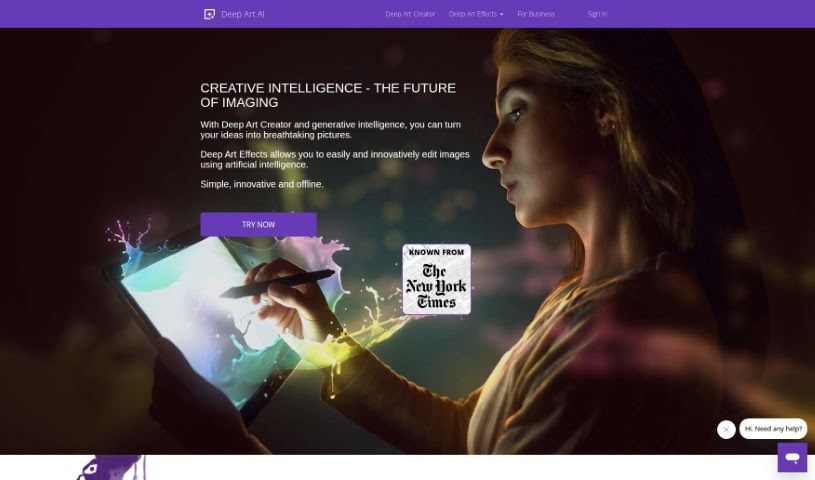
Deep Art Effects is a really advanced platform that uses artificial intelligence to completely change how we edit images. It offers some pretty cool tools that can turn your everyday photos into unique works of art. For instance, you can scale up your images by four times their original size, and you won't lose any quality. Plus, it automatically optimizes your pictures for you. The platform can even do things that premium SLR cameras do, like remove image backgrounds all by itself, and it makes bringing old black-and-white photos to life super simple by handling the coloring process. What's more, Deep Art Effects has these AI-powered art filters that are always learning new art styles, so they can really make your images pop. They're also big on data privacy – all your images are processed offline using their desktop software. This means your photos never go to the cloud, and they follow strict German data protection rules. You can get Deep Art Effects as a mobile app or desktop software, making this cutting-edge image technology accessible to everyone.

Screenshot of Deep Dream Generator

Deep Dream Generator

Freemium

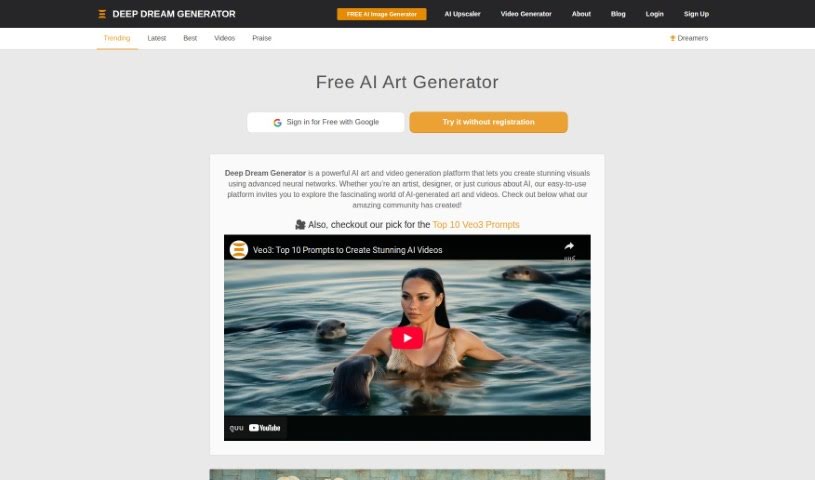
Deep Dream Generator is an online platform that uses AI technology to help you create amazing artworks and images. You can choose between free and premium subscriptions, which means it's great for anyone, whether you're aiming for photorealism or a more artistic style. The platform gives you access to several AI image generation models, a powerful image editor, an image enhancer, and even a new AI video generator. It's been around since before 2020, and it's constantly updated with the latest AI tech. They added text-prompt image generation back in 2022, and by 2023, the AI-generated images were so good, you couldn't tell them apart from human-made ones. Plus, it's a place where users can share their work, give reactions, and chat about their creations, really building a community for AI artists.

Screenshot of Deep Image AI

Deep Image AI

Freemium

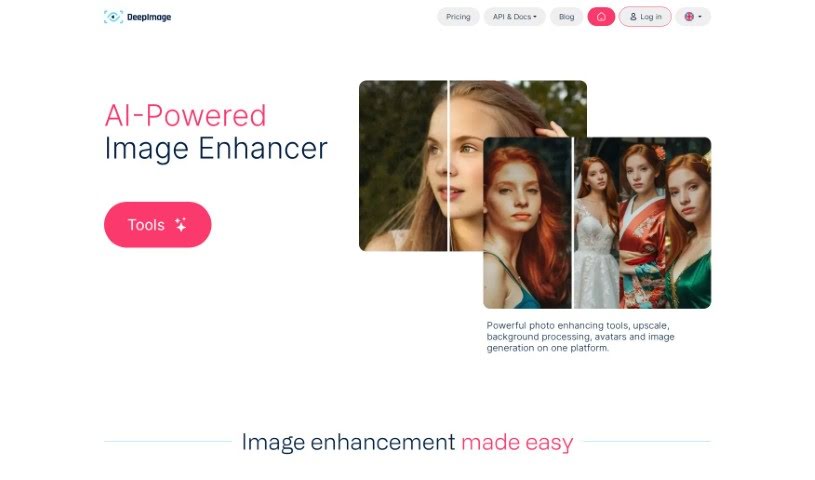
Deep Image is your go-to AI assistant for making photos look their absolute best. It offers simple apps that can do things like upscale your images using AI, get rid of annoying noise, sharpen up blurry details, fix light and color issues, and even remove backgrounds. It’s built to boost image quality for all sorts of uses – whether you’re into digital art, need great photos for real estate listings, want your e-commerce products to pop, or are preparing images for printing. Deep Image handles common formats like PNG and JPG, and how long it takes really depends on the size of your picture. Plus, it can help restore white balance, create HDR effects, and generally increase your image resolution.

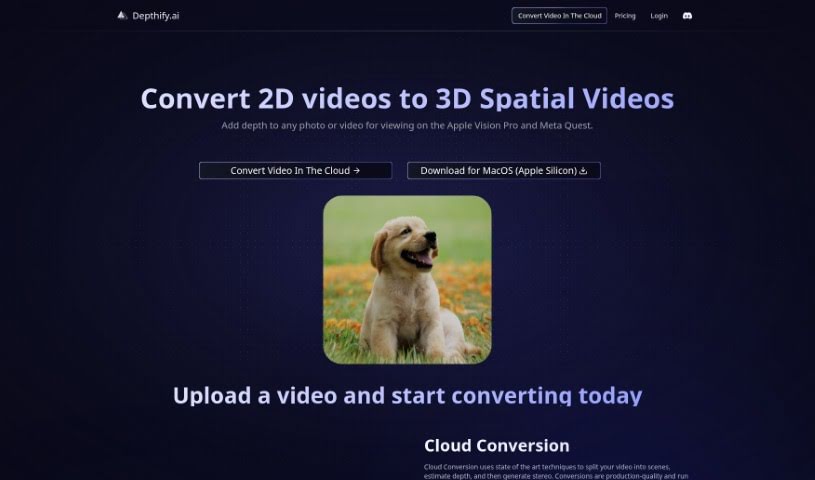
Screenshot of Depthify.ai

Depthify.ai

Freemium

Depthify.ai is a really neat platform that lets you turn your regular 2D photos and videos into 3D spatial ones. It is adding a whole new dimension to your content, making it viewable on devices like the Apple Vision Pro and Meta Quest. Depthify.ai offers two main ways to do this:

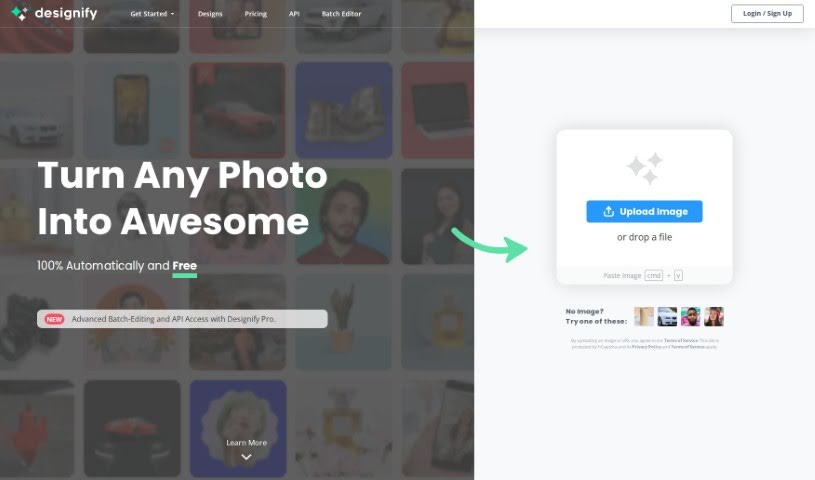
Screenshot of Designify

Designify

Freemium

Designify is a really handy platform that offers a bunch of design tools, all aimed at making your design process smoother and quicker. One of its standout features is the "Smart Editor." Think of it as your personal design assistant; it lets you easily tweak designs by adding your logo, other pictures, adjusting shadows, or even automatically matching colors to your brand. When you sign up, you can save all your creations, which is super useful for speeding up your editing workflow. Plus, Designify really simplifies editing photos by automating a lot of the heavy lifting, meaning you can process tons of images without breaking a sweat. Whether you're customizing a design or batch-editing photos, Designify offers a user-friendly interface that makes the whole experience feel natural and easy.

Stay Updated with AI Tools

Get weekly updates on the latest AI tools, trends, and insights delivered to your inbox

Join 25,000+ AI enthusiasts. No spam, unsubscribe anytime.