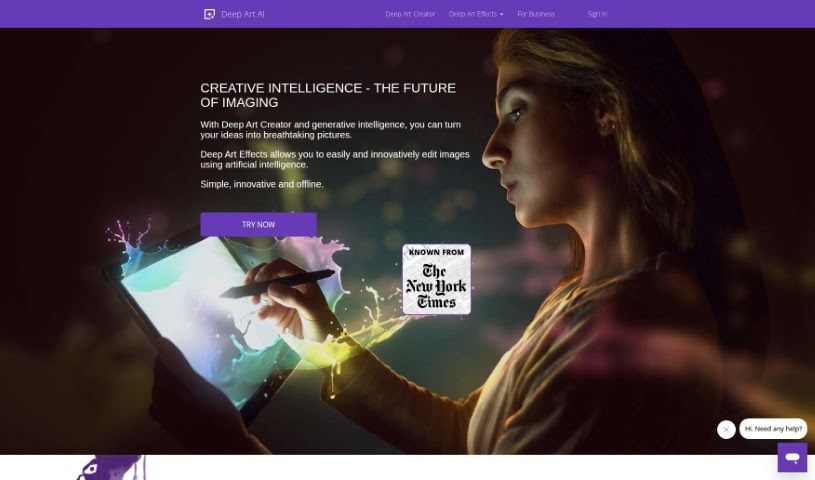
What is Deep Art Effects?
Deep Art Effects is a really advanced platform that uses artificial intelligence to completely change how we edit images. It offers some pretty cool tools that can turn your everyday photos into unique works of art. For instance, you can scale up your images by four times their original size, and you won’t lose any quality. Plus, it automatically optimizes your pictures for you. The platform can even do things that premium SLR cameras do, like remove image backgrounds all by itself, and it makes bringing old black-and-white photos to life super simple by handling the coloring process. What’s more, Deep Art Effects has these AI-powered art filters that are always learning new art styles, so they can really make your images pop. They’re also big on data privacy – all your images are processed offline using their desktop software. This means your photos never go to the cloud, and they follow strict German data protection rules. You can get Deep Art Effects as a mobile app or desktop software, making this cutting-edge image technology accessible to everyone.
Who created Deep Art Effects?
A team of people who are really passionate about using artificial intelligence to make image editing better founded Deep Art Effects. They’ve created some neat tools, like the ability to scale images up without losing quality, mimic SLR camera features, automatically remove backgrounds, and colorize old black-and-white photos. It’s worth noting that they do all the processing offline to keep your data private, following German standards. Their main goal is to make advanced image technology available to a lot more people.
What is Deep Art Effects used for?
- You can edit and transform regular images into unique artworks using advanced AI techniques.
- It lets you process images locally on your desktop software, which keeps your privacy safe and follows German data protection standards.
- It’s easy and affordable to color black-and-white photos.
- You can apply AI-powered art filters that are already set up to enhance and transform your images.
- It can scale images up to four times their original size without any loss in quality.
- It imitates the features found in premium SLR cameras.
- It automatically removes image backgrounds for you.
- It enhances grayscale images by adding color.
- It makes cutting-edge image technology accessible to everyone.
- It’s available as both a mobile app and desktop software.
- You can edit and transform images using advanced AI techniques.
- It scales images without losing quality.
- It offers automatic image optimization and colorization.
- It imitates premium SLR cameras.
- It removes image backgrounds on its own.
- It provides secure offline image processing that follows data protection standards.
- It colors grayscale images effortlessly.
- It uses AI-powered art filters to turn images into artistic masterpieces.
- It enhances images by constantly learning different art styles.
- It transforms ordinary images into unique artworks.
- It scales images up to four times their original size without quality degradation.
- It optimizes images automatically.
- It can replicate the functions of premium SLR cameras.
- It removes image backgrounds autonomously.
- It colors old grayscale images.
- It enhances photos using AI-powered art filters that are already set up.
- It’s versatile, offering both a mobile app and desktop software.
- It shows off creative intelligence through advanced AI editing techniques.
- It edits and transforms regular images into unique artworks using AI techniques.
- It replicates premium SLR camera functionalities.
- It processes all images offline to ensure data privacy.
- It colors old grayscale images easily and affordably.
- It applies AI-powered art filters to enhance and transform images.
- It provides a mobile app and desktop software for easy access.
- It makes cutting-edge image technology accessible to more people.
Who is Deep Art Effects for?
- Photographers
- Graphic designers
- Artists
- Image Editors
- Content creators
How to use Deep Art Effects?
Here’s how you can use Deep Art Effects:
- Choose the Right Version: First, decide if you want to use the mobile app or the desktop software for editing your images.
- Enhance Your Images: Take advantage of the platform’s cool tools to make your images better. You can scale them up to four times their original size without losing any quality, and it also optimizes or colors them automatically.
- Mimic Premium Camera Features: You can get the feel of expensive SLR cameras with Deep Art Effects. This lets you capture shots that look like they were taken with professional gear.
- Remove Backgrounds: It’s super easy to cut out backgrounds from your images using the platform’s automatic feature.
- Process Offline for Privacy: You get better data privacy because all the image processing happens offline with the desktop software. This means your photos aren’t stored in the cloud.
- Colorize Grayscale Images: You can easily make black-and-white photos look vibrant by coloring them. This simplifies a process that used to be complex and costly.
- Use AI-Powered Art Filters: Check out the range of art filters that are powered by AI. They can transform your photos into artistic masterpieces because they’re always learning and applying different art styles.
- Enjoy Accessibility: You can use Deep Art Effects on both mobile and desktop platforms, which gives you flexibility and accessibility based on what you prefer.
By following these steps, you can easily use the power of artificial intelligence to improve your image editing skills and create some really stunning art.