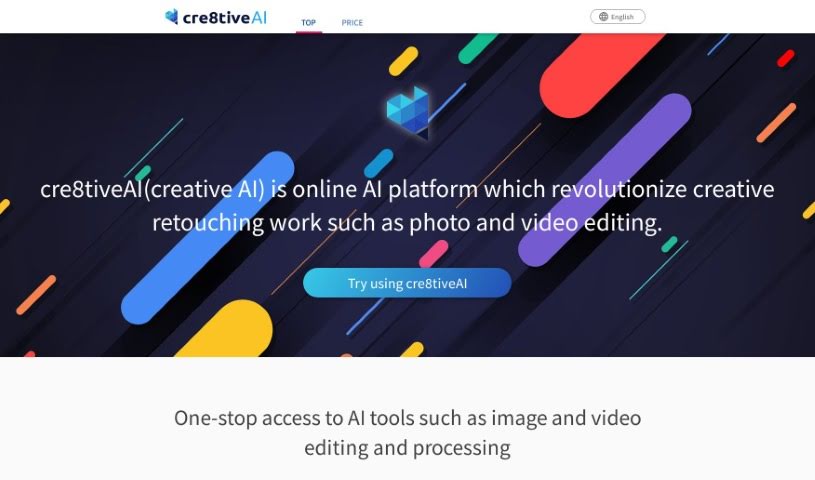
Screenshot of cre8tiveAI

cre8tiveAI

Discover what cre8tiveAI is and how to make the most of it in 2025. We'll dive into its features and see how it stacks up against other photo editors.

Screenshot

What is cre8tiveAI?

Cre8tiveAI, also known as Creative AI, is a really neat online platform designed to make creative retouching tasks, like editing photos and videos, much simpler. It is an AI-powered service that can handle a bunch of editing jobs super fast – we’re talking things like automatic painting, boosting image and video quality, clipping, layering, and color correction, all done in less than 10 seconds! What’s more, Cre8tiveAI has some pretty cool tricks up its sleeve, like creating anime-style face illustrations, full-body illustrations, and even line drawings from your photos. It can also whip up anime-style backgrounds from pictures. Basically, it’s a comprehensive tool that helps you speed up and improve your creative editing workflow efficiently.

Who created cre8tiveAI?

Cre8tiveAI, this platform that’s really changing the game for creative retouching work like photo and video editing, was actually started by Rishit Patel. The company offers an AI-based service that tackles all sorts of photo and illustration editing tasks in under 10 seconds. This includes things like automatic painting, making images sharper, clipping, layering, and color correction. Some of the standout features are its ability to generate anime-style illustrations and line drawings straight from your photographs. The platform is designed to be user-friendly, offering services that are easy to use and powered by advanced AI technology, like Deep Learning.

What is cre8tiveAI used for?

Here’s a look at what you can do with cre8tiveAI:

  • Create anime-style face illustrations
  • Generate full-body anime-style illustrations
  • Turn your photos into line drawings
  • Make anime-style background images from your photos
  • Refine your photos with an AI image upscaler
  • Enhance faces with a special AI for high resolution
  • Use SAI for generating face illustrations
  • Try SAI+ for creating full-body illustrations
  • Create portraits with the Portrait Generator AI
  • Turn your photos into videos with the Moving Photo Maker
  • (Yes, it’s that good, it’s listed twice!)

Who is cre8tiveAI for?

This tool is a great fit for a wide range of creative professionals and enthusiasts:

  • Photographers
  • Graphic designers
  • Video editors
  • Illustrators
  • Content creators
  • Marketing professionals
  • Web designers
  • Social media managers
  • Fine artists
  • Animators

How to use cre8tiveAI?

Getting started with cre8tiveAI is pretty straightforward. Just follow these simple steps:

  1. First off, head over to the official website at cre8tiveai.com. It’s your main hub for everything.
  2. Take a moment to look around at all the cool features they offer. You’ll find things like automatic painting, ways to improve the resolution of your images and videos, clipping, layering, and color correction.
  3. Next, decide exactly what you want to achieve. Maybe you’re looking to generate an anime-style face illustration, a full-body illustration, turn a photo into a line drawing, or create an anime-style background image from a photo.
  4. It’s helpful to know that cre8tiveAI uses a really advanced type of AI called Deep Learning. This is what makes it different from the usual image-editing software you might be used to.
  5. You’ll really appreciate the speed! These AI responses are super quick, finishing tasks in just about 10 seconds that could have easily taken hours the old way.
  6. Go ahead and upload your photos, illustrations, or videos to the platform. The AI will handle the retouching for you, so you don’t even need to be a design expert.
  7. You’ll find the platform is designed to be really user-friendly, making it easy for anyone to jump in and use.
  8. Rest assured, it’s a safe and secure service. They respect your intellectual property rights and keep your information confidential.
  9. You can really dive into your creative work without a struggle, whether you’re a seasoned pro or just starting out. The goal is to help you get high-quality results, fast.

Following these steps should help you use cre8tiveAI effectively for all your creative projects.

Related AI Tools

Discover more tools in similar categories that might interest you

123RF AI Image Generator

Creative Image Generation
Learn More

Stay Updated with AI Tools

Get weekly updates on the latest AI tools, trends, and insights delivered to your inbox

Join 25,000+ AI enthusiasts. No spam, unsubscribe anytime.