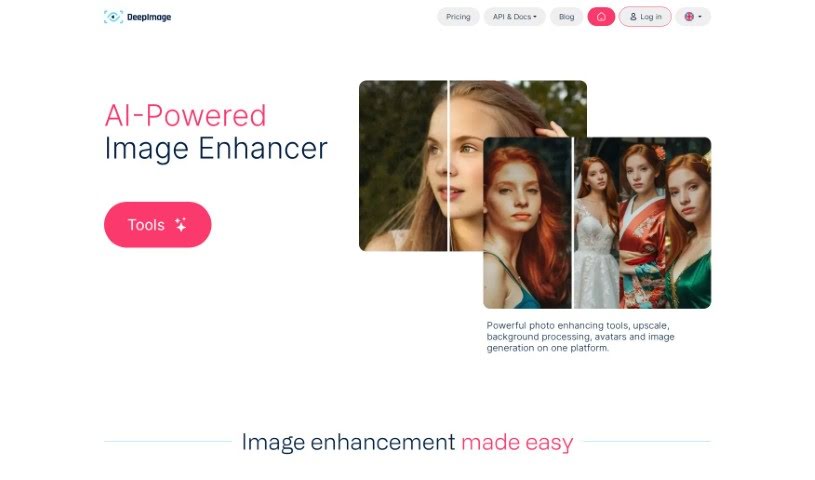
Screenshot of Deep Image AI

Deep Image AI

Discover what Deep Image AI is and how to use it effectively in 2025. We'll explore its features and see how it stacks up against other AI image generators.

Screenshot

What Exactly is Deep Image AI?

Deep Image is your go-to AI assistant for making photos look their absolute best. It offers simple apps that can do things like upscale your images using AI, get rid of annoying noise, sharpen up blurry details, fix light and color issues, and even remove backgrounds. It’s built to boost image quality for all sorts of uses – whether you’re into digital art, need great photos for real estate listings, want your e-commerce products to pop, or are preparing images for printing. Deep Image handles common formats like PNG and JPG, and how long it takes really depends on the size of your picture. Plus, it can help restore white balance, create HDR effects, and generally increase your image resolution.

People who’ve used it seem pretty happy, often mentioning how much it improves image quality and takes the hassle out of image processing.

So, Who’s Behind Deep Image AI?

DEEP-IMAGE.AI sp. z o.o. is the company that created DeepImage. Ingemar Anderson, one of the co-founders, has been instrumental in developing the service to enhance images for everything from print-ready quality to bringing old photos back to life. The company focuses on AI-powered tools for image enhancement, perfect for businesses in e-commerce and real estate. They make it easy for users to upscale, reduce noise, sharpen images, correct colors, and a whole lot more, all while keeping things efficient.

What Can You Actually Do with Deep Image AI?

Here’s a look at what Deep Image AI is great for:

  • Streamlining business tasks: Connect via API to automate processes with AI photo enhancements.
  • Boosting social media and corporate images: Make your online presence look more professional.
  • Getting print-ready photos: Upscale your images to achieve that high-quality print look.
  • Creating stunning digital art: Generate impressive visuals for your artistic projects.
  • Making products shine: Enhance your e-commerce product photos to attract buyers.
  • Improving real estate visuals: Use AI for professional real estate photography.
  • E-commerce background magic: Remove and replace backgrounds for product listings.
  • 3D modeling prep: Enhance wheel and vehicle images for better 3D rendering.
  • Attracting customers: Make your e-commerce photos more appealing.
  • Premium printing: Increase image resolution for top-notch printing.
  • Cutting down noise: Reduce unwanted graininess in your photos.
  • Photo Enhancer for E-commerce: Specifically designed to help online sellers.
  • AI photo enhancements for Real-Estate: Tailored tools for property visuals.
  • An e-commerce game-changer: Seriously helps online businesses.
  • Achieve premium print quality: Get your images ready for high-end printing.
  • Upscale with AI: Make your images bigger and clearer.
  • Fix blurry images: Sharpen up those less-than-perfect shots.
  • Color and light correction: Get the tones and brightness just right.
  • Background removal and swapping: Easily change or remove photo backgrounds.
  • Generate high-quality Digital Arts: Create professional-looking digital artwork.

Who Should Be Using Deep Image AI?

Deep Image AI is a fantastic tool for a variety of professionals:

  • Photographers: To refine their shots.
  • Real Estate Agents: To make property listings more attractive.
  • E-commerce Sellers: To improve product presentation.
  • Artists: For creating and enhancing digital art.
  • Graphic Designers: To perfect visuals for clients.
  • Print Professionals: To ensure images are print-ready.
  • API Developers: To integrate powerful image enhancement into their own applications.

How Do I Actually Use Deep Image AI?

Using DeepImage to make your photos better is pretty straightforward. Just follow these simple steps:

  1. Upload Your Image: Start by uploading your photo. PNG or JPG formats usually work best for the most optimal results.
  2. Pick Your Enhancements: Choose the specific improvements you want. You can select options like upscaling, noise reduction, sharpening, light and color correction, or background removal.
  3. Wait Briefly: Processing times can vary, but typically it’s quite fast, usually taking anywhere from 1 to 30 seconds, depending on your image’s resolution.
  4. Download or Share: Once it’s done, you can download your beautifully enhanced image or share it right away.
  5. Image Deletion (Free Plan): If you’re on the free plan, your uploaded images are automatically deleted after 24 hours for your privacy.
  6. Put it to Work: Use DeepImage for all sorts of tasks – whether it’s enhancing e-commerce photos, editing real estate images, or improving print quality.
  7. Explore the API: If you want to build DeepImage’s capabilities directly into your own workflow, check out the API for enhanced digital efficiency.

By following these steps, you’ll find it’s really easy to use DeepImage’s AI tools to get professional-looking results without much fuss.

Related AI Tools

Discover more tools in similar categories that might interest you

123RF AI Image Generator

Creative Image Generation
Learn More

Stay Updated with AI Tools

Get weekly updates on the latest AI tools, trends, and insights delivered to your inbox

Join 25,000+ AI enthusiasts. No spam, unsubscribe anytime.